Learn about the GrabCAD Platform
Get to know GrabCAD as an open software platform for Additive Manufacturing
Visit our new homepage
Home
Control
Shop
Streamline Pro
Partner Program
Print
Community
Log in
Library
Challenges
Groups
Questions
Tutorials
Engineers
Blog
Log in
Learn from thousands of free Tutorials.
New user?
Join the community
or
log in.
Tutorials
Most liked all time
Recent
Most liked
Most viewed
Most commented
This week
This month
All time
Category
Design & CAD
Modeling
Drafting
Assemblies
BOM
Dimensioning / Tolerancing
Translations
Manufacturing & CAM
3D Printing
Tooling
NC Machining
Composites
Measurement / Inspection
Simulation & CAE
FEM
CFD
Kinematics
Process Simulation
Engineering Fundamentals
Theory
Process
Standards
Other
Software
Snagit
Alibre Design
ArchiCAD
AutoCAD
AutoCAD Electrical
Autodesk 3ds Max
Autodesk Alias
Autodesk Inventor
Autodesk Maya
Autodesk Revit
Autodesk 123D
BricsCAD
Bentley MicroStation
BlenderCAD
BobCAD-CAM
CATIA
Delmia
DraftSight
FreeCAD
Femap
Fusion 360
Geomagic Design
IronCAD
JT
Kompas-3D
KeyCreator
KeyShot
Lagoa
Luxology
Mastercam
Moi3D
NX Unigraphics
OBJ
Onshape
OpenSCAD
Parasolid
Powermill
Powershape
Pro/Engineer Wildfire
PTC Creo Parametric
PTC Creo Elements
Rhino
SpaceClaim
SOLIDWORKS
solidThinking Evolve
Solid Edge
SolidFace
STEP / IGES
SketchUp
STL
TopSolid
TinkerCAD
T-Flex CAD
TurboCAD
VectorWorks
ViaCAD 3D
VRML / WRL
ZW3D
GrabCAD Print
Rendering
GrabCAD Community
GrabCAD Workbench
Text file
3D Manufacturing Format
Cinema 4D
Other
Skill level
All levels
Beginner
Intermediate
Expert
CATIA
×
solid
×
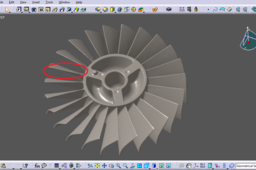
How to change the blades on a 'dumb solid' (CATIA)
Jack K
in
Modeling
10
1
Intermediate
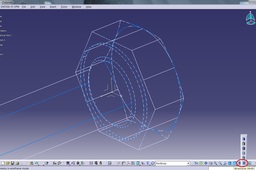
This tutorial is to provide a guide for modifying a CATIA file containing a "dumb" solid. (The reader should be familiar with basic CATIA Part Design commands) This tutorial is to respond to a recent question asked by Nouman Khalid: "This dump solid is generated from a STL and i am given a .STP file. I want all the blades to be similar to generate a reference model for modal analysis. I want the encircled blade to be copied all over rotor. Please guide how this can be done."
CATIA
modify
step
solid
dumb
catia
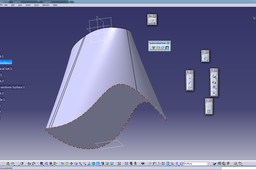
How to convert enclosed surface to solid in CATIA?
BDNS Murthy
in
Design & CAD
9
1
Beginner
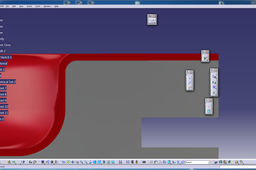
Small example from my side. As there is no software supporting to your .catpart file. I do have Catia v5 r19
CATIA
solid
surface
convert
watertight
enclosed
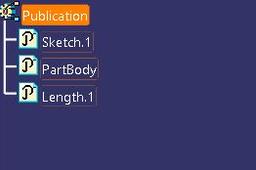
Linking parts in CATIA: Publication
Pablo Sánchez
in
Modeling
3
1
Expert
We can have the same sketch (or parameter, geometry, body,etc) in different parts of the same assembly, that way if we need to change this element, we only need to do it in one place. Some examples: 1) Diameter of holes, lengths. 2) We maybe want a reference model with all the sketches, and then copy those sketches to different parts. 3) We could have a solid of revolution, that we need to split due to the chosen manufacturing process. And after the split, maybe because of minor features (holes, etc) are not totally simmetric, so we have to define two parts with two drawings. We could be faster if we linked only the common solid, before applying specific features. In all of those cases we can use the powerful tool in Catia known as Publication.
CATIA
revolution
solid
publication
[VIDEO] Introduction to Natural Shape - CATIA 3DEXP
Maxime Chagnot
in
Modeling
2
0
Beginner
Hello CATIA Fans, In this new video, I will introduce you the "Natural Shape" application, included in all mechanical roles! This app allows you to design quickly a conceptual 3D shape/solid with no advanced skilled required. You can also work with Dead Solid Body (step for instance) since it is based on Direct Modeling Technology. Every time you select an element on the 3D (screen), a contextual menu will appears and propose you several action. This really improve the user interface. The video is divided in 2 parts, first I will introduce you the application and show you different features, then I will import a step file from the 3DExperience Part Supply catalog, and we will see what we can do with it. If you are a CATIA V5 user this video should be interesting since it is new in 3DExperience. Please Like, Comment, Share and Subscribe :)
CATIA
natural
body
solid
dead
modeling
direct
3dexperience
catia
Tutorial: How to convert a .Step-File to an independent .CatPart-File in Catia V5
Kai
in
Design & CAD
1
0
Beginner
This Tutorial shows you how to convert a .stp-file (dead solid) to an independent .catpart-file (iso-constrained) in Catia V5. Using project/intersect 3D-Elements.
CATIA
step
project
solid
iso
stp
constrained
convert
catpart
intersect
dead
trace
tipsntricks
Catia Basics - How to use multi section solid command using spline
Anuj Kaushal
in
Modeling
0
0
Beginner
How to use multi section solid command using spline.
CATIA
design
3d
solid
multisection
catia
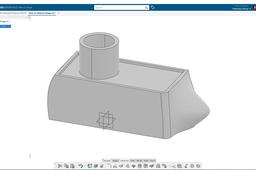
How to convert enclosed surface to solid in CATIA?
BDNS Murthy
in
Design & CAD
0
0
Beginner
Follow the steps to do the thickness on the surface
CATIA
solid
surface
convert
watertight
enclosed