Learn about the GrabCAD Platform
Get to know GrabCAD as an open software platform for Additive Manufacturing
Visit our new homepage
Home
Control
Shop
Streamline Pro
Partner Program
Print
Community
Log in
Library
Challenges
Groups
Questions
Tutorials
Engineers
Blog
Log in
Learn from thousands of free Tutorials.
New user?
Join the community
or
log in.
Tutorials
Most liked all time
Recent
Most liked
Most viewed
Most commented
This week
This month
All time
Category
Design & CAD
Modeling
Drafting
Assemblies
BOM
Dimensioning / Tolerancing
Translations
Manufacturing & CAM
3D Printing
Tooling
NC Machining
Composites
Measurement / Inspection
Simulation & CAE
FEM
CFD
Kinematics
Process Simulation
Engineering Fundamentals
Theory
Process
Standards
Other
Software
Snagit
Alibre Design
ArchiCAD
AutoCAD
AutoCAD Electrical
Autodesk 3ds Max
Autodesk Alias
Autodesk Inventor
Autodesk Maya
Autodesk Revit
Autodesk 123D
BricsCAD
Bentley MicroStation
BlenderCAD
BobCAD-CAM
CATIA
Delmia
DraftSight
FreeCAD
Femap
Fusion 360
Geomagic Design
IronCAD
JT
Kompas-3D
KeyCreator
KeyShot
Lagoa
Luxology
Mastercam
Moi3D
NX Unigraphics
OBJ
Onshape
OpenSCAD
Parasolid
Powermill
Powershape
Pro/Engineer Wildfire
PTC Creo Parametric
PTC Creo Elements
Rhino
SpaceClaim
SOLIDWORKS
solidThinking Evolve
Solid Edge
SolidFace
STEP / IGES
SketchUp
STL
TopSolid
TinkerCAD
T-Flex CAD
TurboCAD
VectorWorks
ViaCAD 3D
VRML / WRL
ZW3D
GrabCAD Print
Rendering
GrabCAD Community
GrabCAD Workbench
Text file
3D Manufacturing Format
Cinema 4D
Other
Skill level
All levels
Beginner
Intermediate
Expert
scan
×
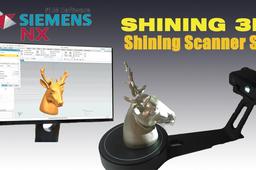
Reverse Engineering with Siemens NX 12
Gouza
in
Modeling
5
2
Beginner
How to use Siemens NX 12 Reverse Engineering Funktions to treat your 3d Scan result failures and errors.
NX Unigraphics
manufacturing
additive
print
scan
scanning
3d
nx
siemens
engineering
reverse
A Class OEM standard modelling and skills
Rags and Rust
in
Modeling
4
0
Beginner
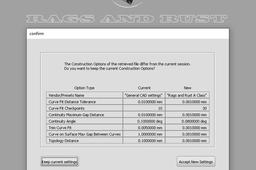
I have created a number of Tutorials for Autodesk Alias A Class Nurb modelling. These tutorials are based on things i do everyday as a professional car designer within OEM studios. Although these are done in Autodesk Alias which is the industry standard software they can be applied to any nurb based program you may have such as Rhino, Catia etc. 1. Scan data to A Class surface model 2. From a side view sketch to a clean concept model 3. Using blueprints to create a clean accurate A Class model 4. Using these skills to challenge yourself.
Autodesk Alias
quality
production
scan
concept
nurbs
automotive
car
class
Tranform a Scan (STL) into a Surface
Maxime Chagnot
in
Modeling
2
0
Beginner
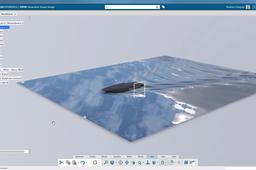
Video: https://youtu.be/Qo6hzCDecfg Article: https://plmtechnology.no/2016/10/27/transform-a-scan-into-a-surface-with-catia-3dexperience/ How can we reuse the data from a STL file? With the Automatic Surface feature (Digitized Shape to Surface application) you can easily transform a 3D Scan into a clean surface. The Reverse Engineering role contains also all the features needed to work with cloud points and scan, such as healing, tesselation, smoothing, surface network and many more...
CATIA
surface
tesselation
scan
stl
engineering
reverse
3dexperience
catia
How to import a STL file 3DExperience?
Maxime Chagnot
in
Modeling
1
0
Beginner
Hello all, Here is another 2-min tuto video! The topic of this video is to show you how to import a STL file with the CATIA 3DPrinting application in the 3DExperience. Please Like, Comment, Share and Subscribe :)
CATIA
printing
3d
scan
cloud
polygon
triangle
stl
3dexperience
catia
How to tessellate a surface? 3Dexperience
Maxime Chagnot
in
Modeling
1
0
Beginner
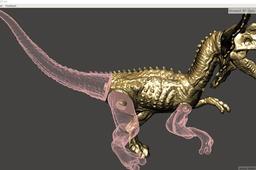
Hello all, This new video of 2-min tuto shows you how you can tessellate a shape into a polygon based surface (or STL). You could reuse this tessellation for 3D printing, rendering or reverse engineering purpose. Please Like, Comment, Share and Subscribe :) Find the model on this GrabCad link: https://grabcad.com/library/tessellation-of-a-surface-1
CATIA
printing
3d
tessellation
scan
polygon
points
cloud
stl
3dexperience
catia
Hot to cut STL-File & Use Alignmnet Pin in Meshmixer
Gouza
in
3D Printing
1
0
Beginner
Hello everyone, do you want to split your STL-File into several Pieces for printing multi-color or multi-material. Or to avoid support Material ? well i have the solution for you. Meshmixer ist a free software and has a nice functions to edit any STL Model. How? Please check this Video : https://youtu.be/1r0MkZ288lY
scan
3d
meshmixer
engineering
reverse
material
support
avoid
pin
alignment
cut
editing
stl
Scans 3D en Zbrush
Jose L Perez
in
Modeling
1
0
Intermediate
Scans 3d en Zbrush, En este video vemos como importar, arreglar y preparar un scan 3d en ZBrush para luego exportarlo y poder imprimirlo. El escáner 3D que utilizamos fue el Sense de la compañía 3DSystems. Puedes descargar el scan de practica en: http://www.thingiverse.com/thing:1911622 https://www.youmagine.com/designs/sca... https://pinshape.com/items/29020 Si quieres aprender un poco más sobre nosotros en mi tutor digital puedes visitar nuestro blog. http://mitutordigital.com/
Other
modeling
digital
tutor
mi
tutorial
scan
3d
zbrush
3D Scan-Introducción a Skanect
Jose L Perez
in
3D Printing
0
0
Intermediate
3D Scan-Introducción a Skanect En este video vemos una introducción a Skanect. La aplicación de escaneado en 3 dimensiones. Vemos como crear un documento nuevo, con todos los ajustes para escoger, un vistazo a la interface, todas las opciones para arreglar y manipular el modelo escaneado y como exportarlo en distintos formatos.
Dimensiones
impresion3d
3dprint
skanect
scan
3d
What is use of option Scan to 3D?
BENJILALI
in
Design & CAD
0
0
Beginner
3D SCANNER
SOLIDWORKS
solidworks
3d
scan
option
How to Intersection curve Facet model with surface?
Sebi
in
Design & CAD
0
0
Intermediate
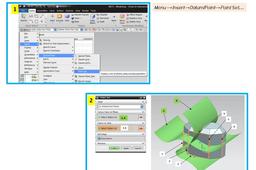
Hi, I had this problem after several years working in ProE / WF. In UG/NX the philosophy is different. Usually the intersection between any curve and any surface is one or more points. (It can be an other curve(s) if one or more portion(s) of curve they are included in the surface but this is other case.) Therefore these intersection(s) are obtained by creating a point / point set using "Intersection" option. I hope to be clearer in the attached presentation. Good luck, Sebi
NX Unigraphics
reverse
scan
stl
nx