Learn about the GrabCAD Platform
Get to know GrabCAD as an open software platform for Additive Manufacturing
Visit our new homepage
Home
Control
Shop
Streamline Pro
Partner Program
Print
Community
Log in
Library
Challenges
Groups
Questions
Tutorials
Engineers
Blog
Log in
Learn from thousands of free Tutorials.
New user?
Join the community
or
log in.
Tutorials
Most liked all time
Recent
Most liked
Most viewed
Most commented
This week
This month
All time
Category
Design & CAD
Modeling
Drafting
Assemblies
BOM
Dimensioning / Tolerancing
Translations
Manufacturing & CAM
3D Printing
Tooling
NC Machining
Composites
Measurement / Inspection
Simulation & CAE
FEM
CFD
Kinematics
Process Simulation
Engineering Fundamentals
Theory
Process
Standards
Other
Software
Snagit
Alibre Design
ArchiCAD
AutoCAD
AutoCAD Electrical
Autodesk 3ds Max
Autodesk Alias
Autodesk Inventor
Autodesk Maya
Autodesk Revit
Autodesk 123D
BricsCAD
Bentley MicroStation
BlenderCAD
BobCAD-CAM
CATIA
Delmia
DraftSight
FreeCAD
Femap
Fusion 360
Geomagic Design
IronCAD
JT
Kompas-3D
KeyCreator
KeyShot
Lagoa
Luxology
Mastercam
Moi3D
NX Unigraphics
OBJ
Onshape
OpenSCAD
Parasolid
Powermill
Powershape
Pro/Engineer Wildfire
PTC Creo Parametric
PTC Creo Elements
Rhino
SpaceClaim
SOLIDWORKS
solidThinking Evolve
Solid Edge
SolidFace
STEP / IGES
SketchUp
STL
TopSolid
TinkerCAD
T-Flex CAD
TurboCAD
VectorWorks
ViaCAD 3D
VRML / WRL
ZW3D
GrabCAD Print
Rendering
GrabCAD Community
GrabCAD Workbench
Text file
3D Manufacturing Format
Cinema 4D
Other
Skill level
All levels
Beginner
Intermediate
Expert
shear
×
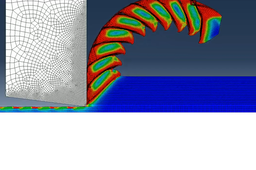
[VIDEO] Abaqus CAE Serrated Chips
S. B.
in
Simulation & CAE
7
1
Intermediate
Create serrated/segmented chips during maching simulation with Abaqus CAE
chips
serrated
bands
shear
adiabatic
machining
cutting
abaqus
Solidworks tutorial - Beam diagrams (diagramas vigas)
Juan Romero Correa
in
FEM
3
4
Expert
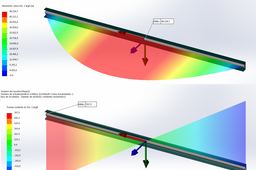
This solidworks tutorial is about how to generate shear and moment diagrams on beams. Este turorial de solidworks trata de como generar diagramas de corte y momento en vigas. The beam needs to be modeled using a structural member in order for solidworks to consider it as a beam and diagrams can be created. Es necesario que la viga sea modelada por medio de miembro estructural para que solidworks la considere como viga y se puedan crear los diagramas. Loading hypothesis: -The load is uniformly distributed on the beam. -The 2nd type supports are considered at the ends of the beam. Load per unit length = 630 [Kg / m] Hipótesis de carga: -Se considera la carga uniformemente distribuida sobre la viga. -Se consideran apoyos de 2da especie en los extremos de la viga. Carga por unidad de longitud = 630 [Kg/m]
forces
fem
diagram
shear
moment
Solidworks simulation 121| Torsion analysis of box beam
sakib ahmed
in
FEM
1
0
Intermediate
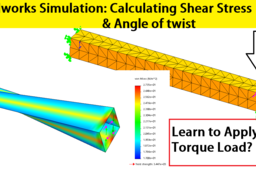
Torsion analysis of box beam using solidworks simulation. A box beam having cross section of 150 by 150 in and length of 1500in will be fixed at one end and a torque of 300 lb-in will be applied at other end. Beam material has young module 7.5psi and Poisson's ratio ratio 0.3 while thickness of shell is 3in. Shear force and angle of twist will be calculated using solidworks simulation static structural analysis.
torque
stress
shear
twist
angle
simulation
solidworks
Tutorial SolidWorks Simulation: Combined Loading
Fahad Butt
in
Simulation & CAE
0
1
Beginner
SolidWorks Simulation Tutorial: Combined Loading
SOLIDWORKS
resultant
diagrams
total
moment
combined
loading
shear
force
normal
stress
beam
tutorial
simulation
solidworks
creating shear wall in STAAD pro
civilmadesimple
in
Other
0
0
Beginner
In this video learn how to create shear wall in STAAD pro.
stadd
pro
staad
wall
shear
creating