Learn about the GrabCAD Platform
Get to know GrabCAD as an open software platform for Additive Manufacturing
Visit our new homepage
Home
Control
Shop
Streamline Pro
Partner Program
Print
Community
Log in
Library
Challenges
Groups
Questions
Tutorials
Engineers
Blog
Log in
Learn from thousands of free Tutorials.
New user?
Join the community
or
log in.
Tutorials
Most liked all time
Recent
Most liked
Most viewed
Most commented
This week
This month
All time
Category
Design & CAD
Modeling
Drafting
Assemblies
BOM
Dimensioning / Tolerancing
Translations
Manufacturing & CAM
3D Printing
Tooling
NC Machining
Composites
Measurement / Inspection
Simulation & CAE
FEM
CFD
Kinematics
Process Simulation
Engineering Fundamentals
Theory
Process
Standards
Other
Software
Snagit
Alibre Design
ArchiCAD
AutoCAD
AutoCAD Electrical
Autodesk 3ds Max
Autodesk Alias
Autodesk Inventor
Autodesk Maya
Autodesk Revit
Autodesk 123D
BricsCAD
Bentley MicroStation
BlenderCAD
BobCAD-CAM
CATIA
Delmia
DraftSight
FreeCAD
Femap
Fusion 360
Geomagic Design
IronCAD
JT
Kompas-3D
KeyCreator
KeyShot
Lagoa
Luxology
Mastercam
Moi3D
NX Unigraphics
OBJ
Onshape
OpenSCAD
Parasolid
Powermill
Powershape
Pro/Engineer Wildfire
PTC Creo Parametric
PTC Creo Elements
Rhino
SpaceClaim
SOLIDWORKS
solidThinking Evolve
Solid Edge
SolidFace
STEP / IGES
SketchUp
STL
TopSolid
TinkerCAD
T-Flex CAD
TurboCAD
VectorWorks
ViaCAD 3D
VRML / WRL
ZW3D
GrabCAD Print
Rendering
GrabCAD Community
GrabCAD Workbench
Text file
3D Manufacturing Format
Cinema 4D
Other
Skill level
All levels
Beginner
Intermediate
Expert
speed
×
How to Orient Parts for Strenth, Speed or Surface Finish
Stratasys
in
3D Printing
5
0
Intermediate
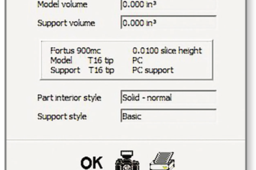
Build optimization is dependent on a part’s function (conceptual model, functional prototype, manufacturing tool or end-use part). Based on the part’s function, the user must select the appropriate orientation to balance or optimize surface finish, strength, or build time of the part. By following these best practices, you can cut down on time and waste.
speed
strength
stratasys
3dprinting
orient
Is your system slow or are you making it slow??
Juan Esteban Paz (JEPaz)
in
Design & CAD
2
0
Beginner
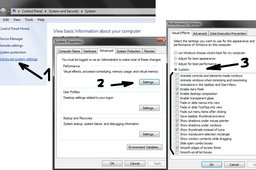
Unnecessary Windows Effects (Aero Glass) I know it looks great but it just consumes too much of your resources
Other
performance
speed
lag
Is your system slow or are you making it slow??
Juan Esteban Paz (JEPaz)
in
Design & CAD
2
0
Beginner
How to know if your PC is improving performance with these tips?? just take a look at your idle RAM and CPU usage before and after on the task manager
Other
performance
speed
lag
Is your system slow or are you making it slow??
Juan Esteban Paz (JEPaz)
in
Design & CAD
1
0
Beginner
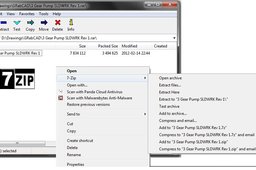
Throw away WinZip and WinRAR!! why pay for something that doesnt give you much more than a free tool Get the almighty 7Zip http://www.filehippo.com/download_7zip/
Other
performance
speed
lag
Is your system slow or are you making it slow??
Juan Esteban Paz (JEPaz)
in
Design & CAD
1
0
Beginner
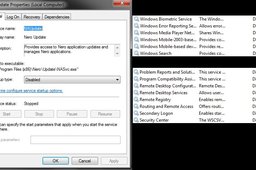
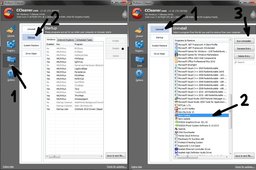
Use Ccleaner!! often this tools helps you clean your instalations, temporary files, and disable startup programs
Other
performance
speed
lag
[VIDEO] Olaf Frozen Sculpt - Fusion 360
Didi Widya Utama
in
Modeling
1
0
Intermediate
This video is a speed sculpt of Olaf from the frozen movie, i'm doing this in Autodesk Fusion 360
Fusion 360
tspline
speed
sculpt
sculpting
fusion360
autodesk
frozen
olaf
Is your system slow or are you making it slow??
Juan Esteban Paz (JEPaz)
in
Design & CAD
1
0
Beginner
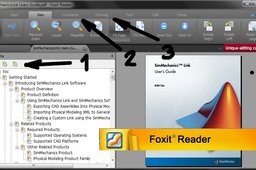
Throw away Heavy resource consuming, and less useful Adobe Reader and get Foxit Reader
Other
performance
speed
lag
Customizing SolidWorks Interface, Toolbars and options to increase Modeling Speed.
Sudhir Gill
in
Modeling
0
0
Intermediate
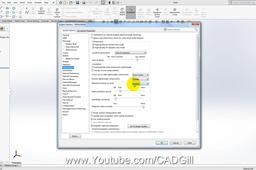
In this video tutorial we will learn to change toolbars and enable some options that will help us improve modeling speed.
SOLIDWORKS
modeling
guestures
mouse
performance
speed
improve
toolbars
solidworks
Decreasing Solidworks Assembly Rebuild Times
Jeff Stein
in
Modeling
0
0
Beginner
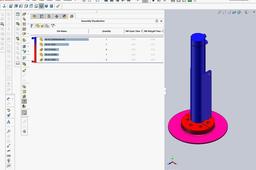
This tutorial is for decreasing Solidworks Assembly Rebuild Times, and part model rebuild times. If your assembly is taking too long to open, rebuild, rotate, zoom in, or out etc... try this easy Assembly Visualization tool right in Solidworks. Once you identify parts with the long rebuild times, use this tutorial to speed them up. https://grabcad.com/tutorials/solidworks-defeature-tool-to-speed-up-models
SOLIDWORKS
open
times
rebuild
shorten
model
up
speed