Learn about the GrabCAD Platform
Get to know GrabCAD as an open software platform for Additive Manufacturing
Visit our new homepage
Home
Control
Shop
Streamline Pro
Partner Program
Print
Community
Log in
Library
Challenges
Groups
Questions
Tutorials
Engineers
Blog
Log in
Ferro
Follow
177
followers
Milano, Italy
Tutorials
About
Models
156
Tutorials
10
More
Followers
177
Following
35
Likes
53
Following
35
Followers
177
Likes
53
Tutorials
Sort by:
Recent
Recent
Most liked
Most viewed
Most commented
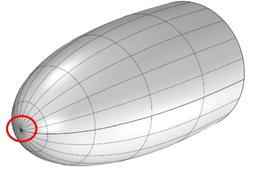
Tutorial: how to model revolving surfaces without degenerated point
Ferro
in
Modeling
12
2
Intermediate
This tutorial shows how to reconstruct a portion of a revolving surface, in order to remove the degenerated point
Rhino
patch
boundary
fair
degenerated
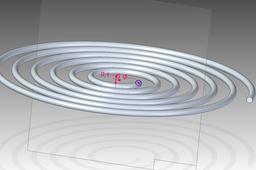
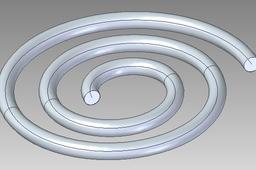
Tutorial: how to model a spiral in Solid Edge (example 2)
Ferro
in
Modeling
1
1
Intermediate
In order to get our spiral, we can use the advanced options of the helix command as shown in the following
Solid Edge
helix
ordered
edge
solid
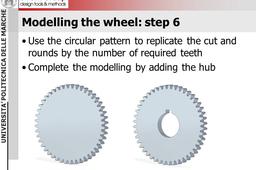
Tutorial: how to model a gearwheel with teeth with involute shape
Ferro
in
Modeling
5
0
Expert
The model and the excel file related to this tutorial are available here:
Solid Edge
part
table
excel
gear
Tutorial: how to easily produce a picture to upload with your model
Ferro
in
Drafting
0
0
Beginner
Most of the CAD systems provide a command to save as an image the current view. Usually, this command is available in the "save as" menu or in the option menu
Other
jps
bmp
image
picture
rendering
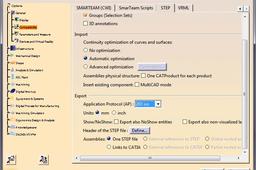
Tutorial: how to correctly upload an assembly model (Part 3: standard format)
Ferro
in
Translations
0
0
Expert
Different file format may contain different type of geometric information and they are then suitable for different use.
CATIA
Tutorial: how to correctly upload an assembly model
Ferro
in
Translations
3
0
Beginner
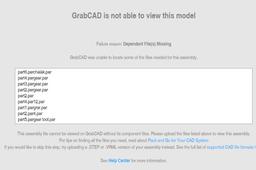
Looking through the uploaded models, I found many assembly models that are actually useless because the assembly parts are missing. While uploading an assembly model created with Solidworks, Slid Edge, Catia, NX or other MCAD systems, you should be aware that the upload of the .asm (or .product) it is not enough. You must upload also the part files (.par or .CATPart) in order to make the full assembly visible and usable.
Other
ptc
edge
solid
catia
solidworks
nx
How to fix "Profile is not closed" in ST6?
Ferro
in
Modeling
0
0
Intermediate
You must use the constraints in the relate tab. In your particular case, try the link constraint (I'm not sure about its name in the English version of SE interface. Have a look at the attached image). You can also have a look at this video clip: https://www.youtube.com/watch?v=lwvUZ1Q52vg
Solid Edge
Tutorial: how to make standard compliant sections in Solid Edge Draft
Ferro
in
Drafting
0
0
Intermediate
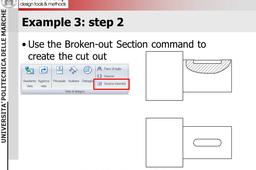
This tutorial show how to produce standard compliant sections with the Draft module of Solid Edge.
Solid Edge
view
orthographic
drawing
mechanical
draft
sections
Tutorial: how to model a hook with Rhino V5
Ferro
in
Modeling
0
0
Expert
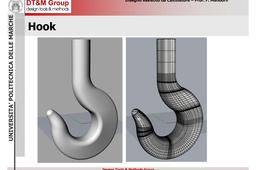
The full set of steps required to model a unified hook with Rhino V.5
Other
Tutorial: how to model a spiral in Solid Edge
Ferro
in
Modeling
4
0
Beginner
The spiral is modeled with a sweep command.
Solid Edge
sketch
helix
edge
solid