Learn about the GrabCAD Platform
Get to know GrabCAD as an open software platform for Additive Manufacturing
Visit our new homepage
Home
Control
Shop
Streamline Pro
Partner Program
Print
Community
Log in
Library
Challenges
Groups
Questions
Tutorials
Engineers
Blog
Log in
lawrie
Follow
505
followers
Christchurch, New Zealand
Tutorials
About
Models
340
Tutorials
13
More
Followers
505
Following
1
Likes
2185
Following
1
Followers
505
Likes
2185
Tutorials
Sort by:
Recent
Recent
Most liked
Most viewed
Most commented
Sheet Metal Bend Allowance
lawrie
in
Theory
7
0
Beginner
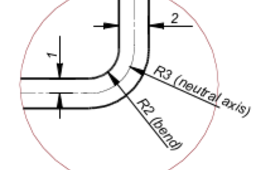
This tutorial is a look at how bend allowances are calculated for sheet metal parts. We will only look at bend allowances as they apply to the type of sheet metal parts that we produce using the common sheet metal tools. Calculating bend allowances for this type of part is a simple process. Calculating the blank size for parts that are produced by stamping flat blanks in complex dies is a much more complex process that is outside of the scope of this tutorial. I have produced a PDF version of this tutorial. If you want a copy of this PDF version you can send me a GrabCad message with an email address to send it to
Mechanics Basics Part 2
lawrie
in
Theory
8
3
Beginner
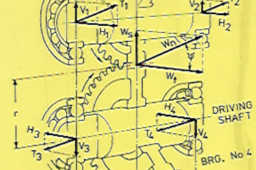
In this tutorial we will look at the concept of STRESS in an engineering concept. Stress is the mechanics relationship that defines the load we place on a part, and the ability of the material it is made from, to resist this load that has been applied to it. The actual strength of a material is a physical property of the material and as the mechanical parts that we design come in all shapes and sizes, we require value, that relates our load back to the physical properties of the material we want to make our part from As usual, due to the format of the GrabCad tutorial module the pdf version of this tutorial can't be easily attached to this tutorial. The pdf version can be downloaded from this token model I have placed on GrabCad, Mechanics Basics Part 2.pdf can be downloaded here : https://grabcad.com/library/basic-mechanics-tutorial-holding-model-1 Follow this link to download pdf versions of basic mechanics tutorials
Modeling Twisted 25 X 25 Square Bar
lawrie
in
Modeling
1
0
Beginner
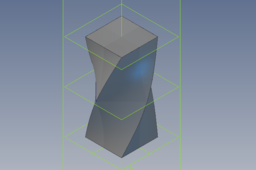
Modeling a twisted 25mm x 25mm square bar with Alibre Design software. The model is made using lofted sketches, and as this feature tool is common to many software packages, the basic method should work with other software.
Alibre Design
Basic Steps to Model Anchor Bracket from 6mm Plate
lawrie
in
Modeling
0
0
Beginner
This is the basic steps to model a version of anchor bracket manufactured from 6mm thk. mild steel plate. The software I have used is Alibre Design. The same basic approach would be taken using Solid Works, Solid Edge. or Inventor, with small differences due to the basic sheetmetal being a little bit different. My preference for making the pressed version of this part is a laser cut profile pressed into shape is a very simple way to make this. This is a good way to make a few or many of this part. The first step is to select a starting plane and sketch this basic shape. The construction lines are a guide. As I am allowing for thickness of material and radius of bends, I have offset the actual profile by 12mm
Alibre Design
Design - Tank Voume
lawrie
in
Process
0
0
Beginner
This is how I would start off a project to design a tanker to transport fuels and oils. Before I would start to model any of the tank structure I would start off modeling the fuel that is to be transported. As I am going to work in cubic meters for the capacity of the fuel to be carried, I first set the units for this to use meters. This saves me the bother of needing to convert the volume the CAD model of this fuel load calculated by the software as I have set up to get the Answers I need to start designing my tank.
Mechanics Basics Part 1
lawrie
in
Theory
23
2
Beginner
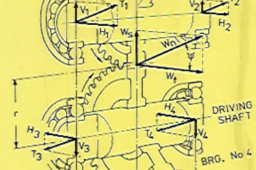
This tutorial is a look at some of the basic terms and what they represent in a basic mechanics context. Most of the basic mechanics, the starting point for good mechanical design grew out of the work of Sir Isaac Newton. Newton’s work introduced the fundamental terms and principles of mechanical design by application of the physical laws of the universe. From regularly looking at some of the questions posted here on GrabCad, even taking into consideration that for many here, English is not their main language exactly what the person asking a particular question actually wants to know, is sometimes quite hard to deduce. Some things should be universal in most languages especially when working with the ISO standard S. I. Units. As tutorials of this sort benefit from having a downloadable pdf version accompanying this online version, on Grabcad, and as the concept of providing a downloadable pdf version has not entered into GrabCad's concept of a useful feature for tutorials, I will also provide a pdf version for those that may want one. My tutorial Gear Basics Part 1 was entirely in pdf format with just a link to where you could get it from. The Grabcad management were not happy with this so they removed it. If anyone wants the pdf version just mesage me through Grabcad mail, leaving an email address to sent it to.
Model Cast & Machine
lawrie
in
Modeling
1
0
Beginner
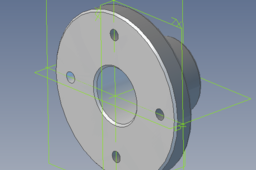
Often we make a model of component that are cast and machined to finish. This is an example of a simple cast iron flange that will also be machined. I have used Alibre Design but the same approach will work with any of the main 3D products. By using configurations we have a model that does both for producing the pattern for casting and also details for machining.
Alibre Design
Gear Basics Part 2
lawrie
in
Theory
29
2
Beginner
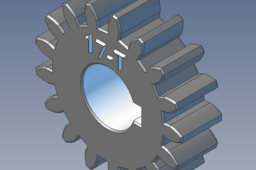
We will start off this second gear design tutorial by looking at a few design factors we need to consider when designing a serviceable gear train.
Parametric Arty Glass Model
lawrie
in
Modeling
2
1
Beginner
A recent question asked on GrabCad is the inspiration for this quick tutorial. A Grabcad member. His task is tp produce a model of a existing glass tumbler. The basic model consists of two triangular profiles, the base profile separated from the top profile and rotated 180 deg. from the base profile. If you have the original in front of you it is possible to take a few measurements, but a big part of getting the final that you are happy with will probably involve a bit of tweaking to get something that looks right. This concept can be expanded as by building a good robust model, by adjusting values in the function editor, one of the many useful tools available in Alibre Design software, many different versions can be produced with little effort. Alibre Design is great product available for a price well bellow more fancied products like Solid Works and Inventor. For small time use Solid Works and Inventor are too expensive for the possibility of paying there way, which is why there are many pirated copies being used commercially. Alibre Design enables me to own an excellent tool that has paid its way.
Alibre Design
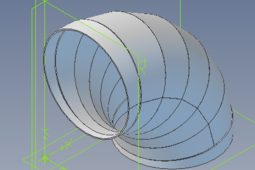
Proper Method to Produce Lobster-back Duct Bends
lawrie
in
Drafting
3
1
Beginner
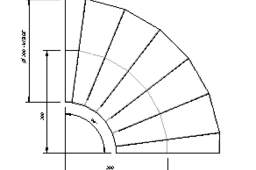
One type of industrial component I have been involved with the design and manufacture of is lobster-back bends. This type of duct bend is made up of segments cut from flat sheets or plates, rolled into cylindrical parts, then assembled. These can be light sheet-metal or manufactured from thick plate. This quick tutorial is a supplement to the one I produced an outline of a method I have used modeling this type of component using Alibre Design. As this supplement concerns producing parts ready for manufacture and applies to whatever software you have used, that is not important as this short tutorial is to outline turning your modeled bend into the flat profile ready to be made into the completed bend. In this modern world, the bend parts will be cut out using CNC laser, or CNC Plasma cutting machines. Sometimes we produce the nc programs ourselves or we are required to produce the correct files for the laser / plasma department to program and cut out. Making the program to cut out the parts starts normally from a 2D dxf file at a scale of 1 : 1. This is the first part of the process that has to be correct. If you produce this dxf incorrectly the finished parts will be useless. Producing this at the right scale, 1 : 1 is different with different 3D cad applications, other problems can be caused by you working in different drawing units. If you are not doing the program, talk to the person who is to make sure you produce the dxf as required. Having a large quantity of wrongly cut parts is not a good thing
Alibre Design
Alibre Design - How to Drive a Part From a Layout Sketch
lawrie
in
Modeling
0
0
Intermediate
In this tutorial I will use a 2D sketch of the layout of a fan scroll to generate a 3D sheetmetal part using Alibre Design Software. When producing a range of centifugal fans the performance of each particular fan in the range is governed by equations called the "fan laws". Once the actual performance of one fan in the range has been established the performance of all other sizes can be predicted by these laws. This makes producing a complete range of a particular type of fan an ideal task for a parametric 3D approach to produce the drawings and other details ready for manufacture. The main dimensions of our fan are based off the diameter of the rotor.
Alibre Design
Lobsterback Duct Bends Sheetmetal Method
lawrie
in
Modeling
1
0
Beginner
This is the method I use to construct lobster back bends with sheet metal tools that I can produce flat patterns from, These flat patterns can then be used to produce files for CNC profile cutting machines. I have come across other ways of doing this using surfaces, thickened and turned into sheet metal parts. The software I am using is Alibre Design. As the version I have is low on surfacing tools I have found this a good way to model lobster back bends, which I have been involved with the design and manufacture for many years.
Alibre Design
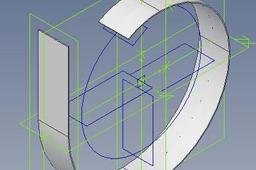
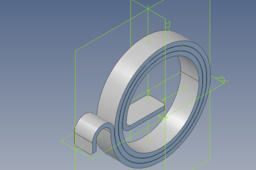
Modeling a Clockwork Type Spring with Alibre Design
lawrie
in
Modeling
0
0
Beginner
Alibre Design is a low cost 3D modeling and 2D drafting application that is functionally similar to Solid Works and Inventor, but at a fraction of the price. It does not come with surfacing tools, FEM, or animation, but if I had a requirement for these functions I can purchase them as ad-dons. As a small time, semi- retired CAD contractor if I purchased Solid Works or Inventor I would not make any return on my investment, I would need to be unethical and pirate these software's or be prepared to never make a profit but only a loss. Alibre Design, for the most part is quite like using Solid Works or inventor but had a couple of features not found in these two applications. The method I use in this tutorial is one of these features.
Alibre Design