Learn about the GrabCAD Platform
Get to know GrabCAD as an open software platform for Additive Manufacturing
Visit our new homepage
Home
Control
Shop
Streamline Pro
Partner Program
Print
Community
Log in
Library
Challenges
Groups
Questions
Tutorials
Engineers
Blog
Log in
Logan
Follow
Hire me
35
followers
India
Tutorials
About
Models
34
Tutorials
3
More
Followers
35
Following
6
Likes
70
Following
6
Followers
35
Likes
70
Tutorials
Sort by:
Recent
Recent
Most liked
Most viewed
Most commented
Activate Orbit/Rotate feature via Mouse in Fusion 360
Logan
in
Modeling
9
4
Beginner
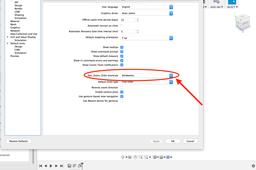
The default Fusion 360 has "PAN" option when you click the middle button of the mouse. If you want to rotate you have to go and select the "ORBIT" icon at the bottom of the screen. This kind of interface makes it somewhat difficult to execute as one has to frequently rotate the model to get an overview of the model being constructed. Solidworks users may find it even more difficult to use it. This tutorial explains how to activate orbit function in mouse.
Fusion 360
click
mouse
resolve
orbit
pan
Difference in introducing fillet in 2D and 3D medium
Logan
in
Modeling
3
3
Beginner
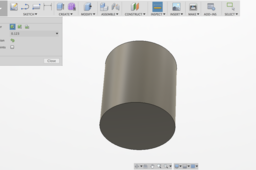
This tutorial highlights the difference in introducing fillets during a sketch (2D) and after an extrude command (3D).
Fusion 360
extrude
taper
fillet
Difference in introducing thickness during sketch and while using shell command along with taper angle
Logan
in
Modeling
2
0
Beginner
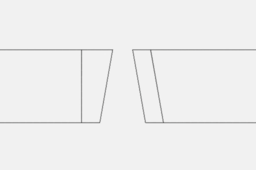
Most of you might be already familiar with the usage of difference in these two command along with taper during extrusion. But for those who are still aware of the difference this tutorial is for them. This might be a very tiny thing but it does impact in thickness of design.
Fusion 360
thickness
sketch
taper
shell
extrude