Learn about the GrabCAD Platform
Get to know GrabCAD as an open software platform for Additive Manufacturing
Visit our new homepage
Home
Control
Shop
Streamline Pro
Partner Program
Print
Community
Log in
Library
Challenges
Groups
Questions
Tutorials
Engineers
Blog
Log in
Mike Lobsinger
Follow
Hire me
11
followers
United States
Tutorials
About
Models
14
Tutorials
7
More
Followers
11
Following
9
Likes
3
Following
9
Followers
11
Likes
3
Tutorials
Sort by:
Recent
Recent
Most liked
Most viewed
Most commented
Fusion 360 Tutorial: Motion Joints with Imported Components
Mike Lobsinger
in
Modeling
7
0
Intermediate
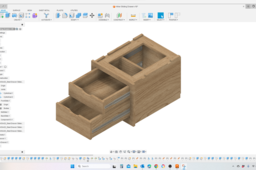
In this Fusion 360 Tutorial we'll learn about importing components from other F360 files as well as external source and applying linear slider motion to those components. This tutorial goes into some detail on breaking down a imported STEP file from McMaster-Carr and converting it to components so that motion joints can be added to it. The example is of a drawer slide.
Fusion 360
joints
dyi
engineering
product design
parametric design
cad design
fusion360
MakerBot METHOD X Tutorial - Maximize Build Volume
Mike Lobsinger
in
3D Printing
0
0
Beginner
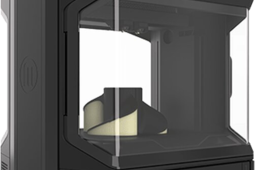
In this video I share how to manage the settings so you can maximize your print volume. Since MethodX is dual extruder machine, if you are using both extruders you lose about 1.0 (25.4 mm) of build volume in the X-direction. However, if you are building with no support material, you can get that area back, but you need to choose you settings correctly.
3d printing
additive mfg
makerbot
methodx
MakerBot METHOD X Tutorial - Using Aux Port & Non-MakerBot Materials
Mike Lobsinger
in
3D Printing
0
0
Beginner
In this video I share how to use the Aux Port on the MakerBot MethodX as well as switching out the extruder heads. Is it just me or did you find a lack of MakerBot MethodX videos and the ones by MakerBot were just poor quality. Oh, and some are just ads. Well, I'm hopeful that this video is not one of those videos.
3d printing
labs material
labs extruder
methodx
makerbot
Fusion 360 Tutorial - Part 2, Sheet Metal Workspace and Protrusions
Mike Lobsinger
in
Modeling
1
0
Intermediate
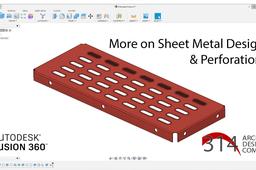
In this Fusion360 tutorial, Part 2 of the Sheet Metal Workspace, we use the bend tool and also details on how to create patterned protrusions, such as that you might find on catwalk stair and walkways. This exercise will give you basic understanding on how to use the sheet metal tools and settings in Fusion 360. Sheet Metal design is one of the most common and least expensive prototyping, and manufacturing methods for aluminum and steel.
Fusion 360
design
perforations
cad tutorial
sheet metal
fusion360
Fusion 360 Tutorial: Creating Custom Threads
Mike Lobsinger
in
Modeling
3
0
Intermediate
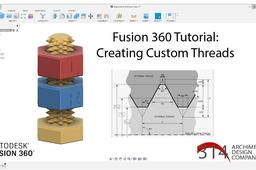
In this Fusion 360 Tutorial I show how to make custom threads. Though Fusion 360 does include a built in thread creation tool, there are instances where Fusion may not have the thread pitch or profile you are looking for. So I share some tools and techniques for creating these model details.
Fusion 360
thread modeling
tutorial
product design
modeling
prototyping
cad design
fusion 360
Fusion360 Tutorial - Sheet Metal Design and Protrusions (Parts 1 & 2)
Mike Lobsinger
in
Modeling
3
0
Intermediate
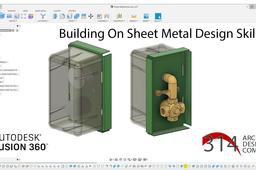
In this Fusion360 tutorial I share two videos. The first goes through the basic use of the Sheet Metal Workspace and use of parameters to create a sheet metal mounting plate for a mock up of pressure regulator and pressure dial. The second is an example of platform step using the bending tool and also workflow example of creating patterned protrusions. These exercises will give you basic understanding on how to use the sheet metal tools and settings in Fusion 360. Sheet Metal design is one of the most common and least expensive prototyping, and manufacturing methods for aluminum and steel.
Fusion 360
design techniques
flat pattern
prototyping
engineering
sheet metal design
cad design
fusion 360
Fusion360 Tutorial: Design of a Grommet using Parameters
Mike Lobsinger
in
Modeling
0
0
Intermediate
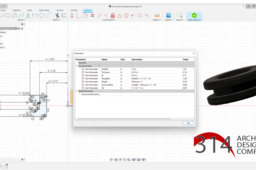
In this Fusion360 tutorial I walk you through a basic use of parameters to create a standard grommet design. Use parametric approaches or parameters to define sketches and models within CAD designs is a powerful tool for quicky adapting your model design and related components. Using these tools allows you to relate features and dimension to one another to avoid solid model generation errors, as you'll see in my example. Though this is a simple use case, I think the video will give you enough of an intro to become familiar with using the parameter tools in Fusion360 or diving into parametric tools in other platforms.
Fusion 360
engineering
grommet
prototyping
product design
parametric design
cad design
fusion360