Learn about the GrabCAD Platform
Get to know GrabCAD as an open software platform for Additive Manufacturing
Visit our new homepage
Home
Control
Shop
Streamline Pro
Partner Program
Print
Community
Log in
Library
Challenges
Groups
Questions
Tutorials
Engineers
Blog
Log in
MRCAD
mrcad.in
Follow
Hire me
149
followers
AHMEDABAD, India
Tutorials
About
Models
84
Tutorials
188
More
Followers
149
Following
36
Likes
1
Following
36
Followers
149
Likes
1
Tutorials
Sort by:
Most liked
Recent
Most liked
Most viewed
Most commented
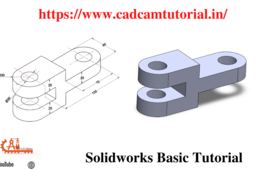
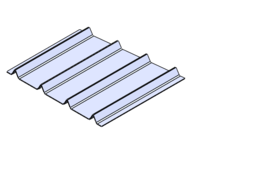
Solidworks Basic Tutorial for Beginners! Training Exercise 6
MRCAD
in
Modeling
1
0
Intermediate
Telegram link - https://t.me/joinchat/jbCTJ5gDeCo3NWE1 Blog: https://www.cadcamtutorial.in/ We will learn the below features or commands in Solidworks. AllSketchTool SketchCondition UnderDefined FullyDefined OverDefined SketchExpert ExtrudeBoss ExtrudeCut RevolveBoss RevolveCut SweepBoss SweepCut PlaneCreation LoftedBoss LoftedCut HoleWizard Fillet chamfer TypesofPatterns #SolidWorksBeginnersTutorials #SolidWorksSketching #SolidWorksSurface #SolidWorksWeldments #SolidWorksAssembly #SolidWorksDrawing #SolidWorksSheetMetal #SolidWorksMoldDesign #SolidWorksSimulation #SolidWorksMotion Please Subscribe to our channel for more videos & projects in Solidworks & don't forget to hit like & share the videos, thanks for watching. Laptop Information Dell G3 3579 Core i5 8th Gen 15.6-inch FHD Item model number - G3 3579 Processor Type - Core i5 Processor Speed 2.3 GHz RAM Size - 16 GB Graphics Coprocessor - NVIDIA GeForce GTX 1050 https://www.cadcamtutorial.in/
SOLIDWORKS
exercise
training
beginners
tutorial
basic
solidworks
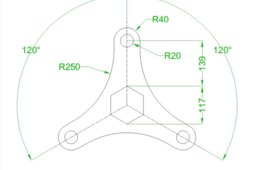
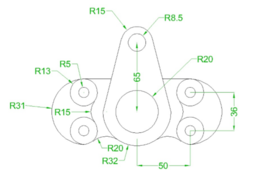
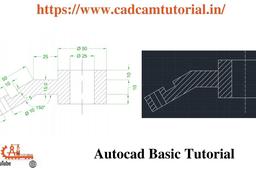
AutoCAD - Complete Tutorial for Beginners - Exercises 9
MRCAD
in
Drafting
1
0
Intermediate
COMPLET COUESH FOR 100 EXERCISEC FUNCTION KEY:- Ø ESC : To cancel Command Ø F1 : Autocad Help Ø F2 : Text Window on/off To see recently used command, options, Points. Ø F3 : Osnap button on/off. Ø F4 : Tablet on/off (Autocad 2010 & Prior Versions) 3DOSNAP ON/OFF (Autocad 2011 & Autocad 2012) Ø F5 : To change isoplane in isometric drawing. Ø F6 : DUCS (Dynamic user co-ordinate system) button on/off. Ø F7 : Grid button on/off. By default grid spacing is 0.5 inch in X- direction and Y direction. Ø F8 : Ortho button on/off. Ø F9 : Snap button on/off If snap button is on mode from status bar than cursor will be Jump on the graphic one dot to another dot. Ø F10 : Polar button on/off. (Alternate off ortho button) Ø F11 : Otrack button on/off. (object snap tracking) Ø F12 : DYN button on/off. (Dynamic input) Short cut keys:- Ø Ctrl+A : select all Ø Ctrl+B : Snap on/off Ø Ctrl+C : Copy objects to clipboard Ø Ctrl+D : Dynamic UCS (DUCS) on/off Ø Ctrl+E : To change isoplane in isometric Ø Ctrl+F : Osnap on/off Ø Ctrl+G : Grid on/off Ø Ctrl+H : Set variable Ø Ctrl+I : Co-ordinate on/off Ø Ctrl+J : Repeat Last Command Ø Ctrl+K : Hyperlink Command Ø Ctrl+L : Ortho on/off Ø Ctrl+M : Repeat Last Command Ø Ctrl+N : To create new autocad file Ø Ctrl+O : To open autocad file Ø Ctrl+P : To print/plot autocad file Ø Ctrl+Q : To Quit/Exit from autocad Ø Ctrl+R : To cycle between viewports Ø Ctrl+S : To save autocad file Ø Ctrl+T : Tablet on/off Ø Ctrl+U : Polar on/off Ø Ctrl+V : Paste objects from clipboard Ø Ctrl+W : Otrack on/off (Autocad 2010 & prior ver.) Ø Ctrl+W : Selection cycling on/off (New Autocad 2011) Ø Ctrl+X : Cut objects to clipboard Ø Ctrl+Y : Redo Ø Ctrl+Z : Undo Ø Ctrl+0 : Clean Screen Ø Ctrl+1 : Properties Ø Ctrl+2 : Autocad design center Ø Ctrl+3 : Tool Palettes Ø Ctrl+4 : Sheet set Manager Ø Ctrl+5 : Info palette ( not working from Acad2008) Ø Ctrl+6 : Database Connect Ø Ctrl+7 : Markup set manager Ø Ctrl+8 : Quick calculator Ø Ctrl+9 : Show /Hide Commandline Window Ø Ctrl+Shift+C : Copy objects With basepoint Ø Ctrl+Shift+E : Presspull Command Ø Ctrl+Shift+H : Show /Hide Commandline window Ø Ctrl+shift+P : Quick properties Ø Ctrl+Shift+S : Save as Autocad file Ø Ctrl+Shift+V : Paste as block #Complete Tutorial for Beginners #AutoCAD - SolidWorks Beginners Tutorials - SolidWorks Sketching - SolidWorks Surface - SolidWorks Weldments - SolidWorks Assembly - SolidWorks Drawing - SolidWorks Sheet Metal - SolidWorks Mold Design - SolidWorks Simulation - SolidWorks Motion please subscribe our channel for more videos & projects in solidworks & dont forget to hit like & share the videos, thanks for watching.
AutoCAD
beginners
tutorial
complete
autocad
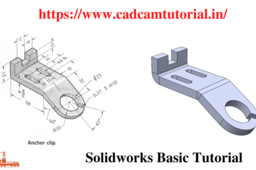
Solidworks Basic Tutorial for Beginners !Training Exercise 21
MRCAD
in
Modeling
1
0
Beginner
Blog: https://www.cadcamtutorial.in/ Telegram link - https://t.me/joinchat/jbCTJ5gDeCo3NWE1 Facebook page:https://www.facebook.com/cadcamtutorial We will learn the below features or commands in Solidworks. AllSketchTool SketchCondition UnderDefined FullyDefined OverDefined SketchExpert ExtrudeBoss ExtrudeCut RevolveBoss RevolveCut SweepBoss SweepCut PlaneCreation LoftedBoss LoftedCut HoleWizard Fillet chamfer TypesofPatterns #SolidWorksBeginnersTutorials #SolidWorksSketching #SolidWorksSurface #SolidWorksWeldments #SolidWorksAssembly #SolidWorksDrawing #SolidWorksSheetMetal #SolidWorksMoldDesign #SolidWorksSimulation #SolidWorksMotion Please Subscribe to our channel for more videos & projects in Solidworks & don't forget to hit like & share the videos, thanks for watching. Laptop Information Dell G3 3579 Core i5 8th Gen 15.6-inch FHD Item model number - G3 3579 Processor Type - Core i5 Processor Speed 2.3 GHz RAM Size - 16 GB Graphics Coprocesso
SOLIDWORKS
solidworksdrawing
solidworksweldments
solidworkssurface
solidworkssketching
2021
channel
tutorial
tutorials
solidworks
solidwork
SOLIDWORK | WELDMENT | SHEET METAL | ASSEMBLY | PORTABLE CAFE | CONTAINER | FAST FOOD SHOP (PART 6)
MRCAD
in
Modeling
1
0
Expert
Blog: https://www.cadcamtutorial.in/ Telegram link - https://t.me/joinchat/jbCTJ5gDeCo3NWE1 Facebook page:https://www.facebook.com/cadcamtutorial We will learn the below features or commands in Solidworks. AllSketchTool SketchCondition UnderDefined FullyDefined OverDefined SketchExpert ExtrudeBoss ExtrudeCut RevolveBoss RevolveCut SweepBoss SweepCut PlaneCreation LoftedBoss LoftedCut HoleWizard Fillet chamfer TypesofPatterns #bhagataakash #SolidWorksBeginnersTutorials #SolidWorksSketching #SolidWorksSurface #SolidWorksWeldments #SolidWorksAssembly #SolidWorksDrawing #SolidWorksSheetMetal #SolidWorksMoldDesign #SolidWorksSimulation #SolidWorksMotion Please Subscribe to our channel for more videos & projects in Solidworks & don't forget to hit like & share the videos, thanks for watching. Laptop Information Dell G3 3579 Core i5 8th Gen 15.6-inch FHD Item model number - G3 3579 Processor Type - Core i5 Processor Speed 2.3 GHz RAM Size - 16 GB Graphics Coprocessor - NVIDIA GeForce GTX 1050 https://www.cadcamtutorial.in/
SOLIDWORKS
solidworksweldments
solidworkssurface
solidworkssketching
solidworks 2021
solidworks tutorial channel
solidworks tutorials
solidwork
SOLIDWORK | WELDMENT | SHEET METAL | ASSEMBLY | PORTABLE CAFE | CONTAINER | FAST FOOD SHOP (PART 14)
MRCAD
in
Modeling
1
0
Expert
Blog: https://www.cadcamtutorial.in/ Telegram link - https://t.me/joinchat/jbCTJ5gDeCo3NWE1 Facebook page:https://www.facebook.com/cadcamtutorial We will learn the below features or commands in Solidworks. AllSketchTool SketchCondition UnderDefined FullyDefined OverDefined SketchExpert ExtrudeBoss ExtrudeCut RevolveBoss RevolveCut SweepBoss SweepCut PlaneCreation LoftedBoss LoftedCut HoleWizard Fillet chamfer TypesofPatterns #bhagataakash #SolidWorksBeginnersTutorials #SolidWorksSketching #SolidWorksSurface #SolidWorksWeldments #SolidWorksAssembly #SolidWorksDrawing #SolidWorksSheetMetal #SolidWorksMoldDesign #SolidWorksSimulation #SolidWorksMotion Please Subscribe to our channel for more videos & projects in Solidworks & don't forget to hit like & share the videos, thanks for watching. Laptop Information Dell G3 3579 Core i5 8th Gen 15.6-inch FHD Item model number - G3 3579 Processor Type - Core i5 Processor Speed 2.3 GHz RAM Size - 16 GB Graphics Coprocessor - NVIDIA GeForce GTX 1050 https://www.cadcamtutorial.in/
SOLIDWORKS
solidworkssurface
solidworkssketching
solidworks 2021
solidworks tutorial channel
solidworks tutorials
solidwork
AutoCAD - Complete Tutorial for Beginners - Exercises 5
MRCAD
in
Drafting
1
0
Intermediate
COMPLET COUESH FOR 100 EXERCISEC FUNCTION KEY:- Ø ESC : To cancel Command Ø F1 : Autocad Help Ø F2 : Text Window on/off To see recently used command, options, Points. Ø F3 : Osnap button on/off. Ø F4 : Tablet on/off (Autocad 2010 & Prior Versions) 3DOSNAP ON/OFF (Autocad 2011 & Autocad 2012) Ø F5 : To change isoplane in isometric drawing. Ø F6 : DUCS (Dynamic user co-ordinate system) button on/off. Ø F7 : Grid button on/off. By default grid spacing is 0.5 inch in X- direction and Y direction. Ø F8 : Ortho button on/off. Ø F9 : Snap button on/off If snap button is on mode from status bar than cursor will be Jump on the graphic one dot to another dot. Ø F10 : Polar button on/off. (Alternate off ortho button) Ø F11 : Otrack button on/off. (object snap tracking) Ø F12 : DYN button on/off. (Dynamic input) Short cut keys:- Ø Ctrl+A : select all Ø Ctrl+B : Snap on/off Ø Ctrl+C : Copy objects to clipboard Ø Ctrl+D : Dynamic UCS (DUCS) on/off Ø Ctrl+E : To change isoplane in isometric Ø Ctrl+F : Osnap on/off Ø Ctrl+G : Grid on/off Ø Ctrl+H : Set variable Ø Ctrl+I : Co-ordinate on/off Ø Ctrl+J : Repeat Last Command Ø Ctrl+K : Hyperlink Command Ø Ctrl+L : Ortho on/off Ø Ctrl+M : Repeat Last Command Ø Ctrl+N : To create new autocad file Ø Ctrl+O : To open autocad file Ø Ctrl+P : To print/plot autocad file Ø Ctrl+Q : To Quit/Exit from autocad Ø Ctrl+R : To cycle between viewports Ø Ctrl+S : To save autocad file Ø Ctrl+T : Tablet on/off Ø Ctrl+U : Polar on/off Ø Ctrl+V : Paste objects from clipboard Ø Ctrl+W : Otrack on/off (Autocad 2010 & prior ver.) Ø Ctrl+W : Selection cycling on/off (New Autocad 2011) Ø Ctrl+X : Cut objects to clipboard Ø Ctrl+Y : Redo Ø Ctrl+Z : Undo Ø Ctrl+0 : Clean Screen Ø Ctrl+1 : Properties Ø Ctrl+2 : Autocad design center Ø Ctrl+3 : Tool Palettes Ø Ctrl+4 : Sheet set Manager Ø Ctrl+5 : Info palette ( not working from Acad2008) Ø Ctrl+6 : Database Connect Ø Ctrl+7 : Markup set manager Ø Ctrl+8 : Quick calculator Ø Ctrl+9 : Show /Hide Commandline Window Ø Ctrl+Shift+C : Copy objects With basepoint Ø Ctrl+Shift+E : Presspull Command Ø Ctrl+Shift+H : Show /Hide Commandline window Ø Ctrl+shift+P : Quick properties Ø Ctrl+Shift+S : Save as Autocad file Ø Ctrl+Shift+V : Paste as block #Complete Tutorial for Beginners #AutoCAD - SolidWorks Beginners Tutorials - SolidWorks Sketching - SolidWorks Surface - SolidWorks Weldments - SolidWorks Assembly - SolidWorks Drawing - SolidWorks Sheet Metal - SolidWorks Mold Design - SolidWorks Simulation - SolidWorks Motion please subscribe our channel for more videos & projects in solidworks & dont forget to hit like & share the videos, thanks for watching.
AutoCAD
beginners
tutorial
complete
autocad
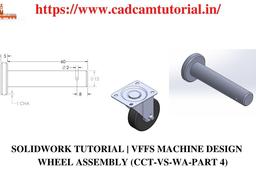
SOLIDWORK TUTORIAL | VFFS MACHINE DESIGN | CCT-VS-WA-PART 4
MRCAD
in
Modeling
1
0
Expert
Telegram link - https://t.me/joinchat/jbCTJ5gDeCo3NWE1 Blog: https://www.cadcamtutorial.in/ We will learn the below features or commands in Solidworks. AllSketchTool SketchCondition UnderDefined FullyDefined OverDefined SketchExpert ExtrudeBoss ExtrudeCut RevolveBoss RevolveCut SweepBoss SweepCut PlaneCreation LoftedBoss LoftedCut HoleWizard Fillet chamfer TypesofPatterns #SolidWorksBeginnersTutorials #SolidWorksSketching #SolidWorksSurface #SolidWorksWeldments #SolidWorksAssembly #SolidWorksDrawing #SolidWorksSheetMetal #SolidWorksMoldDesign #SolidWorksSimulation #SolidWorksMotion Please Subscribe to our channel for more videos & projects in Solidworks & don't forget to hit like & share the videos, thanks for watching. Laptop Information Dell G3 3579 Core i5 8th Gen 15.6-inch FHD Item model number - G3 3579 Processor Type - Core i5 Processor Speed 2.3 GHz RAM Size - 16 GB Graphics Coprocessor - NVIDIA GeForce GTX 1050 https://www.cadcamtutorial
SOLIDWORKS
cct-vs-wa-part
design
machine
vffs
tutorial
solidwork
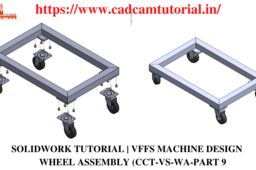
SOLIDWORK TUTORIAL | VFFS MACHINE DESIGN | CCT-VS-WAS
MRCAD
in
Modeling
1
0
Expert
Telegram link - https://t.me/joinchat/jbCTJ5gDeCo3NWE1 Blog: https://www.cadcamtutorial.in/ We will learn the below features or commands in Solidworks. AllSketchTool SketchCondition UnderDefined FullyDefined OverDefined SketchExpert ExtrudeBoss ExtrudeCut RevolveBoss RevolveCut SweepBoss SweepCut PlaneCreation LoftedBoss LoftedCut HoleWizard Fillet chamfer TypesofPatterns #SolidWorksBeginnersTutorials #SolidWorksSketching #SolidWorksSurface #SolidWorksWeldments #SolidWorksAssembly #SolidWorksDrawing #SolidWorksSheetMetal #SolidWorksMoldDesign #SolidWorksSimulation #SolidWorksMotion Please Subscribe to our channel for more videos & projects in Solidworks & don't forget to hit like & share the videos, thanks for watching. Laptop Information Dell G3 3579 Core i5 8th Gen 15.6-inch FHD Item model number - G3 3579 Processor Type - Core i5 Processor Speed 2.3 GHz RAM Size - 16 GB Graphics Coprocessor - NVIDIA GeForce GTX 1050 https://www.cadcamtutorial
SOLIDWORKS
assambly
solidworks
design
machine
vffs
tutorial
solidwork
AutoCAD - Complete Tutorial for Beginners - Exercises 48
MRCAD
in
Drafting
1
0
Expert
Telegram link - https://t.me/joinchat/jbCTJ5gDeCo3NWE1 Blog: https://www.cadcamtutorial.in/ FUNCTION KEY:- Ø ESC : To cancel Command Ø F1 : Autocad Help Ø F2 : Text Window on/off To see recently used command, options, Points. Ø F3 : Osnap button on/off. Ø F4 : Tablet on/off (Autocad 2010 & Prior Versions) 3DOSNAP ON/OFF (Autocad 2011 & Autocad 2012) Ø F5 : To change isoplane in isometric drawing. Ø F6 : DUCS (Dynamic user co-ordinate system) button on/off. Ø F7 : Grid button on/off. By default grid spacing is 0.5 inch in X- direction and Y - direction. Ø F8 : Ortho button on/off. Ø F9 : Snap button on/off If snap button is on mode from status bar than cursor will be Jump on the graphic one dot to another dot. Ø F10 : Polar button on/off. (Alternate off ortho button) Ø F11 : Otrack button on/off. (object snap tracking) Ø F12 : DY
AutoCAD
cadcamtutorial
key
function
drafting
48
exercises
beginners
tutorial
complete
autocad
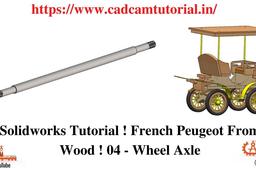
Solidworks Tutorial ! French Peugeot From Wood ! 04 - Wheel Axle
MRCAD
in
Modeling
1
0
Expert
we will learn below features or commands in solidworks. #AllSketchTool #SketchCondition #UnderDefined #FullyDefined #OverDefined #SketchExpert #ExtrudeBoss #ExtrudeCut #RevolveBoss #RevolveCut #SweepBoss #SweepCut #PlaneCreation #LoftedBoss #LoftedCut #HoleWizard #Fillet #chamfer #TypesofPatterns - SolidWorks Beginners Tutorials - SolidWorks Sketching - SolidWorks Surface - SolidWorks Weldments - SolidWorks Assembly - SolidWorks Drawing - SolidWorks Sheet Metal - SolidWorks Mold Design - SolidWorks Simulation - SolidWorks Motion please subscribe our channel for more videos & projects in solidworks & dont forget to hit like & share the videos, thanks for watching.
SOLIDWORKS
axle
wheel
04
wood
peugeot
french
tutorial
solidworks
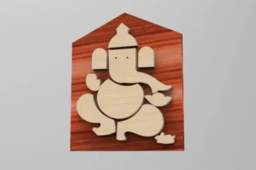
Happy Ganesh Chaturthi
MRCAD
in
Modeling
1
0
Expert
Blog: https://www.cadcamtutorial.in/ Telegram link - https://t.me/joinchat/jbCTJ5gDeCo3NWE1 Facebook page:https://www.facebook.com/cadcamtutorial We will learn the below features or commands in Solidworks. AllSketchTool SketchCondition UnderDefined FullyDefined OverDefined SketchExpert ExtrudeBoss ExtrudeCut RevolveBoss RevolveCut SweepBoss SweepCut PlaneCreation LoftedBoss LoftedCut HoleWizard Fillet chamfer TypesofPatterns #bhagataakash #SolidWorksBeginnersTutorials #SolidWorksSketching #SolidWorksSurface #SolidWorksWeldments #SolidWorksAssembly #SolidWorksDrawing #SolidWorksSheetMetal #SolidWorksMoldDesign #SolidWorksSimulation #SolidWorksMotion Please Subscribe to our channel for more videos & projects in Solidworks & don't forget to hit like & share the videos, thanks for watching. Laptop Information Dell G3 3579 Core i5 8th Gen 15.6-inch FHD Item model number - G3 3579 Processor Type - Core i5 Processor Speed 2.3 GHz RAM Size - 16 GB Graphics Coprocessor - NVIDIA GeForce GTX 1050 https://www.cadcamtutorial.in/
SOLIDWORKS
ganesh chaturthi
solidworks tutorials
solidworks 2021
solidwork
solidworks tutorial channel
Solidwork Tutorial ! Wood God Ganesh 5
MRCAD
in
Modeling
1
0
Expert
Telegram link - https://t.me/joinchat/jbCTJ5gDeCo3NWE1 Blog: https://www.cadcamtutorial.in/ We will learn the below features or commands in Solidworks. AllSketchTool SketchCondition UnderDefined FullyDefined OverDefined SketchExpert ExtrudeBoss ExtrudeCut RevolveBoss RevolveCut SweepBoss SweepCut PlaneCreation LoftedBoss LoftedCut HoleWizard Fillet chamfer TypesofPatterns #SolidWorksBeginnersTutorials #SolidWorksSketching #SolidWorksSurface #SolidWorksWeldments #SolidWorksAssembly #SolidWorksDrawing #SolidWorksSheetMetal #SolidWorksMoldDesign #SolidWorksSimulation #SolidWorksMotion Please Subscribe to our channel for more videos & projects in Solidworks & don't forget to hit like & share the videos, thanks for watching. Laptop Information Dell G3 3579 Core i5 8th Gen 15.6-inch FHD Item model number - G3 3579 Processor Type - Core i5 Processor Speed 2.3 GHz RAM Size - 16 GB Graphics Coprocessor - NVIDIA GeForce GTX 1050 https://www.cadcamtutorial.i
SOLIDWORKS
cadcamtutorial
cad
solidworks
course
beginners
full
free
courses
online
best
training
project
AutoCAD - Complete Tutorial for Beginners - Exercises 3
MRCAD
in
Drafting
1
1
Intermediate
COMPLET COUESH FOR 100 EXERCISEC FUNCTION KEY:- Ø ESC : To cancel Command Ø F1 : Autocad Help Ø F2 : Text Window on/off To see recently used command, options, Points. Ø F3 : Osnap button on/off. Ø F4 : Tablet on/off (Autocad 2010 & Prior Versions) 3DOSNAP ON/OFF (Autocad 2011 & Autocad 2012) Ø F5 : To change isoplane in isometric drawing. Ø F6 : DUCS (Dynamic user co-ordinate system) button on/off. Ø F7 : Grid button on/off. By default grid spacing is 0.5 inch in X- direction and Y direction. Ø F8 : Ortho button on/off. Ø F9 : Snap button on/off If snap button is on mode from status bar than cursor will be Jump on the graphic one dot to another dot. Ø F10 : Polar button on/off. (Alternate off ortho button) Ø F11 : Otrack button on/off. (object snap tracking) Ø F12 : DYN button on/off. (Dynamic input) Short cut keys:- Ø Ctrl+A : select all Ø Ctrl+B : Snap on/off Ø Ctrl+C : Copy objects to clipboard Ø Ctrl+D : Dynamic UCS (DUCS) on/off Ø Ctrl+E : To change isoplane in isometric Ø Ctrl+F : Osnap on/off Ø Ctrl+G : Grid on/off Ø Ctrl+H : Set variable Ø Ctrl+I : Co-ordinate on/off Ø Ctrl+J : Repeat Last Command Ø Ctrl+K : Hyperlink Command Ø Ctrl+L : Ortho on/off Ø Ctrl+M : Repeat Last Command Ø Ctrl+N : To create new autocad file Ø Ctrl+O : To open autocad file Ø Ctrl+P : To print/plot autocad file Ø Ctrl+Q : To Quit/Exit from autocad Ø Ctrl+R : To cycle between viewports Ø Ctrl+S : To save autocad file Ø Ctrl+T : Tablet on/off Ø Ctrl+U : Polar on/off Ø Ctrl+V : Paste objects from clipboard Ø Ctrl+W : Otrack on/off (Autocad 2010 & prior ver.) Ø Ctrl+W : Selection cycling on/off (New Autocad 2011) Ø Ctrl+X : Cut objects to clipboard Ø Ctrl+Y : Redo Ø Ctrl+Z : Undo Ø Ctrl+0 : Clean Screen Ø Ctrl+1 : Properties Ø Ctrl+2 : Autocad design center Ø Ctrl+3 : Tool Palettes Ø Ctrl+4 : Sheet set Manager Ø Ctrl+5 : Info palette ( not working from Acad2008) Ø Ctrl+6 : Database Connect Ø Ctrl+7 : Markup set manager Ø Ctrl+8 : Quick calculator Ø Ctrl+9 : Show /Hide Commandline Window Ø Ctrl+Shift+C : Copy objects With basepoint Ø Ctrl+Shift+E : Presspull Command Ø Ctrl+Shift+H : Show /Hide Commandline window Ø Ctrl+shift+P : Quick properties Ø Ctrl+Shift+S : Save as Autocad file Ø Ctrl+Shift+V : Paste as block #Complete Tutorial for Beginners #AutoCAD - SolidWorks Beginners Tutorials - SolidWorks Sketching - SolidWorks Surface - SolidWorks Weldments - SolidWorks Assembly - SolidWorks Drawing - SolidWorks Sheet Metal - SolidWorks Mold Design - SolidWorks Simulation - SolidWorks Motion please subscribe our channel for more videos & projects in solidworks & dont forget to hit like & share the videos, thanks for watching.
AutoCAD
beginners
tutorial
complete
autocad
SolidWorks I Cylinder Vertical Oscillating Steam Engine I 1 Base Plate Engine I 1 Base Plate
MRCAD
in
Modeling
1
0
Intermediate
Telegram link - https://t.me/joinchat/jbCTJ5gDeCo3NWE1 Blog: https://www.cadcamtutorial.in/ We will learn the below features or commands in Solidworks. AllSketchTool SketchCondition UnderDefined FullyDefined OverDefined SketchExpert ExtrudeBoss ExtrudeCut RevolveBoss RevolveCut SweepBoss SweepCut PlaneCreation LoftedBoss LoftedCut HoleWizard Fillet chamfer TypesofPatterns #SolidWorksBeginnersTutorials #SolidWorksSketching #SolidWorksSurface #SolidWorksWeldments #SolidWorksAssembly #SolidWorksDrawing #SolidWorksSheetMetal #SolidWorksMoldDesign #SolidWorksSimulation #SolidWorksMotion Please Subscribe to our channel for more videos & projects in Solidworks & don't forget to hit like & share the videos, thanks for watching. Laptop Information Dell G3 3579 Core i5 8th Gen 15.6-inch FHD Item model number - G3 3579 Processor Type - Core i5 Processor Speed 2.3 GHz RAM Size - 16 GB Graphics Coprocessor - NVIDIA GeForce GTX 1050
SOLIDWORKS
engine
steam
oscillating
vertical
cylinder
basics
learn
tutorial
tsolidwork2021
solidworks
Solidworks Basic Tutorial for Beginners !Training Exercise 8
MRCAD
in
Modeling
1
0
Expert
Telegram link - https://t.me/joinchat/jbCTJ5gDeCo3NWE1 Blog: https://www.cadcamtutorial.in/ We will learn the below features or commands in Solidworks. AllSketchTool SketchCondition UnderDefined FullyDefined OverDefined SketchExpert ExtrudeBoss ExtrudeCut RevolveBoss RevolveCut SweepBoss SweepCut PlaneCreation LoftedBoss LoftedCut HoleWizard Fillet chamfer TypesofPatterns #SolidWorksBeginnersTutorials #SolidWorksSketching #SolidWorksSurface #SolidWorksWeldments #SolidWorksAssembly #SolidWorksDrawing #SolidWorksSheetMetal #SolidWorksMoldDesign #SolidWorksSimulation #SolidWorksMotion Please Subscribe to our channel for more videos & projects in Solidworks & don't forget to hit like & share the videos, thanks for watching. Laptop Information Dell G3 3579 Core i5 8th Gen 15.6-inch FHD Item model number - G3 3579 Processor Type - Core i5 Processor Speed 2.3 GHz RAM Size - 16 GB Graphics Coprocessor - NVIDIA GeForce GTX 1050
SOLIDWORKS
exercise
training
beginners
tutorial
basic
solidworks
1
2
3
4
…
13