Learn about the GrabCAD Platform
Get to know GrabCAD as an open software platform for Additive Manufacturing
Visit our new homepage
Home
Control
Shop
Streamline Pro
Partner Program
Print
Community
Log in
Library
Challenges
Groups
Questions
Tutorials
Engineers
Blog
Log in
Muhammad Khan
Follow
9
followers
United Arab Emirates
Tutorials
About
Models
2
Tutorials
7
More
Followers
9
Following
0
Likes
6
Following
0
Followers
9
Likes
6
Tutorials
Sort by:
Recent
Recent
Most liked
Most viewed
Most commented
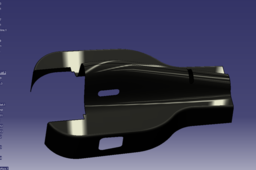
CATIA V5 F1 Car Body design tutorial part 1
Muhammad Khan
in
Design & CAD
4
4
Expert
https://youtu.be/O6o2k-aAuO4 Here is a CATIA V5 Tutorial that shows how to design formula one race car body portion. Following commands can be mastered: 1. Extrude 6:50 2. Trim 10:46 3. Sweep 19:25 3. Blend 27:19 4. Split 28:44 5. Project 26:21 7. Join 29:29 Here is a link to part 2: https://youtu.be/K3oxDErgAjg In case you want to DONATE: https://www.paypal.me/smartapproach Even the smallest donation is a great help to me. Thank you very much. Subscribe to my channel here: https://tinyurl.com/yc7x6fqd Follow on Twitter: https://tinyurl.com/ycjdv3mb Follow on Google plus: https://tinyurl.com/ybathm6g
CATIA
sweep
trim
extrude
car
race
f1
v5
catia
Design a Yacht Propeller in Solidworks, revolve, extrude cut, loft, Fillet, circular pattern
Muhammad Khan
in
Modeling
1
0
Beginner
Here is a link to Solid works online course for getting 1st 3 weeks free instruction material without enrolling: https://tinyurl.com/y89bn4uq https://youtu.be/RE2mcOw-1do Here is a tutorial on designing a Yacht Propeller in Solidworks. Although this tutorial shows you how to model an amazing propeller in SolidWorks, however, science that is involved behind designing a real propeller has not been incorporated. And in real life there is a bit more ‘science’ involved to making the right blade form to ensure proper performance in water. :) The goal of this tutorial is to learn SolidWorks in an efficient and practical way. Commands that can be mastered from this tutorial are as follows: Solidworks revolve Solidworks extrude cut Solidworks loft Solidworks Fillet Solidworks circular pattern Subscribe to my channel here: https://tinyurl.com/yc7x6fqd Follow on Twitter: https://tinyurl.com/ycjdv3mb Follow on Google plus: https://tinyurl.com/ybathm6g
SOLIDWORKS
pattern
circular
fillet
loft
cut
extrude
revolve
solidworks
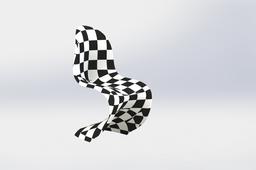
Solidworks Online Course-Designing a Panton S chair|Spline, pierce, Picture sketch, loft, 3D sketch|
Muhammad Khan
in
Modeling
2
0
Intermediate
https://youtu.be/HKg8TI9-b5w Here a useful tutorial on designing a panton S chair in solidworks. This tutorial is a part of solidworks playlist "Solidworks online course" by smart approach. Commands that can be mastered include: Spline, Picture sketch, imagine and shape, Surface loft and pierce. Here is a link to Solid works online course for getting 1st 3 weeks free instruction material without enrolling: https://tinyurl.com/y89bn4uq Here is a link to download the part file of this tutorial: https://grabcad.com/library/panton-s-chair-1 Subscribe to my channel here: https://tinyurl.com/yc7x6fqd Follow on Twitter: https://tinyurl.com/ycjdv3mb Follow on Google plus: https://tinyurl.com/yd2f6o2h
SOLIDWORKS
surface
pierce
spline
chair
panton
course-designing
online
solidworks
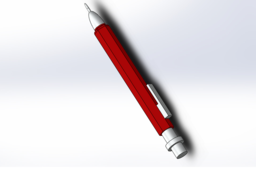
Solidworks 2017 Tutorial: Design a Mechanical Pen in 8 Simple Steps|Dome, Boss, Base Extrude offset|
Muhammad Khan
in
Design & CAD
4
0
Intermediate
https://youtu.be/jw-Dv_kT8lo Here is a tutorial on how to design a mechanical pen in Solid works. A pen has been modeled by sketches, boss/bass extrude, offset extrude and Dome commands. Don't forget to like and subscribe my channel as it helps me bring more tutorial videos to your comfort. Here is a pdf. version of the same tutorial: https://tinyurl.com/y7hzhjxy Below is a brief description of the Solidworks course that was mentioned in the video. You can download free project instructions at the provided links. Enjoy Designing this beautiful yacht Visit ► https://tinyurl.com/y89bn4uq◄ to download a free SolidWorks eBook. In this free PDF tutorial you will discover how to model an amazing yacht in Solid Works. With this step-by-step modeling course, your modeling skills will be launched to an expert level in only a couple of weeks. You will start with the basics, such as the propeller and radar, and then progress to more complicated models ending with challenging shapes like the Hull and Superstructure using advanced surface modeling techniques. I am a huge Sunseeker fan. That's why this yacht model is based on the existing Sunseeker Predator 108. So the full credits for the design will go to Sunseeker. This course will help you to discover the most important features of SOLIDWORKS in a creative and innovative way. You will also get a solid understanding of advanced surface modeling in SOLIDWORKS. All the exercises together will form a beautiful yacht to put in your portfolio. This practical way of working makes it challenging, but interesting, and is one of the greatest strengths of this tutorial package. I am 100% sure that this tutorial package will help you to become successful as a designer or engineer FAST. Click here to download your free eBook: https://tinyurl.com/y89bn4uq Follow on youtube: https://tinyurl.com/yc7x6fqd Google Plus:
SOLIDWORKS
steps
simple
works
solid
pen
mechanical
design
smartapproach
CATIA v5 Design Industry Tips and Tricks |F1 car part| Optimizing, Position, change sketch bases
Muhammad Khan
in
Design & CAD
4
2
Expert
Today I would like to give you some insight into some design Industry related tasks. I will also show you some very useful tricks that will improve your capability of optimizing designs in CATIA v5 and help you become a better designer as well. Let us suppose that you receive a part file from a client as shown here for re-modifying some futures. This is a component from assembly of formula 1 race care. The part fitting might have failed during assembly due to some inadequate features and sketches that need adjustment. To make things more complicated, let’s say that the part was designed in some other software instead of CATIA. The situation will be complicated because criteria for designing parts in other software is different than CATIA. So, let’s see how we can get around these issues.
CATIA
bases
sketch
change
position
edit
features
unlink
link
optimizing
part
car
f1
tricks
tips
industry
design
v5
catia
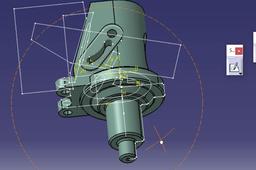
Designing F1 Car Brake Caliper
Muhammad Khan
in
Design & CAD
7
0
Intermediate
https://youtu.be/7-LHSog0 Wmo Here is another free advanced CATIA V5 tutorial. This tutorial belongs to 'CATIA V5 Free Advance Level Course' video series. In this tutorial, a brake caliper has been created so that all the features are easily updated. Following is the list of commands used: Position sketch, Trim, angular extrude, close arc, flange Below is the play list of all my CATIA V5 tutorials so far: CATIA V5 for Dummies: https://www.youtube.com/playlist?list=PLwVDnmuZ8ijHnhaUsjMrCijpatGqWx2ET CATIA V5 Certification Preparation: https://www.youtube.com/playlist?list=PLwVDnmuZ8ijEyJ1pk07iZS1aNRR3ZBDVo CATIA V5 Free Advance Level Course: https://www.youtube.com/playlist?list=PLwVDnmuZ8ijHfjyc5yo32IVt4DsUR_uSP
CATIA
v5
catia
design
sketch
position
car
f1
caliper
brake
free
tutorial
extrude
angular