Learn about the GrabCAD Platform
Get to know GrabCAD as an open software platform for Additive Manufacturing
Visit our new homepage
Home
Control
Shop
Streamline Pro
Partner Program
Print
Community
Log in
Library
Challenges
Groups
Questions
Tutorials
Engineers
Blog
Log in
Stratasys
Follow
174
followers
United States
Tutorials
About
Models
11
Tutorials
68
More
Followers
174
Following
1
Likes
1
Following
1
Followers
174
Likes
1
Tutorials
Sort by:
Recent
Recent
Most liked
Most viewed
Most commented
How to Go from 3D Scanning to 3D Printing
Stratasys
in
3D Printing
6
0
Intermediate
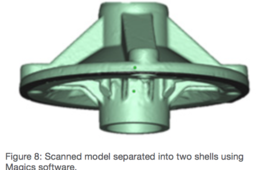
A 3D scanner is a device that analyzes and captures the geometry and colors of physical objects to transform them into digital 3D models. The scanning process collects sample points from the object’s surface and generates its geometric shape through extrapolation. There are many different 3D scanning technologies and each one comes with its own advantages, limitations and cost. Stratasys tested two types of Creaform 3D scanners: the HandyScan 700 and the Go!SCAN 20. These portable 3D scanners can be used for a wide range of applications, offering a simple and intuitive scanning experience, providing fast and reliable results. The Go!Scan 20 scanner can capture 3D data in color. It provides a very fast measurement rate and requires minimal data post-processing. The HandySCAN 700 is used mainly for taking measurements and reverse engineering. This scanner is fast at delivering accurate and high resolution 3D scans while remaining simple to use. All phases of product design, from concept through manufacturing, can benefit from the workflow combination of 3D scanning and printing. This process can reduce the number of design iterations and the time between each, lowering the total cost of each prototype. The following is brought to you by Stratasys:
3d
stratasys
3dprinting
scanning
How to Apply Custom Toolpaths for Thin Walls and Bosses
Stratasys
in
3D Printing
2
0
Intermediate
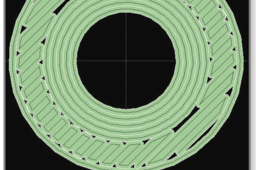
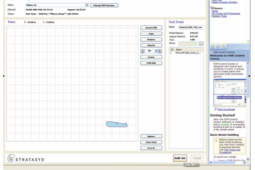
When processing an STL file, smaller or larger toolpath widths are sometimes required to achieve proper fill for certain portions or features of a part. While changing the tip or modifying global toolpath settings for the entire part will generally work, oftentimes it is unnecessary. Custom Groups provide a means to specify different toolpath parameters for an individual curve or curves. The following tutorial is brought to you by Stratasys:
tutorials
printing
3d
bosses
toolpaths
stratasys
3dprinting
Applying Colors to Your Model Using SOLIDWORKS, Adobe Photoshop, and Rhinoceros
Stratasys
in
3D Printing
0
0
Intermediate
Being able to print in full color, including gradients and textures, is one of the many advantages of the Stratasys J750 3D Printer. This best practices document provides instructions for color selection with the Stratasys J750 and includes procedures for models designed with SOLIDWORKS, Adobe Photoshop and Rhinoceros software.
rhinoceros
photoshop
solidworks
printing
designing
3dprinting
stratasys
color
How to Make GrabCAD Voxel Print Slices Using Matlab
Stratasys
in
3D Printing
8
1
Expert
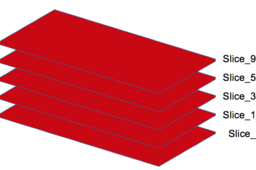
This tutorial is intended for users who already have a passing familiarity with Matlab and J750 operation. It is NOT intended to be a comprehensive lesson on how to use the Matlab software or PolyJet printers. The following is brought to you by Stratasys:
polyjet
stratasys
3dprinting
grabcadprint
voxel
matlab
3D Printing: Tip Selection FDM Best Practices
Stratasys
in
3D Printing
3
0
Intermediate
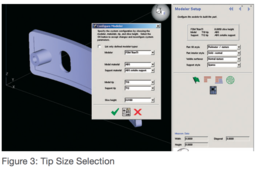
To minimize build time and ensure feature details are built, it is important to select the correct tip size for each part. Using too small a tip on a part can significantly increase build times. Example: a part with a 5” z-axis dimension will have 500 layers using a T16 tip, 715 layers using a T12 tip, and 1000 layers using a T10 tip. The following tutorial is brought to you by Stratasys.
fdm
tip
stratasys
3dprinting
PolyJet Best Practices: How to Prototype Surfaces with Varied Friction Coefficients
Stratasys
in
3D Printing
0
0
Intermediate
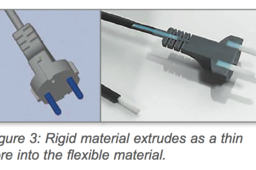
Friction is defined as the force that opposes the relative motion or tendency of such motion of two surfaces in contact. The friction coefficient of a prototype’s surface is a functional component, not an aesthetic one, and simulates the end product’s mechanical properties. A well-designed prototype that takes friction into consideration can have the following advantages: an improved grip for the end-user, reduced part wear, simulated movement functionality and sliding abilities. PolyJetTM ConnexTM 3D Printing systems provide a solution for prototyping surfaces with varied friction coefficients that were impossible or cost-prohibitive to prototype in the past. By being able to print several materials in one build process, Connex systems can produce prototypes with varying friction areas on one given part. Users determine the friction coefficients for different areas of a part according to the load factor. This saves time and money by providing an easy solution for prototyping complex parts whose dynamic friction coefficients can be tested in a single build process. The following tutorial is brought to you by Stratasys:
printing
3d
stsratasys
prototyping
polyjet
How to Process STL Files for 3D Printing Using Insight
Stratasys
in
3D Printing
5
0
Beginner
This tutorial will give you a step-by-step procedure to aid in the generation of models. By following the steps of this tutorial, you can cut down on problems that can be easily overlooked. The following tutorial is brought to you by Stratasys.
models
cad
printing
3d
insight
stratasys
processing
What You Need to Know When 3D Printing with Thermoplastics
Stratasys
in
3D Printing
3
0
Expert
Today, a majority of consumer products and production parts are made from thermoplastics. Thermoplastics are typically used in manufacturing techniques like injection molding, compression molding and machining, but with the invention of 3D printing, they became available for additive extrusion and sintering processes. A new door to advanced manufacturing has opened with 3D printing materials similar to the conventional thermoplastics familiar to engineers and designers. Thermoplastics are plastic materials, or polymers, that become pliable when heated to a specific temperature and solidify upon cooling. Types of thermoplastics include acrylic, ABS, Nylon, PLA, polycarbonate (PC), polyethylene and other specialty, high performance materials. If your part requires strength, rigidity or high temperature tolerance, then thermoplastics are a great option to fabricate your production component or prototype. Using 3D printing, engineers can make parts with the most commonly used thermoplastics, such as ABS, polycarbonate, a variety of blends, as well as thermoplastics engineered for aerospace, medical, automotive and other specialty applications. There are two additive technologies at Stratasys Direct Manufacturing that utilize thermoplastics: Laser Sintering (LS) and FDM (Fused Deposition Modeling).
fdm
stratasys
acrylic
printing
3d
nylon
abs
thermoplastics
1
2
3
4
5