Learn about the GrabCAD Platform
Get to know GrabCAD as an open software platform for Additive Manufacturing
Visit our new homepage
Home
Control
Shop
Streamline Pro
Partner Program
Print
Community
Connexion
Library
Challenges
Groups
Questions
Tutorials
Engineers
Blog
Connexion
Learn from thousands of free Tutorials.
New user?
Join the community
or
log in.
Tutorials
Most liked all time
Recent
Most liked
Most viewed
Most commented
This week
This month
All time
Category
Design & CAD
Modeling
Drafting
Assemblies
BOM
Dimensioning / Tolerancing
Translations
Manufacturing & CAM
3D Printing
Tooling
NC Machining
Composites
Measurement / Inspection
Simulation & CAE
FEM
CFD
Kinematics
Process Simulation
Engineering Fundamentals
Theory
Process
Standards
Other
Software
Snagit
Alibre Design
ArchiCAD
AutoCAD
AutoCAD Electrical
Autodesk 3ds Max
Autodesk Alias
Autodesk Inventor
Autodesk Maya
Autodesk Revit
Autodesk 123D
BricsCAD
Bentley MicroStation
BlenderCAD
BobCAD-CAM
CATIA
Delmia
DraftSight
FreeCAD
Femap
Fusion 360
Geomagic Design
IronCAD
JT
Kompas-3D
KeyCreator
KeyShot
Lagoa
Luxology
Mastercam
Moi3D
NX Unigraphics
OBJ
Onshape
OpenSCAD
Parasolid
Powermill
Powershape
Pro/Engineer Wildfire
PTC Creo Parametric
PTC Creo Elements
Rhino
SpaceClaim
SOLIDWORKS
solidThinking Evolve
Solid Edge
SolidFace
STEP / IGES
SketchUp
STL
TopSolid
TinkerCAD
T-Flex CAD
TurboCAD
VectorWorks
ViaCAD 3D
VRML / WRL
ZW3D
GrabCAD Print
Rendering
GrabCAD Community
GrabCAD Workbench
Text file
3D Manufacturing Format
Cinema 4D
Other
Skill level
All levels
Beginner
Intermediate
Expert
Drafting
×
Assemblies
×
Process
×
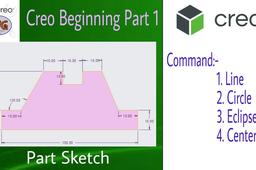
Creo Tutorial form Basic for Beginner | in Hindi | DesignWale GuruG
Perfect Cad service
in
Drafting
0
0
Beginner
Creo Tutorial form Basic for Beginner Creo Sketch Tutorial. This is the getting started tutorial for Creo. Creo sketch commands covered in this tutorial are line, line tangent, circle, dimension, trim etc. in this video we also draw one sketch. Related Quare:- how to use line command in creo. how to use circle command in creo. how to draw sketch in creo.
PTC Creo Parametric
5-o
gurug
designwale
by
hindi
beginner
tutorial
sketch
draw
circle
creo
command
line
use
how
Crank and lever mechanism (OR) Beam engine mechanism
MANIKANTHA P
in
Assemblies
0
0
Intermediate
A beam engine is a type of steam engine where a pivoted overhead beam is used to apply the force from a vertical piston to a vertical connecting rod. ... Beam engines were first used to pump water out of mines or into canals, but could be used to pump water to supplement the flow for a waterwheel powering a mill.
NX Unigraphics
assembly
modeling
part
unigraphics
lever
crank
mechanism
beam
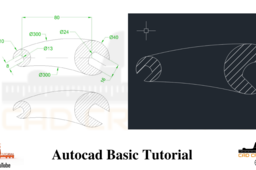
AutoCAD - Complete Tutorial for Beginners - Exercises 6
MRCAD
in
Drafting
0
0
Intermediate
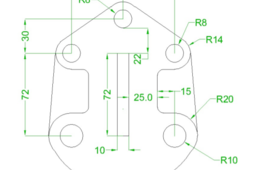
COMPLET COUESH FOR 100 EXERCISEC FUNCTION KEY:- Ø ESC : To cancel Command Ø F1 : Autocad Help Ø F2 : Text Window on/off To see recently used command, options, Points. Ø F3 : Osnap button on/off. Ø F4 : Tablet on/off (Autocad 2010 & Prior Versions) 3DOSNAP ON/OFF (Autocad 2011 & Autocad 2012) Ø F5 : To change isoplane in isometric drawing. Ø F6 : DUCS (Dynamic user co-ordinate system) button on/off. Ø F7 : Grid button on/off. By default grid spacing is 0.5 inch in X- direction and Y direction. Ø F8 : Ortho button on/off. Ø F9 : Snap button on/off If snap button is on mode from status bar than cursor will be Jump on the graphic one dot to another dot. Ø F10 : Polar button on/off. (Alternate off ortho button) Ø F11 : Otrack button on/off. (object snap tracking) Ø F12 : DYN button on/off. (Dynamic input) Short cut keys:- Ø Ctrl+A : select all Ø Ctrl+B : Snap on/off Ø Ctrl+C : Copy objects to clipboard Ø Ctrl+D : Dynamic UCS (DUCS) on/off Ø Ctrl+E : To change isoplane in isometric Ø Ctrl+F : Osnap on/off Ø Ctrl+G : Grid on/off Ø Ctrl+H : Set variable Ø Ctrl+I : Co-ordinate on/off Ø Ctrl+J : Repeat Last Command Ø Ctrl+K : Hyperlink Command Ø Ctrl+L : Ortho on/off Ø Ctrl+M : Repeat Last Command Ø Ctrl+N : To create new autocad file Ø Ctrl+O : To open autocad file Ø Ctrl+P : To print/plot autocad file Ø Ctrl+Q : To Quit/Exit from autocad Ø Ctrl+R : To cycle between viewports Ø Ctrl+S : To save autocad file Ø Ctrl+T : Tablet on/off Ø Ctrl+U : Polar on/off Ø Ctrl+V : Paste objects from clipboard Ø Ctrl+W : Otrack on/off (Autocad 2010 & prior ver.) Ø Ctrl+W : Selection cycling on/off (New Autocad 2011) Ø Ctrl+X : Cut objects to clipboard Ø Ctrl+Y : Redo Ø Ctrl+Z : Undo Ø Ctrl+0 : Clean Screen Ø Ctrl+1 : Properties Ø Ctrl+2 : Autocad design center Ø Ctrl+3 : Tool Palettes Ø Ctrl+4 : Sheet set Manager Ø Ctrl+5 : Info palette ( not working from Acad2008) Ø Ctrl+6 : Database Connect Ø Ctrl+7 : Markup set manager Ø Ctrl+8 : Quick calculator Ø Ctrl+9 : Show /Hide Commandline Window Ø Ctrl+Shift+C : Copy objects With basepoint Ø Ctrl+Shift+E : Presspull Command Ø Ctrl+Shift+H : Show /Hide Commandline window Ø Ctrl+shift+P : Quick properties Ø Ctrl+Shift+S : Save as Autocad file Ø Ctrl+Shift+V : Paste as block #Complete Tutorial for Beginners #AutoCAD - SolidWorks Beginners Tutorials - SolidWorks Sketching - SolidWorks Surface - SolidWorks Weldments - SolidWorks Assembly - SolidWorks Drawing - SolidWorks Sheet Metal - SolidWorks Mold Design - SolidWorks Simulation - SolidWorks Motion please subscribe our channel for more videos & projects in solidworks & dont forget to hit like & share the videos, thanks for watching.
AutoCAD
beginners
tutorial
complete
autocad
Inventor assemblies.
Harm chang woo
in
Assemblies
0
0
Beginner
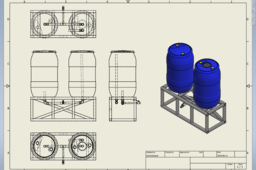
Assembly method using inventory design frame and tube and pipe tools. A simple rendering method using Keyshot 9. Model link is https://grabcad.com/library/55-gallon-barrel-1
Autodesk Inventor
Inventor 2021 | Radial Engine | Assembly 3
CAD Pond
in
Assemblies
0
0
Beginner
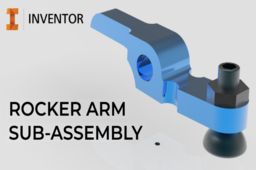
In this video, I demonstrate the process of creating the rocker arm subassembly of the radial engine project. Video demonstrations to the parts used, can be found on my youtube channel linked in my profile. Happy Modeling!
Autodesk Inventor
airbus
inventor
engine
radial
aviation
boeing
airforce
aircraft
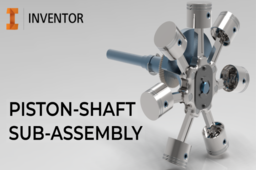
Inventor 2021 | Radial Engine | Assembly 6
CAD Pond
in
Assemblies
0
0
Beginner
In this video, I demonstrate the process of creating the Piston-Shaft subassembly, of the radial engine project. Video demonstrations to the parts used, can be found on my youtube channel linked in my profile. Happy Modeling!
Autodesk Inventor
airbus
inventor
engine
radial
aviation
boeing
airforce
aircraft
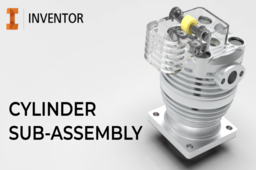
Inventor 2021 | Radial Engine | Assembly 7
CAD Pond
in
Assemblies
0
0
Beginner
In this video, I demonstrate the process of creating the cylinder subassembly of the radial engine project. Video demonstrations to the parts used, can be found on my youtube channel linked in my profile. Happy Modeling!
Autodesk Inventor
airbus
inventor
engine
radial
aviation
boeing
airforce
aircraft
Como visualizar arquivos CAD com realidade aumentada (RA)
Design Disruptivo
in
Drafting
0
0
Beginner
Visualize a realidade aumentada para visualizar arquivos CAD. Software: Solidworks Tipo de arquivo: edrawings
SOLIDWORKS
aumentada
realidade
Cara Membuat Layer di AutoCAD
Abdul Azis
in
Drafting
0
0
Beginner
Penggunaan layer sangat penting jika skala proyek atau gambar yang anda buat cukup besar serta memiliki tingkat kerumitan yang cukup kompleks. Anda bisa memilih, mengedit ataupun menghapus objek tertentu dengan mudah, sehingga proses menggambar menjadi lebih terorganisir, anda juga bisa mengatur warna, line size, dan line yang akan digunakan (phantom, dashed, Center dan lain-lain). Ikuti Juga ! Facebook : https://web.facebook.com/pg/JagoAutoC... Instagram : https://www.instagram.com/jagoautocad/ Brlogger : https://jagoautocad.blogspot.com/ #JagoAutoCAD
AutoCAD
jagoautocad
autocad
AutoCAD - Complete Tutorial for Beginners - Exercises 28
MRCAD
in
Assemblies
0
0
Intermediate
FUNCTION KEY:- Ø ESC : To cancel Command Ø F1 : Autocad Help Ø F2 : Text Window on/off To see recently used command, options, Points. Ø F3 : Osnap button on/off. Ø F4 : Tablet on/off (Autocad 2010 & Prior Versions) 3DOSNAP ON/OFF (Autocad 2011 & Autocad 2012) Ø F5 : To change isoplane in isometric drawing. Ø F6 : DUCS (Dynamic user co-ordinate system) button on/off. Ø F7 : Grid button on/off. By default grid spacing is 0.5 inch in X- direction and Y - direction. Ø F8 : Ortho button on/off. Ø F9 : Snap button on/off If snap button is on mode from status bar than cursor will be Jump on the graphic one dot to another dot. Ø F10 : Polar button on/off. (Alternate off ortho button) Ø F11 : Otrack button on/off. (object snap tracking) Ø F12 : DYN button on/off. (Dynamic input) Short cut keys:- Ø Ctrl+A : select all Ø Ctrl+B : Snap on/off Ø Ctrl+C : Copy objects to clipboard Ø Ctrl+D : Dynamic UCS (DUCS) on/off Ø Ctrl+E : To change isoplane in isometric Ø Ctrl+F : Osnap on/off Ø Ctrl+G : Grid on/off Ø Ctrl+H : Set variable Ø Ctrl+I : Co-ordinate on/off Ø Ctrl+J : Repeat Last Command Ø Ctrl+K : Hyperlink Command Ø Ctrl+L : Ortho on/off Ø Ctrl+M : Repeat Last Command Ø Ctrl+N : To create new autocad file Ø Ctrl+O : To open autocad file Ø Ctrl+P : To print/plot autocad file Ø Ctrl+Q : To Quit/Exit from autocad Ø Ctrl+R : To cycle between viewports Ø Ctrl+S : To save autocad file Ø Ctrl+T : Tablet on/off Ø Ctrl+U : Polar on/off Ø Ctrl+V : Paste objects from clipboard Ø Ctrl+W : Otrack on/off (Autocad 2010 & prior ver.) Ø Ctrl+W : Selection cycling on/off (New Autocad 2011) Ø Ctrl+X : Cut objects to clipboard Ø Ctrl+Y : Redo Ø Ctrl+Z : Undo Ø Ctrl+0 : Clean Screen Ø Ctrl+1 : Properties Ø Ctrl+2 : Autocad design center Ø Ctrl+3 : Tool Palettes Ø Ctrl+4 : Sheet set Manager Ø Ctrl+5 : Info palette ( not working from Acad2008) Ø Ctrl+6 : Database Connect Ø Ctrl+7 : Markup set manager Ø Ctrl+8 : Quick calculator Ø Ctrl+9 : Show /Hide Commandline Window Ø Ctrl+Shift+C : Copy objects With basepoint Ø Ctrl+Shift+E : Presspull Command Ø Ctrl+Shift+H : Show /Hide Commandline window Ø Ctrl+shift+P : Quick properties Ø Ctrl+Shift+S : Save as Autocad file Ø Ctrl+Shift+V : Paste as block #Complete Tutorial for Beginners #AutoCAD - SolidWorks Beginners Tutorials - SolidWorks Sketching - SolidWorks Surface - SolidWorks Weldments - SolidWorks Assembly - SolidWorks Drawing - SolidWorks Sheet Metal - SolidWorks Mold Design - SolidWorks Simulation - SolidWorks Motion please subscribe our channel for more videos & projects in solidworks & dont forget to hit like & share the videos, thanks for watching. CADCREATIVE.IN Laptop Information Dell G3 3579 Core i5 8th Gen 15.6-inch FHD Item model number - G3 3579 Processor Type - Core i5 Processor Speed 2.3 GHz RAM Size - 16 GB Graphics Coprocessor - NVIDIA GeForce GTX 1050
SOLIDWORKS
cad
cadcreative-in
akkiiii
bhagataakash
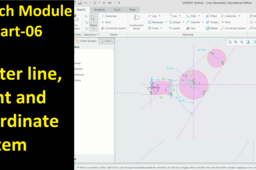
#06 Creo Sketch Tutorial- Center line, Point and Coordinate System
MD DESIGN ACADEMY
in
Drafting
0
0
Intermediate
Friends! Don't forget, if you like our videos please "Subscribe", "Like", "Favorite" and "Share" it to your friends to show your support.
PTC Creo Parametric
tutorial
parametric
creo
ptc
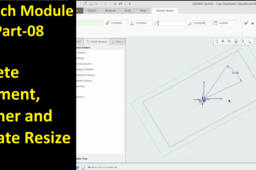
#08 Creo Sketch Tutorial- Delete Segment, Corner and Rotate Resize
MD DESIGN ACADEMY
in
Drafting
0
0
Intermediate
Friends! Don't forget, if you like our videos please "Subscribe", "Like", "Favorite" and "Share" it to your friends to show your support.
PTC Creo Parametric
tutorial
parametric
creo
ptc
Photogrammetry tutorial
Enrico Andrade
in
Drafting
0
0
Beginner
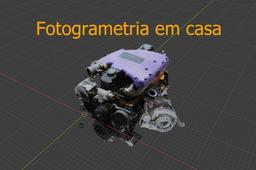
This is a photogrammetry tutorial https://www.youtube.com/watch?v=kHfMXTgCM7g&ab_channel=BackyardGarage
Other
photogrammetry
How to Remove Ghost objects
Vladimir Palffy
in
Assemblies
0
0
Beginner
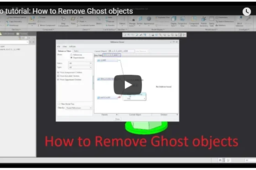
In this tutorials, you can learn How to Remove Ghost objects from assembly and drawings - not stored ghosts anymore in PDM system
PTC Creo Parametric
assembly
drawing
ghost
remove
making cone sheet metal in solidworks
taufik .
in
Drafting
0
0
Intermediate
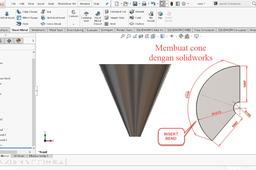
make cone in solidworks
SOLIDWORKS
1
…
98
99
100