Learn about the GrabCAD Platform
Get to know GrabCAD as an open software platform for Additive Manufacturing
Visit our new homepage
Home
Control
Shop
Streamline Pro
Partner Program
Print
Community
Log in
Library
Challenges
Groups
Questions
Tutorials
Engineers
Blog
Log in
Learn from thousands of free Tutorials.
New user?
Join the community
or
log in.
Tutorials
Most liked all time
Recent
Most liked
Most viewed
Most commented
This week
This month
All time
Category
Design & CAD
Modeling
Drafting
Assemblies
BOM
Dimensioning / Tolerancing
Translations
Manufacturing & CAM
3D Printing
Tooling
NC Machining
Composites
Measurement / Inspection
Simulation & CAE
FEM
CFD
Kinematics
Process Simulation
Engineering Fundamentals
Theory
Process
Standards
Other
Software
Snagit
Alibre Design
ArchiCAD
AutoCAD
AutoCAD Electrical
Autodesk 3ds Max
Autodesk Alias
Autodesk Inventor
Autodesk Maya
Autodesk Revit
Autodesk 123D
BricsCAD
Bentley MicroStation
BlenderCAD
BobCAD-CAM
CATIA
Delmia
DraftSight
FreeCAD
Femap
Fusion 360
Geomagic Design
IronCAD
JT
Kompas-3D
KeyCreator
KeyShot
Lagoa
Luxology
Mastercam
Moi3D
NX Unigraphics
OBJ
Onshape
OpenSCAD
Parasolid
Powermill
Powershape
Pro/Engineer Wildfire
PTC Creo Parametric
PTC Creo Elements
Rhino
SpaceClaim
SOLIDWORKS
solidThinking Evolve
Solid Edge
SolidFace
STEP / IGES
SketchUp
STL
TopSolid
TinkerCAD
T-Flex CAD
TurboCAD
VectorWorks
ViaCAD 3D
VRML / WRL
ZW3D
GrabCAD Print
Rendering
GrabCAD Community
GrabCAD Workbench
Text file
3D Manufacturing Format
Cinema 4D
Other
Skill level
All levels
Beginner
Intermediate
Expert
CATIA
×
Solid Edge
×
Rendering
×
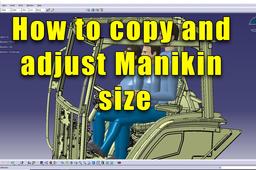
How to Copy and Adjust Manikin size
3D Comparison
in
Modeling
0
0
Beginner
Follow-up of my previous tutorial regarding the ergonomics of a tractor cabin
CATIA
adjust
size
manikin
catia v5
copy
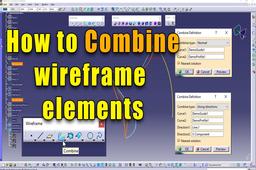
Catia V5 - How to use the Combine feature
3D Comparison
in
Modeling
0
0
Beginner
Combine features enables to create geometry resulting from the intersection of the extrusion of two elements along two directions.
CATIA
wireframe
shape
combine
gsd
catia v5
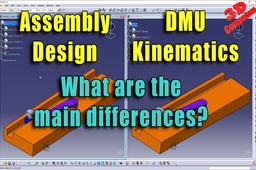
Differences between Assembly Design and DMU Kinematics
3D Comparison
in
Modeling
0
0
Beginner
The main difference between Assembly Design and Digital Mockup (DMU) Kinematics in CATIA is that Assembly Design is used to create static assemblies, while DMU Kinematics is used to create dynamic assemblies. In Assembly Design, the parts are constrained together using geometric constraints, such as coincident, parallel, and perpendicular. This allows the assembly to be moved and rotated, but it does not allow the parts to move relative to each other. In DMU Kinematics, the parts are connected together using kinematic joints, such as revolute, prismatic, and cylindrical joints. These joints allow the parts to move relative to each other in a specific way.
CATIA
differences
constraints
joints
dmu
design
assembly
CATIA V5 - I&S - Extrusion and Fill/Merge Surfaces
3D Comparison
in
Modeling
0
0
Beginner
CATIA V5 - I&S - Extrusion and Fill/Merge Surfaces Extrusion is a surface creation tool that allows you to create a new surface by extending an existing surface in a specified direction. The Fill/Merge Surfaces tool allows you to fill gaps between surfaces or merge two or more surfaces into a single surface.
CATIA
faces
surfaces
merge
fill
extrude
extrusion
shape
imagine
CATIA V5 - Bottle design
3D Comparison
in
Modeling
0
0
Beginner
The 3D modeling combines Imagine & Shape with Generative Shape Design.
CATIA
split
design
generative
shape
imagine
catia
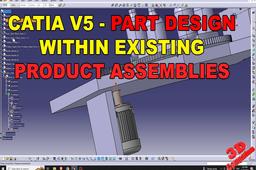
CATIA V5 - Design new parts within existing product assemblies
3D Comparison
in
Modeling
0
0
Beginner
Designing new parts within existing product assemblies in CATIA V5 involves a straightforward process that allows you to seamlessly integrate new components into your existing designs. previous video - https://www.youtube.com/watch?v=rfZQHWQo1Sw
CATIA
how
existing
assemblies
design
part
catia
CATIA V5 - Increase your productivity with Automatic Dimensional Constraints
3D Comparison
in
Modeling
0
0
Beginner
Dimensional constraints are a powerful tool in CATIA V5 that can help you to improve the accuracy and consistency of your designs. By automatically applying dimensional constraints to your sketches and features, you can ensure that your designs meet the required specifications and that dimensions update correctly as your design changes. This can save you a lot of time and effort, especially when working on complex designs.
CATIA
productivity
constraints
dimensional
automatic
catia
CATIA V5 - How to use the measure tools
3D Comparison
in
Modeling
0
0
Beginner
CATIA V5 provides three main measure tools: Measure Between, Measure Item, and Measure Inertia. These tools allow you to accurately measure various aspects of your CAD model, such as distances, angles, lengths, areas, and volumes.
CATIA
length
angles
distances
tools
between
measure
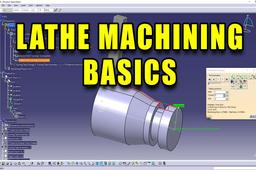
CATIA V5 - Lathe machining basics
3D Comparison
in
Modeling
0
0
Intermediate
CATIA V5 provides a comprehensive set of tools for creating and simulating lathe machining operations. Lathe machining is a fundamental manufacturing process used to create cylindrical parts with various shapes and features. It involves rotating a workpiece against a cutting tool, which removes material to achieve the desired geometry.
CATIA
turning
example
machining
lathe
catia v5
Catia V5 Part Design
Ahmet Demir
in
Modeling
0
0
Beginner
Catia V5 Part Design Tutorial for beginners https://www.youtube.com/watch?v=7-1h3KmwB8c
CATIA
catia v5
cad
modeling
3d
catia
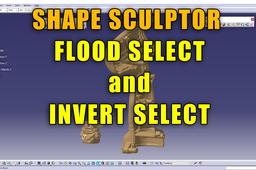
CATIA V5 - Shape Sculptor - Flood Select and Invert Select
3D Comparison
in
Modeling
0
0
Beginner
Flood Select and Invert Select are two important tools in CATIA V5's Shape Sculptor feature. Flood Select allows you to select all the entities within a specified area, regardless of their type or geometry. This can be a useful tool for quickly selecting a large number of entities, such as all the faces of a solid or all the edges of a wireframe model.
CATIA
invert selection
catia v5
sculptor
shape
select
flood
Catia v5 tutorial
Ahmet Demir
in
Modeling
0
0
Beginner
Catia v5 part design pipe tutorial https://youtu.be/DGDdEmVxs20
CATIA
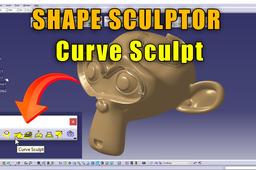
How to use Curve Sculpt in CATIA V5
3D Comparison
in
Modeling
0
0
Intermediate
Shape Sculptor workbench that allow you to manipulate and sculpt surfaces using curves.
CATIA
3d scan
stl files
import mesh
shape sculptor
curve sculpt
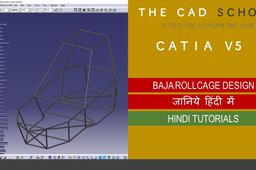
CATIA V5 | SAE BAJA | ROLL-CAGE DESIGN |
Sandeep Pal
in
Modeling
0
0
Beginner
N THIS VIDEO WE WILL GOING TO SEE HOW ROLLCAGE IS DESIGNED IN CATIA V5, BY FOLLOWING EACH STEP ONE CAN DESIGN THE WHOLE STRUCTURE. INITIALLY, THE WIREFRAME IS MADE TO HAVE A FINAL SHAPE, AND THEN THROUGH SURFACE DESIGN WHOLE STRUCTURE IS DESIGNED. DOWNLOAD LINKS:- https://youtu.be/V1YMOL7-4MY WIREFRAME: https://www.mediafire.com/file/86ikrv... ROLL CAGE DESIGN CAT PART : https://www.mediafire.com/file/gvkx5y...
CATIA
sae
baja
rollcage
design
blender
sketchup pro
solidworks
catia
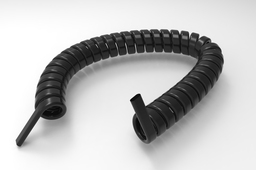
How to model a telephone wire in CATIA V5 R19?
G15
in
Design & CAD
0
1
Beginner
Here is a video tutorial http://youtu.be/6G4rQiTWJDk
CATIA
1
…
85
86
87
…
90