Learn about the GrabCAD Platform
Get to know GrabCAD as an open software platform for Additive Manufacturing
Visit our new homepage
Home
Control
Shop
Streamline Pro
Partner Program
Print
Community
Log in
Library
Challenges
Groups
Questions
Tutorials
Engineers
Blog
Log in
Learn from thousands of free Tutorials.
New user?
Join the community
or
log in.
Tutorials
Most liked all time
Recent
Most liked
Most viewed
Most commented
This week
This month
All time
Category
Design & CAD
Modeling
Drafting
Assemblies
BOM
Dimensioning / Tolerancing
Translations
Manufacturing & CAM
3D Printing
Tooling
NC Machining
Composites
Measurement / Inspection
Simulation & CAE
FEM
CFD
Kinematics
Process Simulation
Engineering Fundamentals
Theory
Process
Standards
Other
Software
Snagit
Alibre Design
ArchiCAD
AutoCAD
AutoCAD Electrical
Autodesk 3ds Max
Autodesk Alias
Autodesk Inventor
Autodesk Maya
Autodesk Revit
Autodesk 123D
BricsCAD
Bentley MicroStation
BlenderCAD
BobCAD-CAM
CATIA
Delmia
DraftSight
FreeCAD
Femap
Fusion 360
Geomagic Design
IronCAD
JT
Kompas-3D
KeyCreator
KeyShot
Lagoa
Luxology
Mastercam
Moi3D
NX Unigraphics
OBJ
Onshape
OpenSCAD
Parasolid
Powermill
Powershape
Pro/Engineer Wildfire
PTC Creo Parametric
PTC Creo Elements
Rhino
SpaceClaim
SOLIDWORKS
solidThinking Evolve
Solid Edge
SolidFace
STEP / IGES
SketchUp
STL
TopSolid
TinkerCAD
T-Flex CAD
TurboCAD
VectorWorks
ViaCAD 3D
VRML / WRL
ZW3D
GrabCAD Print
Rendering
GrabCAD Community
GrabCAD Workbench
Text file
3D Manufacturing Format
Cinema 4D
Other
Intermediate
All levels
Beginner
Intermediate
Expert
3dexperience
×
Reverse Engineering: Power Fit
Maxime Chagnot
in
Modeling
8
0
Intermediate
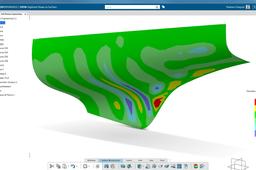
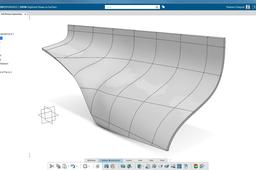
This video shows you how to transform a cloud mesh (based on a "STL" file) into a proper surface. It is a reverse engineering topic where you have a hull that you cannot work on. With the dedicated Digitized Shape applications, you can transform this mesh into a surface using the PowerFit feature. You will obtain a surface that is very near from the original mesh, with a maximal deviation of 0.972 mm.
CATIA
hull
3dexperience
fit
power
engineering
reverse
catia
3DEXPERIENCE CATIA commands - c:Ambience Overload...
ferdo
in
Assemblies
3
3
Intermediate
CATIA 3DEXPERIENCE commands. Part Design (and other workbenches); c:Ambience Overload... Command to modify Ambience parameters to make it more realistic.
CATIA
assembly
ambience
catia
3dexperience
[VIDEO] Power Copy for Cutout Sheet Metal - CATIA 3DExperience R19x
Maxime Chagnot
in
Modeling
2
0
Intermediate
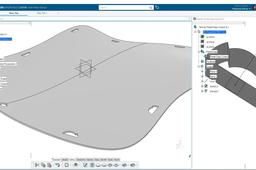
Hello Everyone, In this new tutorial, I will show you how to create a Power Copy of a Profile that you reuse as a cutout on a Sheet Metal curved plate. You will first create a double curved surface on Generative Shape Design application. You will also place several Points and axis system to position the future cutouts profile. After that you will learn how to create the Power Copy from scratch. It is very important in that step that you create your referential (point, plane and lines). Finally, you will transform the surface to a sheet metal part and you will reuse the Power Copy to make several cutouts in the plate. Power Copy is a powerful tool, that will reduce the time spent on repetitive task. Find the models on this grabcad links: - https://grabcad.com/library/metal-plate-cutout-1 - https://grabcad.com/library/power-copy-for-sheetmetal-cutout-1 Please like, comment, share and subscribe :)
CATIA
pattern
cutout
copy
power
metal
sheet
3dexperience
catia
“Playing” with CATIA Commands List (v5 and 3DX)
ferdo
in
Theory
2
0
Intermediate
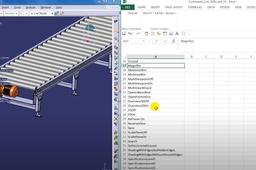
After some research, I found that some commands can be replaced by (let’s say) a Command ID which obviously is not in the documentation. All details here https://www.linkedin.com/pulse/commands-lists-catia-3dexperience-catiav5-fernando-petre/
commands
3dexperience
catiav5
[VIDEO] Reverse Engineering: Surface Network
Maxime Chagnot
in
Modeling
1
0
Intermediate
This video shows you how to transform a cloud mesh (based on a "STL" file) into a proper surface. It is a reverse engineering topic where you have a hull that you cannot work on. With the dedicated Digitized Shape applications, you can transform this mesh into a surface using the Surfaces Network feature. This method is different from the PowerFit, you create a grid on the mesh, that you fill with small patches. This procedure is less automated, so you need to join and heal the patches together.
CATIA
network
surface
3dexperience
hull
rebuild
engineering
reverse
catia
3DEXPERIENCE CATIA - Mechanical System Design 🗜️ | Beginner
NonCad Keys
in
Assemblies
1
0
Intermediate
⚙️ Today we reveal the secrets of perfect mechanism movements in Catia assemblies! This video focuses on amazing mechanism movements created using Engineering Connection, one of Catia's powerful tools. Get ready for a magical journey through the world of design with Engineering Connection. 🚀 Remember, in the world of technology, we are always learning and exploring to go further. Video Link: https://ytbe.one/RLe1yN5TkhI 🚨 For more and more different content to come ⬇️ We ask you to SUBSCRIBE to our channel and LIKE our videos. https://www.youtube.com/channel/UCSD8g4g28uXzAnQJif7T4Ew
CATIA
mechanicalengineering
catiav5
mechanism
designtable
catia
3dexperience
[VIDEO]Create a catalog using Component Family CATIA 3DXP
Maxime Chagnot
in
Modeling
1
0
Intermediate
Here is a tips video showing you how to create a catalog using a component Family. Create a Part with several parameters and link it to a design table with Excel. Then Create a Component Family that will be instantiated into a catalog. Open the catalog in an assembly and add your Catalog Components!
CATIA
template
plm
catalog
family
component
3dexperience
enovia
catia
[VIDEO] Parameters, Table, Rules, Catalog, CATIA 3DXP
Maxime Chagnot
in
Modeling
1
1
Intermediate
Hi all, here is our first Live Demonstration of the 3DExperience 16X on Cloud! This demonstration comes from one of our customer case. We helped and shown him how to design a parametric sheetmetal table.
CATIA
demo
3dexperience
script
catalog
rules
parameters
table
catia
CATIA 3DEXPERIENCE Part Design with boolean operations
ferdo
in
Modeling
1
0
Intermediate
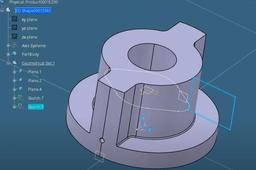
Watch the video to see all details
CATIA
operation
boolean
3dexperience
catia
Move to another collaborative space
ferdo
in
Assemblies
1
2
Intermediate
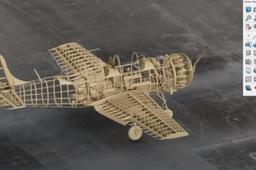
One of the methods to visualize and move to another collaborative space in the 3DEXPERIENCE platform. The whole structure of the project (top node with all subcomponents) was moved in minutes (cloud installation of the platform). Images from the IAR80 project.
CATIA
3dexperience
enovia
assembly
catia
Design a Curved Triangular Structure
Maxime Chagnot
in
Modeling
1
0
Intermediate
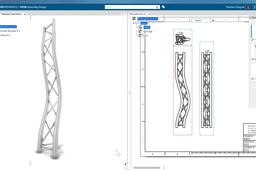
Here is a second video of Design Fast, showing you in roughly 10 minutes how you can design a curved triangular structure. Use wireframe in GSD to build the architecture of the structure and complete it using Part Design. Then edit the spine, update the model and enjoy the result! The demo has been performed in the 3DExperience on Cloud.
CATIA
generative
knowledge
structure
triangular
curved
drafting
catia
3dexperience
Automate Processes using CATIA 3DExperience
Jeffrey Roark
in
Modeling
0
0
Intermediate
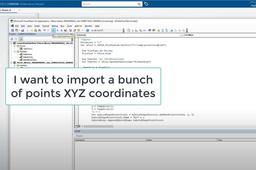
This tutorial shows the potential to automate process using CATIA 3DExpereince APIs and the interoperability of the 3DX Cloud platform. Please contact me if you have further questions: jroark31@yahoo.com https://youtu.be/mEMDC-bRsz8
CATIA
3dexperience
vba
catia
programming
design automation
CATIA 3DEXPERIENCE Cloud Part Feature Recognition
ferdo
in
Modeling
0
0
Intermediate
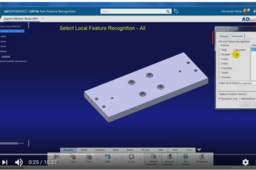
Two short examples about how to use Part Feature Recognition in CATIA 3DEXPERIENCE Cloud. https://www.linkedin.com/pulse/part-feature-recognition-catia-3dexperience-cloud-fernando-petre/
CATIA
recognition
feature
3dexperience
catia