Learn about the GrabCAD Platform
Get to know GrabCAD as an open software platform for Additive Manufacturing
Visit our new homepage
Home
Control
Shop
Streamline Pro
Partner Program
Print
Community
Log in
Library
Challenges
Groups
Questions
Tutorials
Engineers
Blog
Log in
Learn from thousands of free Tutorials.
New user?
Join the community
or
log in.
Tutorials
Most liked all time
Recent
Most liked
Most viewed
Most commented
This week
This month
All time
Category
Design & CAD
Modeling
Drafting
Assemblies
BOM
Dimensioning / Tolerancing
Translations
Manufacturing & CAM
3D Printing
Tooling
NC Machining
Composites
Measurement / Inspection
Simulation & CAE
FEM
CFD
Kinematics
Process Simulation
Engineering Fundamentals
Theory
Process
Standards
Other
Software
Snagit
Alibre Design
ArchiCAD
AutoCAD
AutoCAD Electrical
Autodesk 3ds Max
Autodesk Alias
Autodesk Inventor
Autodesk Maya
Autodesk Revit
Autodesk 123D
BricsCAD
Bentley MicroStation
BlenderCAD
BobCAD-CAM
CATIA
Delmia
DraftSight
FreeCAD
Femap
Fusion 360
Geomagic Design
IronCAD
JT
Kompas-3D
KeyCreator
KeyShot
Lagoa
Luxology
Mastercam
Moi3D
NX Unigraphics
OBJ
Onshape
OpenSCAD
Parasolid
Powermill
Powershape
Pro/Engineer Wildfire
PTC Creo Parametric
PTC Creo Elements
Rhino
SpaceClaim
SOLIDWORKS
solidThinking Evolve
Solid Edge
SolidFace
STEP / IGES
SketchUp
STL
TopSolid
TinkerCAD
T-Flex CAD
TurboCAD
VectorWorks
ViaCAD 3D
VRML / WRL
ZW3D
Rendering
GrabCAD Print
GrabCAD Community
GrabCAD Workbench
Text file
3D Manufacturing Format
Cinema 4D
Other
Intermediate
All levels
Beginner
Intermediate
Expert
assemblies
×
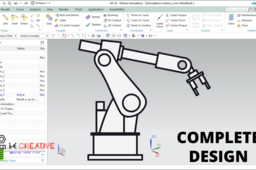
ROBOTIC ARM COMPLETE DESIGN
MANIKANTHA P
in
Modeling
8
0
Intermediate
ROBOTIC ARM COMPLETE DESIGN
NX Unigraphics
assembly
assemblies
robot
robotic arm
robotics
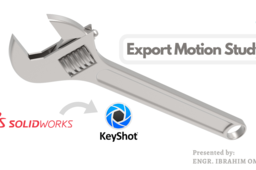
Export Motion Study from SOLIDWORKS with Keyshot Plug-in
Ibrahim Omer
in
Assemblies
2
0
Intermediate
After a lot of request from my subscribers and friends, finally I have decided to make tutorials with voice over. . I hope you like it. In this tutorial, we'll learn how to transfer a motion study of SOLIDWORKS with Keyshot add-in. This tutorial will help many engineers, designers to create beautiful rendered animations. First of all, I have shown the assembly of adjustable wrench which I have already done in SOLIDWORKS. This assembly consists of four parts. 1) Fixed Jaw 2) Movable Jaw 3) Worm Screw 4) Pin I have attached their files for practice. Then we move towards motion study section. Here, I have shown animation of adjustable wrench in SOLIDWORKS. We use Keyshot plug-in and we have linked our file to Keyshot. It will pick this animation. Just go to SOLIDWORKS motion study, go to Keyshot add-in, a window will pop up, click yes to export entire animation. After exporting your animation in Keyshot, adjust the wrench assembly. Do some basic settings and go to animation tab. We have selected 12 FPS and 128 samples per frame. Click render and save the animation. Kindly use play pause technique for practice. I have attached files in the description for practice. Feel free to ask your queries in comment section. I will try to answer each and every question Insha Allah. Keep practicing as practice makes a man perfect. #solidworkskeyshot #plugin #cadable Assembly Files: https://grabcad.com/library/adjustabl... Kindly Subscribe our Channel for more Videos and Projects in Solidworks. Please Like and Share Our Videos. Thanks for Watching. Follow our Channel: https://www.youtube.com/c/CADable
KeyShot
designer
product
cadable
modeling
3d
wrench
adjustable
assemblies
animation
rendered
study
motion
export
keyshot
solidworks
SolidWorks Tutorial - How to Use Gear Mates in Assemblies
creaate co
in
Design & CAD
1
0
Intermediate
http://creaate.co/gear-mates/
SOLIDWORKS
creaate
mates
tutorial
assemblies
works
create
solid
assembly
gear
solidworks
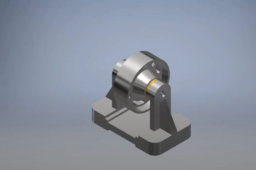
Assembly of a belt roller support
Paul Owiredu
in
Assemblies
1
1
Intermediate
In this video, i assemble step-by-step a belt roller support in Autodesk Inventor
Autodesk Inventor
autodesk inventor
assemblies
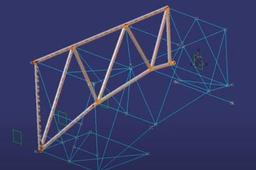
Efficient use of snap command in CATIA v5
ferdo
in
Assemblies
1
0
Intermediate
Efficient use of snap command in CATIA v5 using fix together. The low-light of the component which does not belong to the active level is turned on.
CATIA
snap
assemblies
catia
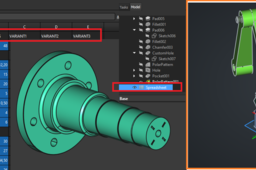
Parametric Design in FreeCAD
Oleksandr Grinenko
in
Assemblies
0
0
Intermediate
In this tutorial: how to use equations in FreeCAD in parts and assemblies via aliases in Spreadsheet workbench. Link to description below: https://vimeo.com/1134827348
FreeCAD
how2tutorials
partdesign
configurations
spreadsheet
shaft
robot
assemblies
freecad
Catia Assembly: Doubt in Constraints
Hugo Alanis
in
Design & CAD
0
0
Intermediate
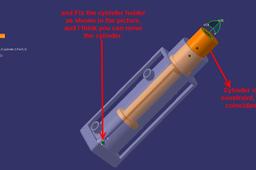
Hi friend, I was checking your model and you are OK, with add fix to cylinder holder, and move the cylinder. I've attached an image, as a reference. Currently I dont know if you are making a animation or kinematic movement. Another question for you, is are they all the components? or they are missing some components. whatever comments or suggestions just let me know. Have a good day,
CATIA
constraints
assemblies
catia
shaft
assembly
When I make a simplified part out of an assembly, the original .iam = 5mb. Why would the resulting .ipt be 9gb?
Ioannis Skarlatakis
in
Design & CAD
0
0
Intermediate
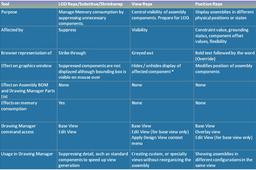
Hi Dan, The simplify command as you can watch on the following video links creates a new view under the folder "Representations" on the assembly history tree... Link-1 http://www.youtube.com/watch?v=rA68Q07UDes Link-2 http://www.youtube.com/watch?v=3B-bHEpeILQ Major purpose of this process is to share the least of the information with your clients, suppliers or partners... by Including only the essential components, defining envelops, etc. On the same "Representation" folder you can actually find another two categories the "Position" and the "Level of Detail". What you really need is to change the Level of Detail... Check Below --->
Autodesk Inventor
part
large
memory
ram
assemblies
simplified
substitutes
Catia Assembly: Doubt in Constraints
daniel
in
Design & CAD
0
0
Intermediate
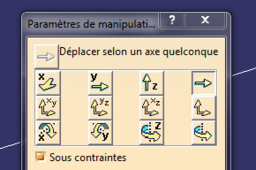
First : Never use Hybrid conception on catia V5. as you fix the first part and the second one is in concetrical constraint use this
CATIA
constraints
assemblies
catia
shaft
assembly
How to build complete process assemblies
GrabCAD Tutorials
in
Design & CAD
0
0
Intermediate
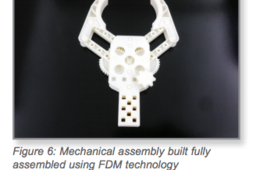
1. OPTIONS 1.1. Orienting Parts for Assemblies Before making design alterations it is important to have a strategy for the build orientation. Orientation of the mating components can affect the fit of the assembly and will determine the necessary clearances.
Other
printing
3d
clearance
orienting
fdm
assemblies
assembly