Learn about the GrabCAD Platform
Get to know GrabCAD as an open software platform for Additive Manufacturing
Visit our new homepage
Home
Control
Shop
Streamline Pro
Partner Program
Print
Community
Log in
Library
Challenges
Groups
Questions
Tutorials
Engineers
Blog
Log in
Learn from thousands of free Tutorials.
New user?
Join the community
or
log in.
Tutorials
Most liked all time
Recent
Most liked
Most viewed
Most commented
This week
This month
All time
Category
Design & CAD
Modeling
Drafting
Assemblies
BOM
Dimensioning / Tolerancing
Translations
Manufacturing & CAM
3D Printing
Tooling
NC Machining
Composites
Measurement / Inspection
Simulation & CAE
FEM
CFD
Kinematics
Process Simulation
Engineering Fundamentals
Theory
Process
Standards
Other
Software
Snagit
Alibre Design
ArchiCAD
AutoCAD
AutoCAD Electrical
Autodesk 3ds Max
Autodesk Alias
Autodesk Inventor
Autodesk Maya
Autodesk Revit
Autodesk 123D
BricsCAD
Bentley MicroStation
BlenderCAD
BobCAD-CAM
CATIA
Delmia
DraftSight
FreeCAD
Femap
Fusion 360
Geomagic Design
IronCAD
JT
Kompas-3D
KeyCreator
KeyShot
Lagoa
Luxology
Mastercam
Moi3D
NX Unigraphics
OBJ
Onshape
OpenSCAD
Parasolid
Powermill
Powershape
Pro/Engineer Wildfire
PTC Creo Parametric
PTC Creo Elements
Rhino
SpaceClaim
SOLIDWORKS
solidThinking Evolve
Solid Edge
SolidFace
STEP / IGES
SketchUp
STL
TopSolid
TinkerCAD
T-Flex CAD
TurboCAD
VectorWorks
ViaCAD 3D
VRML / WRL
ZW3D
GrabCAD Print
Rendering
GrabCAD Community
GrabCAD Workbench
Text file
3D Manufacturing Format
Cinema 4D
Other
Intermediate
All levels
Beginner
Intermediate
Expert
clearance
×
How to FDM Print for Part Sliding Clearance
GrabCAD Tutorials
in
Assemblies
13
4
Intermediate
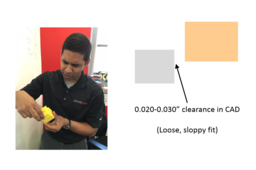
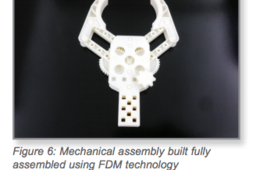
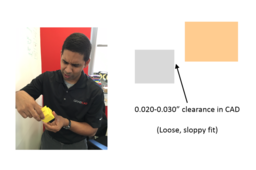
If you are 3D printing parts that have to fit/slide together after printing, you will need to put some sort of clearance between those parts in your CAD system. A good starting place is a clearance 2x the layer height you are going to print at, but you should make a few smaller test prints at different clearances to see if the 2x layer height rule holds for your particular situation and orientation. Have fun and happy printing!
GrabCAD Print
sliding
clearance
printing
3d
fdm
Tutorials:-Working with Power MILL "PART IV" Finish Machining Strategies.
Sourbh
in
Design & CAD
4
0
Intermediate
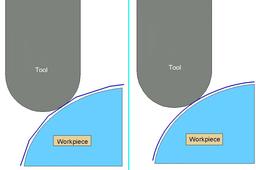
Finishing strategies machine the actual component form and where applicable, follow on from the Area Clearance operation. Suitable values are required to control the accuracy and amount of excess material to be left on a component by a tool path. The parameters used for this purpose are called Thickness and Tolerance
Powermill
suman
sourbh
powermill
clearance
tutorials
educational
cam
power
area
3d
mill
engineering
Tutorials:-Working with Power MILL "PART IV" Finish Machining Strategies.
Sourbh
in
Design & CAD
2
0
Intermediate
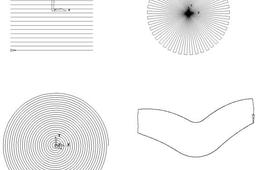
Raster, Radial, Spiral, and Pattern Finishing. Introduction. This section will cover Finishing strategies created by the downward projection of a Pattern, which include four types, Raster, Radial, Spiral and (user defined) Pattern. PowerMILL generates the toolpaths by projecting a wireframe form down the Z-axis onto the model. The standard patterns applied in Raster, Radial, and Spiral are achieved by entering values directly into the Finishing Form. The resultant Pattern can be displayed by selecting Preview before executing the command by selecting Apply. The Pattern option requires a user-defined geometric form (active Pattern), which is projected down Z onto the model as a tool path.
Powermill
suman
sourbh
powermill
clearance
tutorials
educational
cam
power
area
3d
mill
engineering
Solidworks interference & clearance detection
Ahmed Sakib
in
Modeling
1
0
Intermediate
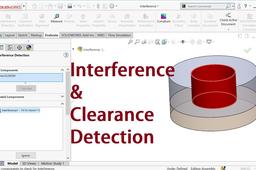
How to check clearance b/w parts in Solidworks and also check interference b/w parts using Solidworks Interference detection tool.
SOLIDWORKS
clearance
interference dectection
soldiworks
How to build complete process assemblies
GrabCAD Tutorials
in
Design & CAD
0
0
Intermediate
1. OPTIONS 1.1. Orienting Parts for Assemblies Before making design alterations it is important to have a strategy for the build orientation. Orientation of the mating components can affect the fit of the assembly and will determine the necessary clearances.
Other
printing
3d
clearance
orienting
fdm
assemblies
assembly
JP_005_GrabCAD Print: 部品摺動部の隙間をFDM造形する方法
Stratasys Japan
in
Assemblies
0
0
Intermediate
造形後にはめ合わせるまたは摺動(スライド)させる必要がある部品を3D造形する場合、CADシステムで該当する部品の間にある程度の隙間を設ける必要があります。目安として、造形する際の積層ピッチの2倍の隙間から始めるとよいでしょう。ただし、小さいサイズで何度かテスト造形を行い、積層ピッチの2倍の法則が特定の状況や向きに当てはまるかを確認することをお勧めします。それでは3Dプリンタで楽しくモノづくりをしていきましょう!
GrabCAD Print
fdm
3d
printing
clearance
sliding