Learn about the GrabCAD Platform
Get to know GrabCAD as an open software platform for Additive Manufacturing
Visit our new homepage
Home
Control
Shop
Streamline Pro
Partner Program
Print
Community
Log in
Library
Challenges
Groups
Questions
Tutorials
Engineers
Blog
Log in
Learn from thousands of free Tutorials.
New user?
Join the community
or
log in.
Tutorials
Most liked all time
Recent
Most liked
Most viewed
Most commented
This week
This month
All time
Category
Design & CAD
Modeling
Drafting
Assemblies
BOM
Dimensioning / Tolerancing
Translations
Manufacturing & CAM
3D Printing
Tooling
NC Machining
Composites
Measurement / Inspection
Simulation & CAE
FEM
CFD
Kinematics
Process Simulation
Engineering Fundamentals
Theory
Process
Standards
Other
Software
Snagit
Alibre Design
ArchiCAD
AutoCAD
AutoCAD Electrical
Autodesk 3ds Max
Autodesk Alias
Autodesk Inventor
Autodesk Maya
Autodesk Revit
Autodesk 123D
BricsCAD
Bentley MicroStation
BlenderCAD
BobCAD-CAM
CATIA
Delmia
DraftSight
FreeCAD
Femap
Fusion 360
Geomagic Design
IronCAD
JT
Kompas-3D
KeyCreator
KeyShot
Lagoa
Luxology
Mastercam
Moi3D
NX Unigraphics
OBJ
Onshape
OpenSCAD
Parasolid
Powermill
Powershape
Pro/Engineer Wildfire
PTC Creo Parametric
PTC Creo Elements
Rhino
SpaceClaim
SOLIDWORKS
solidThinking Evolve
Solid Edge
SolidFace
STEP / IGES
SketchUp
STL
TopSolid
TinkerCAD
T-Flex CAD
TurboCAD
VectorWorks
ViaCAD 3D
VRML / WRL
ZW3D
GrabCAD Print
Rendering
GrabCAD Community
GrabCAD Workbench
Text file
3D Manufacturing Format
Cinema 4D
Other
Intermediate
All levels
Beginner
Intermediate
Expert
conversion
×
Create Revit RFA element from 3D objects
DesignGuy12
in
Modeling
8
1
Intermediate
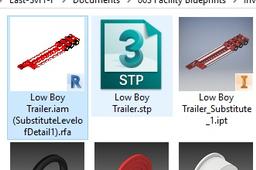
Create Revit RFA element from 3D objects. * Using Autodesk Inventor * If you have a 3D model file from various programs, you can import into Autodesk Inventor and convert them into REVIT RFA file type elements. You will then be able to load those into your Revit project and use.
Autodesk Inventor
translation
conversion
inventor
revit
model
3d
Convert STEP/IGES files to STL on Mac
Robert Riegel
in
Design & CAD
3
1
Intermediate
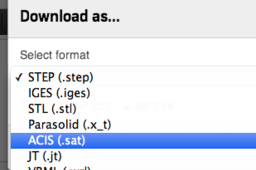
We’ve added a translator on Workbench that allows users to download a CAD file in STEP, IGES and STL formats, regardless of the format it was uploaded in. This makes it easy to share models with partners who don’t use the same CAD system you do. With just one click your supplier can download any of the neutral formats based on the original file you uploaded.
SolidFace
step
iges
stl
conversion
Unit conversion in creo 7.0 | perfect cad service
Perfect Cad service
in
Modeling
0
0
Intermediate
perfect cad service
PTC Creo Parametric
pro-e
conversion
unit
ptc
creo
How to Convert 2D Drawings 3D Parts | SolidWorks Tutorial
Usman Akhtar
in
Modeling
0
0
Intermediate
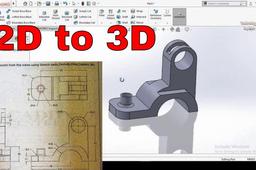
In this solidworks video tutorial you will learn step by step how to convert 2D Drawings into 3D Parts very easily in solidworks.
SOLIDWORKS
solidworks
conversion
3d
2d