Learn about the GrabCAD Platform
Get to know GrabCAD as an open software platform for Additive Manufacturing
Visit our new homepage
Home
Control
Shop
Streamline Pro
Partner Program
Print
Community
Log in
Library
Challenges
Groups
Questions
Tutorials
Engineers
Blog
Log in
Learn from thousands of free Tutorials.
New user?
Join the community
or
log in.
Tutorials
Most liked all time
Recent
Most liked
Most viewed
Most commented
This week
This month
All time
Category
Design & CAD
Modeling
Drafting
Assemblies
BOM
Dimensioning / Tolerancing
Translations
Manufacturing & CAM
3D Printing
Tooling
NC Machining
Composites
Measurement / Inspection
Simulation & CAE
FEM
CFD
Kinematics
Process Simulation
Engineering Fundamentals
Theory
Process
Standards
Other
Software
Snagit
Alibre Design
ArchiCAD
AutoCAD
AutoCAD Electrical
Autodesk 3ds Max
Autodesk Alias
Autodesk Inventor
Autodesk Maya
Autodesk Revit
Autodesk 123D
BricsCAD
Bentley MicroStation
BlenderCAD
BobCAD-CAM
CATIA
Delmia
DraftSight
FreeCAD
Femap
Fusion 360
Geomagic Design
IronCAD
JT
Kompas-3D
KeyCreator
KeyShot
Lagoa
Luxology
Mastercam
Moi3D
NX Unigraphics
OBJ
Onshape
OpenSCAD
Parasolid
Powermill
Powershape
Pro/Engineer Wildfire
PTC Creo Parametric
PTC Creo Elements
Rhino
SpaceClaim
SOLIDWORKS
solidThinking Evolve
Solid Edge
SolidFace
STEP / IGES
SketchUp
STL
TopSolid
TinkerCAD
T-Flex CAD
TurboCAD
VectorWorks
ViaCAD 3D
VRML / WRL
ZW3D
GrabCAD Print
Rendering
GrabCAD Community
GrabCAD Workbench
Text file
3D Manufacturing Format
Cinema 4D
Other
Skill level
All levels
Beginner
Intermediate
Expert
equations
×
MODELING WITH EQUATIONS IN SW
Edgar Gidoni
in
Modeling
12
0
Intermediate
Let's learn how to use equations in SolidWorks to take advantage of this great design tool that will allow us to generate models quickly and accurately, whether simple or complex. For the SLDPRT visit: https://grabcad.com/library/modeling-with-equations-1-1
SOLIDWORKS
tecnicursos
edgargidoni
swequations
equations
External Text Files to Control Variables/Equations in SolidWorks
Kelly Harward
in
Other
12
13
Beginner
External Text Files to Control Variables/Equations in SolidWorks
dimensions
modifying
files
text
external
variables
equations
Iris Mechanism Generator (Variant 6)
Carlos Bravo
in
Modeling
9
1
Intermediate
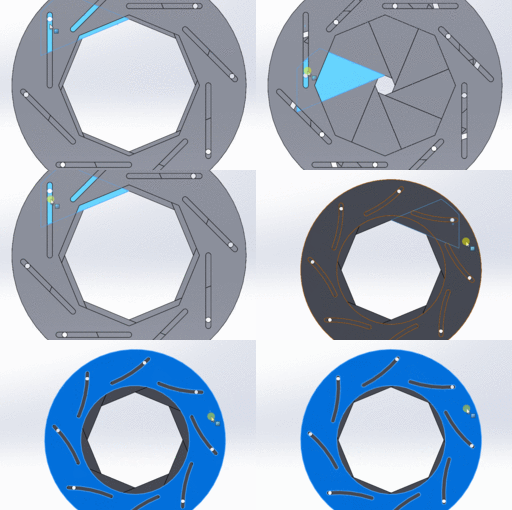
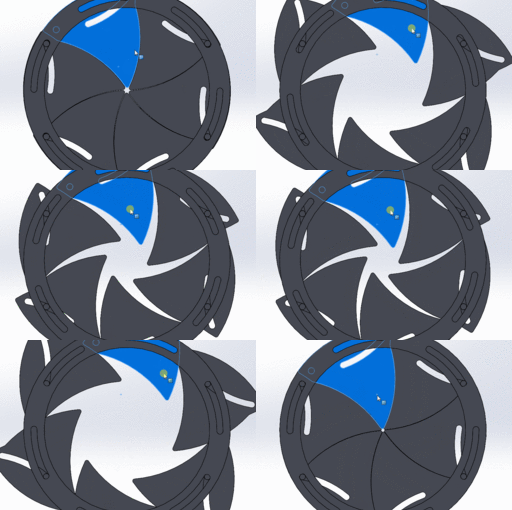
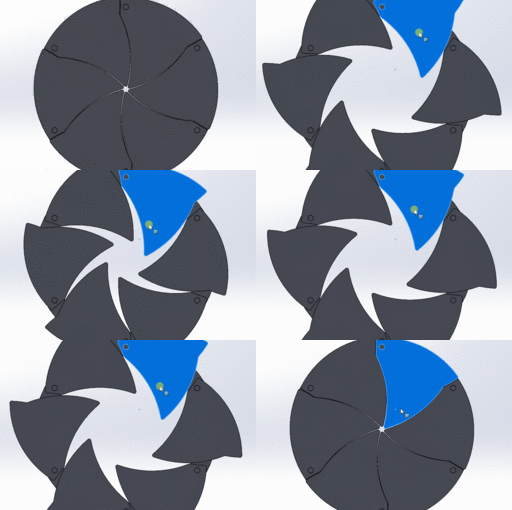
This model is part of a series of Iris Mechanisms I began designing during the pandemic, and it now receives an update after several years. The original model uploaded a few years ago is available here: 🔗 https://grabcad.com/library/iris-generator-model-5-1 Unfortunately, due to GrabCAD’s community policies, it has been flagged as “tainted due to a violation of community guidelines” and is no longer publicly visible unless accessed directly. 🛠️ About this Variant This version features somewhat triangular leaves that slide against each other. The mechanism operates through two plates: A base plate with straight linear guides, which define the opening/closing position of each leaf A driving plate with curved slots, which actuate the iris motion through controlled displacement This model is a schematic representation, so any manufacturing considerations—such as tolerances between pins and slots—are left to the discretion of the designer using this as a starting point. ⚙️ Notes Be sure to open the assembly file, as the parts are dimensionally linked to the assembly (parametric relationships are defined there). Feel free to use or modify this model however you'd like. (Let’s hope GrabCAD doesn’t flag this one again 😅)
SOLIDWORKS
parametric
mechanism
equations
Iris Mechanism Generator (Variant 5)
Carlos Bravo
in
Modeling
7
0
Intermediate
This model is part of a series of Iris Mechanisms I began designing during the pandemic, and it now receives an update after several years. The original model uploaded a few years ago is available here: 🔗 https://grabcad.com/library/iris-generator-model-3-1 Unfortunately, due to GrabCAD’s community guidelines, it has been flagged as “tainted due to a violation of community guidelines” and is no longer publicly visible unless accessed via direct link. 🛠️ About this Variant In this version, the actuation is achieved by rotating the driving plate. This plate interacts with slots (guides) on each leaf, which in turn execute the opening or closing of the iris. The mechanism has been successfully tested with 4 to 7 leaves, though I do not recommend using only 4, as the slot approaches too close to the edge of the plate. Suggested maximum opening angles (r_max) are: 4 leaves → up to 45° 5–6 leaves → around 40° to 35° 7 leaves → up to 30° Please review the model carefully and test parameters cautiously before applying them in a final design. ⚙️ Notes Open the full assembly file, as part dimensions and parameters are linked directly to it via parametric references. Feel free to use or modify this model as you see fit. (And fingers crossed GrabCAD doesn’t report it again 😅)
SOLIDWORKS
mechanism
parametric
equations
Matlab Tutorial: Solving integral equations Part 2
S. B.
in
Engineering Fundamentals
2
1
Beginner
How to achieve a solution for integral equations with the aid of Matlab? This tutorial shows how to do gather a solution!
equations
integral
tutorial
calculus
math
matlab
Solidworks advanced tutorial 115 | Using equations to calculate spacing between pattern entities
sakib ahmed
in
Modeling
2
0
Expert
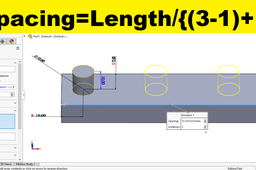
Learn to develop your parametric modeling and design skills using solidworks equations tool. We will calculate spacing between instances of linear pattern using solidworks equations feature. A step by step tutorial to learn how to work with equations.
SOLIDWORKS
tutorials
equations
using
solidworks
[VIDEO] Matlab, ODE solver code comparision
S. B.
in
Engineering Fundamentals
2
1
Beginner
Matlab, ODE solver code comparision Step by step tutorial how to program different ODE solver in matlab
equations
differential
solver
matlab
math
ode
Edeny Fel SolidWorks (Arabic Tutorial)
Ehab Atef Abozaid
in
Modeling
1
0
Beginner
SolidWorks tutorial explained in the Arabic language. It's Content: -2d and 3d sketch -Features -Assembly -Technical drawing -Intro to weldments -Intro to sheet metals -Intro to Motion study and 3d animation https://www.youtube.com/playlist?list=PLFqFb-_vSAeNqLocND2-YgV6uHjAljsp_
SOLIDWORKS
sheet
weldment
drawing
part
assembly
equations
variables
global
Solidworks tutorials 07| Design and assembly of door hinge
sakib ahmed
in
Modeling
1
0
Intermediate
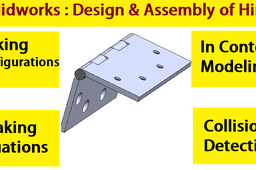
Design and assembly of door hinge in solidworks. You will learn. How to make configuration in solidworks? Working with equations. Making holes using hole wizard. How to use solidworks assembly collision In context modeling in solidworks. =================== #solidworks #configuration #assembly
SOLIDWORKS
configurations
equations
wizard
hole
detection
collision
assembly
solidworks
Matlap R2016a Setup / install
SAMET AY
in
Other
1
0
Beginner
https://www.youtube.com/watch?v=yJAgqkzEgvk&t=21s
scientist
fem
engineering
equations
differential
calculation
simulink
matlap
PANGEA
Paul Felski
in
Theory
0
0
Intermediate
Short tutorial on advanced Euler constant variable equations. Awesome graphics display a node to geometry analysis. Equations are meant to be inspected and expanded with reference to gravity and change in Force.
geometry
nodes
mathematics
equations
Hyperlink
Paul Felski
in
Process
0
0
Intermediate
Field surfaces and volumes described with pulse engineering.
equations
electrical
pulse engineering
Iris Mechanism Generator (Variant 4)
Carlos Bravo
in
Modeling
0
0
Intermediate
This model is part of a series of Iris Mechanisms I began designing during the pandemic, and it now receives an update after several years. The original model uploaded a few years ago can be found here: 🔗 https://grabcad.com/library/iris-generator-model-3-1 However, due to GrabCAD's community policies, it has been flagged as "tainted due to a violation of community guidelines" and is no longer publicly searchable. 🛠️ About this Variant This version is an Iris Generator where the leaves pivot from one of their ends, and must rotate to open or close the mechanism. I’ve tested this configuration with 4 to 7 leaves, using the following recommended maximum opening angles (r_max): 4 leaves → up to 45° 5–6 leaves → around 40° to 35° 7 leaves → up to 30° The leaves must move reciprocally, meaning they should all rotate the same amount in opposite directions to maintain symmetry. This motion is not included in the model—you, as the designer, can implement the drive mechanism using gears, pulleys, linkages, or any transmission system of your choice. ⚙️ Notes Make sure to open the full assembly file, as the parts are dimensionally linked to the main assembly (parametric constraints are defined at the assembly level). This model was designed with parametric intent and can be customized for different leaf counts or outer diameters.
SOLIDWORKS
equations
mechanism
parametric
Power Functions 2
Paul Felski
in
Theory
0
0
Intermediate
Description of Physics by elaborating spatial relationships. Energy for kinetic systems of gravity.
equations
power
mathematics
Solidworks advanced tutorials 114 | How to make equations in solidworks
sakib ahmed
in
Modeling
0
0
Intermediate
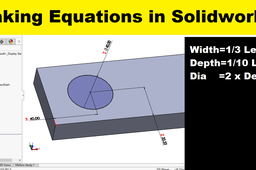
Modeling with use of equations and global variable in solidworks is a wonderful technique that make your 3d model design fast and simple. Learn how to make equations or how to link one dimensions with other dimension in solidworks, a step by step tutorial is here. Please subscribe our channel.
SOLIDWORKS
make
how
using
equations
solidworks