Learn about the GrabCAD Platform
Get to know GrabCAD as an open software platform for Additive Manufacturing
Visit our new homepage
Home
Control
Shop
Streamline Pro
Partner Program
Print
Community
Log in
Library
Challenges
Groups
Questions
Tutorials
Engineers
Blog
Log in
Shuvom Ghose
Follow
136
followers
United States
Tutorials
About
Models
9
Tutorials
25
More
Followers
136
Following
1
Likes
0
Following
1
Followers
136
Likes
0
Tutorials
Sort by:
Recent
Recent
Most liked
Most viewed
Most commented
How to Create Incredibly Complex Textured Shapes for 3D Printing, Using Bump Mapping
Shuvom Ghose
in
3D Printing
37
6
Expert
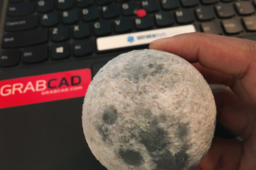
This tutorial covers how to use 2D images to create actual 3D depth and physical textures on your CAD parts and then 3D print them. Mainly we use Rhino to do the displacement-mapping, but Photoshop could be used as well. Files were then printed in full color on a Stratasys J750.
j55
polyjet
j750
rhino
stratasys
displacement
texture
bump
How to 3D Print Textured Objects Inside Clear Plastic Blocks
Shuvom Ghose
in
3D Printing
58
9
Expert
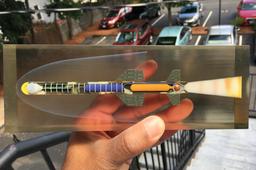
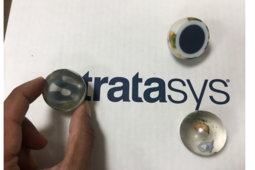
This walkthrough explains how to print fully textured CAD files encased inside transparent blocks, to help support complex parts, show vistas you never thought possible, or just increase the usability of your full-color models!
rocket
transparency
series
j8
polyjet
clear
stratasys
j750
How to 3D Print Jigs & Fixtures, Part 2: Designing for Print
Shuvom Ghose
in
3D Printing
57
6
Beginner
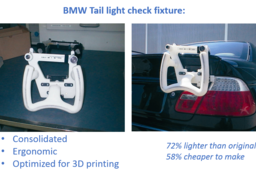
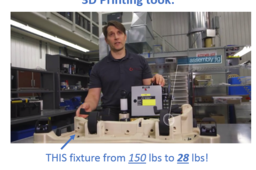
This is the second part of a four-part tutorial series on how to optimize your manufacturing jigs & fixtures for 3D printing. Today, we'll go over what to do in each design pass as you're optimizing your part, including specific steps to do in your CAD package, your print-preparation tool, and if you're bold, your FEA package. Later installments of this series will deal with FDM material selection and post-processing for jigs & fixtures.
fdm
stratasys
printing
3d
fea
solidworks
fixtures
jigs
How to 3D Print in Color- from SOLIDWORKS
Shuvom Ghose
in
3D Printing
5
2
Beginner
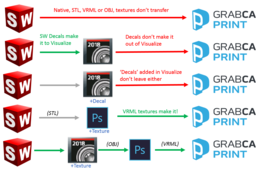
This tutorial shows an 'easier' workflow for applying full-color textures to CAD parts for 3D printing, if you are using SOLIDWORKS. It applies for anyone who has SOLIDWORKS Professional or Premium (2017+) since we'll be using the new SOLIDWORKS Visualize tool to map the textures.
j55
polyjet
3dprint
stratasys
color
texture
solidworks
j750
How to 3D Print in Full Color (Part 3): Clear + Texture Together
Shuvom Ghose
in
3D Printing
24
5
Expert
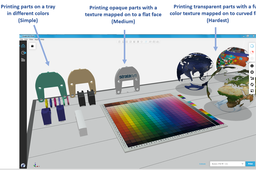
This is the third in a series of tutorials to help printer operators who are NOT graphic artists get the absolute most out of their multi-color, multi-material 3D printers, like the Stratasys J750. We will cover how to create models with semi-transparent textures wrapped around curved, transparent bodies (taking advantage of a new slicer from Stratasys), and how to fix UV-mapping problems when wrapping 2D textures around 3D bodies goes wrong.
series
j8
j55
photoshop
maya
uv
polyjet
vrml
j750
How to 3D Print in Full Color (Part 2): Repairing and Checking VRMLs
Shuvom Ghose
in
3D Printing
27
4
Intermediate
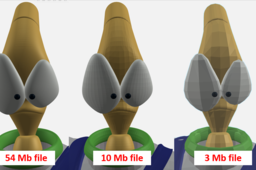
This is the second in a series of tutorials to help printer operators who are NOT graphic artists get the absolute most out of their multi-color, multi-material 3D printers, like the Stratasys J750. We will cover how to look deeper inside our VRML files to predict if they will import correctly and how to choose the resolution of VRML files from Rhino and other artistic CAD programs to make sure they are capturing the information you want.
j55
polyjet
rhino
zbrush
uv
color
j750
vrml
Data Security + GrabCAD Print
Shuvom Ghose
in
3D Printing
6
0
Intermediate
A short tutorial to answer questions such as: -"What data is sent over the cloud with GrabCAD Print?" -"How can I make my 3D printing data more secure?" -"Can GrabCAD Print be used without an internet connection?"
itar
printing
3d
stratasys
print
grabcad
security
How to 3D Print in Full Color (Part 1)
Shuvom Ghose
in
3D Printing
32
7
Beginner
This is a series of tutorials to help printer operators who are NOT graphic artists get the absolute most out of their multi-color, multi-material 3D printers, like the Stratasys J750. We will cover what types of files multi-color printers can accept and how to manipulate colors in Photoshop, Rhino, etc, to get the full gradient texture effects that most color printer users want.
j55
texture
stratasys
printing
color
vrml
j750
polyjet
How to 3D Print Jigs & Fixtures, Part 1: Choosing Your Target
Shuvom Ghose
in
3D Printing
24
5
Beginner
This tutorial series will take users who are new to 3D printing and show them how to: - Choose which Jigs or Fixtures from your factory floor might be best improved with 3D printing (Part 1) - Optimize your J&F designs for 3D printing by using stress-analysis tools, CAD tools and new 3D print prep tools (Part 2) - Choose which FDM materials to print in for best performance (Part 3) - Post-process your Jig or Fixture for greater utility with inserts, painting, numbering, etc. (Part 4)
stratasys
dfam
fdm
fixtures
jigs
Printing Full-Color FEA Results on 3D Printers
Shuvom Ghose
in
3D Printing
47
7
Beginner
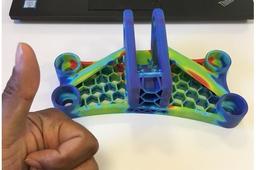
Ever wanted to see, feel, and handle your FEA results in the best way to share them with colleagues and students? This tutorial goes through the steps how to use SOLIDWORKS Simulation and GrabCAD Print to print full-color FEA results on polyjet color printers such as the J750. It's a lot easier than you think!
j55
simulation
solidworks
vrml
polyjet
j750
fea
1
2