Learn about the GrabCAD Platform
Get to know GrabCAD as an open software platform for Additive Manufacturing
Visit our new homepage
Home
Control
Shop
Streamline Pro
Partner Program
Print
Community
Log in
Library
Challenges
Groups
Questions
Tutorials
Engineers
Blog
Log in
Shuvom Ghose
Follow
136
followers
United States
Tutorials
About
Models
9
Tutorials
25
More
Followers
136
Following
1
Likes
0
Following
1
Followers
136
Likes
0
Tutorials
Sort by:
Recent
Recent
Most liked
Most viewed
Most commented
How to TEXTURE your 3D Printed Parts
Shuvom Ghose
in
3D Printing
9
0
Beginner
We will cover EVERYTHING you need to know in order to texture your 3D printed parts for FDM, PolyJet, or SAF technologies, no matter WHAT software or skills you have!
3d printing
saf
keyshot
polyjet
stratasys
fdm
texture
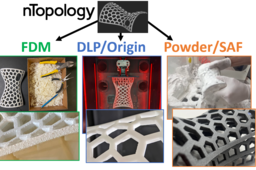
How to create complex Voronoi lattices in nTopology for printing in FDM, DLP and Powderbed!
Shuvom Ghose
in
3D Printing
13
2
Intermediate
We cover how to create complex, strong, organic, yet lightweight shapes for 3D printing using a powerful next-generation generative software, called nTopology, and then compare the results on three different 3D printing methods- FDM, DLP (P3) and Powderbed (SAF)!
voronoi
saf
sls
dlp
fdm
stratasys
lattice
ntopology
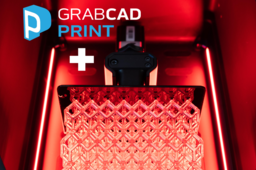
How to use GrabCAD Print for P3/Origin One Printers
Shuvom Ghose
in
3D Printing
2
1
Beginner
ANOTHER new technology (P3 DLP resin) comes to GrabCAD Print! This tutorial covers how to access the new Origin One printers in GrabCAD Print during the beta, how to deal with all the new materials P3 allows, and how to set up Origin One prints in Netfabb and send to the printer! Also covered are some Design For Additive Manufacture (DFAM) tips on this new type of Stratasys printer!
netfabb
dfam
stratasys
resin
dlp
sla
p3
origin
How to use GrabCAD Print for SAF/H350 Printers
Shuvom Ghose
in
3D Printing
3
0
Beginner
With a new printing technology (SAF powder-bed) comes new ways of using slicing software. This tutorial covers how to access the new printers in GrabCAD Print, how to get a license, and how to set up 3D nests of hundreds of powder-bed parts! Also covered are some Design For Additive Manufacture (DFAM) tips on this new type of Stratasys printer!
stratasys
grabcad print
dfam
h350
saf
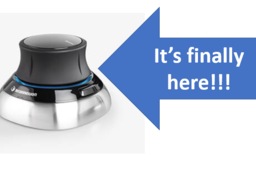
3D Space Mouse support is finally HERE!
Shuvom Ghose
in
3D Printing
2
5
Beginner
Explains how to use a 3D space mouse with the newest version of GrabCAD Print and why you should. (Valid for GrabCAD 1.55 and higher.)
print
grabcad
space
mouse
3d
stratasys
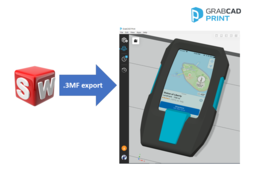
How to REALLY export your color SOLIDWORKS files for printing
Shuvom Ghose
in
3D Printing
11
1
Beginner
An updated tutorial, showing you the BEST way to export your color SOLIDWORKS files for 3D printing, using the new '3MF' format!
j8
j55
printing
color
stratasys
polyjet
solidworks
3mf
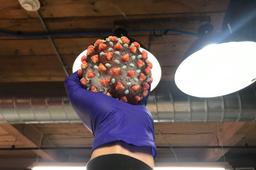
What 3D printing a coronavirus taught me about DFAM and rapid prototyping
Shuvom Ghose
in
3D Printing
20
6
Beginner
A project to visualize the novel coronavirus for a local medical conference. But over the course of our work, we re-learned some important 3D printing principles that EVERYONE can use!
series
j8
j55
medical
stratasys
polyjet
j750
coronavirus
virus
How to control the transparency of your 3D printed parts- the hardest task yet!
Shuvom Ghose
in
3D Printing
5
1
Expert
With multi-material 3D printers, how do you control what's transparent and what's not? Especially when you've got clear sections above, behind, and even intermixed with your color layers? This tutorial covers controlling what's clear, what's opaque, and what's tinted, even in intersecting volumes printed as one solid part! Get ready to conquer the hardest task in 3D printing!
j55
series
j8
tinted
polyjet
clear
transparency
stratasys
j750
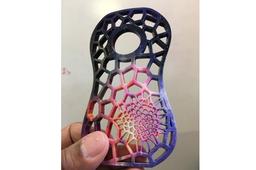
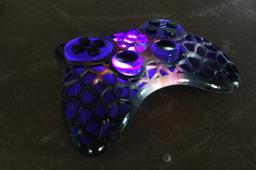
How to 3D Print Complex, Semi-Random Lattice Structures, Easily
Shuvom Ghose
in
3D Printing
13
3
Expert
We show how to use Grasshopper and Rhino to automatically generate complex Voronoi structures ready for 3D printing.
series
j8
j55
polyjet
j750
stratasys
grasshopper
rhino
voronoi
How to 3D Print More Realistic Consumer Product Prototypes
Shuvom Ghose
in
3D Printing
23
3
Intermediate
We discuss the 4 levels of 3D printed prototype realism all Industrial Designers should know about, and show you step-by-step how to reach each one!
industrial
series
j8
j55
polyjet
consumer
realism
j750
stratasys
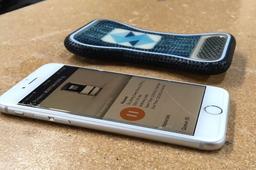
How to 3D Print Consumer Product Prototypes, at different levels of realism
Shuvom Ghose
in
3D Printing
16
8
Expert
Realism helps the prototyping process of Consumer Product Goods, but not always in the ways you'd expect. We climb through the 4 levels of 3D printing realism, using both single color FDM and full-color Polyjet printing, and discuss the cost and benefits of each.
cellphone
series
j8
j55
realism
goods
consumer
stratasys
polyjet
How to 3D Print Jigs & Fixtures, Part 3: Advanced Features and Advanced Materials
Shuvom Ghose
in
Tooling
17
4
Expert
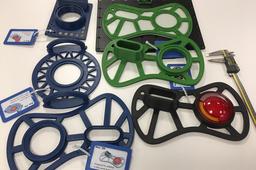
Building on parts 1 and 2 of the series, this tutorial takes you through an ENTIRE agile design cycle for a real fixture we needed in our office, exploring the use of DFAM, advanced infill techniques to save printing time and finishing by going through a material selection process to print in one of the stiffest materials out there- Nylon 12 Carbon Fiber! It's a total, soup-to-nuts, fixtures tutorial!
fiber
dfam
stratasys
fdm
advanced
carbon
fixture
How to Color Proof Your 3D Prints (Using This Super-Secret Stratasys Website)
Shuvom Ghose
in
3D Printing
33
6
Beginner
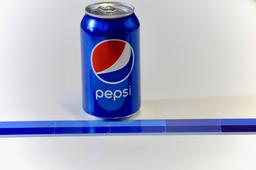
If a customer has ever come to you and said, "I need the color of this 3D print to match this RGB or Pantone EXACTLY!" and you've wondered how to do that – this is the tutorial for you! We'll talk about soft proofing (how to make sure your printer can even print a given color) and hard proofing (matching what you see on screen with a physical result) using Photoshop and the most advanced color printer on the market, a Stratasys J750! (You can find a video version of this tutorial here: https://youtu.be/XsollrDbUVc)
j55
polyjet
rgb
proofing
color
stratasys
photoshop
j750
How to 3D Print Full-Color, Fully-Textured DISPLACEMENT Mapped Parts Using Photoshop!
Shuvom Ghose
in
3D Printing
15
0
Intermediate
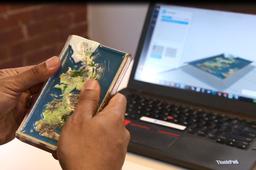
This tutorial covers a little-known feature in Photoshop you can use (today) to quickly create incredibly complex displacement-mapped parts for your 3D printer in full color!
j55
polyjet
stratasys
j750
bump
mapping
displacement
photoshop
How to 3D Texture Your Parts for FDM Printing Using SOLIDWORKS 2019!
Shuvom Ghose
in
3D Printing
35
7
Beginner
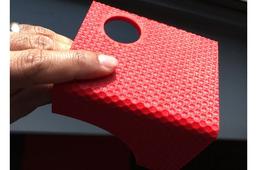
Instructions on how to create physical, repeating textures you can FEEL and TOUCH on your 3D prints, using a new feature found in SOLIDWORKS 2019. (And this technique will work with ANY type of 3D printer, not just Stratasys!)
texture
fdm
displacement
bump
stratasys
solidworks
1
2