Learn about the GrabCAD Platform
Get to know GrabCAD as an open software platform for Additive Manufacturing
Visit our new homepage
Home
Control
Shop
Streamline Pro
Partner Program
Print
Community
Log in
Library
Challenges
Groups
Questions
Tutorials
Engineers
Blog
Log in
Learn from thousands of free Tutorials.
New user?
Join the community
or
log in.
Tutorials
Most liked all time
Recent
Most liked
Most viewed
Most commented
This week
This month
All time
Category
Design & CAD
Modeling
Drafting
Assemblies
BOM
Dimensioning / Tolerancing
Translations
Manufacturing & CAM
3D Printing
Tooling
NC Machining
Composites
Measurement / Inspection
Simulation & CAE
FEM
CFD
Kinematics
Process Simulation
Engineering Fundamentals
Theory
Process
Standards
Other
Software
Snagit
Alibre Design
ArchiCAD
AutoCAD
AutoCAD Electrical
Autodesk 3ds Max
Autodesk Alias
Autodesk Inventor
Autodesk Maya
Autodesk Revit
Autodesk 123D
BricsCAD
Bentley MicroStation
BlenderCAD
BobCAD-CAM
CATIA
Delmia
DraftSight
FreeCAD
Femap
Fusion 360
Geomagic Design
IronCAD
JT
Kompas-3D
KeyCreator
KeyShot
Lagoa
Luxology
Mastercam
Moi3D
NX Unigraphics
OBJ
Onshape
OpenSCAD
Parasolid
Powermill
Powershape
Pro/Engineer Wildfire
PTC Creo Parametric
PTC Creo Elements
Rhino
SpaceClaim
SOLIDWORKS
solidThinking Evolve
Solid Edge
SolidFace
STEP / IGES
SketchUp
STL
TopSolid
TinkerCAD
T-Flex CAD
TurboCAD
VectorWorks
ViaCAD 3D
VRML / WRL
ZW3D
GrabCAD Print
Rendering
GrabCAD Community
GrabCAD Workbench
Text file
3D Manufacturing Format
Cinema 4D
Other
Skill level
All levels
Beginner
Intermediate
Expert
BOM
×
Process
×
How to heat treatment and quenching steel in oil ?!??
Arta Mechanic
in
Process
2
0
Intermediate
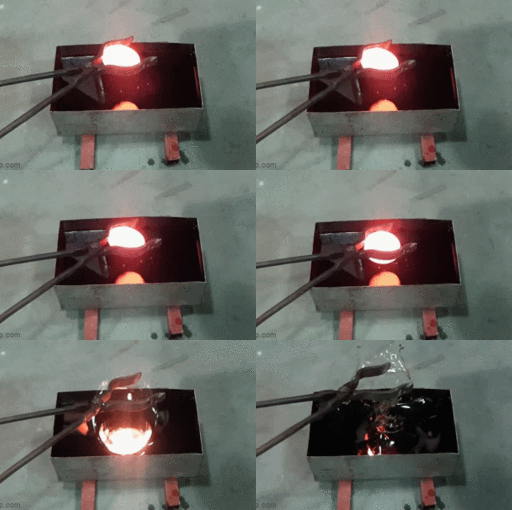
What will happen if you put a glowing 1000 degree metal in the oil !?!?!? This is an experiment involving heat treatment on a piece of steel. In this experiment, the steel piece was heated in the furnace to about 1000 ° C and then thrown into cold oil. By dropping the hot piece in the oil, the oil quickly began to boil and evaporate. Watch the video to see the details https://www.youtube.com/channel/UCXhJo1UcPs8Smf2_9vlQyow?sub_confirmation=1
vs
metal
degree
1000
furnace
experiments
treatment
heat
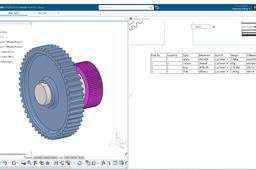
How to save as Excel BOM with thumbnails?
Will Ruan
in
BOM
2
0
Beginner
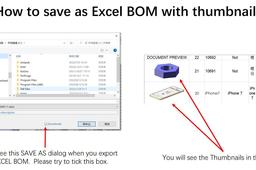
How to save as Excel BOM with thumbnails?
SOLIDWORKS
COMO utilizar ENVOLVENTE en SOLIDWORKS - ENVOLVENTE
Diego Conde
in
Process
2
0
Intermediate
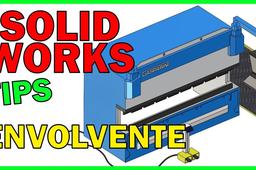
COMO utilizar ENVOLVENTE en SOLIDWORKS - ENVOLVENTE
drawing
envolvente
solidworks
القلاووظ
Ayman Kidwany
in
Process
2
0
Expert
سلبة مورس سلبة جاكوب
Top 5 Most Incredible Manufacturing And Mass Production Process Videos
Mr.Leo
in
Process
2
0
Beginner
Top 5 Most Incredible Manufacturing And Mass Production Process Videos
top 5 most incredible manufacturing and mass production proc
Inventor VBA to control sheet metal property
JJ Automation
in
BOM
2
0
Beginner
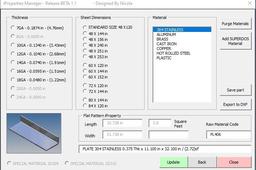
This is a short part#1 video of a VBA program I made to control iProperty in inventor.
Autodesk Inventor
plate
sheet metal
drawing
iproperty
drafting
bom
inventor
vba
Gear and pinion animation
Nija N Thomas
in
Process
2
0
Beginner
https://youtu.be/gumA5RXVSZs
engineering
mechanical
education
#Advanced Ansys Workbench Tutorial - Bullet Explicit Dynamics Analysis
Ankit Kondal
in
Process
2
0
Expert
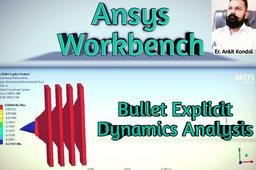
Hello friends, I am back again with new tutorial of Ansys Workbench on Bullet Explicit Dynamics Analysis. In this tutorial we will see what happens when a bullet of a gun hits the 4 sheets of polyethylene. We will find different types of Deformation and stresses. Directional Deformation, Total Deformation, Stresses and Strain).
gun
sheet
polyethylene
analysis
bullet
workbench
ansys
How to Export & Create 3D Printing Reports in GrabCAD Shop
Stratasys
in
Process
2
0
Beginner
A typical 3D printing operator wastes 15% of their time updating tracking sheets, managing work orders, and then finally, reporting on projects. GrabCAD Shop makes all of these tasks simple to do -- and easy to report on. Learn how in this tutorial!
operators
print
reporting
management
orders
work
software
manufacturing
additive
printing
3d
shop
grabcad
[VIDEO]Custom Attributes and BOM Drawing - CATIA & ENOVIA R19x
Maxime Chagnot
in
BOM
2
0
Beginner
Hello all, In this new tutorial you will learn how to create custom attributes to your 3DExperience Platform and you will see how to create a Bill of Material in a drawing. To create a new attribute you need to have administrator rights. When logged on web interface, you can open the Collaborative Spaces Control app (North Quadrant of compass). There click on attributes management and select Physical Product. You can add extra attributes to your 3DExperience rich client. When this is done, you can create a part and fill in the new custom attributes. You can reach these new attributes in the Bill of Material feature in Drafting application. When creating the "default BOM" you need to replace the attributes by the custom attributes you just created. *** To reuse this new BOM as a template, you need to log on rich client on the Default Collaborative Space as Admin. Clicking on your icon, you can modify the standards of your Platform - Before doing it, it is highly recommended to copy the ISO file and make a new one like "PLM_ISO.xml" (C:\ProgramData\DassaultSystemes\CATCollectionStandard\drafting) - Then go to Drafting/Styles/BOM and you will be able to modify the reported properties.
CATIA
plm
drafting
enovia
bom
attributes
custom
3dexperience
catia
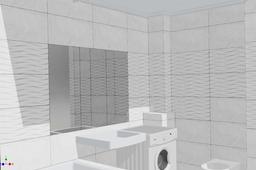
Automated parameterized model of tiled wall (Autodesk Inventor 2020)
Alexey Z Buchas
in
Process
2
3
Beginner
Model of a tiled wall for designed of bathroom, WC etc. https://grabcad.com/library/automated-parameterized-model-of-tiled-wall-1
tiles
wall
bathroom
tile
parameterization
interior
automation
design
Wall mounted penstock
Omar Khaled
in
Process
1
0
Intermediate
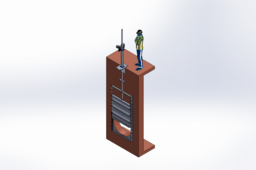
Wall mounted penstock with circular hole
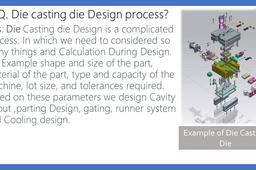
Q. Die casting die Design process?
Shuvam Kumar
in
Process
1
5
Intermediate
Ans: Die Casting die Design is a complicated process. In which we need to considered so many things and Calculation During Design. For Example shape and size of the part, material of the part, type and capacity of the machine, lot size, and tolerances required. Based on these parameters we design Cavity layout ,parting Design, gating, runner system and Cooling design.
SolidWorks | Final Challenge - Designing Differential Gearbox
Ishaan Bhasin
in
BOM
1
0
Expert
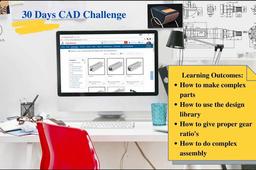
This is the last exercise of the 30 Days Solidworks Challenge. This real-life project will help you to apply all Solidworks 2D and 3D tools that you have learned throughout the course.
SOLIDWORKS
assembly
gearbox
differential
modelling
solidworks
iProperties - Custom - Autodesk Inventor Pro
Ricardo Resende
in
BOM
1
0
Beginner
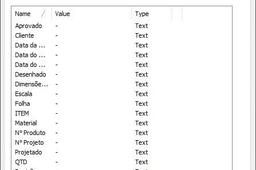
Legendas - A0 - A1 - A2 - A3 - A4. Preencher as informações do item no 3D utilizando a ferramenta: - iProperties - Custom. Esta ferramenta facilita e muito. Após terminar o 3D, conjunto ou componente, ao iniciar o 2D, todas as informações da legenda já estarão no devido Formato.
Autodesk Inventor
iproperties
1
2
3
4
…
7