Learn about the GrabCAD Platform
Get to know GrabCAD as an open software platform for Additive Manufacturing
Visit our new homepage
Home
Control
Shop
Streamline Pro
Partner Program
Print
Community
登录
Library
Challenges
Groups
Questions
Tutorials
Engineers
Blog
登录
Learn from thousands of free Tutorials.
New user?
Join the community
or
log in.
Tutorials
Most liked all time
Recent
Most liked
Most viewed
Most commented
This week
This month
All time
Category
Design & CAD
Modeling
Drafting
Assemblies
BOM
Dimensioning / Tolerancing
Translations
Manufacturing & CAM
3D Printing
Tooling
NC Machining
Composites
Measurement / Inspection
Simulation & CAE
FEM
CFD
Kinematics
Process Simulation
Engineering Fundamentals
Theory
Process
Standards
Other
Software
Snagit
Alibre Design
ArchiCAD
AutoCAD
AutoCAD Electrical
Autodesk 3ds Max
Autodesk Alias
Autodesk Inventor
Autodesk Maya
Autodesk Revit
Autodesk 123D
BricsCAD
Bentley MicroStation
BlenderCAD
BobCAD-CAM
CATIA
Delmia
DraftSight
FreeCAD
Femap
Fusion 360
Geomagic Design
IronCAD
JT
Kompas-3D
KeyCreator
KeyShot
Lagoa
Luxology
Mastercam
Moi3D
NX Unigraphics
OBJ
Onshape
OpenSCAD
Parasolid
Powermill
Powershape
Pro/Engineer Wildfire
PTC Creo Parametric
PTC Creo Elements
Rhino
SpaceClaim
SOLIDWORKS
solidThinking Evolve
Solid Edge
SolidFace
STEP / IGES
SketchUp
STL
TopSolid
TinkerCAD
T-Flex CAD
TurboCAD
VectorWorks
ViaCAD 3D
VRML / WRL
ZW3D
GrabCAD Print
Rendering
GrabCAD Community
GrabCAD Workbench
Text file
3D Manufacturing Format
Cinema 4D
Other
Intermediate
All levels
Beginner
Intermediate
Expert
KeyShot
×
Solid Edge
×
Rendering
×
How to Open Your Model in KeyShot
KeyShot
in
Design & CAD
2
1
Intermediate
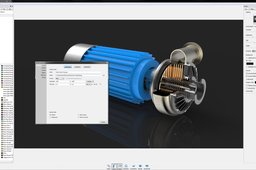
Within GrabCAD, you have a pulldown in the model viewing screen with the option to Open with KeyShot. When a model is open inside a project of the Workbench interface, you and any collaborators will see a Open With menu above the model in the upper right corner. With a single click, members of the project are able to select Open with KeyShot to launch and open the model directly inside KeyShot. With KeyShot installed, the model will open immediately inside the KeyShot realtime rendering environment. A video of the functionality can be viewed here. Once you have your model in KeyShot, you're ready to render! To get started quickly, see the quick tips and tutorials available here: http://keyshot.com/learning/
Rendering
keyshot
3d-rendering
HOW TO MAKE ANIMATION IN KEYSHOT
Yannick Herinckx
in
Design & CAD
2
2
Intermediate
make an amination in keyshot
KeyShot
How the New KeyShot & GrabCAD Print Integration Makes Applying Labels to 3D Models Very Easy
Stratasys
in
Modeling
2
0
Intermediate
Labels represent your product and brand. When designing your label, you want it just right especially after all the effort and time spent designing it. The last thing you want to worry about is color accuracy, position, readability, and all of that transferring perfectly when printing out your model. Thankfully, now that KeyShot integrates with GrabCAD Print, label headaches become a thing of the past with how simple this new workflow can be!
KeyShot
j55
labels
polyjet
print
grabcad
keyshot
Export Motion Study from SOLIDWORKS with Keyshot Plug-in
Ibrahim Omer
in
Assemblies
2
0
Intermediate
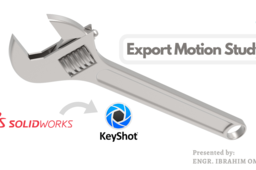
After a lot of request from my subscribers and friends, finally I have decided to make tutorials with voice over. . I hope you like it. In this tutorial, we'll learn how to transfer a motion study of SOLIDWORKS with Keyshot add-in. This tutorial will help many engineers, designers to create beautiful rendered animations. First of all, I have shown the assembly of adjustable wrench which I have already done in SOLIDWORKS. This assembly consists of four parts. 1) Fixed Jaw 2) Movable Jaw 3) Worm Screw 4) Pin I have attached their files for practice. Then we move towards motion study section. Here, I have shown animation of adjustable wrench in SOLIDWORKS. We use Keyshot plug-in and we have linked our file to Keyshot. It will pick this animation. Just go to SOLIDWORKS motion study, go to Keyshot add-in, a window will pop up, click yes to export entire animation. After exporting your animation in Keyshot, adjust the wrench assembly. Do some basic settings and go to animation tab. We have selected 12 FPS and 128 samples per frame. Click render and save the animation. Kindly use play pause technique for practice. I have attached files in the description for practice. Feel free to ask your queries in comment section. I will try to answer each and every question Insha Allah. Keep practicing as practice makes a man perfect. #solidworkskeyshot #plugin #cadable Assembly Files: https://grabcad.com/library/adjustabl... Kindly Subscribe our Channel for more Videos and Projects in Solidworks. Please Like and Share Our Videos. Thanks for Watching. Follow our Channel: https://www.youtube.com/c/CADable
KeyShot
designer
product
cadable
modeling
3d
wrench
adjustable
assemblies
animation
rendered
study
motion
export
keyshot
solidworks
Solid Edge Assembly & Motion Animation video tutorials
CAD CAM Learning
in
Assemblies
2
0
Intermediate
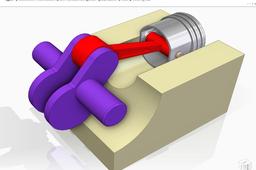
Hello everyone, I am a Solid Edge user, I would like to share my knowledge about Solid Edge Assembly & Motion Animation and hopefully my video tutorials will help someone who is learning Solid Edge.
Solid Edge
mechanism
animation
tutorial
motion
assembly
tutorials
edge
solid
Where can I download HDR environments for Keyshot?? Can anyone suggest me some sites please?
Jitender Chaurasia (JittuARTS)
in
Design & CAD
2
1
Intermediate
You can make your own HDRI in Keyshot itself Here we go
KeyShot
hdr
environment
keyshot
rendering
tutorial how to render toon in keyshot ? comment faire un rendu dessin sur keyshoot pro ?
Amine Mech
in
Design & CAD
1
0
Intermediate
tutorial how to render toon in keyshot ? comment faire un rendu dessin sur keyshoot pro ?"
KeyShot
render
keyshot
keyshoot
How to Render in KeyShot. - Lesson 03 Working With Cameras
Gyanjeet Raj
in
Modeling
1
0
Intermediate
Learn Render in Keyshot. increase your Skills. Please Click on Link - https://youtu.be/MJV3oZdheGA
KeyShot
training
raj
gyanjeet
keyshot
rendering
render
learn
tlockdown
How to Render in KeyShot.- Lesson 05 Assigning materials
Gyanjeet Raj
in
Modeling
1
0
Intermediate
How to Render in KeyShot. Learn Render in Keyshot. increase your Skills.
KeyShot
lockdown
learn
render
rendering
keyshot
raj
gyanjeet
training
Best CAD Tutorial | Keyshot render of Dell Vostro Laptop Stand | Keyshot tutorials
Paul Dadzie
in
Modeling
1
0
Intermediate
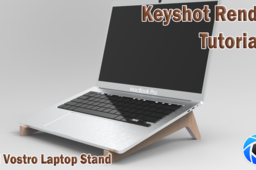
Laptop Stands are simple and amazing tools that make the usage of laptop more ergonomic and comfortable. This laptop design was designed using accurate dimensions as close as possible. ------------------------------------------------------------------------------------------------------------------ Keyshot is a powerful rendering tool for 3d models. It can be used to render all sorts of CAD files from .stl, .iges, .stp, solidworks part & assembly files etc. Its a great software for all material rendering that gives a very good & realistic appearance --------------------------------------------------------------------------------------------------------------- If you want to know how to 3d Print it too you can leave a comment and i would point you to one of my youtube videos that teaches you how to do that exactly You can contact me for more specific tutorial and tuition Whatsapp: +233241289594 Email: dadziepaulaa@yahoo.com More models can be found here: https://grabcad.com/paul.dadzie-1/models Facebook: https://web.facebook.com/The-CAD-Dude-101404238247458 Instagram: https://www.instagram.com/thecaddude
KeyShot
samsung
tutorial
solidworks
alienware
lenovo
dell
asus
macbook
stand
laptop
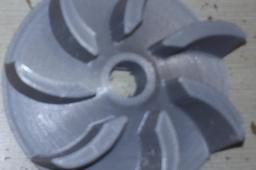
Modelling of a Vacuum Cleaner Propeller in Solid Edge
Adrian Duran
in
Modeling
1
0
Intermediate
This is a clip from the modelling process of this propeller in Solid Edge https://www.youtube.com/watch?v=SbwxF4y-SJE
Solid Edge
modellng
3d
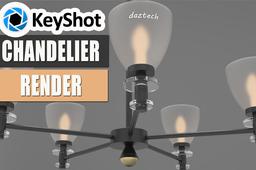
Beautiful Chandelier Render | KeyShot 9 Tutorial
Paul Dadzie
in
Modeling
1
0
Intermediate
Watch this very short and precise video to learn how you can use KeyShot 9 to make a beautiful render of a very simple Chandelier. Below are useful links for you: SolidWorks Tutorial of Chandelier - https://youtu.be/beCkiGAcw8g SolidWorks CAD File will be uploaded here - https://grabcad.com/paul.dadzie-1/models When it comes to 3D modeling software, SOLIDWORKS is king. The innovative, integrated software solution offers various robust features to accommodate even the most intricate models. ----------------------------------------------------------------------------------------------------------------------------- For the best photo-realistic render images for your 3D Model, there is no better software to use than Keyshot. KeyShot brings you real-time 3D rendering that displays results instantly and reduces the time to create realistic product visuals. KeyShot is trusted by brands around the world for its speed, ease of use, scientifically accurate materials, and advanced material editing capabilities.
KeyShot
chandelier design
keyshot chandelier render
keyshot render tutorial
keyshot tutorial
cad lessons
beginner tutorial
basic tutorial
solidworks tutorial
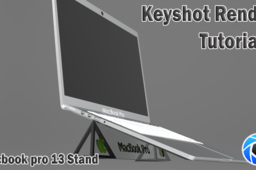
Best CAD Tutorial | Keyshot Render of a Macbook Pro 13 Laptop Stand | Keyshot Tutorials
Paul Dadzie
in
Modeling
1
0
Intermediate
Laptop Stands are simple and amazing tools that make the usage of laptop more ergonomic and comfortable. This laptop design was designed using accurate dimensions as close as possible. ////////////////////////////// KEYSHOT ///////////////////////////////////////////// Keyshot is a powerful rendering tool for 3d models. It can be used to render all sorts of CAD files from .stl, .iges, .stp, solidworks part & assembly files etc. Its a great software for all material rendering that gives a very good & realistic appearance +++++++++++++++++++++++++++++++++++++++++++++++++++++++++ You can contact me for more specific tutorial and tuition Whatsapp: +233241289594 Email: dadziepaulaa@yahoo.com More models can be found here: https://grabcad.com/paul.dadzie-1/models Facebook: https://web.facebook.com/The-CAD-Dude-101404238247458 Instagram: https://www.instagram.com/thecaddude *********************************************************************** FYI: Laptop stands are... -Lightweight and portable -Ergonomic on finger and palms(ie prevent pains and aches) -Some are able to prevent overheating of laptop -Protection from Spill and Mess -It increases comfort and productivity
KeyShot
samsung
tutorial
solidworks
alienware
lenovo
dell
asus
macbook
stand
laptop
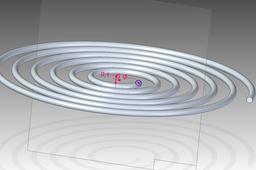
Tutorial: how to model a spiral in Solid Edge (example 2)
Ferro
in
Modeling
1
1
Intermediate
In order to get our spiral, we can use the advanced options of the helix command as shown in the following
Solid Edge
helix
ordered
edge
solid
How to add a label onto a surface in Keyshot without bleedover to other surfaces?
Ahmed Zawad Ul Hoque Shovon
in
Design & CAD
1
1
Intermediate
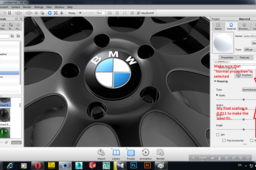
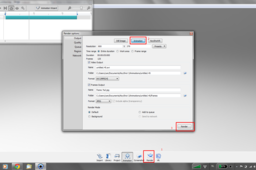
The following is an easy way to do it in KeyShot itself..Hope it helps...
Rendering
label
keyshot
surface
rendering
solidworks
1
2
3
4
5