Learn about the GrabCAD Platform
Get to know GrabCAD as an open software platform for Additive Manufacturing
Visit our new homepage
Home
Control
Shop
Streamline Pro
Partner Program
Print
Community
Log in
Library
Challenges
Groups
Questions
Tutorials
Engineers
Blog
Log in
Learn from thousands of free Tutorials.
New user?
Join the community
or
log in.
Tutorials
Most liked all time
Recent
Most liked
Most viewed
Most commented
This week
This month
All time
Category
Design & CAD
Modeling
Drafting
Assemblies
BOM
Dimensioning / Tolerancing
Translations
Manufacturing & CAM
3D Printing
Tooling
NC Machining
Composites
Measurement / Inspection
Simulation & CAE
FEM
CFD
Kinematics
Process Simulation
Engineering Fundamentals
Theory
Process
Standards
Other
Software
Snagit
Alibre Design
ArchiCAD
AutoCAD
AutoCAD Electrical
Autodesk 3ds Max
Autodesk Alias
Autodesk Inventor
Autodesk Maya
Autodesk Revit
Autodesk 123D
BricsCAD
Bentley MicroStation
BlenderCAD
BobCAD-CAM
CATIA
Delmia
DraftSight
FreeCAD
Femap
Fusion 360
Geomagic Design
IronCAD
JT
Kompas-3D
KeyCreator
KeyShot
Lagoa
Luxology
Mastercam
Moi3D
NX Unigraphics
OBJ
Onshape
OpenSCAD
Parasolid
Powermill
Powershape
Pro/Engineer Wildfire
PTC Creo Parametric
PTC Creo Elements
Rhino
SpaceClaim
SOLIDWORKS
solidThinking Evolve
Solid Edge
SolidFace
STEP / IGES
SketchUp
STL
TopSolid
TinkerCAD
T-Flex CAD
TurboCAD
VectorWorks
ViaCAD 3D
VRML / WRL
ZW3D
GrabCAD Print
Rendering
GrabCAD Community
GrabCAD Workbench
Text file
3D Manufacturing Format
Cinema 4D
Other
Beginner
All levels
Beginner
Intermediate
Expert
mesh
×
How to convert STL to STEP using FreeCAD
Sar Dar
in
Design & CAD
89
23
Beginner
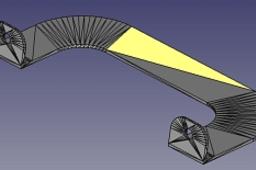
This tutorial covers how to convert an STL to a STEP using FreeCAD. Note: Since STLs are meshes, the resulting model won't be as precise as parts originally made as solids. FreeCAD can export: - Step - Iges - Scad - Dxf - Dwg - Obj - Pdf And many others…
FreeCAD
shape
solid
conversion
iges
triangulated
mesh
convert
How else can you do in SolidWorks Grids cut
Aleksandr
in
Design & CAD
14
0
Beginner
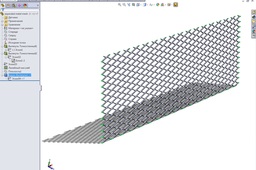
Phased construction of grooved grid
SOLIDWORKS
metal
mesh
expanded
Tutorial: Convert .stl Mesh to Solid File in Autodesk Inventor
Ioannis Skarlatakis
in
Design & CAD
8
9
Beginner
I found today a post from a friend (Nuno) asking how to solve this issue, converting an .stl to solid .ipt. Then I remembered that I found something in the past regarding this conversion... Yeap! it was in Autodesk Labs So let me explain with couple of easy steps how this works...
Autodesk Inventor
inventor
solid
mesh
stl
convert
ipt
tipsntricks
Autodesk Inventor Tutorial - How to Simulate the Basic Static Stress Analysis
Ardi Noerpamoengkas
in
Simulation & CAE
5
0
Beginner
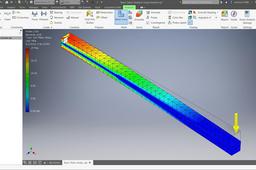
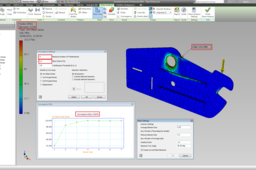
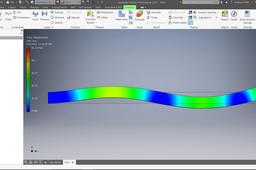
This tutorial is about how to simulate the basic static stress of a cantilever beam. The simulation use the default mesh settings. The feature is updated on June 2, 2019.
inventor
autodesk
mesh
simulation
stress
static
fem
cae
Car wheel rim finite element analysis
Ali Baba
in
FEM
4
1
Beginner
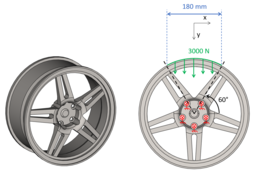
Learn how to use SesamX, Salome and FreeCad to create a finite element simulation of a car wheel rim. This tutorial is composed of 4 steps: 1) How to prepare the rim geometry for meshing using FreeCad. 2) How to mesh the rim using Salome. 3) How to analyze the rim deformation using SesamX. 4) And how to visualize the results using Salome. You can consult the detailed wheel rim tutorial for a deeper presentation: https://www.sesamx.io/doc/tutorials/car_wheel_rim The geometry used for this tutorial is provided by Henry: https://grabcad.com/library/car-rim-132
freecad
mesh
fea
Create 3D model of metal wire mesh in SolidEdge
Cadlancer Services
in
Modeling
4
0
Beginner
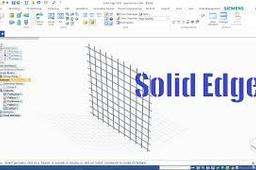
Watch tutorial: https://www.youtube.com/watch?v=ftXlj_KMS94&feature=youtu.be
Solid Edge
solidedge
model
3d
wire
metal
mesh
edge
solid
Tutorial: How To Obtain Relative Accurate Results From Stress Analysis in Autodesk Inventor
Ioannis Skarlatakis
in
Design & CAD
4
0
Beginner
FEA is not a simple mathematical operation. Instead it is a computer-based iterative numerical technique along with inevitable discretization errors, as a function of elements. Therefore these errors can be reduced by... specifying more elements (H-refinement) or employing a higher order of polynomial at each iteration (P-refinement). Effectively more computational power is required to solve complex shaped geometries with high dense mesh (Elements). But how dense should be my mesh to get appropriate results without wasting hours on simulation ??? This is the Golden Question! ... There is a criterion for that, called Converged solution... In plain words the mesh does not need any further refinement (denser mesh) as long as the solution is "Converged". The solution is assumed to be "Converged" when the results of the polynomial eq. does not change according to a prespecified tolerance e.g. 10% Good Results, 0.1% Great Results. So, let me share some information how to manipulate the mesh for a model along with three examples. As a conclusion we will enhance your confidence regarding the results you get, whether are relatively accurate or not (Low Percentage of Discretization Errors) without wasting hours on simulation!!! Don't Forget the simulation results are nothing without any experimental results to compare with.
Autodesk Inventor
mesh
fea
solution
tipsntricks
convergence
refinement
Abaqus CAE mesh inclination
S. B.
in
FEM
4
1
Beginner
Mesh inclination with Abaqus CAE
inclination
mesh
abaqus
Simplification Surface and Surface Mesh
Maxime Chagnot
in
FEM
4
0
Beginner
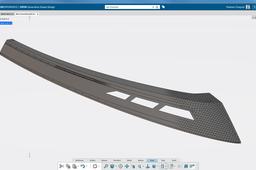
https://youtu.be/XQ0Q6M66ToM This tutorial shows you how to transform a multi-patches surface into a clean surface. With the surface simplification functionality, you can merge patches together and obtain a proper surface. Combined with the healing feature, you fill the small gaps and connect all the patches together. To verify if the surface you can offset it to see if it is fully healed. The final step is to open the SIMULIA Structural Model Creation application, to mesh the surface and see why is it useful to clean the surface first.
CATIA
mesh
patches
transformation
design
shape
generative
3dexperience
catia
Create Mesh Lamp with Flex Twisting & Circular Pattern
langgeng wahyu hidayat
in
Modeling
3
0
Beginner
Mesh lamp modeling with flex and circular pattern command
SOLIDWORKS
mesh
flex
lamp
Solid Mesh Partitioning SIMULIA 3DExperience R19x
Maxime Chagnot
in
FEM
3
0
Beginner
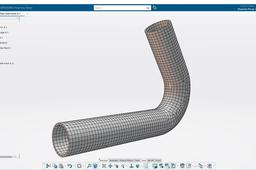
https://youtu.be/dnP31eBoB4g Hello All! Today I present you a SIMULIA 3DExperience R19x Tutorial! You will first design a pipe using CATIA. Then copy you will insert abstraction shape to copy the original part. The partitioning will be performed in the abstraction shape. We will add material and then apply a quad-dominant mesh to our part.
hex
fem
simulation
structural
pipe
mesh
simulia
catia
Surface Mesh Partitioning SIMULIA 3DExperience
Maxime Chagnot
in
FEM
2
0
Beginner
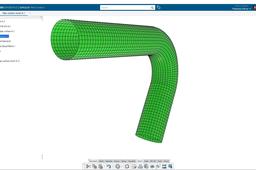
https://youtu.be/P2kIKmlpzbo Hello Hello! Here is another video about SIMULIA 3DExperience R19x! 2 weeks ago I published a tutorial for SOLID meshing in SIMULIA Application (https://youtu.be/dnP31eBoB4g). So this time it will be about SURFACE meshing. It is a bit different because the partitioning will be performed on Generative Shape Design with the feature split. You will copy the original design in the abstraction shape and apply a material to the 3DPart. Then you will finish by applying the mesh to the surface by using the constraint lines previously created from the split. Do no hesitate to add comments or send me message about new topics for instance! Please subscribe and visit our website: http://www.plm-technology.com/ Use Captions and Enjoy :)
partitioning
catia
3dexperience
quad
surface
mesh
pipe
simulia
Autodesk Inventor Tutorial - How to Simulate the Basic Modal Frequency Analysis
Ardi Noerpamoengkas
in
Simulation & CAE
2
0
Beginner
This tutorial is about how to simulate the basic modal frequencies of a cantilever beam. The simulation use the default mesh settings. The feature is updated on June 3, 2019.
simulation
inventor
autodesk
vibration
frequency
modal
cae
mesh
Pinch tool in ANSYS - Tutorial
yogesh Rajput
in
FEM
1
0
Beginner
In this video you can find the use of pinch tool in ANSYS for mesh
pinch
mesh
analysis
fem
fea
ansys
pinchtool
Autodesk Fusion 360 Tutorial - How to Simulate the Static Stress with Basic Mesh Generation
Ardi Noerpamoengkas
in
FEM
1
0
Beginner
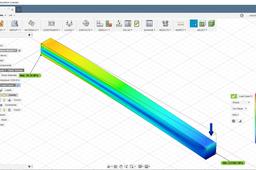
The tutorial is about how to simulate static stress with basic mesh generation on Autodesk Fusion 360. This tutorial was uploaded on October 13, 2018.
mesh
cae
fem
simulation
stress
static
1
2
3