Learn about the GrabCAD Platform
Get to know GrabCAD as an open software platform for Additive Manufacturing
Visit our new homepage
Home
Control
Shop
Streamline Pro
Partner Program
Print
Community
Log in
Library
Challenges
Groups
Questions
Tutorials
Engineers
Blog
Log in
Learn from thousands of free Tutorials.
New user?
Join the community
or
log in.
Tutorials
Most liked all time
Recent
Most liked
Most viewed
Most commented
This week
This month
All time
Category
Design & CAD
Modeling
Drafting
Assemblies
BOM
Dimensioning / Tolerancing
Translations
Manufacturing & CAM
3D Printing
Tooling
NC Machining
Composites
Measurement / Inspection
Simulation & CAE
FEM
CFD
Kinematics
Process Simulation
Engineering Fundamentals
Theory
Process
Standards
Other
Software
Snagit
Alibre Design
ArchiCAD
AutoCAD
AutoCAD Electrical
Autodesk 3ds Max
Autodesk Alias
Autodesk Inventor
Autodesk Maya
Autodesk Revit
Autodesk 123D
BricsCAD
Bentley MicroStation
BlenderCAD
BobCAD-CAM
CATIA
Delmia
DraftSight
FreeCAD
Femap
Fusion 360
Geomagic Design
IronCAD
JT
Kompas-3D
KeyCreator
KeyShot
Lagoa
Luxology
Mastercam
Moi3D
NX Unigraphics
OBJ
Onshape
OpenSCAD
Parasolid
Powermill
Powershape
Pro/Engineer Wildfire
PTC Creo Parametric
PTC Creo Elements
Rhino
SpaceClaim
SOLIDWORKS
solidThinking Evolve
Solid Edge
SolidFace
STEP / IGES
SketchUp
STL
TopSolid
TinkerCAD
T-Flex CAD
TurboCAD
VectorWorks
ViaCAD 3D
VRML / WRL
ZW3D
GrabCAD Print
Rendering
GrabCAD Community
GrabCAD Workbench
Text file
3D Manufacturing Format
Cinema 4D
Other
Expert
All levels
Beginner
Intermediate
Expert
PTC Creo Parametric
×
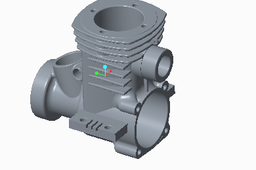
Tutorial for Designing Engine case
DHANASEKAR VINAYAGAMOORTHY
in
Design & CAD
261
48
Expert
This tutorial contains step by step procedure to create engine case using any software, this model especially created using CREO parametric Click here for my other files https://grabcad.com/tutorials/boolean-operations-powercopy-in-catia
PTC Creo Parametric
models
3d
creo
by
step
case
tutorial
engine
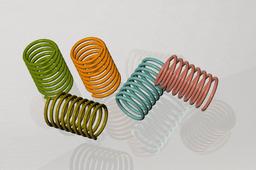
Simple Spring in PTC CREO PARAMETRIC 3.0
Yash Lad
in
Modeling
26
0
Expert
simple spring creation by using helical sweep function.
PTC Creo Parametric
solid
part
plane
pitch
circle
axis
sketch
spring
sweep
helical
parametric
creo
ptc
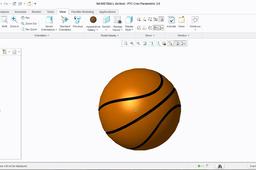
Create Basketball Using CREO 3.0
Yash Lad
in
Modeling
14
4
Expert
Software: PTC CREO PARAMETRIC 3.0
PTC Creo Parametric
tutorial
hobby
fun
just
sports
toys
basketball
parametric
creo
ptc
How to scale model in PTC creo parametric
Avijit Dabhi
in
Modeling
11
3
Expert
Scale your PRT file by just following four steps in CREO.
PTC Creo Parametric
creo
ptc
model
scale
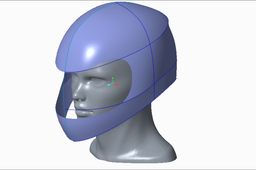
Creo Parametric: make helmet base from head scan
Huy Pham
in
Modeling
9
0
Expert
If my channel is useful for you Please subscribe to watch more video. Thanks! https://youtu.be/jAna89MtUwE
PTC Creo Parametric
head
parametric
creo
helmet
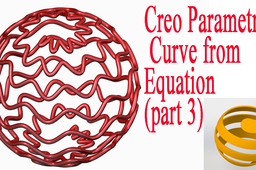
Creo Parametric: Curve from Equation (part 3)
Huy Pham
in
Modeling
5
0
Expert
I have a video in youtube I hope it useful for you https://youtu.be/NEvyRINT8YY
PTC Creo Parametric
design
equation
curve
parametric
creo
VIDEO Tutorial: How to make Ball UEFA Champions League in Creo 2.0
Milan Ilić
in
Design & CAD
5
1
Expert
How to make Ball UEFA Champions League in Creo 2.0
PTC Creo Parametric
make
tutorial
video
league
champions
ball
mafia
uefa
enginner
pro
parametric
creo
Internal Gear Modeling and Assembly in Creo
Engr. Zeeshan Junejo
in
Modeling
4
0
Expert
Internal Gear Modeling with Involute profile and assmebly
PTC Creo Parametric
Creo Parametric: Variable Section Sweep (Example)
Huy Pham
in
Modeling
4
1
Expert
I have a video on youtube I hope it useful for you https://youtu.be/Ij2ii7DS890
PTC Creo Parametric
section
sweep
creo
ptc
variabble
Creo Parametric: Curve from Equation (part 2)
Huy Pham
in
Modeling
4
0
Expert
I have a video on youtube I hope it useful for you https://youtu.be/H-a4H9Y2Cnw
PTC Creo Parametric
equation
curve
parametric
creo
Creo Parametric: Design CAM with Draph command
Huy Pham
in
Modeling
2
0
Expert
I have a video on youtube I hope it useful for you https://youtu.be/_lpyvLkeG24
PTC Creo Parametric
3d
draph
cam
parametric
creo
ptc
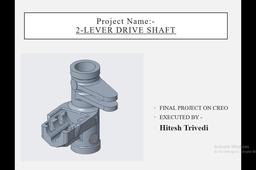
TWO LEVER DRIVE SHAFT
Hitesh Trivedi
in
Modeling
2
0
Expert
CASTING PROJECT :TWO LEVER DRIVE SHAFT USING PTC-CREO 4.0 WORKING PLATFORM FOR THIS PROJECT. WE USE MERGE-INHERITANCE/REVOLVE FOR MODELLING PURPOSE. HERE IS COMPLETE SOLUTION OF PROJECT.(FOR MODEL REFER MODELLING SECTION)
PTC Creo Parametric
लैपटॉप स्टैंड कैसे डिजाइन करें ? | Laptop stand in Creo 2.0
shivam sachan
in
Modeling
2
1
Expert
लैपटॉप स्टैंड कैसे डिजाइन करें ? | Laptop stand in Creo 2.0 Download the design from below link https://grabcad.com/library/laptop-stand-42 This is the design of a laptop stand that you can 3D print, laser cut, and you can make it with a CNC router, it will give you a good stand of a laptop and it will be very cool to see. This Video Tutorial will be very helpful to our Engineering Students. About this tutorial Video:-. लैपटॉप स्टैंड कैसे डिजाइन करें? | Laptop stand in Creo 2.0 This video is about how to prepare Laptop stand in Creo 2.0 parametric with detailed steps and explanation. Command used:- Extrude, palette, sweep, reference, mirror,, etc. If any queries or suggestions then comment below. And Don't forget to support me by like subscribe and share.
PTC Creo Parametric
dxf
laser
cnc
print
3d
cad
creo2-0
creo
Creo Parametric: design fan with graph command
Huy Pham
in
Modeling
2
0
Expert
I hope this video useful for everyone want to become professional design of engineer I have a channel in youtube about CAD 3D, I hope this useful for you: https://www.youtube.com/channel/UCw_Zp8rsvtI01SnhkM_4FAw
PTC Creo Parametric
graph
fan
tutorial
parametric
creo
Practice Part-2 | Marge | Shell | Solidify | PTC CREO | By Perfect CAD Services
Perfect Cad service
in
Modeling
1
0
Expert
in this channel we can learn the how to use cero software. How to use Marge command in creo. How to use shell command in creo. How to use Solidify command in creo. Creo plastic part practice. Command Use in creo 1. Extrude 2. Marge 3. Round 4. Solidify 5. Shell 6. Insert Here
PTC Creo Parametric
service
cad
perfect
creo
solidify
pcs
surcafe
marge
shell
extrude
1
2
3
4