Learn about the GrabCAD Platform
Get to know GrabCAD as an open software platform for Additive Manufacturing
Visit our new homepage
Home
Control
Shop
Streamline Pro
Partner Program
Print
Community
Log in
Library
Challenges
Groups
Questions
Tutorials
Engineers
Blog
Log in
Learn from thousands of free Tutorials.
New user?
Join the community
or
log in.
Tutorials
Most liked all time
Recent
Most liked
Most viewed
Most commented
This week
This month
All time
Category
Design & CAD
Modeling
Drafting
Assemblies
BOM
Dimensioning / Tolerancing
Translations
Manufacturing & CAM
3D Printing
Tooling
NC Machining
Composites
Measurement / Inspection
Simulation & CAE
FEM
CFD
Kinematics
Process Simulation
Engineering Fundamentals
Theory
Process
Standards
Other
Software
Snagit
Alibre Design
ArchiCAD
AutoCAD
AutoCAD Electrical
Autodesk 3ds Max
Autodesk Alias
Autodesk Inventor
Autodesk Maya
Autodesk Revit
Autodesk 123D
BricsCAD
Bentley MicroStation
BlenderCAD
BobCAD-CAM
CATIA
Delmia
DraftSight
FreeCAD
Femap
Fusion 360
Geomagic Design
IronCAD
JT
Kompas-3D
KeyCreator
KeyShot
Lagoa
Luxology
Mastercam
Moi3D
NX Unigraphics
OBJ
Onshape
OpenSCAD
Parasolid
Powermill
Powershape
Pro/Engineer Wildfire
PTC Creo Parametric
PTC Creo Elements
Rhino
SpaceClaim
SOLIDWORKS
solidThinking Evolve
Solid Edge
SolidFace
STEP / IGES
SketchUp
STL
TopSolid
TinkerCAD
T-Flex CAD
TurboCAD
VectorWorks
ViaCAD 3D
VRML / WRL
ZW3D
GrabCAD Print
Rendering
GrabCAD Community
GrabCAD Workbench
Text file
3D Manufacturing Format
Cinema 4D
Other
Skill level
All levels
Beginner
Intermediate
Expert
ArchiCAD
×
IronCAD
×
IronCAD - Top 10 Tips
Nick
in
Modeling
3
5
Expert
Ten top tips for IronCAD
IronCAD
hints
tips
ironcad
IronCAD - Using the Co-ordinate system to create a section
Nick
in
Modeling
2
0
Intermediate
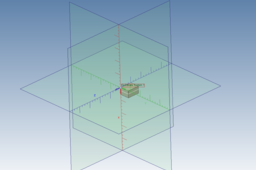
Use the Co-Ordinate systems to create a section plane. This is a handy alternative the section tool, as it does not cut the solid model.
IronCAD
section
cross
Complete AutoCAD Commands & AutoCAD Shortcuts
Er. Arun
in
Design & CAD
2
0
Intermediate
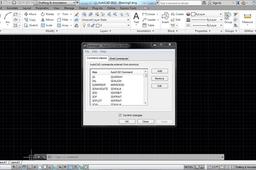
Start AutoCAD in command window just type: aliasedit and enter now your AutoCAD command list is open you can edit any command with your name or any alphabet
ArchiCAD
fluent simulation
meysam
in
Assemblies
2
0
Beginner
visit site: https://alfaproject.ir/fluent-proje/
ArchiCAD
IRONCAD Training 01-04 | Drag & Drop Modeling
Emil.Rindell
in
Modeling
1
0
Beginner
Four videos that describes the Drag & Drop Modeling basics in IRONCAD.
IronCAD
training
triball
easy cad
user friendly
beginner
3d cad
ironcad
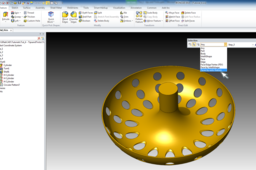
How to create a perforated sheet metal
Bob Heijningen
in
Design & CAD
1
1
Intermediate
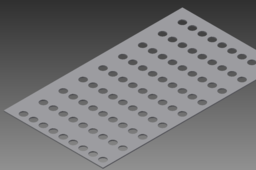
could be that you want to use rectangular patern. by creating one hole and copying it over the surface of the sheet. i actually never use sheet metal parts but here it goes.
IronCAD
perforations
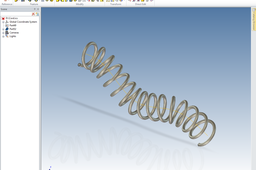
Tutorial: How to create a helix along a 3D curve
Yaroslav
in
Design & CAD
0
0
Beginner
Look the video. Important moments: - The orientation of cross section - Twist profile angle must be more then 360 Angel: 360*15 = 5400, Where 15 - number of coils Result file: http://grabcad.com/library/tutorial-how-to-create-a-helix-along-a-3d-curve-1
IronCAD
3d
ironcad
curve
helix
cord
tipsntricks
test
kemal dursun
in
Drafting
0
11
Intermediate
test
ArchiCAD
test
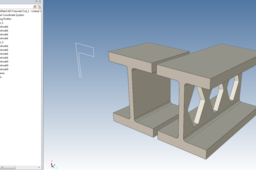
IronCAD - Linked Cross Sections
Nick
in
Modeling
0
0
Intermediate
Create independent parts all driven by the one linked cross section
IronCAD
section
cross
linked
ironcad
structural
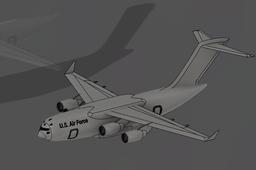
Design an aircraft: Boeing C-17 Globemaster on fusion 360
Harsh Sabin
in
Modeling
0
0
Beginner
In tutorial I will show more about how to make more detailed aircraft C-17. z This model is based on Harsh Priyanshu's model
ArchiCAD
tboeing globemaster c-17
Eva Air Jakarta Office
simon johan
in
Drafting
0
0
Beginner
Eva Air Jakarta Office is a modern and welcoming space dedicated to assisting travelers with their needs. Located in the heart of Jakarta, this office offers a range of services including ticket bookings, flight inquiries, and customer support. The professional staff is fluent in multiple languages and provides personalized assistance to ensure a smooth travel experience. The office features comfortable seating and modern amenities, creating a pleasant environment for visitors. With its strategic location and efficient service, it aims to enhance the overall travel experience for passengers. Whether you need help with your current travel plans or future bookings, the Eva Air Jakarta Office is ready to assist.
ArchiCAD
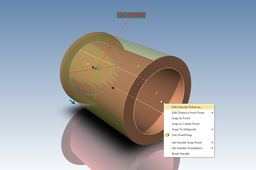
IronCAD - Multifeature part from one Cross Section
Nick
in
Modeling
0
0
Intermediate
Create a pipe section with flanges at each end, using one circle to drive the bore diameter with flange OD offset from this.
IronCAD
mechanical
section
cross
pipe
ironcad