Learn about the GrabCAD Platform
Get to know GrabCAD as an open software platform for Additive Manufacturing
Visit our new homepage
Home
Control
Shop
Streamline Pro
Partner Program
Print
Community
Log in
Library
Challenges
Groups
Questions
Tutorials
Engineers
Blog
Log in
Learn from thousands of free Tutorials.
New user?
Join the community
or
log in.
Tutorials
Most liked all time
Recent
Most liked
Most viewed
Most commented
This week
This month
All time
Category
Design & CAD
Modeling
Drafting
Assemblies
BOM
Dimensioning / Tolerancing
Translations
Manufacturing & CAM
3D Printing
Tooling
NC Machining
Composites
Measurement / Inspection
Simulation & CAE
FEM
CFD
Kinematics
Process Simulation
Engineering Fundamentals
Theory
Process
Standards
Other
Software
Snagit
Alibre Design
ArchiCAD
AutoCAD
AutoCAD Electrical
Autodesk 3ds Max
Autodesk Alias
Autodesk Inventor
Autodesk Maya
Autodesk Revit
Autodesk 123D
BricsCAD
Bentley MicroStation
BlenderCAD
BobCAD-CAM
CATIA
Delmia
DraftSight
FreeCAD
Femap
Fusion 360
Geomagic Design
IronCAD
JT
Kompas-3D
KeyCreator
KeyShot
Lagoa
Luxology
Mastercam
Moi3D
NX Unigraphics
OBJ
Onshape
OpenSCAD
Parasolid
Powermill
Powershape
Pro/Engineer Wildfire
PTC Creo Parametric
PTC Creo Elements
Rhino
SpaceClaim
SOLIDWORKS
solidThinking Evolve
Solid Edge
SolidFace
STEP / IGES
SketchUp
STL
TopSolid
TinkerCAD
T-Flex CAD
TurboCAD
VectorWorks
ViaCAD 3D
VRML / WRL
ZW3D
GrabCAD Print
Rendering
GrabCAD Community
GrabCAD Workbench
Text file
3D Manufacturing Format
Cinema 4D
Other
Skill level
All levels
Beginner
Intermediate
Expert
imagine
×
Design a Windmill Blade (very easy)
Maxime Chagnot
in
Modeling
6
0
Beginner
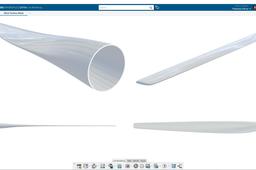
Hello all, we wanted to do a new Design Fast tutorial for replying to a follower ;) In this 7th edition of Design Fast, I will show you how to make a basic Wind Turbine Blade using Imagine & Shape, the Clay modeling application in CATIA 3DExperience R19x on Cloud. ** We want to highlight the fact that I am neither a Class-A Surface Designer or an Aeronautic Engineer. This tutorial will not show you how to design a proper blade for CFD Analysis. You should use NACA Profile generated either by Excel or Matlab. However you can redo this tutorial for learning the tool, and use the result for Rendering and presentation purpose ** Just Enjoy the video and try to redo it on your side. Please Comment and Subscribe to our PLM Technology YouTube Channel, and visit our website http://plm-technology.com
CATIA
modelling
clay
windmill
energy
shape
imagine
blade
3dexperience
wind
catia
Imagine & Shape - Cup to Chair - Product Design
3D Comparison
in
Modeling
4
0
Intermediate
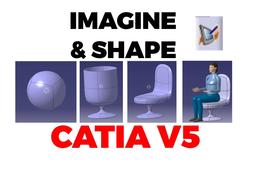
The initial design (the cup) is created starting for a sphere. After that the cup is transformed into a Chair. Having the desired Chair shape, the model is scaled and a human mannequin is added to the product list to ensure that the scaling was done proportionally.
CATIA
transform
scale
design
product
shape
imagine
catia
Define custom HOTKEYS in CATIA V5
3D Comparison
in
Modeling
3
2
Beginner
Hello! I have been using CATIA since 2009 and I use some custom hotkeys as presented within the video. I have started to use custom hotkeys after several year, when I got into SolidWorks and Fusion 360. Looking forward to hear from you, feel free to add comments regarding your CATIA experience and your custom hotkeys!
CATIA
shape
imagine
change
custom
setup
hotkeys
catia
CATIA V5 - Imagine & Shape - Revolute
3D Comparison
in
Modeling
2
0
Beginner
CATIA V5 - Imagine & Shape - Revolute is a tool that allows you to create and manipulate revolutionary shapes. A revolutionary shape is a shape that is created by rotating a 2D profile around an axis. This tool is particularly useful for creating complex and organic shapes, such as those found in nature or in industrial design.
CATIA
profile
axis
how
study
design
shape
imagine
revolute
[VIDEO] Design a Cargo Hull with Clay Modeling
Maxime Chagnot
in
Modeling
2
0
Beginner
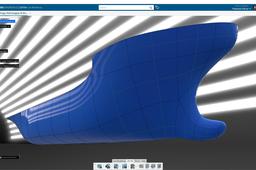
Dear Community, This video is the 8th Edition of DESIGN Fast tutorial. The goal is to reproduce quickly (15-20min) the shape of a cargo hull, in order to reuse it for detail design/simulation/manufacturing. With CATIA Imagine & Shape you can easily shape an accurate 3Dmodel (Class-A surface). It is similar to clay modeling. The model will not be frozen, so you can always modify the shape and reuse afterwards. * Feel free to modify the shape as you want after doing the video. There are many different type of Hull in the Marine Industry ! Find the 3D Model on this GrabCad link: https://grabcad.com/library/cargo-hull-1 Please Like, Comment, Share and Subscribe :)
CATIA
shape
imagine
modeling
clay
hull
cargo
3dexperience
catia
Catia V5 - Motorcycle Design - Part 1 - Blueprint Alignment
3D Comparison
in
Modeling
2
0
Intermediate
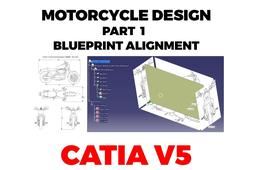
Designing a motorcycle in CATIA. Within Part 1 we align the blueprints of the motorcycle within Sketch Tracer workbench and define the middle plane reference part within the whole Product. The files from the end of the video: https://grabcad.com/library/part-1-blueprint-alignment-1
CATIA
motorcycle
shape
imagine
tracer
sketch
blueprint
catia
CATIA V5 Imagine & Shape - View and Selection Mode
3D Comparison
in
Modeling
1
0
Beginner
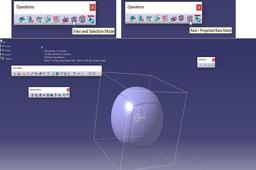
View and Selection Mode in CATIA V5 Imagine & Shape is a set of tools that allow you to control how the shape is displayed and how elements are selected.
CATIA
change
mode
selection
view
shape
imagine
catia
Import free form CAD data to CATIA V5 as editable
3D Comparison
in
Modeling
0
0
Beginner
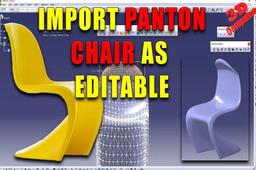
The workbench from CATIA V5 is Imagine & Shape and for the file conversion I made use of Blender! The 3D model can be downloaded at: https://www.vitra.com/en-un/product/panton-chair
CATIA
design
shape
imagine
freeform
catia
import
obj
meshes
CATIA V5 - I&S - Extrusion and Fill/Merge Surfaces
3D Comparison
in
Modeling
0
0
Beginner
CATIA V5 - I&S - Extrusion and Fill/Merge Surfaces Extrusion is a surface creation tool that allows you to create a new surface by extending an existing surface in a specified direction. The Fill/Merge Surfaces tool allows you to fill gaps between surfaces or merge two or more surfaces into a single surface.
CATIA
faces
surfaces
merge
fill
extrude
extrusion
shape
imagine
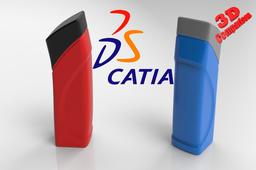
CATIA V5 - Bottle design
3D Comparison
in
Modeling
0
0
Beginner
The 3D modeling combines Imagine & Shape with Generative Shape Design.
CATIA
split
design
generative
shape
imagine
catia