Learn about the GrabCAD Platform
Get to know GrabCAD as an open software platform for Additive Manufacturing
Visit our new homepage
Home
Control
Shop
Streamline Pro
Partner Program
Print
Community
Log in
Library
Challenges
Groups
Questions
Tutorials
Engineers
Blog
Log in
Learn from thousands of free Tutorials.
New user?
Join the community
or
log in.
Tutorials
Most liked all time
Recent
Most liked
Most viewed
Most commented
This week
This month
All time
Category
Design & CAD
Modeling
Drafting
Assemblies
BOM
Dimensioning / Tolerancing
Translations
Manufacturing & CAM
3D Printing
Tooling
NC Machining
Composites
Measurement / Inspection
Simulation & CAE
FEM
CFD
Kinematics
Process Simulation
Engineering Fundamentals
Theory
Process
Standards
Other
Software
Snagit
Alibre Design
ArchiCAD
AutoCAD
AutoCAD Electrical
Autodesk 3ds Max
Autodesk Alias
Autodesk Inventor
Autodesk Maya
Autodesk Revit
Autodesk 123D
BricsCAD
Bentley MicroStation
BlenderCAD
BobCAD-CAM
CATIA
Delmia
DraftSight
FreeCAD
Femap
Fusion 360
Geomagic Design
IronCAD
JT
Kompas-3D
KeyCreator
KeyShot
Lagoa
Luxology
Mastercam
Moi3D
NX Unigraphics
OBJ
Onshape
OpenSCAD
Parasolid
Powermill
Powershape
Pro/Engineer Wildfire
PTC Creo Parametric
PTC Creo Elements
Rhino
SpaceClaim
SOLIDWORKS
solidThinking Evolve
Solid Edge
SolidFace
STEP / IGES
SketchUp
STL
TopSolid
TinkerCAD
T-Flex CAD
TurboCAD
VectorWorks
ViaCAD 3D
VRML / WRL
ZW3D
GrabCAD Print
Rendering
GrabCAD Community
GrabCAD Workbench
Text file
3D Manufacturing Format
Cinema 4D
Other
Skill level
All levels
Beginner
Intermediate
Expert
insight
×
How to Create Texturing Patterns on FDM 3D Printed Parts
Stratasys
in
3D Printing
16
0
Beginner
When producing FDM parts that will be installed in user-facing applications, or when FDM prototypes need to have a more interesting appearance, surface profile and finish are critical. Texturing a part file allows for a unique pattern or design to be built directly into part surfaces, reducing the layer line visibility as well as post-processing time. Coatings and paint can be applied directly to the textured surface to create a finished part.
3-matic
insight
grabcadprint
stratasys
fdm
patters
texturing
How to Process STL Files for 3D Printing Using Insight
Stratasys
in
3D Printing
5
0
Beginner
This tutorial will give you a step-by-step procedure to aid in the generation of models. By following the steps of this tutorial, you can cut down on problems that can be easily overlooked. The following tutorial is brought to you by Stratasys.
models
cad
printing
3d
insight
stratasys
processing
Leveraging GrabCAD Print (GCP) for Insight job processing
Rob Winker
in
3D Printing
3
0
Beginner
In this tutorial I'll show you how to easily leverage GrabCAD Print (GCP) for all your FORTUS FDM print preparations. No longer do you need to maintain a stand-alone version of Insight and control center. GCP can be used for all FDM systems including those which take advantage of the advanced processing capabilities of Insight. Advantages of using GCP for Insight job processing: - Always have the latest software - Eliminate the need for maintaining multiple software programs - Take advantage of the advanced functionality and user interface and usability of GCP
packing
job
center
control
insight
How to Section Oversized Parts Using Insight
Stratasys
in
3D Printing
1
0
Intermediate
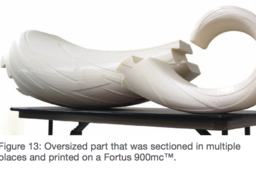
A part that is larger than the build envelope of a 3D printer can still be printed. Oversized parts may be sectioned and subsequently bonded. This tutorial will give you the best practices for sectioning oversized parts. Software: Insight software
insight
stratasys
3dprinting
sectioning
oversized
How to Create Variable Density FDM 3D Printed Parts
Stratasys
in
3D Printing
1
0
Beginner
A unique characteristic of FDM technology is that a single part can have regions with different build styles, which can be used to make a part with variable densities. With just a few minutes of extra design and pre-processing, you can save hours of build time and/or dramatically improve the part’s properties.
insight
fdm
stratasys
parts
3dprinting
density