Learn about the GrabCAD Platform
Get to know GrabCAD as an open software platform for Additive Manufacturing
Visit our new homepage
Home
Control
Shop
Streamline Pro
Partner Program
Print
Community
Log in
Library
Challenges
Groups
Questions
Tutorials
Engineers
Blog
Log in
Learn from thousands of free Tutorials.
New user?
Join the community
or
log in.
Tutorials
Most liked all time
Recent
Most liked
Most viewed
Most commented
This week
This month
All time
Category
Design & CAD
Modeling
Drafting
Assemblies
BOM
Dimensioning / Tolerancing
Translations
Manufacturing & CAM
3D Printing
Tooling
NC Machining
Composites
Measurement / Inspection
Simulation & CAE
FEM
CFD
Kinematics
Process Simulation
Engineering Fundamentals
Theory
Process
Standards
Other
Software
Snagit
Alibre Design
ArchiCAD
AutoCAD
AutoCAD Electrical
Autodesk 3ds Max
Autodesk Alias
Autodesk Inventor
Autodesk Maya
Autodesk Revit
Autodesk 123D
BricsCAD
Bentley MicroStation
BlenderCAD
BobCAD-CAM
CATIA
Delmia
DraftSight
FreeCAD
Femap
Fusion 360
Geomagic Design
IronCAD
JT
Kompas-3D
KeyCreator
KeyShot
Lagoa
Luxology
Mastercam
Moi3D
NX Unigraphics
OBJ
Onshape
OpenSCAD
Parasolid
Powermill
Powershape
Pro/Engineer Wildfire
PTC Creo Parametric
PTC Creo Elements
Rhino
SpaceClaim
SOLIDWORKS
solidThinking Evolve
Solid Edge
SolidFace
STEP / IGES
SketchUp
STL
TopSolid
TinkerCAD
T-Flex CAD
TurboCAD
VectorWorks
ViaCAD 3D
VRML / WRL
ZW3D
Rendering
GrabCAD Print
GrabCAD Community
GrabCAD Workbench
Text file
3D Manufacturing Format
Cinema 4D
Other
Skill level
All levels
Beginner
Intermediate
Expert
relations
×
Transverse Module Involute Helical Gear in CATIA V5 (manual input)
William Harbin
in
Modeling
2
0
Expert
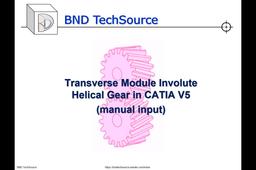
This BND TechSource video shows the steps for creating a “template” part for our Transverse Module Involute Helical Gear. This part may be modified by simply changing the parameters of any/all of the following five formulae: Fw - Face width // length parameter [Fw = input] z - number of teeth // real parameter [z = input] Tpa - Transverse Pressure Angle // angle parameter [Tpa = input] m - module // length parameter [m = input] Ca - Cylinder helix angle // angle parameter [Ca = input] Next we will look at using CATIA V5 to create the Normal Module Involute Helical Gear. Please visit us at: https://bndtechsource.wixsite.com/home Transverse Involute Helical Gear calculator (Excel): https://drive.google.com/file/d/1G4DVdNp8LdKRG4hwEWZM7URW7HT71wxn/view?usp=sharing
CATIA
relations
parameters
gear
helical
module
transverse
v5
catia
Spur Gear Involute Gear Teeth Profile
AMAN KHALE
in
Modeling
2
0
Beginner
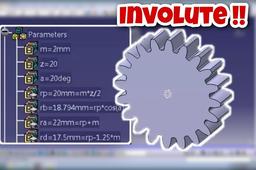
In this tutorial, I will help you in making involute gear teeth for a spur gear using parameters and relations. I have designed the gear in Catia V5R16 using involute curve equations in "LAW" tool available in knowledge toolbar in Catia. https://www.youtube.com/watch?v=RU-f1E3sTSI
CATIA
catia
relations
parameters
profile
tooth
involute
gear
spur
Designing Approximate Spur Gear in CATIA V5 (Method 2 of 4: Design Table from MS Excel)
William Harbin
in
Modeling
2
0
Intermediate
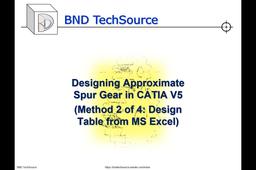
This BND TechSource video shows how to create a “template” part for an Approximate Spur Gear. The difference is; this template is controlled via an MS Excel spreadsheet. This part may be modified by simply changing the parameters of any/all of the following four formulae on the spreadsheet: z - number of teeth // real parameter [z = input] Rpa - Ref Pressure Angle // angle parameter [Rpa = input] m - module // length parameter [m = input] a – center to center distance [a = input] Next we will look at using Import Parameters (from .xls(x) or.txt file) to feed the parameter data and update the Spur Gear. https://bndtechsource.wixsite.com/home Excel Design Table: https://docs.google.com/spreadsheets/d/1cqqmNE9dxuM0XimnIWZSYKZfxsS0zwhj/edit?usp=sharing&ouid=114849995441101610372&rtpof=true&sd=true
CATIA
relations
parameters
table
design
v5
catia
Approximate vs. Involute Gear Tooth Profile in CATIA V5
William Harbin
in
Modeling
1
0
Expert
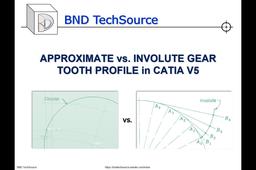
This BND TechSource video shows how to create a “template” part for an Involute Spur Gear. This part may be modified by simply changing the parameters of any/all of the following three formulae: z - number of teeth // real parameter [z = input] Rpa - Ref Pressure Angle // angle parameter [Rpa = input] m - module // length parameter [m = input] And the Undercutting issue can be resolved by introducing Profile Shift which affects the Center Distance between gears as well as adjusting the Addendum and Dedendum circles. Ad – Addendum circle // length parameter [Ad = input] Dd – Dedendum circle // length parameter [Dd = input] https://bndtechsource.wixsite.com/home Excel Involute Spur Gear Calculator with macro: https://drive.google.com/file/d/1b2gzKpBHfOakALJi1-hZfOqGt_KFxNLc/view?usp=sharing
CATIA
gear
spur
laws
relations
parameters
involute
v5
catia
Custom parameter defined by relations
Vladimir Palffy
in
Modeling
1
1
Beginner
This video has been created based on a question from a comment under my video on YouTube channel. Feel free to contact me or leave a comment, or idea for another Creo tutorial.
PTC Creo Parametric
creo
relations
parameters
How to set Default "Sketch" Settings in SolidWorks
jehan kothari
in
Modeling
1
0
Beginner
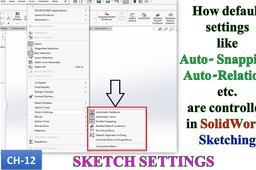
When we start Sketching in SolidWorks, there are default setting like snapping, assigning auto relations etc. are assigned by itself. Many users are not aware that this are actually "settings" which can be turned on and off. This video takes you through all the default setting available.
SOLIDWORKS
snapping
relations
automatic
mode
solve
settings
sketching
solidworks
How to turn off visibility of relations in SolidWorks?
Karajko CAD
in
Dimensioning / Tolerancing
1
0
Beginner
How to turn off visibility of relations in SolidWorks?
SOLIDWORKS
relations
solidworks
How to Enable Sketch Relations in SolidWorks
Usman Akhtar
in
Modeling
1
0
Beginner
In this SolidWorks Video Tutorial I will Tell you how to enable or disable sketch relations in solidworks. About this Channel Here you will find Videos Related to 1. SolidWorks 2. Hydro Power 3. FYP Designing and Manufacturing. 4. Electrical Engineering 5. 3D Printing 6. Low RPM Alternators 7. Manufacturing of Hydro Turbines Subscribe to this channel for all updates mentioned above. SolidWorks Complete Learning Step by Step from Basics to Advanced Level: https://www.youtube.com/playlist?list=PLJR3qNZXHShwwR3BJzyv-5-Woled6n9KR Urdu / Hindi SolidWorks Learning : https://www.youtube.com/playlist?list=PLJR3qNZXHShze-ZcfiGpsMjzfLY2e9Pyk Want me to Design Project for You??? Contact Me My Facebook id: https://www.facebook.com/usman.akhtar.5 My Page link: https://www.facebook.com/solid.online.Training
SOLIDWORKS
relations
sketch
Designing Approximate Spur Gear in CATIA V5 (Method 3 of 4: import data from .xls(x) or .txt file)
William Harbin
in
Modeling
0
0
Intermediate
This BND TechSource video shows how to create a “template” part for an Approximate Spur Gear. The difference is; this template is based upon a one time feed of data via an .xls(x) or .txt file and must be re-imported for every modification. This part may be modified changing the parameters of any/all of the following three formulae on the .xls(x) or .txt file: z - number of teeth // real parameter [z = input] Rpa - Ref Pressure Angle // angle parameter [Rpa = input] m - module // length parameter [m = input] Next we will look at using CATIA Macro + Import Parameters (from .xls(x) or.txt file) to feed the parameter data and update the Spur Gear. https://bndtechsource.wixsite.com/home .xlsx file: https://docs.google.com/spreadsheets/d/1cqqmNE9dxuM0XimnIWZSYKZfxsS0zwhj/edit?usp= .txt file - [m_3-Rpa_20-z_40]: https://drive.google.com/file/d/1t42oaimtwS7LBc7eos5YS9bWjcmjcfeq/view?usp=sharing .txt file - [m_3-Rpa_20-z_25]: https://drive.google.com/file/d/1csdQHt3jfLTE04kCkv03itM05oj0OYQc/view?usp=sharing
CATIA
relations
parameters
data
import
v5
catia
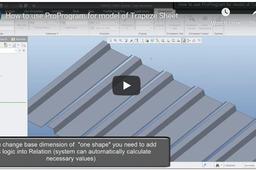
How to use ProProgram for model of Trapeze Sheet
Vladimir Palffy
in
Modeling
0
0
Expert
In this video tutorial, you can learn How to use ProProram for Parameter driving and How relations can be implemented with this combination
PTC Creo Parametric
implemented
be
can
relations
driving
parameter
proprogram
use
how
Designing Approximate Spur Gear in CATIA V5 (Method 1 of 4: manual input)
William Harbin
in
Modeling
0
2
Intermediate
This BND TechSource video shows how to create a “template” part for an Approximate Spur Gear. This part may be modified by simply changing the parameters of any/all of the following three formulae: 1) z - number of teeth // real parameter [z = input] 2) Rpa - Ref Pressure Angle // angle parameter [Rpa = input] 3) m - module // length parameter [m = input] Next we will look at using Design Table (from MS Excel) to feed the parameter data and update the Spur Gear. https://bndtechsource.wixsite.com/home
CATIA
relations
parameters
gear
spur
v5
catia