Learn about the GrabCAD Platform
Get to know GrabCAD as an open software platform for Additive Manufacturing
Visit our new homepage
Home
Control
Shop
Streamline Pro
Partner Program
Print
Community
Log in
Library
Challenges
Groups
Questions
Tutorials
Engineers
Blog
Log in
Learn from thousands of free Tutorials.
New user?
Join the community
or
log in.
Tutorials
Most liked all time
Recent
Most liked
Most viewed
Most commented
This week
This month
All time
Category
Design & CAD
Modeling
Drafting
Assemblies
BOM
Dimensioning / Tolerancing
Translations
Manufacturing & CAM
3D Printing
Tooling
NC Machining
Composites
Measurement / Inspection
Simulation & CAE
FEM
CFD
Kinematics
Process Simulation
Engineering Fundamentals
Theory
Process
Standards
Other
Software
Snagit
Alibre Design
ArchiCAD
AutoCAD
AutoCAD Electrical
Autodesk 3ds Max
Autodesk Alias
Autodesk Inventor
Autodesk Maya
Autodesk Revit
Autodesk 123D
BricsCAD
Bentley MicroStation
BlenderCAD
BobCAD-CAM
CATIA
Delmia
DraftSight
FreeCAD
Femap
Fusion 360
Geomagic Design
IronCAD
JT
Kompas-3D
KeyCreator
KeyShot
Lagoa
Luxology
Mastercam
Moi3D
NX Unigraphics
OBJ
Onshape
OpenSCAD
Parasolid
Powermill
Powershape
Pro/Engineer Wildfire
PTC Creo Parametric
PTC Creo Elements
Rhino
SpaceClaim
SOLIDWORKS
solidThinking Evolve
Solid Edge
SolidFace
STEP / IGES
SketchUp
STL
TopSolid
TinkerCAD
T-Flex CAD
TurboCAD
VectorWorks
ViaCAD 3D
VRML / WRL
ZW3D
GrabCAD Print
Rendering
GrabCAD Community
GrabCAD Workbench
Text file
3D Manufacturing Format
Cinema 4D
Other
Skill level
All levels
Beginner
Intermediate
Expert
thicken
×
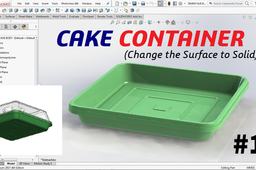
CAKE CONTAINER - #1
langgeng wahyu hidayat
in
Modeling
3
1
Beginner
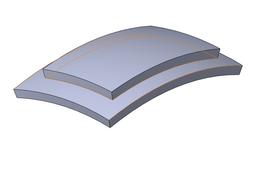
Change the Surface to Solid for the cake container. The steps are: 1. Create a surface sweep for the lip and base position. 2. Connecting lip and base with the lofted surface. 3. Create a planar surface on base. 4. Create a profile surface. 5. Trim surface. 6. Knit surface for all surfaces. 7. Thicken surface for change to solid. Have a nice day
SOLIDWORKS
product
plastic
assembly
thicken
surface
container
cake
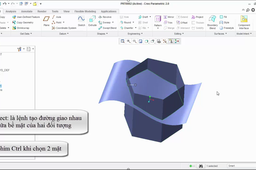
Creo Parametric: Merge – Solidify – Intersect – Offset – Thicken
Huy Pham
in
Modeling
2
0
Intermediate
I have a video on youtube I hope it useful for you https://youtu.be/371w-ow6dlw
PTC Creo Parametric
thicken
offset
intersect
solid
merge
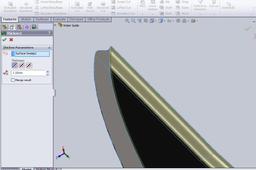
Surface thicken problems in Solidworks
MI Ilmy
in
Design & CAD
1
0
Beginner
I think that there is a simple solution which you can try. just Un - tick the " Merge result" box and, retry your thickening procedure. Best regards
SOLIDWORKS
solidworks
problem
help
surfaces
2012
thicken
suggestions
How to thicken a surface object
Inspire
in
Design & CAD
1
0
Intermediate
Easier done, than show... Look https://youtu.be/PANAYg_QjM0 Other surfaces are the same, I have no time to play =)
SOLIDWORKS
thicken
object
boundary
surface
Solidworks advanced tutorials 125 | Working with surfacing | Sketch an egg
sakib ahmed
in
Modeling
1
0
Intermediate
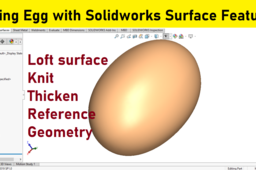
Solidworks advanced tutorial. Learn How to use loft surface with a vertex and rectangle sketch? How to make offset planes? How to control loft surface end/start conditions? How to knit? How to thicken surface? Solidworks tutorials for surfacing, making an egg.
SOLIDWORKS
thicken
how
features
tools
tutorials
surfacing
surfaces
with
working
surface
solidworks
Blade design in solid works-2013 I How to design a blade in solid works
Moen Uddin
in
Design & CAD
0
0
Intermediate
Video link: https://youtu.be/G319ONIwHEU Hello & Welcome to SolidWorks Tutorial Channel This channel is will help to learn the basic and mastering technique to design. All dimensions in my design are in millimeter. This Channel contains topics about: - SolidWorks Beginners Tutorials - SolidWorks Sketch - SolidWorks Part design - SolidWorks Mates - SolidWorks Assembly design - SolidWorks Animation - SolidWorks Basic motoin - SolidWorks Drawing - SolidWorks Simulation - SolidWorks Camera view -SolidWorks Rendering -Solid works razor desgin -How to design a razor in solid works -Razor modeling in solid works -Solid works razor -Product design -Consumer product design solid works tutorial solidworks tutorial youtube solidworks tutorial for beginners solidworks tutorial 2017 solidworks 2015 tutorial solidworks 2014 tutorial solidworks 2013 tutorial solidworks assembly tutorial solidworks tutorial videos solidworks tutorial assembly solidworks tutorial assembly mates solidworks tutorial animation solidworks tutorial advanced design solidworks tutorial advanced solidworks tutorial assembly drawing solidworks tutorial beginner solidworks tutorial bottle solidworks tutorial beginner 2014 solidworks tutorial convert entities solidworks tutorial circular pattern solidworks tutorial course solidworks tutorial creating plane solidworks tutorial drawing solidworks tutorial fillet solidworks tutorial for beginners 2017 solidworks free tutorial solid works tutorial feature solidworks tutorial getting started solidworks tutorial grabcad solidworks tutorial guide solidworks tutorial helix solidworks tutorial help solidworks tutorial mold design solidworks tutorial motion solidworks tutorial mirror solidworks tutorial metal sheet solidworks tutorial mold solidworks tutorial online solidworks tutorial online free solidworks tutorial on youtube solidworks tutorial on sheet metal solidworks tutorial revolve solidworks tutorial revolved boss solidworks tutorials youtube solidworks tutorials sheet metal solidworks tutorials fillets solidworks tutorials advanced solidworks tutorials online how to use solidworks tutorial solidworks user interface tutorial solidworks tutorial videos youtube solidworks tutorial videos for beginners solidworks flow simulation tutorial video solidworks tutorial weldments
SOLIDWORKS
product
tutorial
thicken
using
surface
knife
works
solid
blade
design
Split line,Offset surface and Thicken in SOLIDWORKS
Karajko CAD
in
Modeling
0
0
Intermediate
Split line,Offset surface and Thicken in SOLIDWORKS.
SOLIDWORKS
thicken
surface
offset
line
split
solidworks
SolidWorks: Filled Surface, Thicken, Planar Surface, Cut – Thicken, Surface Cut
Huy Pham
in
Modeling
0
0
Intermediate
I have a video on youtube I hope it useful for you https://youtu.be/AxrWXMuXzUo
SOLIDWORKS
cut
surface
planar
thicken
plane
fill
solidworks