Learn about the GrabCAD Platform
Get to know GrabCAD as an open software platform for Additive Manufacturing
Visit our new homepage
Home
Control
Shop
Streamline Pro
Partner Program
Print
Community
Log in
Library
Challenges
Groups
Questions
Tutorials
Engineers
Blog
Log in
Vladimir Palffy
4kside
Follow
237
followers
Martin, Slovakia
Tutorials
About
Models
124
Tutorials
205
More
Followers
237
Following
11
Likes
2122
Following
11
Followers
237
Likes
2122
Tutorials
Sort by:
Recent
Recent
Most liked
Most viewed
Most commented
PTC Creo 4.0 tutorial: 17 Ways To Create CUBE
Vladimir Palffy
in
Modeling
0
0
Beginner
Solid and Surface modeling with Creo Parametric 4.0 or 17 Ways To Create "CUBE" #creo #creoparametric #creotutorial #tutorial #4kside #vpalffy #vladimirpalffy
PTC Creo Parametric
vladimirpalffy
vpalffy
4kside
tutorial
creotutorial
creoparametric
creo
PTC Creo 4.0 tutorial: Assembling with Constraints
Vladimir Palffy
in
Assemblies
1
0
Beginner
In PTC Creo Parametric and Pro/ENGINEER are multiple methods to assemble components. In this video tutorial you will learn primary methods to create Creo assemblies. Like 3D models, all new assembly models include several characteristics in common. If you create your assembly models from standardized templates, you can save time (you do not need reoeatedly define company standard information - parameters, relations, units, materials, etc.) #creo #creoparametric #creotutorial #tutorial #4kside #vpalffy #vladimirpalffy
PTC Creo Parametric
vladimirpalffy
vpalffy
4kside
tutorial
creotutorial
creoparametric
creo
PTC Creo 4.0 tutorial: 3D Contacts
Vladimir Palffy
in
Assemblies
0
0
Beginner
How to work with assembly component placements for 3D Contacts #creo #creoparametric #creotutorial #tutorial #4kside #vpalffy #vladimirpalffy
PTC Creo Parametric
vladimirpalffy
vpalffy
4kside
tutorial
creotutorial
creoparametric
creo
PTC Creo 4.0 tutorial: Offset feature vs. Offset option
Vladimir Palffy
in
Modeling
0
0
Beginner
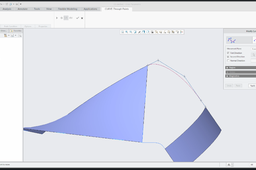
Do you like surface modeling with PTC Creo Parametric 4.0? Do you want to learn how to add or remove material with Offset feature or specify region for offseted surfaces? Try to check a few example for "Offset modeling" #creo #creoparametric #creotutorial #tutorial #4kside #vpalffy #vladimirpalffy
PTC Creo Parametric
vladimirpalffy
vpalffy
4kside
tutorial
creotutorial
creoparametric
creo
PTC Creo 4.0 tutorial: Offset feature and Offset analysis
Vladimir Palffy
in
Modeling
0
0
Beginner
Do you like surface modeling with PTC Creo Parametric 4.0? Do you want to learn how the Creo calculate offset surface? Try to check short example ... #creo #creoparametric #creotutorial #tutorial #4kside #vpalffy #vladimirpalffy
PTC Creo Parametric
vladimirpalffy
vpalffy
4kside
tutorial
creotutorial
creoparametric
creo
PTC Creo 4.0 tutorial: Hatching definition for 2D sketch
Vladimir Palffy
in
Modeling
0
0
Beginner
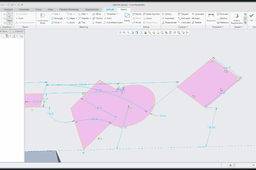
Quick video tutorial: How to create hatching for 2D sketch and some other nice Creo tips #creo #creoparametric #creotutorial #tutorial #4kside #vpalffy #vladimirpalffy
PTC Creo Parametric
vladimirpalffy
vpalffy
4kside
tutorial
creotutorial
creoparametric
creo
sketch
PTC Creo 4.0 tutorial: How to create Rib features
Vladimir Palffy
in
Modeling
1
0
Beginner
Do you want to learn to work with Creo RIB features - watch and learn from my new tutorial Tags: #creo #creoparametric #creotutorial #tutorial #4kside #vpalffy #vladimirpalffy
PTC Creo Parametric
vladimirpalffy
vpalffy
4kside
creoparametric
rib
creo
tutorial
base
PTC Creo 4.0 tutorial: Sweep or How to orient profile and sketch
Vladimir Palffy
in
Modeling
0
1
Beginner
Quick example of orientation of the profile and sketch for Sweep feature in Creo 4.0 #creo #creoparametric #creotutorial #tutorial #4kside #vpalffy #vladimirpalffy
PTC Creo Parametric
vladimirpalffy
vpalffy
4kside
creotutorial
creoparametric
tutorial
creo
sweep
14 Ways To Create Curve
Vladimir Palffy
in
Modeling
1
0
Beginner
Surface modeling with Creo Parametric 4.0: 14 Ways To Create "Curve" * Sketched Curve * 2D Curve created between points * 3D Curve created by points * Curve defined by points from CSYS * Curve conected to another Curves * Curve created on a surface edge * Projected Curve * Wraped Curve * Curve defined by Equation * Intersected Curve by curves * Intersected Curve by quilts * Copy edge from solid * Curve from Cross Section * Trace Curve defined by mechanism
PTC Creo Parametric
vladimirpalffy
vpalffy
4kside
creotutorial
creoparametric
creo
feature
curve
PTC Creo 4.0: How to create Sketched features
Vladimir Palffy
in
Modeling
1
0
Beginner
Step by step with Creo Sketch features - or: How to create Sketched features with Creo Parametric 4.0
PTC Creo Parametric
tutorial
creo
feature
sketch
PTC Creo 4.0: How to create Hole feature
Vladimir Palffy
in
Modeling
1
0
Beginner
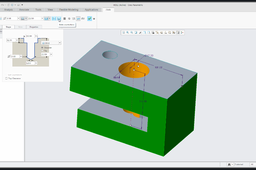
Holes are pick and place features with circular cross-section. Holes remove material from the model. You can create couple of types of holes. In this tutorial you can learn how to Create Simple Straight Holes, Standard Holes and Sketched Holes. I will focus on hole placements (Linear, Radial, Diameter and Coaxial Placement) and Depth Options.
PTC Creo Parametric
feature
hole
PTC Creo 4.0: How to create Shell feature with Creo
Vladimir Palffy
in
Modeling
1
0
Beginner
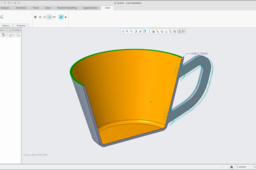
A shell feature is a pick and place feature that creates a hollowed out solid with a specified wall thickness. Note: The pick and place features (same as chamfers, rounds and holes) means that the shape of the feature is implied - you are not required to sketch the section. Pick and place features can be added once the model’s shape has been created. You can create two types of shells: • Open Shells (example in this video tutorial) • Closed shells (create base geometry and apply Shell feature)
PTC Creo Parametric
feature
shell
PTC Creo 4.0: How to create Chamfer feature
Vladimir Palffy
in
Modeling
1
0
Beginner
... tutorial about How to create and edit Chamfer feature
PTC Creo Parametric
feature
chamfer
PTC Creo 4.0: How to create Round feature
Vladimir Palffy
in
Modeling
1
0
Beginner
Couple of examples - How to create Round feature in Creo: * edge references * surface references * stop at reference * Round properties * Full Round * Variable Round and more ...
PTC Creo Parametric
modeling
feature
round
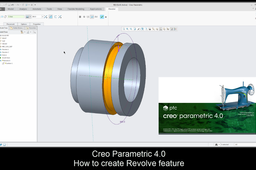
PTC Creo 4.0: How to create Revolve feature
Vladimir Palffy
in
Modeling
2
0
Beginner
The Revolve features are created in a similar way to Extruded features. The main differences are that the section of a revolve must contain a centerline (which represents the axis of revolution) and an angle of revolution is defined instead of a depth. Here is the video tutorial for you: How to create Revolve feature with Creo
PTC Creo Parametric
feature
revolve
1
…
11
12
13
14