Learn about the GrabCAD Platform
Get to know GrabCAD as an open software platform for Additive Manufacturing
Visit our new homepage
Home
Control
Shop
Streamline Pro
Partner Program
Print
Community
Log in
Library
Challenges
Groups
Questions
Tutorials
Engineers
Blog
Log in
Learn from thousands of free Tutorials.
New user?
Join the community
or
log in.
Tutorials
Most liked all time
Recent
Most liked
Most viewed
Most commented
This week
This month
All time
Category
Design & CAD
Modeling
Drafting
Assemblies
BOM
Dimensioning / Tolerancing
Translations
Manufacturing & CAM
3D Printing
Tooling
NC Machining
Composites
Measurement / Inspection
Simulation & CAE
FEM
CFD
Kinematics
Process Simulation
Engineering Fundamentals
Theory
Process
Standards
Other
Software
Snagit
Alibre Design
ArchiCAD
AutoCAD
AutoCAD Electrical
Autodesk 3ds Max
Autodesk Alias
Autodesk Inventor
Autodesk Maya
Autodesk Revit
Autodesk 123D
BricsCAD
Bentley MicroStation
BlenderCAD
BobCAD-CAM
CATIA
Delmia
DraftSight
FreeCAD
Femap
Fusion 360
Geomagic Design
IronCAD
JT
Kompas-3D
KeyCreator
KeyShot
Lagoa
Luxology
Mastercam
Moi3D
NX Unigraphics
OBJ
Onshape
OpenSCAD
Parasolid
Powermill
Powershape
Pro/Engineer Wildfire
PTC Creo Parametric
PTC Creo Elements
Rhino
SpaceClaim
SOLIDWORKS
solidThinking Evolve
Solid Edge
SolidFace
STEP / IGES
SketchUp
STL
TopSolid
TinkerCAD
T-Flex CAD
TurboCAD
VectorWorks
ViaCAD 3D
VRML / WRL
ZW3D
GrabCAD Print
Rendering
GrabCAD Community
GrabCAD Workbench
Text file
3D Manufacturing Format
Cinema 4D
Other
Skill level
All levels
Beginner
Intermediate
Expert
DraftSight
×
Solid Edge
×
Other
×
Automotive Rendering Photoshop
2ea76538
in
Design & CAD
0
0
Beginner
Part 5
Other
rendering
photohshop
Automotive Rendering Photoshop
2ea76538
in
Design & CAD
0
0
Beginner
Part 8
Other
rendering
photohshop
Automotive Rendering Photoshop
2ea76538
in
Design & CAD
0
0
Beginner
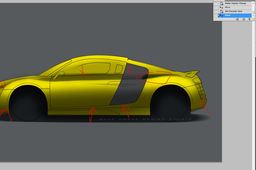
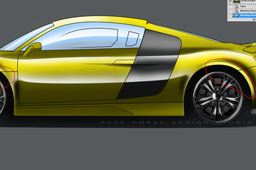
Part 1 First of start with a nice big file 1500 px and up 100-300 dpi which would give good quality. What makes Photoshop such a powerful program when it comes to illustrations is the layers method and the different blending methods which allows you to do realistic even hyper realistic illustrations
Other
rendering
photohshop
ANSYS
Prabhakar Purushothamman
in
Design & CAD
0
0
Beginner
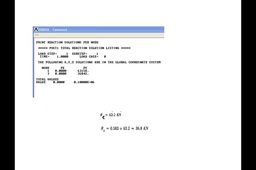
Please find the simple problem and solution with comparision shone for hand calculation and Ansys solution
Other
ANSYS
Prabhakar Purushothamman
in
Design & CAD
0
0
Beginner
Actually both are same there is no difference in results, multiphysics includes mechanical with electro magnetic tool bar, mechanical is purely mechanical tool bar the difference I have added and shown in images but there will be no difference in results
Other
ansys tutorial 2
Armin Yousefi Kanani
in
Design & CAD
0
0
Intermediate
tutorial Continuation
Other
ansys
ansys tutorial 3
Armin Yousefi Kanani
in
Design & CAD
0
0
Intermediate
the picture speak with you
Other
ansys
tutorial
tutorial 10 : Engineering Drawing (نقشه گسترش ) (دکتر متقی پور)
Armin Yousefi Kanani
in
Design & CAD
0
0
Intermediate
some solidworks example of mechanic drawing
Other
engineering
drawing
Tutorials on Injection Mould Designing
Sourbh
in
Design & CAD
0
0
Intermediate
Mold calculator is in downloads:- If you have any doubt than feel free to ask..!!
Other
engineering
mechanical
mould
mold
educational
basic
sourbh
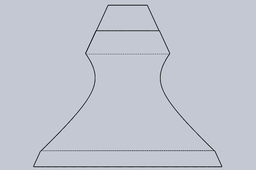
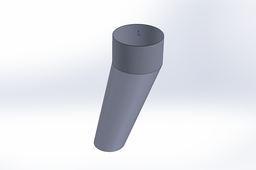
I'm trying to create a hopper with different diameters and centres.
A D
in
Design & CAD
0
0
Intermediate
Is that helpful?
Other
Como trocar idioma do Draftsight
Jeverson Fronza
in
Design & CAD
0
0
Intermediate
Para redefinir o idioma do sistema.
DraftSight
How to get to the sketching view after clicking on the plane?
Scott Lester
in
Design & CAD
0
0
Intermediate
see below
Solid Edge
sketching
view
plane
edge
solid
Tutorial: how to model a hook with Rhino V5
Ferro
in
Modeling
0
0
Expert
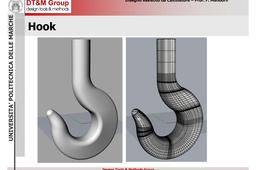
The full set of steps required to model a unified hook with Rhino V.5
Other
Tutorial: how to easily produce a picture to upload with your model
Ferro
in
Drafting
0
0
Beginner
Most of the CAD systems provide a command to save as an image the current view. Usually, this command is available in the "save as" menu or in the option menu
Other
jps
bmp
image
picture
rendering
How to build complete process assemblies
GrabCAD Tutorials
in
Design & CAD
0
0
Intermediate
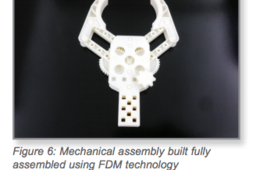
1. OPTIONS 1.1. Orienting Parts for Assemblies Before making design alterations it is important to have a strategy for the build orientation. Orientation of the mating components can affect the fit of the assembly and will determine the necessary clearances.
Other
printing
3d
clearance
orienting
fdm
assemblies
assembly
1
…
32
33
34
35