Learn about the GrabCAD Platform
Get to know GrabCAD as an open software platform for Additive Manufacturing
Visit our new homepage
Home
Control
Shop
Streamline Pro
Partner Program
Print
Community
Log in
Library
Challenges
Groups
Questions
Tutorials
Engineers
Blog
Log in
Learn from thousands of free Tutorials.
New user?
Join the community
or
log in.
Tutorials
Most liked all time
Recent
Most liked
Most viewed
Most commented
This week
This month
All time
Category
Design & CAD
Modeling
Drafting
Assemblies
BOM
Dimensioning / Tolerancing
Translations
Manufacturing & CAM
3D Printing
Tooling
NC Machining
Composites
Measurement / Inspection
Simulation & CAE
FEM
CFD
Kinematics
Process Simulation
Engineering Fundamentals
Theory
Process
Standards
Other
Software
Snagit
Alibre Design
ArchiCAD
AutoCAD
AutoCAD Electrical
Autodesk 3ds Max
Autodesk Alias
Autodesk Inventor
Autodesk Maya
Autodesk Revit
Autodesk 123D
BricsCAD
Bentley MicroStation
BlenderCAD
BobCAD-CAM
CATIA
Delmia
DraftSight
FreeCAD
Femap
Fusion 360
Geomagic Design
IronCAD
JT
Kompas-3D
KeyCreator
KeyShot
Lagoa
Luxology
Mastercam
Moi3D
NX Unigraphics
OBJ
Onshape
OpenSCAD
Parasolid
Powermill
Powershape
Pro/Engineer Wildfire
PTC Creo Parametric
PTC Creo Elements
Rhino
SpaceClaim
SOLIDWORKS
solidThinking Evolve
Solid Edge
SolidFace
STEP / IGES
SketchUp
STL
TopSolid
TinkerCAD
T-Flex CAD
TurboCAD
VectorWorks
ViaCAD 3D
VRML / WRL
ZW3D
GrabCAD Print
Rendering
GrabCAD Community
GrabCAD Workbench
Text file
3D Manufacturing Format
Cinema 4D
Other
Beginner
All levels
Beginner
Intermediate
Expert
axis
×
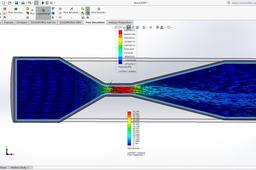
Venturimeter Flow Simulation in Solidworks for beginners
Amit Mourya
in
CFD
7
0
Beginner
meaning of reference axis in flow simulation in Solidworks: https://youtu.be/_h9gc7adJtk Playlist for flow simulation in Solidworks for beginners: https://youtube.com/playlist?list=PLjExndY7KnkBnQ6LS2u9ZfjOMOVGFIfxI
fluid
goals
equation
axis
reference
plots
goal
beginners
simulation
simualtion
flow
solidworks
CATIA V5 - Imagine & Shape - Revolute
3D Comparison
in
Modeling
2
0
Beginner
CATIA V5 - Imagine & Shape - Revolute is a tool that allows you to create and manipulate revolutionary shapes. A revolutionary shape is a shape that is created by rotating a 2D profile around an axis. This tool is particularly useful for creating complex and organic shapes, such as those found in nature or in industrial design.
CATIA
profile
axis
how
study
design
shape
imagine
revolute
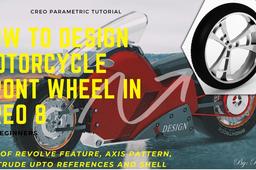
How to Design Motorcycle Front Wheel In CREO 8
Prakash Shakti
in
Modeling
2
0
Beginner
In this video I am going to design a Motorcycle Front wheel i.e rim and tire by using a CREO parametric and you all will learn how to use revolve feature, Axis Pattern, Extrude up to references and shell. CAD Model: https://grabcad.com/library/front-wheel-rim-1
PTC Creo Parametric
pattern
axis
feature
revolve
use
parametric
creo
ptc
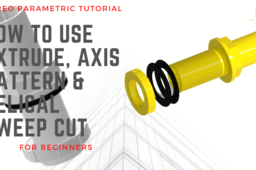
Pipe Connector
Prakash Shakti
in
Modeling
2
0
Beginner
How to use Extrude, Axis Pattern and Helical Sweep Cut in CREO 7.0 In this video example, I am going to design a CAD part like this in creo parametric and here we will see Basic use of Extrude, Axis Pattern and Helical sweep cut Video tutorial : https://youtu.be/gi-VZib4Qhw CAD Model : https://grabcad.com/library/pipe-connector-18
PTC Creo Parametric
how
pattern
axis
extrude
helical
creo
command
sweep
How to rotate objects in Catia v5
3D Comparison
in
Modeling
1
9
Beginner
Within this video various rotation aspects are discussed starting with sketches, parts, imagine & shape elements as well as imported 3D scans.
CATIA
elements
components
parts
axis
align
move
objects
rotate
Axis system for CATIA V5
Bocko Schuger
in
Design & CAD
1
0
Beginner
Catia Settings for Axis System. In this guide is displayed how to set a default axis system and how to set size axis on the display.
CATIA
v5
catia
system
axis
SolidWorks - Tutorial 1: Axis
Team Rembrandts 4481
in
Design & CAD
0
0
Beginner
This first exercise provides an introduction to SolidWorks software. First, we will design and draw a simple part: an axis with different diameters. You will learn how to work with the software and learn its basic principles. You will find out how to add and remove material. How to do it: Before you start drawing in SolidWorks, you must have a work plan of how to proceed. In most instances, you will produce a part in SolidWorks in the same way as you would create it in the workshop. Therefore, for this assignment you have to go through the following steps: 1. Create an axis of Ø30 x 80. 2. Cut the material in order to create the different diameters. At the turning machine, you would have to perform several extra steps to achieve the desired accuracy. For example, you would not be able to remove all the material in a single turn. In SolidWorks, this is not the case.
SOLIDWORKS
team rembrandts
tutorial 1
axis
cadmes
frc
first robotics competition
solidworks
first
How to use the Global and Local Axis in Blender
3D Comparison
in
Modeling
0
0
Beginner
This is an overview of the Global and Local Axis in Blender.
BlenderCAD
how to
axis
local
global
blender axis
SOLIDCAM TUTORIAL TURN-MILLING C AXİS (XZC) 3D HSM
Eyüp Öcal
in
Manufacturing & CAM
0
0
Beginner
SOLIDCAM TUTORIAL TURN-MILLING C AXİS (XZC) 3D HSM
hms
xzc
eksen
axis
hsm
3d
solidcam
How to create an axis in SOLIDWORKS?
Karajko CAD
in
Modeling
0
0
Beginner
This tutorial will show you how to create an axis in SOLIDWORKS with a few different ways.
SOLIDWORKS
axis
solidworks
Learn catia V5 Tutorials for beginners | SKYRIM | WAR-AXE | PART 2
Sijo Varghese
in
Design & CAD
0
0
Beginner
Learn catia V5 Tutorials for beginners | SKYRIM | WAR-AXE | PART 2
CATIA
airfoil
blades
qblade
easily
propeller
energy
alternative
mill
propellers
turbine
wind
axis
horizontal
v5
tutorials
tutorial
metal
sheet
catia
biw
design
assembly
catiav5-software
cad