Learn about the GrabCAD Platform
Get to know GrabCAD as an open software platform for Additive Manufacturing
Visit our new homepage
Home
Control
Shop
Streamline Pro
Partner Program
Print
Community
Log in
Library
Challenges
Groups
Questions
Tutorials
Engineers
Blog
Log in
Learn from thousands of free Tutorials.
New user?
Join the community
or
log in.
Tutorials
Most liked all time
Recent
Most liked
Most viewed
Most commented
This week
This month
All time
Category
Design & CAD
Modeling
Drafting
Assemblies
BOM
Dimensioning / Tolerancing
Translations
Manufacturing & CAM
3D Printing
Tooling
NC Machining
Composites
Measurement / Inspection
Simulation & CAE
FEM
CFD
Kinematics
Process Simulation
Engineering Fundamentals
Theory
Process
Standards
Other
Software
Snagit
Alibre Design
ArchiCAD
AutoCAD
AutoCAD Electrical
Autodesk 3ds Max
Autodesk Alias
Autodesk Inventor
Autodesk Maya
Autodesk Revit
Autodesk 123D
BricsCAD
Bentley MicroStation
BlenderCAD
BobCAD-CAM
CATIA
Delmia
DraftSight
FreeCAD
Femap
Fusion 360
Geomagic Design
IronCAD
JT
Kompas-3D
KeyCreator
KeyShot
Lagoa
Luxology
Mastercam
Moi3D
NX Unigraphics
OBJ
Onshape
OpenSCAD
Parasolid
Powermill
Powershape
Pro/Engineer Wildfire
PTC Creo Parametric
PTC Creo Elements
Rhino
SpaceClaim
SOLIDWORKS
solidThinking Evolve
Solid Edge
SolidFace
STEP / IGES
SketchUp
STL
TopSolid
TinkerCAD
T-Flex CAD
TurboCAD
VectorWorks
ViaCAD 3D
VRML / WRL
ZW3D
GrabCAD Print
Rendering
GrabCAD Community
GrabCAD Workbench
Text file
3D Manufacturing Format
Cinema 4D
Other
Intermediate
All levels
Beginner
Intermediate
Expert
copy
×
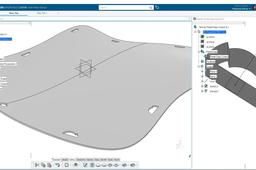
[VIDEO] Power Copy for Cutout Sheet Metal - CATIA 3DExperience R19x
Maxime Chagnot
in
Modeling
2
0
Intermediate
Hello Everyone, In this new tutorial, I will show you how to create a Power Copy of a Profile that you reuse as a cutout on a Sheet Metal curved plate. You will first create a double curved surface on Generative Shape Design application. You will also place several Points and axis system to position the future cutouts profile. After that you will learn how to create the Power Copy from scratch. It is very important in that step that you create your referential (point, plane and lines). Finally, you will transform the surface to a sheet metal part and you will reuse the Power Copy to make several cutouts in the plate. Power Copy is a powerful tool, that will reduce the time spent on repetitive task. Find the models on this grabcad links: - https://grabcad.com/library/metal-plate-cutout-1 - https://grabcad.com/library/power-copy-for-sheetmetal-cutout-1 Please like, comment, share and subscribe :)
CATIA
pattern
cutout
copy
power
metal
sheet
3dexperience
catia
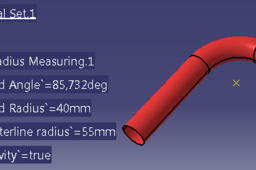
CATIA V5 UDF: TUBES MEASUREMENT
Maniak Cad
in
Modeling
1
0
Intermediate
If you have ever worked with an imported geometry of a tube, you probably know, that CATIA doesn't provide any tool to measure a bend radius. If there is no centerline, measuring a bend radius or centerline radius requires an extra geometry. Our target is to create an UDF, which can be used for measuring bend radius, center line radius and bend angle of a dead geometry of a tube. ------------------------------------------------------------------------------- VISIT MY BLOG TO FIND MORE USEFUL TIPS: http://catia-tnt.blogspot.de/ -------------------------------------------------------------------------------
CATIA
copy
power
udf
template
v5
catia
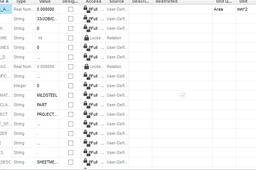
How to Copy-Paste parameters from one part to another in Pro-E?
martin Cronje
in
Design & CAD
1
0
Intermediate
It doesn't the parameters if there is a parameter which has a restriction. I've deselected those parameters and copy and paste the rest into the part. You will have to create the restricted parameters yourself.
Pro/Engineer Wildfire
values
paste
parameters
copy
proe
pro
pro-e
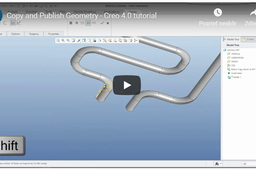
Copy and Publish Geometry
Vladimir Palffy
in
Modeling
0
0
Intermediate
In this video tutorial you can learn how to reuse geometry from one model to another. The best practice is if you create Publish geometry on a reference model and then you will Copy this geometry to source model. Note: Copy geometry from 1st model to 2nd model Publish Geometry can include: surfaces, curves, datum features, etc.
PTC Creo Parametric
geometry
publish
copy
How to Control Objects with Layer in Siemens NX
Shuvam Kumar
in
Modeling
0
0
Intermediate
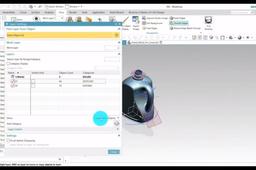
When You Have a small number of object, you can manage the objects by using the Show & Hide command. However, when modeling required a huge number of object to be managed on the screen, the show and hide command is not sufficient.in this case, you will use the layers. https://youtu.be/9bq9swwpjS4
NX Unigraphics
into
copy
control
move
nx
siemens
category
settings
layer
layers
CATIA V5: POLYGON UDF
Maniak Cad
in
Modeling
0
0
Intermediate
The goal is to create an UDF to generate polygons. The inputs are point (center point), plane and a line (which controls orientation). The UDF allows user to change number of sides, radius of reference circle and to switch between inscribed and circumscribed polygon. Use the link below to view on my blog --------------------------------------------------------------------------------------------------------------- --------------------------------------------------------------------------------------------------------------- https://catia-tnt.blogspot.com/2017/10/polygon-udf.html --------------------------------------------------------------------------------------------------------------- ---------------------------------------------------------------------------------------------------------------
CATIA
sketch
polygon
udf
copy
power
catia
Learn How to Make Egg Shell in SOLIDWORKS with Rendering in Keyshot | Solid Body to Surface body |
Ibrahim Omer
in
Modeling
0
0
Intermediate
In this tutorial, we'll learn how to make egg shell in SOLIDWORKS 2020. This exercise contains the following features: 1) Style Spline 2) Revolved Boss 3) Offset Surface 4) Copy Surface 5) Delete/Keep Body 6) Thicken 7) Material 8) Rendering It is a good exercise for beginners and it will be a good practice for beginners. Here you'll learn how to convert solid model into surface body. I have divided this tutorial into two parts. In the first part we will model egg shell in SOLIDWORKS 2020. In the 2nd part, we will do basic rendering using Keyshot via Keyshot add-in. Kindly use play pause technique for practice. I have attached files in the description for practice. Feel free to ask your queries in comment section. I will try to answer each and every question. Keep practicing as practice makes a man perfect. #eggshellsolidworks #solidtosurface #surfaceoffset #solidworkstokeyshot #cadable For Files: https://grabcad.com/library/egg-shell-1 Follow our Channel: https://www.youtube.com/c/CADable
SOLIDWORKS
solidworks
rendering
keyshot
boss
revolve
copy
offset
surface
body
delete-keep
cadable
shell
egg
Orient objects with "Remap CPlane"
Bobi
in
Modeling
0
0
Intermediate
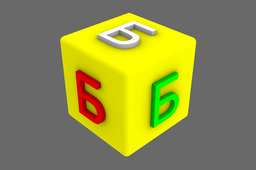
The ! _RemapCPlane command lets you orient (and copy) an object across already saved CPlanes. This is especially useful for situations where the goal is to be able to quickly place copies of the same object(s) onto another CPlane, such like placing a home door in a closed and an opened positions using the CPlanes as a reference. An alternative method is to use the ! _Orient3Pt command, though it will require to manually pick 3 reference points followed by 3 target points for every time you need to orient new objects. This is where the ! _RemapCPlane command unleashes its full potential as it only requires two (or more) saved CPlanes initially, then every next copy-and-orient operation happens by double-clicking on the target CPlane listed in the "Named CPlanes" pop-up window.
Rhino
place
transform
move
copy
align
cplane
remap
orient