Learn about the GrabCAD Platform
Get to know GrabCAD as an open software platform for Additive Manufacturing
Visit our new homepage
Home
Control
Shop
Streamline Pro
Partner Program
Print
Community
Log in
Library
Challenges
Groups
Questions
Tutorials
Engineers
Blog
Log in
Learn from thousands of free Tutorials.
New user?
Join the community
or
log in.
Tutorials
Most liked all time
Recent
Most liked
Most viewed
Most commented
This week
This month
All time
Category
Design & CAD
Modeling
Drafting
Assemblies
BOM
Dimensioning / Tolerancing
Translations
Manufacturing & CAM
3D Printing
Tooling
NC Machining
Composites
Measurement / Inspection
Simulation & CAE
FEM
CFD
Kinematics
Process Simulation
Engineering Fundamentals
Theory
Process
Standards
Other
Software
Snagit
Alibre Design
ArchiCAD
AutoCAD
AutoCAD Electrical
Autodesk 3ds Max
Autodesk Alias
Autodesk Inventor
Autodesk Maya
Autodesk Revit
Autodesk 123D
BricsCAD
Bentley MicroStation
BlenderCAD
BobCAD-CAM
CATIA
Delmia
DraftSight
FreeCAD
Femap
Fusion 360
Geomagic Design
IronCAD
JT
Kompas-3D
KeyCreator
KeyShot
Lagoa
Luxology
Mastercam
Moi3D
NX Unigraphics
OBJ
Onshape
OpenSCAD
Parasolid
Powermill
Powershape
Pro/Engineer Wildfire
PTC Creo Parametric
PTC Creo Elements
Rhino
SpaceClaim
SOLIDWORKS
solidThinking Evolve
Solid Edge
SolidFace
STEP / IGES
SketchUp
STL
TopSolid
TinkerCAD
T-Flex CAD
TurboCAD
VectorWorks
ViaCAD 3D
VRML / WRL
ZW3D
GrabCAD Print
Rendering
GrabCAD Community
GrabCAD Workbench
Text file
3D Manufacturing Format
Cinema 4D
Other
Intermediate
All levels
Beginner
Intermediate
Expert
feature
×
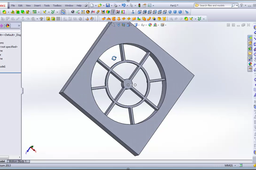
SolidWorks: Mouting Boss and Vent
Huy Pham
in
Modeling
1
0
Intermediate
I have a video on youtube I hope it useful for you https://youtu.be/1nyYN7G6GU8
SOLIDWORKS
solidworks
vent
boss
mouting
feature
fastening
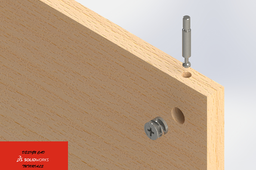
#Solidworks smart library function
jaouad jad
in
Design & CAD
1
0
Intermediate
How to create a library design feature in SOLIDWORKS. cam lock and nut system
SOLIDWORKS
intelligente
fonction
feature
function
smart
tutoriel
solidworks
tutorial
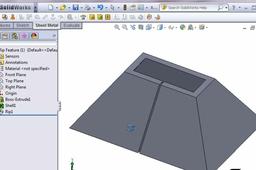
Sheet metal - 26 - "Rip Feature"
Jeff Stein
in
Modeling
1
0
Intermediate
https://grabcad.com/library/sheet-metal-26-rip-feature-1 Solidworks - Sheet Metal - "Rip Feature" tutorial with working files and video. If you cannot view the flv video file, then download and install VLC media player located here... https://get.videolan.org/vlc/3.0.12/win64/vlc-3.0.12-win64.exe
SOLIDWORKS
feature
rip
metal
sheet
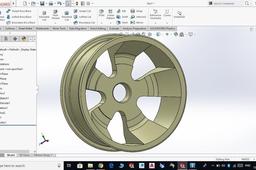
Car Wheel Rim 3DModel - Solidworks
Sandeep Sharma
in
Modeling
1
0
Intermediate
HI guys namaste in this video I have designed a wheel in SolidWorks using the revolved tool I hope you will like it watch and learn also don't forget to subscribe for more videos liked this click to watch https://youtu.be/CSTstw5alhc
SOLIDWORKS
soldworks
basic
revolve
feature
revolved
use
3d
make
model
solidworks
wheel
draw
how
Solidworks 2012,, Tutorial, Wrap Feature Tutorial?
Fahad Butt
in
Design & CAD
0
0
Intermediate
follow the steps correctly and you'll complete wrapping in 15 mins tops! ASK questions if you get stuck anywhere! cheers! pause and review as many times as you want!
SOLIDWORKS
solidworks
feature
wrap
tutorial
2012
What is Extrude
Fahad Butt
in
Design & CAD
0
0
Intermediate
Enjoy this very basic guide to Extrude.
SOLIDWORKS
basics
extrude
feature
solidworks
How to use power Copy in CATIAV5
Prasad Magi
in
Modeling
0
0
Intermediate
In this video tutorial the main concept of Power Copy is used which is very important in automotive interior plastic domain.
CATIA
feature
sided
snap
volume
close
interior
plastic
automotive
catiav5
CATIA 3DEXPERIENCE Cloud Part Feature Recognition
ferdo
in
Modeling
0
0
Intermediate
Two short examples about how to use Part Feature Recognition in CATIA 3DEXPERIENCE Cloud. https://www.linkedin.com/pulse/part-feature-recognition-catia-3dexperience-cloud-fernando-petre/
CATIA
recognition
feature
3dexperience
catia
solidworks advanced tutorials 110 | Sweep with composite curve
sakib ahmed
in
Modeling
0
0
Intermediate
To create a sweep feature the Sweep Path gets created first, then and a single closed sketch Profile. The Profile will be related to the Sweep Path with a PIERCE or a coincident relation. When the Profile is swept, the Sweep Path and Guide Curves help control the shape and its behaviors such as twisting, tangencies, etc. The Composite Curve I ~I option allows multiple sketches or model edges to be jointed into one continuous path for use in sweep features. (The sketches must be connecting with one another in order for the composite curve to work. This lesson will guide you through the creation of a helical extension spring; where several 2D sketches will be combined with a 3D helix to create one continuous curve. This curve is called: Composite Curve.
SOLIDWORKS
extension
spring
helical
curve
composite
feature
sweep
advanced
solidworks
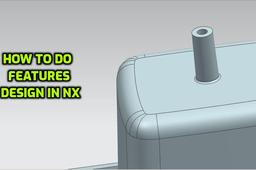
Features design in nx software
Prasad Magi
in
Modeling
0
0
Intermediate
In this tutorial, u will get to know about how to make feature design in close volume part on its B sided surface in nx Unigraphics software. Mainly Boss design is created in this tutorial.
NX Unigraphics
mechanical
volume
close
design
feature
automotive
nx
Extracting Part History From Imported Parts in CATIA V5
Innovative Mechanical Designs
in
Modeling
0
0
Intermediate
In this tutorial i have explained how to extract part history from imported parts in CATIA using feature recognition tool.
CATIA
tutorial
design
part
recognition
feature
geometry
imported
v5
catia
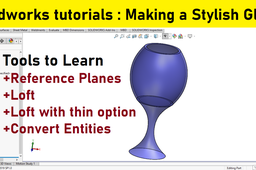
Solidworks advanced tutorials 126 | Making a stylish glass
sakib ahmed
in
Modeling
0
0
Intermediate
Solidworks advanced tutorial. Making a stylish glass Tools to Learn +Working with reference planes +How to use Loft boss feature +How to use convert entities feature? +How to use solidworks loft thin option?
SOLIDWORKS
option
tutorial
advanced
tool
feature
thin
loft
solidworks
use
how
Features design in UG-nx
Prasad Magi
in
Modeling
0
0
Intermediate
In this video tutorial, u will learn how to design boss on B sided of close volume part in ug-nx software
NX Unigraphics
feature
nx
design
boss
volume
close
ugnx
automotive