Learn about the GrabCAD Platform
Get to know GrabCAD as an open software platform for Additive Manufacturing
Visit our new homepage
Home
Control
Shop
Streamline Pro
Partner Program
Print
Community
Log in
Library
Challenges
Groups
Questions
Tutorials
Engineers
Blog
Log in
Learn from thousands of free Tutorials.
New user?
Join the community
or
log in.
Tutorials
Most liked all time
Recent
Most liked
Most viewed
Most commented
This week
This month
All time
Category
Design & CAD
Modeling
Drafting
Assemblies
BOM
Dimensioning / Tolerancing
Translations
Manufacturing & CAM
3D Printing
Tooling
NC Machining
Composites
Measurement / Inspection
Simulation & CAE
FEM
CFD
Kinematics
Process Simulation
Engineering Fundamentals
Theory
Process
Standards
Other
Software
Snagit
Alibre Design
ArchiCAD
AutoCAD
AutoCAD Electrical
Autodesk 3ds Max
Autodesk Alias
Autodesk Inventor
Autodesk Maya
Autodesk Revit
Autodesk 123D
BricsCAD
Bentley MicroStation
BlenderCAD
BobCAD-CAM
CATIA
Delmia
DraftSight
FreeCAD
Femap
Fusion 360
Geomagic Design
IronCAD
JT
Kompas-3D
KeyCreator
KeyShot
Lagoa
Luxology
Mastercam
Moi3D
NX Unigraphics
OBJ
Onshape
OpenSCAD
Parasolid
Powermill
Powershape
Pro/Engineer Wildfire
PTC Creo Parametric
PTC Creo Elements
Rhino
SpaceClaim
SOLIDWORKS
solidThinking Evolve
Solid Edge
SolidFace
STEP / IGES
SketchUp
STL
TopSolid
TinkerCAD
T-Flex CAD
TurboCAD
VectorWorks
ViaCAD 3D
VRML / WRL
ZW3D
GrabCAD Print
Rendering
GrabCAD Community
GrabCAD Workbench
Text file
3D Manufacturing Format
Cinema 4D
Other
Skill level
All levels
Beginner
Intermediate
Expert
How to Create Incredibly Complex Textured Shapes for 3D Printing, Using Bump Mapping
Shuvom Ghose
in
3D Printing
37
6
Expert
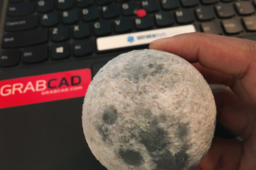
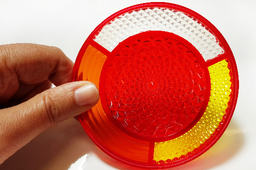
This tutorial covers how to use 2D images to create actual 3D depth and physical textures on your CAD parts and then 3D print them. Mainly we use Rhino to do the displacement-mapping, but Photoshop could be used as well. Files were then printed in full color on a Stratasys J750.
j55
polyjet
j750
rhino
stratasys
displacement
texture
bump
How to Color Proof Your 3D Prints (Using This Super-Secret Stratasys Website)
Shuvom Ghose
in
3D Printing
33
6
Beginner
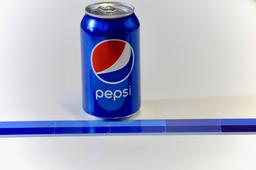
If a customer has ever come to you and said, "I need the color of this 3D print to match this RGB or Pantone EXACTLY!" and you've wondered how to do that – this is the tutorial for you! We'll talk about soft proofing (how to make sure your printer can even print a given color) and hard proofing (matching what you see on screen with a physical result) using Photoshop and the most advanced color printer on the market, a Stratasys J750! (You can find a video version of this tutorial here: https://youtu.be/XsollrDbUVc)
j55
polyjet
rgb
proofing
color
stratasys
photoshop
j750
How to 3D Print in Full Color (Part 1)
Shuvom Ghose
in
3D Printing
32
7
Beginner
This is a series of tutorials to help printer operators who are NOT graphic artists get the absolute most out of their multi-color, multi-material 3D printers, like the Stratasys J750. We will cover what types of files multi-color printers can accept and how to manipulate colors in Photoshop, Rhino, etc, to get the full gradient texture effects that most color printer users want.
j55
texture
stratasys
printing
color
vrml
j750
polyjet
How to 3D Print in Full Color (Part 2): Repairing and Checking VRMLs
Shuvom Ghose
in
3D Printing
27
4
Intermediate
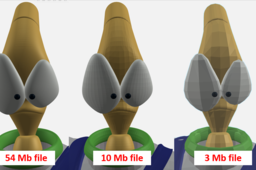
This is the second in a series of tutorials to help printer operators who are NOT graphic artists get the absolute most out of their multi-color, multi-material 3D printers, like the Stratasys J750. We will cover how to look deeper inside our VRML files to predict if they will import correctly and how to choose the resolution of VRML files from Rhino and other artistic CAD programs to make sure they are capturing the information you want.
j55
polyjet
rhino
zbrush
uv
color
j750
vrml
How to 3D Print in Full Color (Part 3): Clear + Texture Together
Shuvom Ghose
in
3D Printing
24
5
Expert
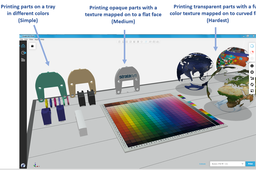
This is the third in a series of tutorials to help printer operators who are NOT graphic artists get the absolute most out of their multi-color, multi-material 3D printers, like the Stratasys J750. We will cover how to create models with semi-transparent textures wrapped around curved, transparent bodies (taking advantage of a new slicer from Stratasys), and how to fix UV-mapping problems when wrapping 2D textures around 3D bodies goes wrong.
series
j8
j55
photoshop
maya
uv
polyjet
vrml
j750
Hand Sanding and Polishing for PolyJet 3D Printed Parts
Stratasys
in
3D Printing
11
1
Intermediate
Sanding and polishing 3D prints can be tricky. This tutorial demonstrates how to handle post-processing for printed parts when using the Stratasys J750.
finishing
processing
part
printing
3d
polyjet
j750
stratasys
Adding Textures to 3D models; Texture, Bump, and Displacement Mapping: How to Make Photo-realistic Models
Naftali Eder
in
3D Printing
9
0
Beginner
In our previous tutorials, we discussed applying colour to 3D printed models. But the Stratasys J750™ and J735™ also have more advanced capabilities, including the ability to create photorealistic lifelike product models incorporating company logos, detailed text, and graphic elements. It can also produce models with surface finishes that mimic various materials, such as leather and wood. This tutorial will explain the theory behind how these effects are applied. In future tutorials we will investigate how to quickly use these tools to achieve fantastic realistic parts.
displacement
photorealistic
leather
polyjet
j750
stratasys
colour
texture
How to Make GrabCAD Voxel Print Slices Using Matlab
Stratasys
in
3D Printing
8
1
Expert
This tutorial is intended for users who already have a passing familiarity with Matlab and J750 operation. It is NOT intended to be a comprehensive lesson on how to use the Matlab software or PolyJet printers. The following is brought to you by Stratasys:
polyjet
stratasys
3dprinting
grabcadprint
voxel
matlab
The New Vivid Materials: Why Should I Use Them?
Alexa Nahum
in
3D Printing
3
1
Beginner
Stratasys® recently rolled out some new vivid materials for the J750™/J735™ and Connex3 printers. This tutorial will explain what new capabilities these vivids offer and some different ideas for applications. We will be posting a second tutorial that will walk through how to print with the materials.
polyjet
material
vivid
stratasys
transparent
connex3
j735
j750
How to 3D Print a Fully Colored Heart: with Texture + Clear Together. (Part 1)
Mohsen Minouei
in
3D Printing
3
0
Expert
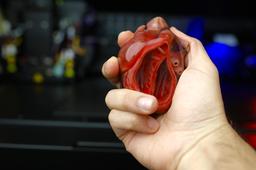
This is the first tutorial to help those who have a color 3D printer like the J750 Stratasys. How they can get the best results from their printers. In this tutorial, we will not teach you how to model a heart. We only teach you how to prepare the file for printing and also what to do for post-processing after printing. www.3dman.ca
heart
j750stratasys
3dprinting
3dbioprinting
Crisp emboss/deboss colors with Stratasys polyjet
Dan Hulme
in
3D Printing
3
0
Beginner
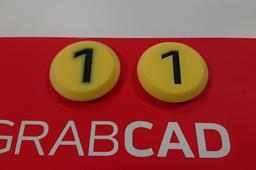
Recently I was printing some board game tokens on our Stratasys J750, and I noticed the colors on my debossed labels looked blurry. At first I thought there was something wrong with the printer, but I soon realised the problem was in my design! I changed my design slightly to get crisp colors. If you've had similar problems with embossed or debossed text or logos, here's how to get them sharp. I've included instructions for Solidworks, but the same idea applies to any CAD tool or mesh editor.
j750
color
labels
emboss
polyjet
Part 3: Setting Up for Soft Proofing in Adobe® Photoshop®
Naftali Eder
in
Process
3
0
Beginner
This tutorial is a continuation of my last tutorial "Part 2: Introduction to Color Proofing: Uploading the Stratasys Color Profile". It will demonstrate how to How to Use Adobe® Photoshop® to simulate how colors selected on screen will print on the J750 and how to adjust your input color if required.
VRML / WRL
polyjet
rgb
matching
proofing
j750
stratasys
photoshop
color
How to Install GrabCAD Print on Your Stratasys J Series Printers
Stratasys
in
3D Printing
1
0
Beginner
This tutorial covers how to set up your GrabCAD Print software for your J750 or any other Stratasys printer in the J series.
j8series
j55
software
j750
polyjet
3dprinting
grabcadprint
stratasys
JP_010: PolyJetで3D造形した部品の手作業による研磨と艶出し
Stratasys Japan
in
3D Printing
1
0
Intermediate
3D造形品の研磨と艶出しには注意が必要な場合があります。このチュートリアルでは、Stratasys J750を使って造形した部品の後処理の実施方法を紹介します。
stratasys
polyjet
3d
printing
part
processing
finishing
Applying Colors to Your Model Using SOLIDWORKS, Adobe Photoshop, and Rhinoceros
Stratasys
in
3D Printing
0
0
Intermediate
Being able to print in full color, including gradients and textures, is one of the many advantages of the Stratasys J750 3D Printer. This best practices document provides instructions for color selection with the Stratasys J750 and includes procedures for models designed with SOLIDWORKS, Adobe Photoshop and Rhinoceros software.
rhinoceros
photoshop
solidworks
printing
designing
3dprinting
stratasys
color