Learn about the GrabCAD Platform
Get to know GrabCAD as an open software platform for Additive Manufacturing
Visit our new homepage
Home
Control
Shop
Streamline Pro
Partner Program
Print
Community
Log in
Library
Challenges
Groups
Questions
Tutorials
Engineers
Blog
Log in
Learn from thousands of free Tutorials.
New user?
Join the community
or
log in.
Tutorials
Most liked all time
Recent
Most liked
Most viewed
Most commented
This week
This month
All time
Category
Design & CAD
Modeling
Drafting
Assemblies
BOM
Dimensioning / Tolerancing
Translations
Manufacturing & CAM
3D Printing
Tooling
NC Machining
Composites
Measurement / Inspection
Simulation & CAE
FEM
CFD
Kinematics
Process Simulation
Engineering Fundamentals
Theory
Process
Standards
Other
Software
Snagit
Alibre Design
ArchiCAD
AutoCAD
AutoCAD Electrical
Autodesk 3ds Max
Autodesk Alias
Autodesk Inventor
Autodesk Maya
Autodesk Revit
Autodesk 123D
BricsCAD
Bentley MicroStation
BlenderCAD
BobCAD-CAM
CATIA
Delmia
DraftSight
FreeCAD
Femap
Fusion 360
Geomagic Design
IronCAD
JT
Kompas-3D
KeyCreator
KeyShot
Lagoa
Luxology
Mastercam
Moi3D
NX Unigraphics
OBJ
Onshape
OpenSCAD
Parasolid
Powermill
Powershape
Pro/Engineer Wildfire
PTC Creo Parametric
PTC Creo Elements
Rhino
SpaceClaim
SOLIDWORKS
solidThinking Evolve
Solid Edge
SolidFace
STEP / IGES
SketchUp
STL
TopSolid
TinkerCAD
T-Flex CAD
TurboCAD
VectorWorks
ViaCAD 3D
VRML / WRL
ZW3D
GrabCAD Print
Rendering
GrabCAD Community
GrabCAD Workbench
Text file
3D Manufacturing Format
Cinema 4D
Other
Skill level
All levels
Beginner
Intermediate
Expert
CATIA
×
engineering
×
Parametric Gears
Karlo Sučić
in
Modeling
75
14
Beginner
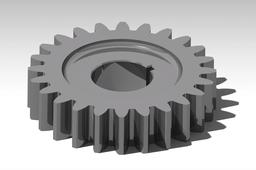
In this tutorial I will show you how to make various parametric gears. You will need basic knowledge of Catia tools. Property of Feri Čiradžija, mechanical engineer.
CATIA
gear
engineering
mechanical
parametric
gears
catia
Reverse Engineering: Power Fit
Maxime Chagnot
in
Modeling
8
0
Intermediate
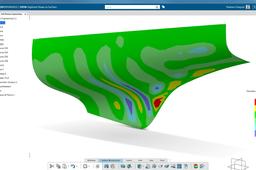
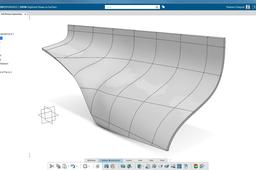
This video shows you how to transform a cloud mesh (based on a "STL" file) into a proper surface. It is a reverse engineering topic where you have a hull that you cannot work on. With the dedicated Digitized Shape applications, you can transform this mesh into a surface using the PowerFit feature. You will obtain a surface that is very near from the original mesh, with a maximal deviation of 0.972 mm.
CATIA
hull
3dexperience
fit
power
engineering
reverse
catia
CATIA Projection Sketch Technique
Innovative Mechanical Designs
in
Modeling
2
2
Beginner
This tutorial explains different methods to create a model in catia v5 by using different modeling approaches. Projection sketch technique is one such technique which helps users to create models in a bit fast manner.
CATIA
sketch
projection
catia
cad
industrial
engineering
mechanical
How Engineering Connections works?
Maxime Chagnot
in
Modeling
2
0
Beginner
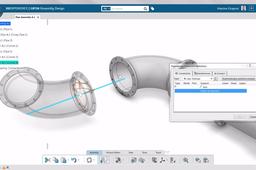
https://youtu.be/hp6KaAde0-Q Short Tutorial / Demonstration of Engineering Connections feature in CATIA Assembly Design application in the 3DExperience
CATIA
easy
kinematic
connections
engineering
design
assembly
3dexperience
catia
Tranform a Scan (STL) into a Surface
Maxime Chagnot
in
Modeling
2
0
Beginner
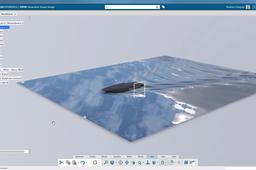
Video: https://youtu.be/Qo6hzCDecfg Article: https://plmtechnology.no/2016/10/27/transform-a-scan-into-a-surface-with-catia-3dexperience/ How can we reuse the data from a STL file? With the Automatic Surface feature (Digitized Shape to Surface application) you can easily transform a 3D Scan into a clean surface. The Reverse Engineering role contains also all the features needed to work with cloud points and scan, such as healing, tesselation, smoothing, surface network and many more...
CATIA
surface
tesselation
scan
stl
engineering
reverse
3dexperience
catia
[VIDEO] Reverse Engineering: Surface Network
Maxime Chagnot
in
Modeling
1
0
Intermediate
This video shows you how to transform a cloud mesh (based on a "STL" file) into a proper surface. It is a reverse engineering topic where you have a hull that you cannot work on. With the dedicated Digitized Shape applications, you can transform this mesh into a surface using the Surfaces Network feature. This method is different from the PowerFit, you create a grid on the mesh, that you fill with small patches. This procedure is less automated, so you need to join and heal the patches together.
CATIA
network
surface
3dexperience
hull
rebuild
engineering
reverse
catia
🚀 Check Out My Bearing Design! Watch Now! 🚀
FarmMach Pro
in
Modeling
1
1
Expert
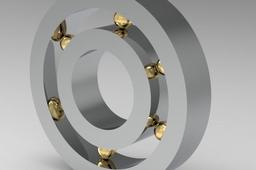
🚀Check Out My Bearing Design! Watch Now! 🚀 My brand new bearing design stands out with its durability and performance! Discover this engineering marvel by watching my video. Learn about its innovative features and how it makes a difference. Benefit from this advanced design! 🚀Rulman Tasarımım Burada! İzleyin! 🚀 Yepyeni rulman tasarımım, dayanıklılık ve performansıyla dikkat çekiyor! Mühendislik harikası bu tasarımı keşfetmek için videomu hemen izleyin. Detayları, yenilikçi özellikleri ve nasıl fark yarattığını öğrenin. Siz de bu ileri düzey tasarımın avantajlarından yararlanın! 👉 https://www.youtube.com/@farmmachpro
CATIA
automation
technology
rulman
performance
durability
mechanicalengineering
engineering
bearingdesign
CATIA | How to Extrude a Part Face up to a Surface
The Savvy Engineer
in
Modeling
1
0
Beginner
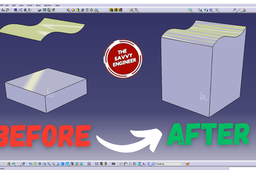
Learning how to extrude a part face up to a surface in CATIA is an essential skill for anyone involved in 3D modeling, product design, or mechanical engineering. This feature allows designers to create highly accurate and complex geometries that match specific design requirements. Instead of extruding to a fixed distance, you can extrude precisely until your geometry meets another surface. This ensures that your part adapts to existing shapes or reference models, maintaining design intent and precision.
CATIA
engineering
surface
extrude
catia
CATIALOG CATIA TUTORIALS
Berkan Ozturk
in
Modeling
1
0
Expert
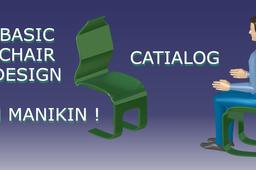
FOR INTERESTING ANAWESOME CATIA VIDEOS YOU WON'T FIND ANYWHERE
CATIA
design
shape
kinematics
modelling
analysis
engineering
reverse
Relations,Parameters,Design Table & Part catalogs in CATIA
Innovative Mechanical Designs
in
Modeling
0
0
Intermediate
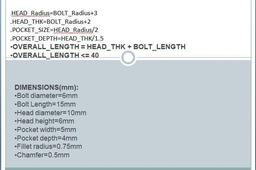
In this session, I have explained use of mathematical formulae to drive CAD model & how to create part catalogs or custom part libraries in CATIA. Mathematical Modeling is one of the powerful aspects in industrial design.
CATIA
product
engineering
mechanical
tutorial
modeling
mathematical
industrial
table
design
v5
catia
CATIA V5 - The Mandalorian Miniature - Reverse Engineering
3D Comparison
in
Modeling
0
0
Expert
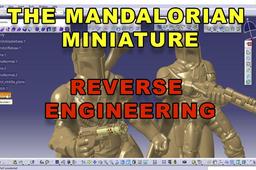
The workflow makes use the following models available at: 3D model available at: https://www.thingiverse.com/thing:3989757
CATIA
reconstruction
quick
surface
gsd
stl
engineering
reverse
catia v5
Inverse engineering for a eolian propeller
Daniel Nicolae
in
Modeling
0
0
Intermediate
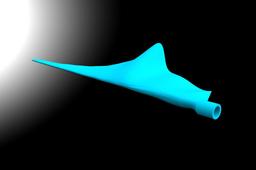
This tutorial shows you how to make a eolian propeller in the Generative Shape Design from Catia V5, using images projected on parallel planes. https://www.youtube.com/watch?v=EycaXt1uqhA
CATIA
shape
design
surface
catia
engineering
inverse
eolian
propeller