Learn about the GrabCAD Platform
Get to know GrabCAD as an open software platform for Additive Manufacturing
Visit our new homepage
Home
Control
Shop
Streamline Pro
Partner Program
Print
Community
Log in
Library
Challenges
Groups
Questions
Tutorials
Engineers
Blog
Log in
Learn from thousands of free Tutorials.
New user?
Join the community
or
log in.
Tutorials
Most liked all time
Recent
Most liked
Most viewed
Most commented
This week
This month
All time
Category
Design & CAD
Modeling
Drafting
Assemblies
BOM
Dimensioning / Tolerancing
Translations
Manufacturing & CAM
3D Printing
Tooling
NC Machining
Composites
Measurement / Inspection
Simulation & CAE
FEM
CFD
Kinematics
Process Simulation
Engineering Fundamentals
Theory
Process
Standards
Other
Software
Snagit
Alibre Design
ArchiCAD
AutoCAD
AutoCAD Electrical
Autodesk 3ds Max
Autodesk Alias
Autodesk Inventor
Autodesk Maya
Autodesk Revit
Autodesk 123D
BricsCAD
Bentley MicroStation
BlenderCAD
BobCAD-CAM
CATIA
Delmia
DraftSight
FreeCAD
Femap
Fusion 360
Geomagic Design
IronCAD
JT
Kompas-3D
KeyCreator
KeyShot
Lagoa
Luxology
Mastercam
Moi3D
NX Unigraphics
OBJ
Onshape
OpenSCAD
Parasolid
Powermill
Powershape
Pro/Engineer Wildfire
PTC Creo Parametric
PTC Creo Elements
Rhino
SpaceClaim
SOLIDWORKS
solidThinking Evolve
Solid Edge
SolidFace
STEP / IGES
SketchUp
STL
TopSolid
TinkerCAD
T-Flex CAD
TurboCAD
VectorWorks
ViaCAD 3D
VRML / WRL
ZW3D
GrabCAD Print
Rendering
GrabCAD Community
GrabCAD Workbench
Text file
3D Manufacturing Format
Cinema 4D
Other
Skill level
All levels
Beginner
Intermediate
Expert
SOLIDWORKS
×
materials
×
[VIDEO]Exploded Views Description(Arabic Tutorial)
Ahmed ElPrince
in
Modeling
95
13
Expert
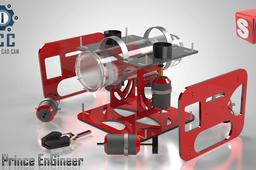
Hello Everybody and Welcome In This Video Tutorial I'll give an Intro. about Exploded Views Also Explain How to Make an Exploded View Using SOLIDWORKS Also Export it into a Drawing and Make Bill of Material Table . I Hope You Enjoy Watching my Tutorial. if you Learned Something New Please Like and Subscribe For more Useful Videos
SOLIDWORKS
solidworks
study
motion
materials
bill
render
views
exploded
Investigation for constructions with renewable raw materials
scarus
in
Modeling
7
0
Expert
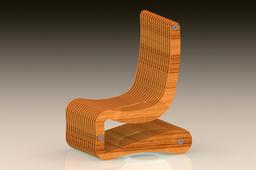
Why did I develop the last constructions in the area of furniture when I normally develop medical products (instruments)? The reason was to carry out studies on how to make large assemblies and products from a few, simple and repeatable parts. In addition to the striking design, far from the mainstream, another condition was to use renewable raw materials that have at least 75% volume. Last but not least, the products should be durable and usable. The requirements were all met or exceeded. Now the investigations follow, which prices have to be achieved in order to be able to produce cost-effectively. In the end, this should prove that it is possible to produce attractive products that also make ecological sense.
SOLIDWORKS
materials
raw
renewable
development
furniture
study
What is the best/fastest way to import the body files to Keyshot with being able to assign different materials/colors to several places of body?
Indrek Narusk
in
Design & CAD
2
0
Beginner
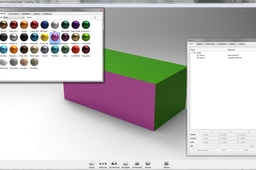
If you want to add different colors/materials to different faces on one single body then you have to differentiate the faces in SW before importing it to Keyshot. (Unfortunately Keyshot doesn't support "faces" like Photoview, so you have to assign different colors in SW first - then Keyshot recognizes them as different surfaces). Here is an example how to add different materials to a single body on part cube.
SOLIDWORKS
solidworks
materials
body
keyshot
importing
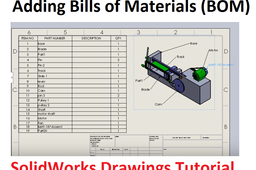
Adding Bill of Material BOM and Balloons in SolidWorks Drawings
Usman Akhtar
in
BOM
1
0
Expert
https://youtu.be/T0xps1NJqXQ
SOLIDWORKS
materials
bill
drawings
solidworks
SolidWorks practice tutorial
BENJAMIN OKELLO
in
Modeling
0
0
Beginner
This tutorial illustrates how to add material and colour to a model/design in SolidWorks. In addition, also how to use chamfer, fillet, extruded boss/base in SolidWorks.
SOLIDWORKS
boss
cut
extruded
dimensions
colour
materials
fillet
chamfer
How to Use Appearances in SolidWorks
Paul Dadzie
in
Modeling
0
0
Beginner
When it comes to 3D modeling software, SOLIDWORKS is king. The innovative, integrated software solution offers various robust features to accommodate even the most intricate models. SOLIDWORKS can be used to make anything. If you can think it, you can model it. In fact, it doesn’t even have to be manufacturable. Want to apply colors, textures and decals onto your models? After watching this Video Tech Tip, you will know the ins and outs of applying appearances in SOLIDWORKS. An appearance defines the visual properties of a model, including color and texture. Appearances do not affect physical properties, which are defined by materials. Appearances takes your model or part one step closer to looking more realistic and lively. In a part, you can add appearances to faces, features, bodies, and the part itself.
SOLIDWORKS
materials
appearances
design
3d
cad
tutorial
2021
solidworks
solidworks BOM
taufik .
in
BOM
0
0
Intermediate
Calculation of material requirements for disolidworks
SOLIDWORKS
materials
bill
drawing
bom
solidworks