Learn about the GrabCAD Platform
Get to know GrabCAD as an open software platform for Additive Manufacturing
Visit our new homepage
Home
Control
Shop
Streamline Pro
Partner Program
Print
Community
Log in
Library
Challenges
Groups
Questions
Tutorials
Engineers
Blog
Log in
Learn from thousands of free Tutorials.
New user?
Join the community
or
log in.
Tutorials
Most liked all time
Recent
Most liked
Most viewed
Most commented
This week
This month
All time
Category
Design & CAD
Modeling
Drafting
Assemblies
BOM
Dimensioning / Tolerancing
Translations
Manufacturing & CAM
3D Printing
Tooling
NC Machining
Composites
Measurement / Inspection
Simulation & CAE
FEM
CFD
Kinematics
Process Simulation
Engineering Fundamentals
Theory
Process
Standards
Other
Software
Snagit
Alibre Design
ArchiCAD
AutoCAD
AutoCAD Electrical
Autodesk 3ds Max
Autodesk Alias
Autodesk Inventor
Autodesk Maya
Autodesk Revit
Autodesk 123D
BricsCAD
Bentley MicroStation
BlenderCAD
BobCAD-CAM
CATIA
Delmia
DraftSight
FreeCAD
Femap
Fusion 360
Geomagic Design
IronCAD
JT
Kompas-3D
KeyCreator
KeyShot
Lagoa
Luxology
Mastercam
Moi3D
NX Unigraphics
OBJ
Onshape
OpenSCAD
Parasolid
Powermill
Powershape
Pro/Engineer Wildfire
PTC Creo Parametric
PTC Creo Elements
Rhino
SpaceClaim
SOLIDWORKS
solidThinking Evolve
Solid Edge
SolidFace
STEP / IGES
SketchUp
STL
TopSolid
TinkerCAD
T-Flex CAD
TurboCAD
VectorWorks
ViaCAD 3D
VRML / WRL
ZW3D
GrabCAD Print
Rendering
GrabCAD Community
GrabCAD Workbench
Text file
3D Manufacturing Format
Cinema 4D
Other
Skill level
All levels
Beginner
Intermediate
Expert
extrusion
×
SolidWorks Tutorial Part 01 Aluminium Extrusion.
Bluebell Metal
in
Modeling
4
0
Beginner
Topic Cover 1. Sketch ______________________________________________________________ 1.1 Plane 1.2 Line | Circle | Rectangle | Fillet 1.3 Trim | Offset Entities | Mirror | Circular Sketch Pattern ______________________________________________________________ 2. Features 2.1 Extrude Boss/Base ______________________________________________________________ 3. Appearance 3.1 Material Selection 3.2 Appearance Edit ______________________________________________________________
SOLIDWORKS
motion
linear
extrusion
aluminium
tutorial
part
sketch
solidworks
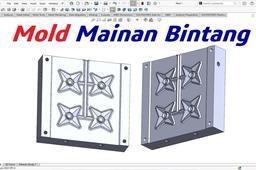
Ekstrusi Blow Mold pada Mainan Bintang
langgeng wahyu hidayat
in
Modeling
3
0
Intermediate
Pada video sebelumnya ( https://youtu.be/qmZgXg_zIow?si=NPcxOyBuHoNTvCYh ), saya menampilkan model mainan plastik berbentuk bintang. Nah kali ini saya akan membuatkan desain atau konstruksi mold-nya untuk model tersebut. Proses cetaknya menggunakan sistem tiup atau "blow mold", yaitu bahan plastik dialirkan ke mold dengan proses ekstrusi. Mold menutup lalu dilanjutkan dengan proses tiup atau blow sehingga plastik ekstrusi tersebut menempel pada dinding mold membentuk profil sesuai cetakan. Ada pisau pemotong dengan tebal 1 mm di pinggir profil bintang. Serong 45° dengan kedalaman 3 mm. Untuk membuat cetakannya bisa dilihat di videonya. Terima kasih. Semoga bermanfaat!
SOLIDWORKS
toys
extrusion
blow mold
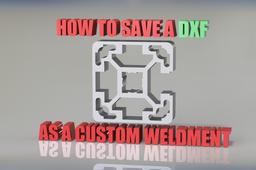
Saving a DXF as a weldment on solidworks
KJN Aluminium Profiles
in
Modeling
3
0
Beginner
A short video showing the simple process of making a DXF file into a usable weldment profile on solidworks. The video is short and assumes the user has watched the more in depth video on how to make a custom weldment: https://youtu.be/AW4U82xr1G4 prior to watching this video.
SOLIDWORKS
part
feat
lib
works
solid
tutorial
profile
extrusion
solidworks
weldments
dxf
Best SolidWorks Tutorial #9_My First Part_Mastering Extruded Cut
Paul Dadzie
in
Modeling
2
0
Beginner
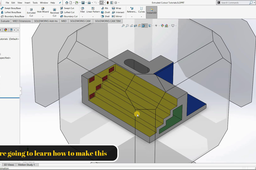
This video will guide you how to use the extruded cut feature in Solidworks to make any model you desire. Kindly subscribe for more videos upcoming. If you also have any request please leave a comment below and i will jump right to it. Thanks!!!!
SOLIDWORKS
design
mastering
model
3d
cad
extrusion
best
tutorials
solidworks
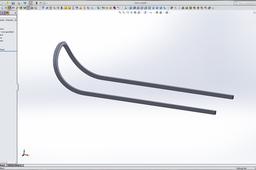
How do i model a curved extrusion like this in solidworks?
saeid mirshahidi
in
Design & CAD
2
1
Intermediate
in SW 2014
SOLIDWORKS
solidworks
extrusion
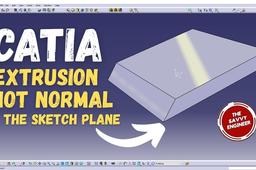
CATIA | How to Create an Extrusion Not Normal to the Sketch Plane
The Savvy Engineer
in
Modeling
1
0
Beginner
Learning “How to Create an Extrusion Not Normal to the Sketch Plane” in CATIA is essential for engineers, designers, and CAD professionals who want to create complex and realistic 3D models. In many real-world designs, parts are not always aligned perpendicularly to a sketch plane — for example, angled brackets, turbine blades, or aerodynamic surfaces. Understanding how to extrude features along a non-normal direction allows you to accurately represent these advanced geometries. This skill enhances your ability to model with precision and flexibility, giving you more control over the orientation and direction of your features. It helps you go beyond basic extrusions, enabling you to handle sophisticated assemblies and meet specific design requirements. Moreover, it improves your efficiency in mechanical design, product development, and simulation workflows, since you can generate accurate shapes without relying on multiple sketch planes or workarounds. By mastering this CATIA technique, you develop a deeper understanding of the software’s geometry control tools and gain a competitive edge in design engineering. Whether you work in automotive, aerospace, or industrial design, knowing how to extrude features not normal to the sketch plane is a powerful skill that reflects true professional-level modeling expertise.
CATIA
sketch plane
extrusion
catia
Extrusion of a self intersecting/open profile
Maniak Cad
in
Modeling
1
0
Beginner
Normally CATIA does not allow user to extrude an open or self intersecting profile. It is not possible to extrude such profile unless you define a thickness of the extrusion. ----------------------------------------------------------------------------------------------------------------- https://catia-tnt.blogspot.com/2017/10/extrusion-of-self-intersectingopen.html -----------------------------------------------------------------------------------------------------------------
CATIA
sketcher
profile
open
extrusion
pad
sketch
v5
catia
extrusion
mokhtar Elhafien
in
Design & CAD
1
0
Beginner
tutorial SolidWorks n°1: extrusion and removal of material
SOLIDWORKS
biginner
material
removal
extrusion
tutorial
tuto
solidworks
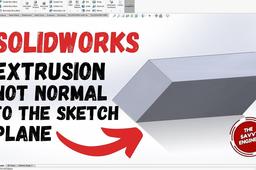
SolidWorks | How to Create an Extrusion not Normal to the Sketch Plane
The Savvy Engineer
in
Modeling
1
0
Beginner
Learning “How to Create an Extrusion Not Normal to the Sketch Plane” in SolidWorks is an important skill for engineers and designers who want to create advanced and realistic 3D models. In practical design work, not all features are perpendicular to their sketch planes—many mechanical parts, brackets, housings, and aerodynamic components require angled or directional extrusions. Knowing how to extrude in a non-normal direction allows you to produce such complex geometries with accuracy and control. This technique expands your modeling capabilities by enabling you to define custom extrusion directions based on edges, planes, or vectors. It eliminates the need to create additional reference planes for every angled feature, saving valuable time and improving design efficiency. Moreover, it enhances the precision and flexibility of your designs, ensuring they meet functional and aesthetic requirements in real-world applications. By mastering this feature in SolidWorks, you develop a deeper understanding of 3D geometry relationships and parametric control. It’s a crucial step toward becoming proficient in advanced part modeling and product development. Whether you work in mechanical, aerospace, or industrial design, being able to create extrusions not normal to the sketch plane demonstrates professional-level skill and a solid grasp of complex modeling concepts.
SOLIDWORKS
extrusion
solidworks
CATIA V5 - I&S - Extrusion and Fill/Merge Surfaces
3D Comparison
in
Modeling
0
0
Beginner
CATIA V5 - I&S - Extrusion and Fill/Merge Surfaces Extrusion is a surface creation tool that allows you to create a new surface by extending an existing surface in a specified direction. The Fill/Merge Surfaces tool allows you to fill gaps between surfaces or merge two or more surfaces into a single surface.
CATIA
faces
surfaces
merge
fill
extrude
extrusion
shape
imagine