Learn about the GrabCAD Platform
Get to know GrabCAD as an open software platform for Additive Manufacturing
Visit our new homepage
Home
Control
Shop
Streamline Pro
Partner Program
Print
Community
Log in
Library
Challenges
Groups
Questions
Tutorials
Engineers
Blog
Log in
Learn from thousands of free Tutorials.
New user?
Join the community
or
log in.
Tutorials
Most liked all time
Recent
Most liked
Most viewed
Most commented
This week
This month
All time
Category
Design & CAD
Modeling
Drafting
Assemblies
BOM
Dimensioning / Tolerancing
Translations
Manufacturing & CAM
3D Printing
Tooling
NC Machining
Composites
Measurement / Inspection
Simulation & CAE
FEM
CFD
Kinematics
Process Simulation
Engineering Fundamentals
Theory
Process
Standards
Other
Software
Snagit
Alibre Design
ArchiCAD
AutoCAD
AutoCAD Electrical
Autodesk 3ds Max
Autodesk Alias
Autodesk Inventor
Autodesk Maya
Autodesk Revit
Autodesk 123D
BricsCAD
Bentley MicroStation
BlenderCAD
BobCAD-CAM
CATIA
Delmia
DraftSight
FreeCAD
Femap
Fusion 360
Geomagic Design
IronCAD
JT
Kompas-3D
KeyCreator
KeyShot
Lagoa
Luxology
Mastercam
Moi3D
NX Unigraphics
OBJ
Onshape
OpenSCAD
Parasolid
Powermill
Powershape
Pro/Engineer Wildfire
PTC Creo Parametric
PTC Creo Elements
Rhino
SpaceClaim
SOLIDWORKS
solidThinking Evolve
Solid Edge
SolidFace
STEP / IGES
SketchUp
STL
TopSolid
TinkerCAD
T-Flex CAD
TurboCAD
VectorWorks
ViaCAD 3D
VRML / WRL
ZW3D
GrabCAD Print
Rendering
GrabCAD Community
GrabCAD Workbench
Text file
3D Manufacturing Format
Cinema 4D
Other
Skill level
All levels
Beginner
Intermediate
Expert
fdm
×
How to 3D Print Jigs & Fixtures, Part 2: Designing for Print
Shuvom Ghose
in
3D Printing
57
6
Beginner
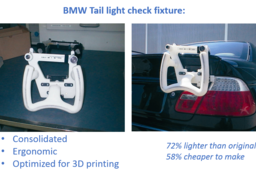
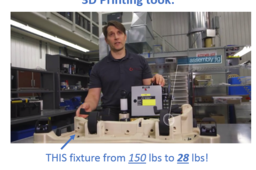
This is the second part of a four-part tutorial series on how to optimize your manufacturing jigs & fixtures for 3D printing. Today, we'll go over what to do in each design pass as you're optimizing your part, including specific steps to do in your CAD package, your print-preparation tool, and if you're bold, your FEA package. Later installments of this series will deal with FDM material selection and post-processing for jigs & fixtures.
fdm
stratasys
printing
3d
fea
solidworks
fixtures
jigs
Designing for FDM Production Parts
Stratasys
in
3D Printing
37
0
Beginner
This best practices tutorial concentrates on factors that impact the quality, value, and performance of FDM production parts. There are a number of design considerations, material choices and performance objectives that should be taken into account when designing for additive manufacturing. Tailoring these decisions to the FDM manufacturing process allows the benefits of FDM to be maximized.
designing
parts
stratasys
production
fdm
How to 3D Texture Your Parts for FDM Printing Using SOLIDWORKS 2019!
Shuvom Ghose
in
3D Printing
35
7
Beginner
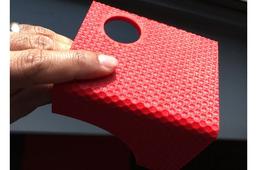
Instructions on how to create physical, repeating textures you can FEEL and TOUCH on your 3D prints, using a new feature found in SOLIDWORKS 2019. (And this technique will work with ANY type of 3D printer, not just Stratasys!)
texture
fdm
displacement
bump
stratasys
solidworks
Fused Deposition Modeling (FDM) Design Guidelines
Stratasys
in
3D Printing
26
0
Beginner
This tutorial is designed to give you a foundation of what to consider when designing and printing a part for Fused Deposition Modeling (FDM). FDM is an additive manufacturing technology that extrudes thin layers of thermoplastic layer by layer until a part is completed. FDM produces robust production parts in engineer-grade thermoplastic, with the added benefits of speed and design freedom possible with 3D printing. The cutting-edge technology is utilized across industries like aerospace, energy and transportation for production components.
sdm
3dprinting
stratasys
guidelines
design
modeling
fdm
How to 3D Print Jigs & Fixtures, Part 1: Choosing Your Target
Shuvom Ghose
in
3D Printing
24
5
Beginner
This tutorial series will take users who are new to 3D printing and show them how to: - Choose which Jigs or Fixtures from your factory floor might be best improved with 3D printing (Part 1) - Optimize your J&F designs for 3D printing by using stress-analysis tools, CAD tools and new 3D print prep tools (Part 2) - Choose which FDM materials to print in for best performance (Part 3) - Post-process your Jig or Fixture for greater utility with inserts, painting, numbering, etc. (Part 4)
stratasys
dfam
fdm
fixtures
jigs
Variable Density FDM parts with Advanced FDM in GrabCAD Print
Dave
in
3D Printing
23
1
Intermediate
A tutorial on how to create an FDM part with discrete zones with different infill patterns & densities. This is a great but simple tactic for reducing the print time and cost of your designs as well as making them both stiff and lightweight.
multibody
print
grabcad
infill
fdm
advanced
stratasys
Finishing Options for FDM and PolyJet 3D Printed Parts
Stratasys
in
3D Printing
22
1
Beginner
Finishing or secondary operations encompasses a broad range of processes that change a manufactured part’s properties. Engineers can employ finishing simply to improve part’s appearance and reshape it to meet certain dimensions, or use it to enhance functionality, such as increasing strength, chemical resistance, electrical conductivity and more. Secondary operations basically turn raw parts into finished goods and this isn’t limited to traditional manufactured parts. 3D printed parts can also be enhanced with secondary operations, but much like designing for additive manufacturing, different processes and best practices apply. Throughout the product design and manufacturing process, engineers should also be thinking about how 3D printed parts can be finished. Determining the appropriate finishing operations depends on the additive process, material and geometry as well as the desired aesthetics and functionality. This guide explains the primary finishing operations additive manufacturing service providers implement for FDM and PolyJet 3D printing technologies, grouped by possible finishing objectives, and compatible materials and applicable design considerations.
blasting
sanding
smoothing
stratasys
3dprinting
polyjet
finishing
fdm
How to 3D Print Jigs & Fixtures, Part 3: Advanced Features and Advanced Materials
Shuvom Ghose
in
Tooling
17
4
Expert
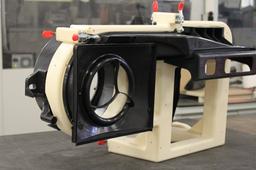
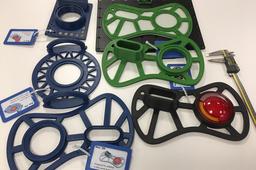
Building on parts 1 and 2 of the series, this tutorial takes you through an ENTIRE agile design cycle for a real fixture we needed in our office, exploring the use of DFAM, advanced infill techniques to save printing time and finishing by going through a material selection process to print in one of the stiffest materials out there- Nylon 12 Carbon Fiber! It's a total, soup-to-nuts, fixtures tutorial!
fiber
dfam
stratasys
fdm
advanced
carbon
fixture
How to Create Texturing Patterns on FDM 3D Printed Parts
Stratasys
in
3D Printing
16
0
Beginner
When producing FDM parts that will be installed in user-facing applications, or when FDM prototypes need to have a more interesting appearance, surface profile and finish are critical. Texturing a part file allows for a unique pattern or design to be built directly into part surfaces, reducing the layer line visibility as well as post-processing time. Coatings and paint can be applied directly to the textured surface to create a finished part.
3-matic
insight
grabcadprint
stratasys
fdm
patters
texturing
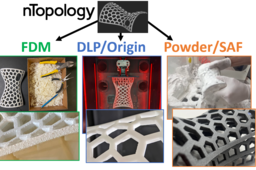
How to create complex Voronoi lattices in nTopology for printing in FDM, DLP and Powderbed!
Shuvom Ghose
in
3D Printing
14
2
Intermediate
We cover how to create complex, strong, organic, yet lightweight shapes for 3D printing using a powerful next-generation generative software, called nTopology, and then compare the results on three different 3D printing methods- FDM, DLP (P3) and Powderbed (SAF)!
voronoi
saf
sls
dlp
fdm
stratasys
lattice
ntopology
How to Insert Metal During an FDM 3D Print Job
Stratasys
in
3D Printing
14
1
Beginner
If not done right, metal that is inserted in FDM parts can look sloppy and unprofessional. With a few easy steps, a metal part can be inserted seamlessly and damage-free.
stratasys
3dprinting
inserts
metal
fdm
How to FDM Print for Part Sliding Clearance
GrabCAD Tutorials
in
Assemblies
13
4
Intermediate
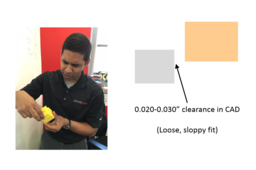
If you are 3D printing parts that have to fit/slide together after printing, you will need to put some sort of clearance between those parts in your CAD system. A good starting place is a clearance 2x the layer height you are going to print at, but you should make a few smaller test prints at different clearances to see if the 2x layer height rule holds for your particular situation and orientation. Have fun and happy printing!
GrabCAD Print
sliding
clearance
printing
3d
fdm
How to Insert a Z Pause in a Stratasys Printer
Anirudh Krishnakumar
in
3D Printing
13
0
Intermediate
How do I use a Stratasys printer with multiple materials? Multiple colors? How do I add metal inserts in my 3D printed part? This tutorial explains how to use Stratasys software to insert pauses (Z-pause) during an FDM print job, to change materials, colors or to add metal inserts. Go to Step 1 for some documentation and examples of parts printed with Z Pause.
multi-material
multi-color
pause
stratasys
printing
3d
fdm
How to Solvent Smooth 3D Printed FDM Parts
Stratasys
in
3D Printing
12
1
Beginner
The normal surface finish of FDM parts is suitable for most purposes, but in applications where a smoother surface is required, solvent smoothing is an alternative to sanding, filling, and mass finishing.
finishing
processing
parts
fdm
stratasys
smoothing
3dprinting
How to Paint an FDM Printed Part
GrabCAD Tutorials
in
3D Printing
12
2
Intermediate
This tutorial will teach you how to paint FDM parts. There are many reasons to paint 3D printed parts, whether it’s for UV protection, sealing or just to make them aesthetically pleasing.
printing
3d
post-processing
painting
fdm
1
2
3
4