Learn about the GrabCAD Platform
Get to know GrabCAD as an open software platform for Additive Manufacturing
Visit our new homepage
Home
Control
Shop
Streamline Pro
Partner Program
Print
Community
Log in
Library
Challenges
Groups
Questions
Tutorials
Engineers
Blog
Log in
Learn from thousands of free Tutorials.
New user?
Join the community
or
log in.
Tutorials
Most liked all time
Recent
Most liked
Most viewed
Most commented
This week
This month
All time
Category
Design & CAD
Modeling
Drafting
Assemblies
BOM
Dimensioning / Tolerancing
Translations
Manufacturing & CAM
3D Printing
Tooling
NC Machining
Composites
Measurement / Inspection
Simulation & CAE
FEM
CFD
Kinematics
Process Simulation
Engineering Fundamentals
Theory
Process
Standards
Other
Software
Snagit
Alibre Design
ArchiCAD
AutoCAD
AutoCAD Electrical
Autodesk 3ds Max
Autodesk Alias
Autodesk Inventor
Autodesk Maya
Autodesk Revit
Autodesk 123D
BricsCAD
Bentley MicroStation
BlenderCAD
BobCAD-CAM
CATIA
Delmia
DraftSight
FreeCAD
Femap
Fusion 360
Geomagic Design
IronCAD
JT
Kompas-3D
KeyCreator
KeyShot
Lagoa
Luxology
Mastercam
Moi3D
NX Unigraphics
OBJ
Onshape
OpenSCAD
Parasolid
Powermill
Powershape
Pro/Engineer Wildfire
PTC Creo Parametric
PTC Creo Elements
Rhino
SpaceClaim
SOLIDWORKS
solidThinking Evolve
Solid Edge
SolidFace
STEP / IGES
SketchUp
STL
TopSolid
TinkerCAD
T-Flex CAD
TurboCAD
VectorWorks
ViaCAD 3D
VRML / WRL
ZW3D
GrabCAD Print
Rendering
GrabCAD Community
GrabCAD Workbench
Text file
3D Manufacturing Format
Cinema 4D
Other
Skill level
All levels
Beginner
Intermediate
Expert
DraftSight
×
Rhino
×
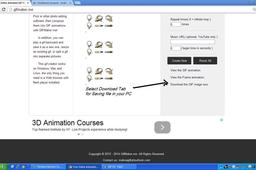
How to make animation or Gif files by simple print commands and print-screen Tab
Patel Deepak
in
Design & CAD
1
2
Intermediate
GIF is the collection of pictures that are put together in the series to for animation, its like filming a blossoming flower, with all the patients, we have to keep taking pictures from same distance and angel with movements happening in the object or zooming in the uniform ratio.
Rhino
gif
rhino
animation
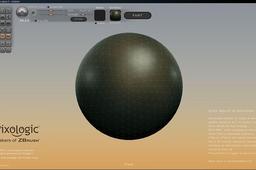
RHINO 7 = RHINO 5 PLUS SCULPTRIS
Germano Pecoraro Designer
in
Modeling
1
1
Beginner
Rhino introduced the SubD command bar in releases 6 and 7. If you still have the previous releases (4-5) one solution I've experimented with is to bundle Rhino 5 with free art modeling software. Even though I have the Rhino 7 release, I can't load it on one of old laptop of mine, so I tried SCULPTRIS, freely downloadable from the web: https://en.wikipedia.org/wiki/Sculptris Files can be exchanged in .OBJ. One limitation of Sculptris is that it sometimes has difficulty importing complex objects. Another limitation of Sculptris is that the starting object to be modeled is a sphere, when instead it would be preferable to start from a cube. This is only a starting free solution, which can be implemented with other more complete artistic software.
Rhino
up-grade software
Editable tween curve on surface or polysurface
Bobi
in
Modeling
1
0
Beginner
History in Rhino 7 must be turned on, in order for the modifications on the input surfaces to affect the output tween surface and its corresponding curve intersection. The latter could be further simplified via the "! _RemoveMultiKnot" command, though that will destroy the history and also may cause the curve to no longer sit perfectly accurate on the surface/polysurface.
Rhino
curve
edit
transition
nurbs
surfacing
surface
tween
rhino
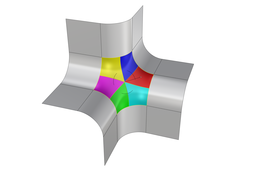
Filling basic 6-sided holes in Rhino (ver. 2)
Bobi
in
Modeling
1
0
Intermediate
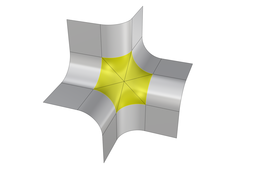
This tutorial shows how to fill a 6-sided hole surrounded by simple planar surface transitions in Rhino.
Rhino
transition
nurbs
surfacing
surface
6-sided
hole
blend
rhino
Filling basic 6-sided holes in Rhino (ver. 3)
Bobi
in
Modeling
1
0
Beginner
This tutorial shows how to fill a 6-sided hole surrounded by simple planar surface transitions in Rhino.
Rhino
rhino
blend
hole
6-sided
surface
surfacing
nurbs
transition
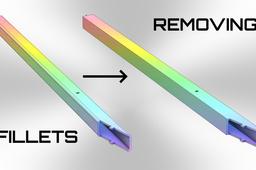
Converting a metal tube with 3 mm fillets to an aluminum extrusion
Bobi
in
Modeling
1
0
Beginner
Converting a metal tube with 3 mm fillets to an aluminum extrusion
Rhino
tube
corner
blend
surface
smooth
fillet
transition
design
Match surfaces manually
Bobi
in
Modeling
1
0
Intermediate
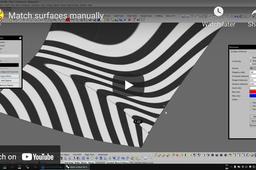
One disturbing issue with "Match surface" is that it will try to transfer the 1st and 2nd row of control points to the target edge while keeping the distances between them relatively unchanged. This is usually great for the majority of users, because it's predictable and even usable in specific cases. However, there must be an option to "unclock" the aforementioned correlation between the 1st and 2nd row of control points and instead let "Match surface" adopt the same distances as the target control points. With that option turned on, the surface to be matched will become perfectly matched to the target one. To demonstrate the HUGE advantage of a potential "Adopt" option that I just described, here is a simple way to achieve the necessary correlation between the 1st and 2nd row of control points by "mirroring" the distances from the target surface to the opposite one. Lets hope that "McNeel" will consider adding such an option in the future releases of Rhino.
Rhino
blend
3d
cnc
curvature
tangent
class-a
surface
match
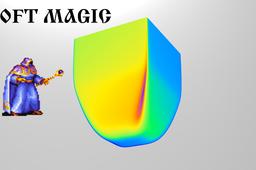
Loft magic
Bobi
in
Modeling
1
0
Beginner
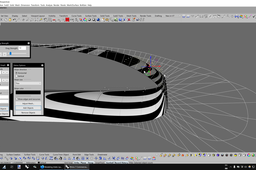
When it comes to organic NURBS shapes like that, nothing can beat the quality, simplicity and History-enabled modification that Loft with the “Loose” option provides. A good practice is to use profile curves with the same degree and amount of control points. I started by creating the round base by using the Circle command with the “Deformable” option and 8 control points. Then, I simply copied it a few times and modified each one individually by moving its control points in the desired location. I also used Scale 3D and Scale 1D to adjust the overall size of each profile curve. As I moved or modified each intermediate curve, the History-enabled Loft surface updated in real-time, thus it let me decide what changes I needed to make to achieve the desired shape. NOTE: In this example initially I used the “Normal” option of Loft, which is not a good way to do the shape. The video capture was interrupted for some reason and stopped far earlier, so you will not see how I then deleted the loft surface and create
Rhino
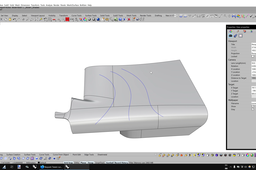
Modeling of an inlet lip in Rhino 7
Bobi
in
Modeling
1
0
Intermediate
P.S. At the end of my video you will notice that I forgot to improve the flow at the tip between the two split surfaces (easily seen on the curvature graph), which I did after I stopped with the video recording.
Rhino
blend
lip
inlet
air intake
airplane
wing
surfacing
rhino
Tutorial: How to make round diamond collet.
Patel Deepak
in
Design & CAD
1
0
Intermediate
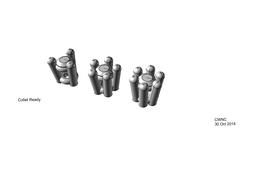
The series of jpegs will guide the way to make round collet
Rhino
gem
diamond
rhino
collet
ring
TUTORIALS BIRD STAND
Beauty Roy Mondal
in
Modeling
1
0
Expert
Simple and easy process of 3D modeling and rendering of interior decoration. This can be used as a centerpiece, and also for adding grace to decoration.
Rhino
cad
design
model
3d
tutorial
stand
bird
rhino
decoration
interior
hobby
How to measure in Rhino?
Patel Deepak
in
Design & CAD
0
0
Intermediate
hi, https://grabcad.com/shawn.norbert-1 Once the dimensions are created , if you want to edit the dimesion just double click ( Left mouse button) and write/ label the desired text. There is another way for editing dimensions, use command # object properties
Rhino
The magic of Loft with "Loose" option
Bobi
in
Modeling
0
0
Beginner
The magic of Loft with "Loose" option
Rhino
nice
industrial
design
box
fillet
blend
surface
loft
Rhinoceros tutorials Building part 2 Parametric modeling 3d Rhinoceros Grasshopper
Matias Adrian Casciotta Gracia
in
Modeling
0
0
Beginner
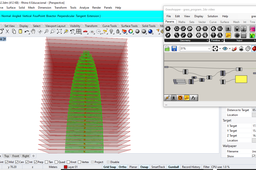
Tutorial edificio parte 2 . Ésto es un tutorial para diseñar a partir de modelos 3d realizados en Rhinoceros y programación visual en Grasshopper. (English) This is a tutorial to design from three-dimensional models made in Rhinoceros and visual programming made in Grasshopper.We include architecture, design, three-dimensional models and programming with the support of software technology regards! subscribe ! MATGICAL@blogspot.com f DigitalMagical magicaldigital Ig
Rhino
visualprogramming
modelado
3d
grasshopper
rhinoceros
modeling
building
tutorial
Advanced surface modeling in Rhino 7
Bobi
in
Modeling
0
0
Intermediate
Advanced surface modeling in Rhino 7 https://youtu.be/JDOnR5jLGbo
Rhino
supercar
super
car
vehicle
automotive
design
nurbs
surfacing
1
2
3
4
5