Learn about the GrabCAD Platform
Get to know GrabCAD as an open software platform for Additive Manufacturing
Visit our new homepage
Home
Control
Shop
Streamline Pro
Partner Program
Print
Community
로그인
Library
Challenges
Groups
Questions
Tutorials
Engineers
Blog
로그인
Learn from thousands of free Tutorials.
New user?
Join the community
or
log in.
Tutorials
Most liked all time
Recent
Most liked
Most viewed
Most commented
This week
This month
All time
Category
Design & CAD
Modeling
Drafting
Assemblies
BOM
Dimensioning / Tolerancing
Translations
Manufacturing & CAM
3D Printing
Tooling
NC Machining
Composites
Measurement / Inspection
Simulation & CAE
FEM
CFD
Kinematics
Process Simulation
Engineering Fundamentals
Theory
Process
Standards
Other
Software
Snagit
Alibre Design
ArchiCAD
AutoCAD
AutoCAD Electrical
Autodesk 3ds Max
Autodesk Alias
Autodesk Inventor
Autodesk Maya
Autodesk Revit
Autodesk 123D
BricsCAD
Bentley MicroStation
BlenderCAD
BobCAD-CAM
CATIA
Delmia
DraftSight
FreeCAD
Femap
Fusion 360
Geomagic Design
IronCAD
JT
Kompas-3D
KeyCreator
KeyShot
Lagoa
Luxology
Mastercam
Moi3D
NX Unigraphics
OBJ
Onshape
OpenSCAD
Parasolid
Powermill
Powershape
Pro/Engineer Wildfire
PTC Creo Parametric
PTC Creo Elements
Rhino
SpaceClaim
SOLIDWORKS
solidThinking Evolve
Solid Edge
SolidFace
STEP / IGES
SketchUp
STL
TopSolid
TinkerCAD
T-Flex CAD
TurboCAD
VectorWorks
ViaCAD 3D
VRML / WRL
ZW3D
GrabCAD Print
Rendering
GrabCAD Community
GrabCAD Workbench
Text file
3D Manufacturing Format
Cinema 4D
Other
Intermediate
All levels
Beginner
Intermediate
Expert
OBJ
×
Solid Edge
×
Other
×
I don't know how to reply to a comment
Sourbh
in
Design & CAD
0
1
Intermediate
Until you start typing one letter in comment box the post button would be in hidden condition. Just simply type, whatever you wanna reply to comment and click the post comment.
Other
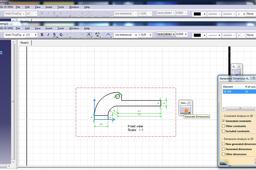
How have automatically all dimensions?
orkun bunsuz
in
Design & CAD
0
0
Intermediate
I don't know which program you are using but in Catia it works like that. First you should create the technical drawing of the part you want to design then you should select the view you want to put your dimensions -be sure that your view is in the red rectangle- then click on "Generate Dimensions", do your arrangements and that's it!
Other
dimensions
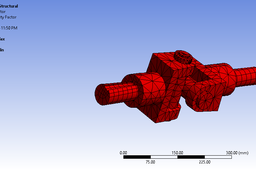
How to do analysis of universal coupling using ansys
harikrushna dodiya
in
Design & CAD
0
0
Intermediate
By following way u can do following way
Other
static
analysis
ansys
coupling
universal
joint
ANSYS MODAL ANALYSIS
FarmMach Pro
in
Modeling
0
0
Intermediate
👉 https://www.youtube.com/@farmmachpro
Other
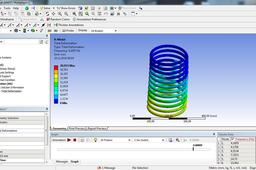
spring coil analysis
spring
analysis
modal analysis
ansys
JP_007: Connex 3Dプリンタで複数の材料から柔らかい部品を造形する方法
Stratasys Japan
in
Design & CAD
0
0
Intermediate
推奨事項
Other
3d
parts
print
flexible
stratasys
connex
flexture
Lattu or Spinning Top - CollabCAD
Aakash Kumar
in
Modeling
0
0
Intermediate
Lattu or Spinning Top Model is created in CollabCAD
Other
tutorials
toy
collabcad
lattu
How to Create a Knife in CollabCAD
Aakash Kumar
in
Assemblies
0
0
Intermediate
Kitchen Knife Assembly Created in CollabCAD
Other
design
product
hobby
fun
just
modeling
3d
utensils
collabcad
kitchen
knife
Industrial Robot Assembly Tutorial - Incomplete || CollabCAD
Aakash Kumar
in
Modeling
0
0
Intermediate
Industrial Robot Assembly Created in CollabCAD
Other
tutorials
collabcad
robotics
robot
industrial
ansys tutorial 3
Armin Yousefi Kanani
in
Design & CAD
0
0
Intermediate
tutorial continuing
Other
ansys
tutorial
MOULD FLOW TRAINING
Sourbh
in
Design & CAD
0
0
Intermediate
And if you need any help regarding the Injection mould design/development than go through mine tutorials. Here:-
Other
Tutorial : Using Laws in the motion
Rahul
in
Design & CAD
0
0
Intermediate
The tutorial continues here.
Other
bicycle frame analysis in ansys
Armin Yousefi Kanani
in
Design & CAD
0
0
Intermediate
you can find this tutorial in Alberta university site but they have done it for ansys 9 and I have just modified it for new version. please pay attention to the red line and Please accept my apologies for poor English.
Other
bicycle
frame
ansys
tutorial
15
version
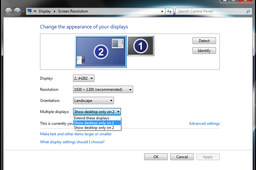
How can I build a computer for both gaming and work? Hybrid computer build!
Philippe Carrier
in
Design & CAD
0
0
Intermediate
Here is an easier way to switch between graphic cards. The previous method wasn't stable and sometimes needed a reboot. This solution is easier and works all the time, without any rebooting.
Other
videocard
workstation
build
hybrid
card
gpu
video
gaming
computer
Tutorial: how to make standard compliant sections in Solid Edge Draft
Ferro
in
Drafting
0
0
Intermediate
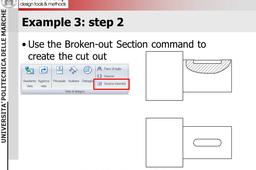
This tutorial show how to produce standard compliant sections with the Draft module of Solid Edge.
Solid Edge
view
orthographic
drawing
mechanical
draft
sections
problem in loft between a circle and hexagon
Roger Couture
in
Design & CAD
0
0
Intermediate
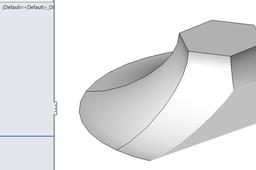
You do not need guide curve if you solidly work with surfaces !
Other
1
…
8
9
10
11
12