Learn about the GrabCAD Platform
Get to know GrabCAD as an open software platform for Additive Manufacturing
Visit our new homepage
Home
Control
Shop
Streamline Pro
Partner Program
Print
Community
Inicie sesión
Library
Challenges
Groups
Questions
Tutorials
Engineers
Blog
Inicie sesión
Learn from thousands of free Tutorials.
New user?
Join the community
or
log in.
Tutorials
Most liked all time
Recent
Most liked
Most viewed
Most commented
This week
This month
All time
Category
Design & CAD
Modeling
Drafting
Assemblies
BOM
Dimensioning / Tolerancing
Translations
Manufacturing & CAM
3D Printing
Tooling
NC Machining
Composites
Measurement / Inspection
Simulation & CAE
FEM
CFD
Kinematics
Process Simulation
Engineering Fundamentals
Theory
Process
Standards
Other
Software
Snagit
Alibre Design
ArchiCAD
AutoCAD
AutoCAD Electrical
Autodesk 3ds Max
Autodesk Alias
Autodesk Inventor
Autodesk Maya
Autodesk Revit
Autodesk 123D
BricsCAD
Bentley MicroStation
BlenderCAD
BobCAD-CAM
CATIA
Delmia
DraftSight
FreeCAD
Femap
Fusion 360
Geomagic Design
IronCAD
JT
Kompas-3D
KeyCreator
KeyShot
Lagoa
Luxology
Mastercam
Moi3D
NX Unigraphics
OBJ
Onshape
OpenSCAD
Parasolid
Powermill
Powershape
Pro/Engineer Wildfire
PTC Creo Parametric
PTC Creo Elements
Rhino
SpaceClaim
SOLIDWORKS
solidThinking Evolve
Solid Edge
SolidFace
STEP / IGES
SketchUp
STL
TopSolid
TinkerCAD
T-Flex CAD
TurboCAD
VectorWorks
ViaCAD 3D
VRML / WRL
ZW3D
GrabCAD Print
Rendering
GrabCAD Community
GrabCAD Workbench
Text file
3D Manufacturing Format
Cinema 4D
Other
Intermediate
All levels
Beginner
Intermediate
Expert
OBJ
×
Powermill
×
Solid Edge
×
VectorWorks
×
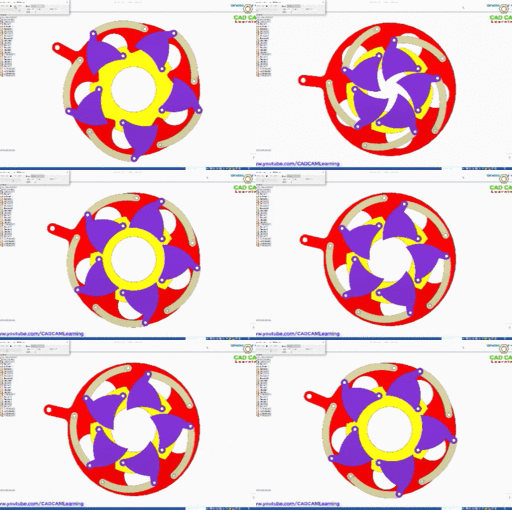
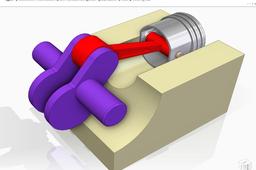
Solid Edge Assembly & Motion Animation Shutter Mechanism, Iris Mechanism
CAD CAM Learning
in
Assemblies
17
0
Intermediate
Solid Edge Assembly & Motion Animation Diaphragm Shutter Mechanism, Iris Mechanism
Solid Edge
shuttermechanism
solidedgeanimation
solidedgemotion
solidedgeassembly
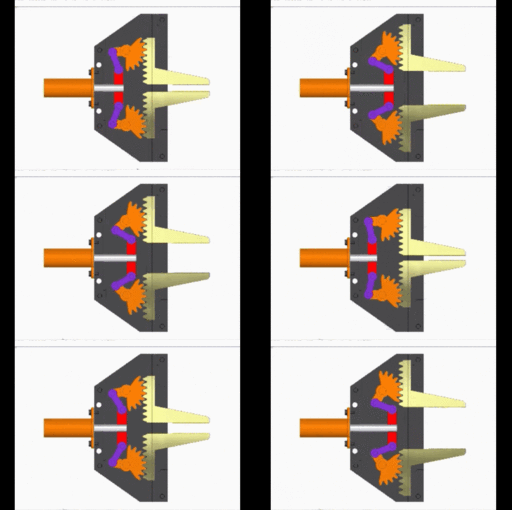
Robot gripper of gear-rack drives mechanism Assembly & Animation in Solid Edge
CAD CAM Learning
in
Assemblies
11
1
Intermediate
Assembly & Animation Robot gripper of gear-rack drives mechanism in Solid Edge
Solid Edge
reobotgirppermechanism
solidedgeanimation
solidedgemotion
Convert STL to Solid Part | Reverse Engineering Exercise | Solid Edge 2022
Arsi Fathurrahman
in
Modeling
5
0
Intermediate
In this video, we will practice reverse engineering to convert STL files into Solid Parts using Solid Edge. This video also contains troubleshooting problems found during the process. So make sure you don't miss the step-by-step. Reliable 3D Technology Services: https://evolusi3d.com/ Let's connected! LinkedIn : https://www.linkedin.com/in/arsi-fathurrahman/ Instagram : https://www.instagram.com/arsi_fathur/ Tiktok : https://www.tiktok.com/@mas_arushi Thanks for watching! #reverseengineering #stltosolidpart #solidedge #3D scanner #convertstl #tutorialsolidedge
Solid Edge
tutorialsolidedge
convertstl
scanner
3d
solidedge
stltosolidpart
reverseengineering
Tutorials:-Working with Power MILL "PART IV" Finish Machining Strategies.
Sourbh
in
Design & CAD
4
0
Intermediate
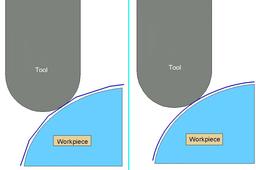
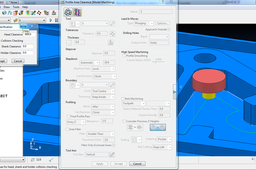
Finishing strategies machine the actual component form and where applicable, follow on from the Area Clearance operation. Suitable values are required to control the accuracy and amount of excess material to be left on a component by a tool path. The parameters used for this purpose are called Thickness and Tolerance
Powermill
suman
sourbh
powermill
clearance
tutorials
educational
cam
power
area
3d
mill
engineering
Solid Edge import files with vertex colour
juergen grewe
in
Modeling
3
0
Intermediate
How to create and import files into Solid Edge with vertex colour. With this little tutorial, it is possible to import into Solid Edge (2020) files that had before texture and mesh. For this you need Mesh Lab, TCvis (Teamcenter) or PLMvis and Solid Edge (2020). In Mesh Lab you can import every file it can read and export it to WRL (VRML).
Solid Edge
export
import
jt
teamcenter
plmvis
tcvis
edge
solid
Steel stairs parametric design overview
Ruben Medina
in
Modeling
2
0
Intermediate
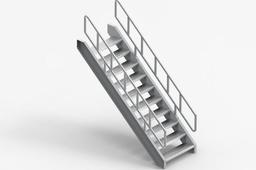
Quick overview of Solid Edge and Excel integration for parametric design using steel stairs as example.
Solid Edge
stairs
frame
metal
sheet
variables
Tutorials:-Working with Power MILL "PART IV" Finish Machining Strategies.
Sourbh
in
Design & CAD
2
0
Intermediate
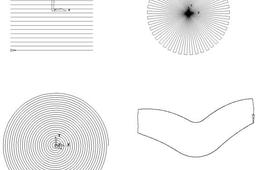
Raster, Radial, Spiral, and Pattern Finishing. Introduction. This section will cover Finishing strategies created by the downward projection of a Pattern, which include four types, Raster, Radial, Spiral and (user defined) Pattern. PowerMILL generates the toolpaths by projecting a wireframe form down the Z-axis onto the model. The standard patterns applied in Raster, Radial, and Spiral are achieved by entering values directly into the Finishing Form. The resultant Pattern can be displayed by selecting Preview before executing the command by selecting Apply. The Pattern option requires a user-defined geometric form (active Pattern), which is projected down Z onto the model as a tool path.
Powermill
suman
sourbh
powermill
clearance
tutorials
educational
cam
power
area
3d
mill
engineering
When the toolpath is to be verified to be checked for gouges?
fariborz
in
Design & CAD
2
0
Intermediate
Hello. I hope your answer is yes
Powermill
Solid Edge Assembly & Motion Animation video tutorials
CAD CAM Learning
in
Assemblies
2
0
Intermediate
Hello everyone, I am a Solid Edge user, I would like to share my knowledge about Solid Edge Assembly & Motion Animation and hopefully my video tutorials will help someone who is learning Solid Edge.
Solid Edge
mechanism
animation
tutorial
motion
assembly
tutorials
edge
solid
Modelling of a Vacuum Cleaner Propeller in Solid Edge
Adrian Duran
in
Modeling
1
0
Intermediate
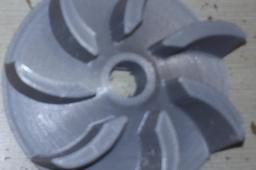
This is a clip from the modelling process of this propeller in Solid Edge https://www.youtube.com/watch?v=SbwxF4y-SJE
Solid Edge
modellng
3d
Tutorials:-Working with Power MILL "PART V" Toolpath Leads and Links
Sourbh
in
Design & CAD
1
0
Intermediate
Hello Friends, This tutorial continues for power mill Guidance.
Powermill
paths
sourbh
powermill
lead
links
tool
problem : powermill changes the orientation of files imoprted in igs format from solidworks
Sourbh
in
Design & CAD
1
0
Intermediate
Don't worry about the orientation just simply rotate it through your mouse. and If you are thinking of wrong axis direction than just follow these steps:-
Powermill
solidworks
powermill
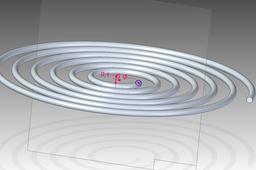
Tutorial: how to model a spiral in Solid Edge (example 2)
Ferro
in
Modeling
1
1
Intermediate
In order to get our spiral, we can use the advanced options of the helix command as shown in the following
Solid Edge
helix
ordered
edge
solid
Multi-CAD Modification in Solid Edge | Synchronous Technology
Arsi Fathurrahman
in
Modeling
1
0
Intermediate
In this video I will share about the multi-CAD modification feature using Solid Edge. This feature makes it easier for us to do editing and development on parts even though the part files come from different CAD file formats. By utilizing the synchronous feature, it makes the part modification process very easy and fast. So make sure you watch the video to the end. Join the community: https://www.linkedin.com/groups/13995622/ Reliable 3D Technology Services: https://evolusi3d.com/ Let's connected! LinkedIn : https://www.linkedin.com/in/arsi-fathurrahman/ Instagram : https://www.instagram.com/arsi_fathur/ Tiktok : https://www.tiktok.com/@mas_arushi Thanks for watching!
Solid Edge
modification
modeling
synchronous
solidedge
multicad
Tutorials:-Working with Power MILL "PART V" Toolpath Leads and Links
Sourbh
in
Design & CAD
1
1
Intermediate
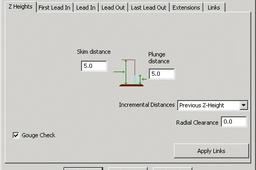
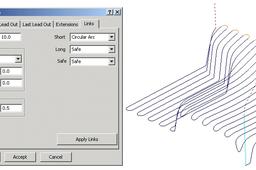
Links To provide for more efficient movement of the tool across the component the link moves that connect adjacent tool tracks can be defined in several different ways. Short/Long Threshold - This defines the distance limit up to which the Short - Links apply. Any move from the end of a tool track to the start of the next, which exceeds this distance is defined as a Long - Link move. For Short links the available options include Safe Z, Incremental, Skim, On Surface, Stepdown, Straight, and Circular Arc. For Long links the available options include Safe Z, Incremental, and Skim. Safe links apply only at the start and end of a toolpath the available options being Safe Z, Incremental, and Skim. For applications where a machine control system will permit arc fitting of rapid moves the Arc Fit Rapid Moves box can be ticked along with a suitable Radius based on the active tool diameter TDU (Of particular benefit to High Speed Machining). •Activate the toolpath 1_1 created earlier in the Leads section. •Set the Leads In and Out to None, if not already set. Press Apply.
Powermill
paths
sourbh
powermill
lead
links
tool
1
2