Learn about the GrabCAD Platform
Get to know GrabCAD as an open software platform for Additive Manufacturing
Visit our new homepage
Home
Control
Shop
Streamline Pro
Partner Program
Print
Community
Log in
Library
Challenges
Groups
Questions
Tutorials
Engineers
Blog
Log in
Learn from thousands of free Tutorials.
New user?
Join the community
or
log in.
Tutorials
Most liked all time
Recent
Most liked
Most viewed
Most commented
This week
This month
All time
Category
Design & CAD
Modeling
Drafting
Assemblies
BOM
Dimensioning / Tolerancing
Translations
Manufacturing & CAM
3D Printing
Tooling
NC Machining
Composites
Measurement / Inspection
Simulation & CAE
FEM
CFD
Kinematics
Process Simulation
Engineering Fundamentals
Theory
Process
Standards
Other
Software
Snagit
Alibre Design
ArchiCAD
AutoCAD
AutoCAD Electrical
Autodesk 3ds Max
Autodesk Alias
Autodesk Inventor
Autodesk Maya
Autodesk Revit
Autodesk 123D
BricsCAD
Bentley MicroStation
BlenderCAD
BobCAD-CAM
CATIA
Delmia
DraftSight
FreeCAD
Femap
Fusion 360
Geomagic Design
IronCAD
JT
Kompas-3D
KeyCreator
KeyShot
Lagoa
Luxology
Mastercam
Moi3D
NX Unigraphics
OBJ
Onshape
OpenSCAD
Parasolid
Powermill
Powershape
Pro/Engineer Wildfire
PTC Creo Parametric
PTC Creo Elements
Rhino
SpaceClaim
SOLIDWORKS
solidThinking Evolve
Solid Edge
SolidFace
STEP / IGES
SketchUp
STL
TopSolid
TinkerCAD
T-Flex CAD
TurboCAD
VectorWorks
ViaCAD 3D
VRML / WRL
ZW3D
GrabCAD Print
Rendering
GrabCAD Community
GrabCAD Workbench
Text file
3D Manufacturing Format
Cinema 4D
Other
Intermediate
All levels
Beginner
Intermediate
Expert
calculation
×
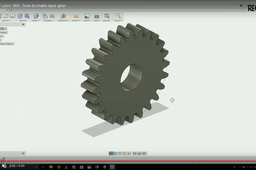
HOW TO MAKE GEAR IN FUSION 360 WITH GEAR CALCULATION
Prathmesh Bane
in
Modeling
7
2
Intermediate
HOW TO MAKE GEAR IN FUSION 360 WITH GEAR CALCULATION WITH CALCULATION ATTACH https://drive.google.com/file/d/1zidTjVKsHKiJEcQKbNzxfvdbA6m0jBfA/view https://www.youtube.com/watch?v=NUkBBmsx8e0
Fusion 360
spur
cam
cad
modeling
calculation
360
fusion
gear
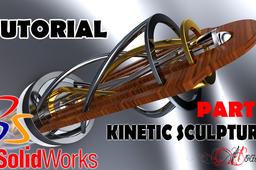
Kinetic Sculpture SolidWorks and Visualize Tutorial Part 1
ioan skurka
in
Design & CAD
4
0
Intermediate
3D Modeling: Learn key techniques and tools to design parts Features to be used: Boss-Extrude, Revolved Boss/Base, Sweep Boss/Base, Extrude Cut, Fillet, Circular Pattern, Helix/ Spiral Apply appearances Assemblies: Combine your part designs into 3D assemblies Mating parts, use Mechanical Mates like GearMate Motion Study - Learn how to create a basic Motion Study within Motion Analysis and then perform a simulation calculation Save Animation Rendering using Visualize: Import Assembly in Visualize Apply appearances Camera Environmental Final rendering using GPU
SOLIDWORKS
calculation
simulation
study
motion
visualize
solidworks
tutorial
sculpture
kinetic
Mechanical stress simulation (FreeCAD 0.19 • FEM Workbench )
Quentin Plisson
in
Dimensioning / Tolerancing
4
0
Intermediate
This tutorial give an overview of FEM Workbench on FreeCAD 0.19 which allows mechanical analysis by the finite element method. We will look at the steps to follow to applies a force of given value [N] to selected target geometry. Then perform a finite element analysis without going into details of the calculations.
FreeCAD
stress
calculation
spoon
analysis
mechanical
0-19
fea
fem
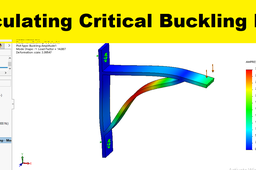
Solidworks simulation 111 : Buckling analysis of a strut
sakib ahmed
in
FEM
1
0
Intermediate
Learn to calculate critical buckling load of a strut using solidworks buckling simulation module. For more solidworks simulation tutorials, please subscribe our channel.
analysis
calculation
load
buckling
simulation
solidworks
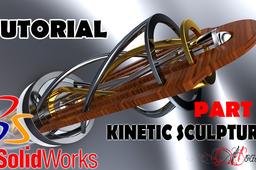
Kinetic Sculpture SolidWorks and Visualize Tutorial Part 2
ioan skurka
in
Modeling
1
0
Intermediate
3D Modeling: Learn key techniques and tools to design parts Features to be used: Boss-Extrude, Revolved Boss/Base, Sweep Boss/Base, Extrude Cut, Fillet, Circular Pattern, Helix/ Spiral Apply appearances Assemblies: Combine your part designs into 3D assemblies Mating parts, use Mechanical Mates like GearMate Motion Study - Learn how to create a basic Motion Study within Motion Analysis and then perform a simulation calculation Save Animation Rendering using Visualize: Import Assembly in Visualize Apply appearances Camera Environmental Final rendering using GPU
SOLIDWORKS
calculation
simulation
study
motion
visualize
solidworks
tutorial
sculpture
kinetic
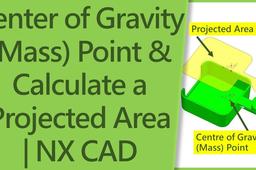
How to Find Center of Mass | Get Projected Area | Siemens NX
Shuvam Kumar
in
Modeling
0
0
Intermediate
In this video, you will learn to create the center of gravity or center of mass point which will link to our solid model if our model is updated then our center of gravity point will also update automatically. After that we will learn to calculate the projected area of Casting in nx and also learn to extract the projected surface. After that we will project the center of gravity point into the projected surface so that we will get point which we use for tie bar balance in Die Casting During Die Design. Projected sheet and projected in area will help us in Tonnage Calculation in die-casting. I hope you got to learn a lot from this video. If you want to watch NX tutorial and die-casting related videos from our channel then please subscribe to our channel ➡️https://bit.ly/2Ve1olC To Subscribe ➡️Recommended Playlist Die Casting Mould Design Theory ➡️https://youtube.com/playlist?list=PLqn1PG9MY7LjK08RSkCBC1jfdRYcR-BqU Die Casting Mold Base Design Step By Step | NX Mold Design ➡️https://youtube.com/playlist?
NX Unigraphics
design
cad
master
become
calculation
how
object
mass
find
gravity
center
nx
casting
area
projected