Learn about the GrabCAD Platform
Get to know GrabCAD as an open software platform for Additive Manufacturing
Visit our new homepage
Home
Control
Shop
Streamline Pro
Partner Program
Print
Community
Log in
Library
Challenges
Groups
Questions
Tutorials
Engineers
Blog
Log in
Learn from thousands of free Tutorials.
New user?
Join the community
or
log in.
Tutorials
Most liked all time
Recent
Most liked
Most viewed
Most commented
This week
This month
All time
Category
Design & CAD
Modeling
Drafting
Assemblies
BOM
Dimensioning / Tolerancing
Translations
Manufacturing & CAM
3D Printing
Tooling
NC Machining
Composites
Measurement / Inspection
Simulation & CAE
FEM
CFD
Kinematics
Process Simulation
Engineering Fundamentals
Theory
Process
Standards
Other
Software
Snagit
Alibre Design
ArchiCAD
AutoCAD
AutoCAD Electrical
Autodesk 3ds Max
Autodesk Alias
Autodesk Inventor
Autodesk Maya
Autodesk Revit
Autodesk 123D
BricsCAD
Bentley MicroStation
BlenderCAD
BobCAD-CAM
CATIA
Delmia
DraftSight
FreeCAD
Femap
Fusion 360
Geomagic Design
IronCAD
JT
Kompas-3D
KeyCreator
KeyShot
Lagoa
Luxology
Mastercam
Moi3D
NX Unigraphics
OBJ
Onshape
OpenSCAD
Parasolid
Powermill
Powershape
Pro/Engineer Wildfire
PTC Creo Parametric
PTC Creo Elements
Rhino
SpaceClaim
SOLIDWORKS
solidThinking Evolve
Solid Edge
SolidFace
STEP / IGES
SketchUp
STL
TopSolid
TinkerCAD
T-Flex CAD
TurboCAD
VectorWorks
ViaCAD 3D
VRML / WRL
ZW3D
GrabCAD Print
Rendering
GrabCAD Community
GrabCAD Workbench
Text file
3D Manufacturing Format
Cinema 4D
Other
Skill level
All levels
Beginner
Intermediate
Expert
contact
×
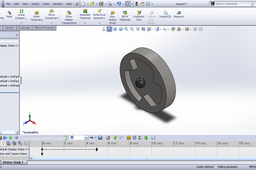
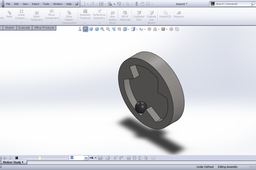
Tutorial - Simulation of ball basic motion in SolidWorks Part -5?
Sudhir Gill
in
Design & CAD
3
0
Beginner
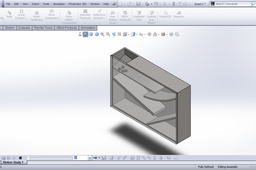
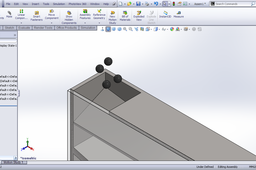
Here is the tutorial on basic motion. This is the main part of this tutorial.
SOLIDWORKS
motion
animation
gravity
tutorial
basic
balls
contact
Simulation Contact
Oleksandr Grinenko
in
FEM
2
0
Intermediate
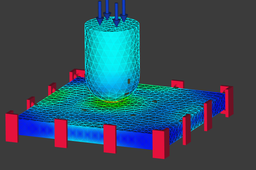
Hello people, In this tutorial - contact simulation in FreeCAD FEM Workbench. Mechanical boundary conditions: Plate fully constrained from both sides. Contact between cylinder & plate: Stiffness=70 GPa/m mu_friction=0.3 sigma_P=50 MPa on cylinder face. Material: Steel C45 plate Aluminium zylinder Link to the video with descriptions here: https://vimeo.com/1103103030
plate
contact
simulation
freecad
Deformation and stress Analysis animation of contact analysis in Ansys.
vishal chhaya
in
Kinematics
2
0
Beginner
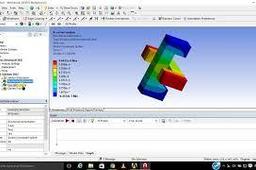
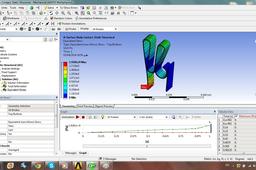
deformation and stress analysis animation in Ansys.
stress
deformation
meshing
fem
ansys
analysis
contact
Ansys Frictional Contact
Francisco Marinho
in
Simulation & CAE
2
1
Intermediate
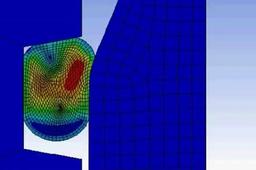
https-www-youtube-com-watch-v-wzx7hulo3f8-t-144s Simulate The Compression Of an O-ring subjected to frictional contact with a piston / cylinder assembly. Simular a compressão de um O-ring submetido a contato friccional com um conjunto pistão / cilindro.
contact
frictional
simulation
dynamic
ansys
tutorial 12 : contact analyse between two surface body in ansys
Armin Yousefi Kanani
in
Design & CAD
2
0
Intermediate
hi
Other
two
body
surface
ansys
analyse
contact
between
Introduction to Dynamic Simulation [Part 3] CATIA 3DExperience R20x
Maxime Chagnot
in
Assemblies
2
1
Beginner
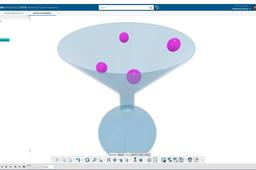
Hello CATIA Fans :) This video is the 3rd part of our Introduction to Dynamic Simulation on CATIA 3DExperience R2020x. In this new tutorial we will talk about group of contact between several parts. For illustrating group of contact, the scenario is the following: 4 balls falling in a funnel. You will create the contacts between the balls and the funnel, and the contacts between each ball. As well as adding friction coefficient [ intro Part 1: https://youtu.be/mKr6L0J6tjc ] and restitution coefficient [ intro Part 2: https://youtu.be/MeVwlQ_znUk ]. As you probably now already, if you have seen the other videos, you will create a dynamic scenario in Mechanical Systems Experience. You will create a gravity excitation and compute the dynamic simulation. You will try different diameter size of the funnel hole and study the behavior of the falling balls. Enjoy and remember to stay home! Hope this video will be helpful for you to learn more about 3DExperience :D Please Like, Comment, Share and Subscribe ;)
CATIA
funnel
systems
mechanical
contact
gravity
3dexperience
catia
dynamic
Tutorial - Simulation of ball basic motion in SolidWorks Part -1?
Sudhir Gill
in
Design & CAD
2
0
Beginner
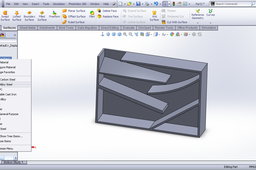
Here is the tutorial on first part box of the model. We will go step by step from modeling to motion.
SOLIDWORKS
motion
animation
gravity
tutorial
basic
balls
contact
Introduction to Dynamic Simulation [Part 4]
Maxime Chagnot
in
Assemblies
1
0
Beginner
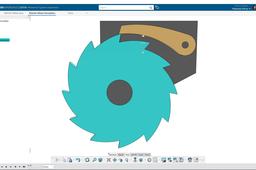
Greetings 3DExperience Fans :) This video is the 4th part of our Introduction to Dynamic Simulation on CATIA 3DExperience R2021x. The topic of this new video is Axial Spring in Mechanism Systems Experience. The example that can well illustrate axial spring is a Ratchet Wheel. In one direction the wheel turn but in the other it is blocked by a pawl and cannot rotate. The spring is essential for the pawl to be in contact with the ratchet wheel. In this demonstration, you will create engineering connections, contacts and a spring. After doing that you will create a Dynamic scenario, but this time no need of gravity excitation, since it will not impact too much the result. Instead you will use a motor excitation on the Ratchet Wheel and study the motion of the Pawl. After running the scenario Mechanical Systems Experience, you will extract the traces of the pawl to improve the design. You will replace the motor by a position motor to rotate the wheel in both direction in order block the ratchet wheel with the pawl. To obtain good result you will play with the penetration max of the Simpletic Euler mode. Enjoy and remember to stay home! Hope this video will be helpful for you to learn more about 3DExperience :D Please Like, Comment, Share and Subscribe ;)
CATIA
motion
contact
pawl
wheel
ratchet
simulation
dynamic
3dexperience
catia
CATIA V5 - Check Clashes, Clearances and Contact
3D Comparison
in
Modeling
1
0
Beginner
The case study model can be found at: https://grabcad.com/library/gopro-karma-drone-complete-with-camera-1 To check for clashes, clearances, and contact in CATIA V5, you can use the **Check Clash** tool. This tool can be found in the **Analyze** menu.
CATIA
tool
study
analysis
contact
clearance
clashes
catia
Tutorial - Simulation of ball basic motion in SolidWorks Part -4?
Sudhir Gill
in
Design & CAD
1
0
Beginner
Here is the tutorial on assembling the parts.
SOLIDWORKS
motion
animation
gravity
tutorial
basic
balls
contact
Tutorial - Adding contact to motion study in SolidWorks?
Sudhir Gill
in
Design & CAD
0
1
Beginner
Here is the Tutorial.
SOLIDWORKS
solidworks
motion
surface
cam
study
tutorial
contact
adding
Tutorial - Simulation of ball basic motion in SolidWorks Part -2?
Sudhir Gill
in
Design & CAD
0
0
Beginner
Here is the tutorial. In this tutorial we will model the cover part.
SOLIDWORKS
solidworks
motion
animation
gravity
tutorial
basic
balls
contact
Tutorial - Basic motion in SolidWorks?
Sudhir Gill
in
Design & CAD
0
0
Beginner
Here is the tutorial.
SOLIDWORKS
solidworks
motion
gravity
study
tutorial
basic
contact
Modeling a Housing assembly | Autodesk Inventor tutorial
Sergey Torshin
in
Assemblies
0
0
Intermediate
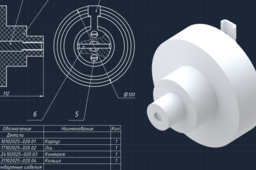
Hello, it’s cadblueprints! In this tutorial, I walk you through the process of creating a «Корпус в сборе» 020–КВС (Housing 020–HSG) assembly Autodesk Inventor. I hope you enjoy it! 🎓 Educational purpose only ▶ The assembly files: https://grabcad.com/library/housing-020-hsg-020-1
Autodesk Inventor
industrial design
contact
ring
shaft
base
case
body
housing
How does AVG password manager work?
Eva Tom
in
Other
0
0
Expert
AVG antivirus has so many outstanding and excellent security tools and features that will keep your device safe and secure. It has a Password manager that works effectively to keep all of your passwords safe and secure in a vault. If you need to know more then you should go to the team of experts at AVG helpline number UK.
care
customer
free
toll
contact
desk
phone
uk
number
support
number-uk
help
avg
1
2