Learn about the GrabCAD Platform
Get to know GrabCAD as an open software platform for Additive Manufacturing
Visit our new homepage
Home
Control
Shop
Streamline Pro
Partner Program
Print
Community
Log in
Library
Challenges
Groups
Questions
Tutorials
Engineers
Blog
Log in
Learn from thousands of free Tutorials.
New user?
Join the community
or
log in.
Tutorials
Most liked all time
Recent
Most liked
Most viewed
Most commented
This week
This month
All time
Category
Design & CAD
Modeling
Drafting
Assemblies
BOM
Dimensioning / Tolerancing
Translations
Manufacturing & CAM
3D Printing
Tooling
NC Machining
Composites
Measurement / Inspection
Simulation & CAE
FEM
CFD
Kinematics
Process Simulation
Engineering Fundamentals
Theory
Process
Standards
Other
Software
Snagit
Alibre Design
ArchiCAD
AutoCAD
AutoCAD Electrical
Autodesk 3ds Max
Autodesk Alias
Autodesk Inventor
Autodesk Maya
Autodesk Revit
Autodesk 123D
BricsCAD
Bentley MicroStation
BlenderCAD
BobCAD-CAM
CATIA
Delmia
DraftSight
FreeCAD
Femap
Fusion 360
Geomagic Design
IronCAD
JT
Kompas-3D
KeyCreator
KeyShot
Lagoa
Luxology
Mastercam
Moi3D
NX Unigraphics
OBJ
Onshape
OpenSCAD
Parasolid
Powermill
Powershape
Pro/Engineer Wildfire
PTC Creo Parametric
PTC Creo Elements
Rhino
SpaceClaim
SOLIDWORKS
solidThinking Evolve
Solid Edge
SolidFace
STEP / IGES
SketchUp
STL
TopSolid
TinkerCAD
T-Flex CAD
TurboCAD
VectorWorks
ViaCAD 3D
VRML / WRL
ZW3D
GrabCAD Print
Rendering
GrabCAD Community
GrabCAD Workbench
Text file
3D Manufacturing Format
Cinema 4D
Other
Skill level
All levels
Beginner
Intermediate
Expert
DraftSight
×
KeyShot
×
solidThinking Evolve
×
Rendering
×
GrabCAD Print Now Supports KeyShot 3MF Files
Stratasys
in
Modeling
3
1
Intermediate
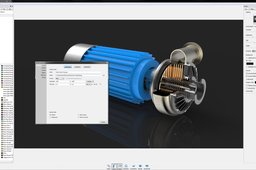
KeyShot 3D rendering software from Luxion Inc seamlessly integrates with GrabCAD Print for a smooth and quick export of 3MF files. This improved workflow enables designers to streamline their color workflow by exporting 3MF files that maintain color and texture data
KeyShot
polyjet
j55
keyshot
printing
3d
software
print
grabcad
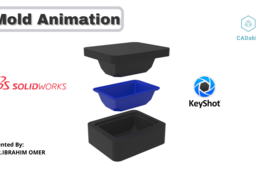
Mold Animation | Plastic Mold | SOLIDWORKS2020 | Keyshot9 | CADable |
Ibrahim Omer
in
Modeling
3
0
Beginner
Plastic mold modeled in SOLIDWORKS 2020 and rendered in Keyshot 9. This is simple animation output and not the tutorial. I have attached all files for practice. #plastic_mold #mold_animation #CADable For Files: https://grabcad.com/library/mold-exer... Kindly Subscribe our Channel for more Videos and Projects in Blender, SOLIDWORKS, Keyshot. Please Like and Share Our Videos. Thanks for Watching. Follow our Channel: https://www.youtube.com/c/CADable
KeyShot
cadable
modeling
solidworks2020
rendering
keyshot9
moulding
animation
molding
plastic
Mastering KeyShot Tutorial: Product Visualization
None None
in
Modeling
3
0
Beginner
I will teach you how to create realistic product visualization in KeyShot. Get 3D files and Bonus Video Content here ➡️http://bit.ly/40RKrh9 ► DESCRIPTION This tutorial is for the beginners or someone new to 3D rendering. This course will show you how to create realistic product visualization in real life workflow and also show how you can apply this technique in your future renders. In the beginning of this tutorial, I will show you simple interface and how to navigate in KeyShot. I will explain how to set up photographic camera view and how to rotate 3D model to match reference images. We are going to apply simple materials to create lighting for our renders. In the lighting process I will show you and explain complete process how to create lighting in HDR editor from scratch. This HDR image can be used multiple times or you can export it and use it in different rendering engines. After we create lighting I will show you how to create master materials for this 3D model. We are going to replicate all the details from reference image. Most of these materials got seamless texture so you can save this materials into KeyShot Material Library and you can use it again for different 3D models and you save time when you will be texturing next 3D model. I will show you how to use KeyShot rendering settings for sharp images without noise and we are gonna compare final renders to see the results which render settings are the best. I am going to show you simple Post Production in Photoshop and give you tips and tricks how to create multiple color variations in post production. ►Bonus Content In the bonus content I will explain difference between bump map and displacement map. I will teach you how to use Depth of Field to create even more realistic renders. In this bonus content you can also find full explanation how to create close-up renders and how to set up lighting for these renders. Support me on Patreon - You can download 3D models, 3D scenes files, textures and gain access to Bonus Video Content. 3D Scene ➡️http://bit.ly/43copax 3D Model ➡️http://bit.ly/3ZU7lD2
KeyShot
keyshot
3d render
3d model
visualization
realistic
texturing
lighting
rendering
35Tutorials'''' KeyShot tips(Step By Step)"''
Alireza SKH
in
Design & CAD
3
0
Beginner
Turning Wheels
Rendering
tutorial : how to render using keyshot
Yannick Herinckx
in
Design & CAD
2
0
Intermediate
how to render
KeyShot
render
keyshot
tutorial
how
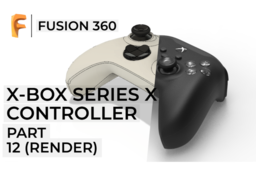
Fusion 360 | X-BOX Series X Controller | Part 12
CAD Pond
in
Modeling
2
0
Beginner
This video showcases the timelapse procedure involved in rendering the game controller using Keyshot and Fusion 360. -------------------- Happy Rendering
KeyShot
game
controller
xbox
cam
cad
ADOBE PHOTOSHOP TUTORIAL - How to prepare decals for Rendering
ioan skurka
in
Modeling
2
2
Beginner
ADOBE PHOTOSHOP TUTORIAL How to prepare decals for Rendering
Rendering
photoshop
decals
rendering
35Tutorials'''' KeyShot tips(Step By Step)"''
Alireza SKH
in
Design & CAD
2
0
Beginner
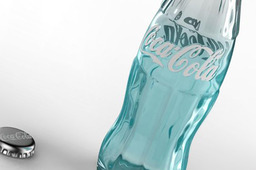
How to Create Clear Tinted Glass in KeyShot
Rendering
35Tutorials'''' KeyShot tips(Step By Step)"''
Alireza SKH
in
Design & CAD
2
2
Beginner
Create Perfect Glass and Liquid in KeyShot
Rendering
Keyshot - Learn the Basics - Panton Chair case study
3D Comparison
in
Translations
2
1
Beginner
KeyShot is a stand-alone, real-time ray tracing and global illumination program used to create 3D renderings, animations and interactive visuals. It is a popular choice for designers, engineers, and marketing professionals because it is easy to use and produces photorealistic results quickly. The reference image can be found at: https://www.vitra.com/en-un/product/panton-chair The 3D Model and the render can be downloaded at: https://grabcad.com/library/panton-chair-82
KeyShot
chair
panton
design
product
industrial
colors
easy
rendering
How to Open Your Model in KeyShot
KeyShot
in
Design & CAD
2
1
Intermediate
Within GrabCAD, you have a pulldown in the model viewing screen with the option to Open with KeyShot. When a model is open inside a project of the Workbench interface, you and any collaborators will see a Open With menu above the model in the upper right corner. With a single click, members of the project are able to select Open with KeyShot to launch and open the model directly inside KeyShot. With KeyShot installed, the model will open immediately inside the KeyShot realtime rendering environment. A video of the functionality can be viewed here. Once you have your model in KeyShot, you're ready to render! To get started quickly, see the quick tips and tutorials available here: http://keyshot.com/learning/
Rendering
keyshot
3d-rendering
HOW TO MAKE ANIMATION IN KEYSHOT
Yannick Herinckx
in
Design & CAD
2
2
Intermediate
make an amination in keyshot
KeyShot
KeyShot Tutorial: Realistic Car Rendering Part 2/2
None None
in
Modeling
2
0
Beginner
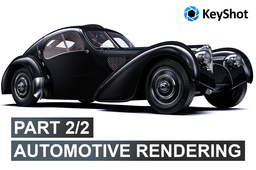
In this tutorial I will show you how to create realistic automotive renders in KeyShot. This tutorial contain step by step workflow, so if you are beginner you will be able to understand it and achieve same results. In this final part of the series I will show you how to create custom lighting to make your render unique and also even more realistic. We are going to combine HDR image and HDR pins to create final results. This is the automotive lighting in 10 minutes. In the part 1/2 of this series, I will show you how to import 3D model into the KeyShot and how to setup new camera for the visualization. Then we are start preparing our preview lighting, so we can easily apply new materials on car. We are gonna use base KeyShot materials with little adjustments to achieve realistic renders like this. The main idea of using KeyShot for rendering of this scene is to show you how easily you can create your own custom realistic renders. I hope, I will see you in the second part of this series. Support me on Patreon - You can download 3D models or 3D scenes files 3D Scene ➡️http://bit.ly/3JSTMiZ 3D Model ➡️http://bit.ly/3x9fasO
KeyShot
visualization
lighting
3d render
automotive
realistic
modeling
rendering
keyshot
How To Move Multiple labels Fast In Keyshot
Kathzerrato
in
Design & CAD
2
0
Beginner
The "Map 2D" node inside the Material Graph will help you move multiple labels or textures simultaneously.
KeyShot
moving labels
render hacks
labels
labeling in keyshot
material graph
map 2d node
keyshot rendering
How the New KeyShot & GrabCAD Print Integration Makes Applying Labels to 3D Models Very Easy
Stratasys
in
Modeling
2
0
Intermediate
Labels represent your product and brand. When designing your label, you want it just right especially after all the effort and time spent designing it. The last thing you want to worry about is color accuracy, position, readability, and all of that transferring perfectly when printing out your model. Thankfully, now that KeyShot integrates with GrabCAD Print, label headaches become a thing of the past with how simple this new workflow can be!
KeyShot
j55
labels
polyjet
print
grabcad
keyshot
1
2
3
4
…
10