Learn about the GrabCAD Platform
Get to know GrabCAD as an open software platform for Additive Manufacturing
Visit our new homepage
Home
Control
Shop
Streamline Pro
Partner Program
Print
Community
Log in
Library
Challenges
Groups
Questions
Tutorials
Engineers
Blog
Log in
Learn from thousands of free Tutorials.
New user?
Join the community
or
log in.
Tutorials
Most liked all time
Recent
Most liked
Most viewed
Most commented
This week
This month
All time
Category
Design & CAD
Modeling
Drafting
Assemblies
BOM
Dimensioning / Tolerancing
Translations
Manufacturing & CAM
3D Printing
Tooling
NC Machining
Composites
Measurement / Inspection
Simulation & CAE
FEM
CFD
Kinematics
Process Simulation
Engineering Fundamentals
Theory
Process
Standards
Other
Software
Snagit
Alibre Design
ArchiCAD
AutoCAD
AutoCAD Electrical
Autodesk 3ds Max
Autodesk Alias
Autodesk Inventor
Autodesk Maya
Autodesk Revit
Autodesk 123D
BricsCAD
Bentley MicroStation
BlenderCAD
BobCAD-CAM
CATIA
Delmia
DraftSight
FreeCAD
Femap
Fusion 360
Geomagic Design
IronCAD
JT
Kompas-3D
KeyCreator
KeyShot
Lagoa
Luxology
Mastercam
Moi3D
NX Unigraphics
OBJ
Onshape
OpenSCAD
Parasolid
Powermill
Powershape
Pro/Engineer Wildfire
PTC Creo Parametric
PTC Creo Elements
Rhino
SpaceClaim
SOLIDWORKS
solidThinking Evolve
Solid Edge
SolidFace
STEP / IGES
SketchUp
STL
TopSolid
TinkerCAD
T-Flex CAD
TurboCAD
VectorWorks
ViaCAD 3D
VRML / WRL
ZW3D
GrabCAD Print
Rendering
GrabCAD Community
GrabCAD Workbench
Text file
3D Manufacturing Format
Cinema 4D
Other
Intermediate
All levels
Beginner
Intermediate
Expert
How to 3D Print in Full Color (Part 2): Repairing and Checking VRMLs
Shuvom Ghose
in
3D Printing
27
4
Intermediate
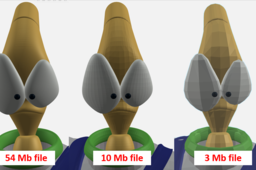
This is the second in a series of tutorials to help printer operators who are NOT graphic artists get the absolute most out of their multi-color, multi-material 3D printers, like the Stratasys J750. We will cover how to look deeper inside our VRML files to predict if they will import correctly and how to choose the resolution of VRML files from Rhino and other artistic CAD programs to make sure they are capturing the information you want.
j55
polyjet
rhino
zbrush
uv
color
j750
vrml
Helpful Injection Molding Design Guidelines
Stratasys
in
3D Printing
22
3
Intermediate
These guidelines are to be used as a starting point in understanding the basic aspects of design and preparation for injection molding.
stratasys
guidelines
3dprinting
molded
injection
How to 3D Print from Adobe Photoshop
Stratasys
in
Modeling
16
1
Intermediate
Every sculpture, product, installation and building (successful and unsuccessful) starts with an idea. When it takes physical form, the designer gets valuable aesthetic and practical feedback. Here are some tips on when and how 3D printing can feed this process.
Other
polyjet
cad
stratasys
graphics
designing
3dprinting
photoshop
Understanding Design & Process of DMLS 3D Metal Printing
Stratasys
in
3D Printing
14
0
Intermediate
Over the last decade, metal 3D printing has seen significant growth and evolution in the additive manufacturing landscape. Major players like NASA and GE have incorporated additive metals into their programs, aided by industry-wide material development and process research. Additive metal parts are seen more and more in end-use production. This tutorial covers Direct Metal Laser Sintering (DMLS) design constraints and freedoms, available metal materials and the process controls that deliver incredible metal parts.
laser
sdm
dmls
manufacturing
direct
stratasys
3dprinting
metal
How to Insert a Z Pause in a Stratasys Printer
Anirudh Krishnakumar
in
3D Printing
13
0
Intermediate
How do I use a Stratasys printer with multiple materials? Multiple colors? How do I add metal inserts in my 3D printed part? This tutorial explains how to use Stratasys software to insert pauses (Z-pause) during an FDM print job, to change materials, colors or to add metal inserts. Go to Step 1 for some documentation and examples of parts printed with Z Pause.
multi-material
multi-color
pause
stratasys
printing
3d
fdm
PolyJet Materials and Uses: Tips and Tricks
Stratasys
in
3D Printing
12
4
Intermediate
Materials are critical to prototyping and production success. At the heart of any great application is the right material: one that performs as needed under the application’s conditions. This is just as true for 3D printing as it has always been for molding, machining, and casting. While the 3D printing industry has a wide variety of materials to choose from, ranging from plastic to metal and wax to paper, the selection is often quite limited for a given technology. It is even more restricted for specific 3D printers, with one exception.
stratasys
3dprinting
materials
polyjet
Hand Sanding and Polishing for PolyJet 3D Printed Parts
Stratasys
in
3D Printing
11
1
Intermediate
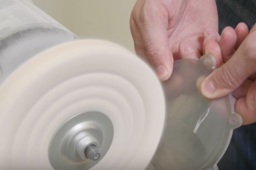
Sanding and polishing 3D prints can be tricky. This tutorial demonstrates how to handle post-processing for printed parts when using the Stratasys J750.
finishing
processing
part
printing
3d
polyjet
j750
stratasys
How to Remove FDM Support Material
Stratasys
in
3D Printing
9
0
Intermediate
FDM (fused deposition modeling) Technology lets you 3D print parts in a broad range of well tested plastics. FDM materials offer specialized properties like toughness, electrostatic dissipation, translucence, biocompatibility, UV resistance, VO flammability and FST ratings. This makes them perfect for demanding designers and engineers in aerospace, automotive, manufacturing, medical and other industries.
parts
3d
stratasys
removal
support
fdm
How to Remove SUP706 Soluble Support on a 3D Printed Part
GrabCAD Tutorials
in
3D Printing
6
2
Intermediate
Removing SUP706 Soluble Support is quick and easy. Following the best practices ensures that you do not damage or break your part in the process. The following is brought to you by Stratasys.
polyjet
cleaning
finishing
post-processing
3dprinting
removal
support
sup706
How to Go from 3D Scanning to 3D Printing
Stratasys
in
3D Printing
6
0
Intermediate
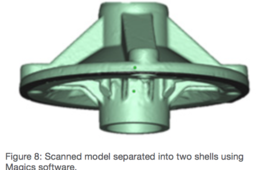
A 3D scanner is a device that analyzes and captures the geometry and colors of physical objects to transform them into digital 3D models. The scanning process collects sample points from the object’s surface and generates its geometric shape through extrapolation. There are many different 3D scanning technologies and each one comes with its own advantages, limitations and cost. Stratasys tested two types of Creaform 3D scanners: the HandyScan 700 and the Go!SCAN 20. These portable 3D scanners can be used for a wide range of applications, offering a simple and intuitive scanning experience, providing fast and reliable results. The Go!Scan 20 scanner can capture 3D data in color. It provides a very fast measurement rate and requires minimal data post-processing. The HandySCAN 700 is used mainly for taking measurements and reverse engineering. This scanner is fast at delivering accurate and high resolution 3D scans while remaining simple to use. All phases of product design, from concept through manufacturing, can benefit from the workflow combination of 3D scanning and printing. This process can reduce the number of design iterations and the time between each, lowering the total cost of each prototype. The following is brought to you by Stratasys:
3d
stratasys
3dprinting
scanning
How to Give Your 3D Printed FDM Part the Smoothness of Injection Molding
Stratasys
in
3D Printing
6
1
Intermediate
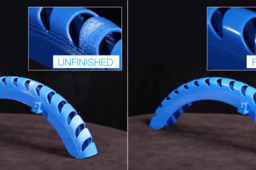
This tutorial will demonstrate how you can give your FDM printed part the finishing smoothness of injection molding. The Finishing Touch Smoothing Station can dramatically improve the surface finish of ABS parts that are built using FDM technology. The semi-automated smoothing process is compatible with FDM’s entire line of ABS plastics.
parts
3d
finishing
fdm
molding
injection
How to Get Better 3D Printed Transparent Parts
GrabCAD Tutorials
in
3D Printing
6
0
Intermediate
Printing with VeroClear model material makes translucent both possible and practical. With a little post-processing, you can control the degree of model transparency. The clarity of VeroClear parts will improve after one to two days in an office environment due to the exposure of white light. The following is brought to you by Stratasys.
finshing
polyjet
post-processing
3dprinting
veroclear
transparent
PolyJet Multi-Color Design Guidelines for 3D Printing
Stratasys
in
3D Printing
5
0
Intermediate
PolyJet Multi-Color builds prototypes, models and other parts in full color, including gradients and graphic textures. These design guidelines provide instructions for specific design considerations, including file exporting procedures and color selection for multi-color parts.
vrml
stl
3dprinting
stratasys
guidelines
design
multi-color
polyjet
How to Orient Parts for Strenth, Speed or Surface Finish
Stratasys
in
3D Printing
5
0
Intermediate
Build optimization is dependent on a part’s function (conceptual model, functional prototype, manufacturing tool or end-use part). Based on the part’s function, the user must select the appropriate orientation to balance or optimize surface finish, strength, or build time of the part. By following these best practices, you can cut down on time and waste.
speed
strength
stratasys
3dprinting
orient
How to Paint FDM Parts
Stratasys
in
3D Printing
5
1
Intermediate
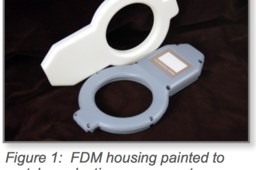
There are many reasons for coating FDM parts. These include UV protection, sealing, shielding, or surface modification, but painting FDM parts for an aesthetically pleasing finish is the most common. Painting brings a product to life by adding depth, contrast and character. This is true for concept models, marketing samples, and finished goods. For product development and many production applications, paint completes the desired look and feel. With a little know-how and a touch of patience, models, prototypes, and parts can look like production parts. The following instructions are for creating top-quality painted parts. For applications that do not require this level of finishing, skip any unneeded steps. A good paint finish traditionally starts with sanding and filling.
printing
3d
finishing
parts
stratasys
fdm
paint
1
2
3