Learn about the GrabCAD Platform
Get to know GrabCAD as an open software platform for Additive Manufacturing
Visit our new homepage
Home
Control
Shop
Streamline Pro
Partner Program
Print
Community
Log in
Library
Challenges
Groups
Questions
Tutorials
Engineers
Blog
Log in
Learn from thousands of free Tutorials.
New user?
Join the community
or
log in.
Tutorials
Most liked all time
Recent
Most liked
Most viewed
Most commented
This week
This month
All time
Category
Design & CAD
Modeling
Drafting
Assemblies
BOM
Dimensioning / Tolerancing
Translations
Manufacturing & CAM
3D Printing
Tooling
NC Machining
Composites
Measurement / Inspection
Simulation & CAE
FEM
CFD
Kinematics
Process Simulation
Engineering Fundamentals
Theory
Process
Standards
Other
Software
Snagit
Alibre Design
ArchiCAD
AutoCAD
AutoCAD Electrical
Autodesk 3ds Max
Autodesk Alias
Autodesk Inventor
Autodesk Maya
Autodesk Revit
Autodesk 123D
BricsCAD
Bentley MicroStation
BlenderCAD
BobCAD-CAM
CATIA
Delmia
DraftSight
FreeCAD
Femap
Fusion 360
Geomagic Design
IronCAD
JT
Kompas-3D
KeyCreator
KeyShot
Lagoa
Luxology
Mastercam
Moi3D
NX Unigraphics
OBJ
Onshape
OpenSCAD
Parasolid
Powermill
Powershape
Pro/Engineer Wildfire
PTC Creo Parametric
PTC Creo Elements
Rhino
SpaceClaim
SOLIDWORKS
solidThinking Evolve
Solid Edge
SolidFace
STEP / IGES
SketchUp
STL
TopSolid
TinkerCAD
T-Flex CAD
TurboCAD
VectorWorks
ViaCAD 3D
VRML / WRL
ZW3D
GrabCAD Print
Rendering
GrabCAD Community
GrabCAD Workbench
Text file
3D Manufacturing Format
Cinema 4D
Other
Intermediate
All levels
Beginner
Intermediate
Expert
polyjet
×
How to 3D Print in Full Color (Part 2): Repairing and Checking VRMLs
Shuvom Ghose
in
3D Printing
27
4
Intermediate
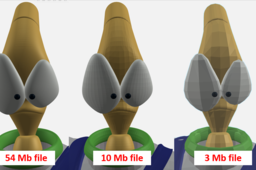
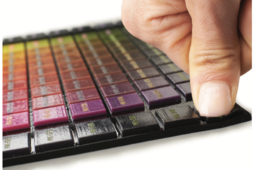
This is the second in a series of tutorials to help printer operators who are NOT graphic artists get the absolute most out of their multi-color, multi-material 3D printers, like the Stratasys J750. We will cover how to look deeper inside our VRML files to predict if they will import correctly and how to choose the resolution of VRML files from Rhino and other artistic CAD programs to make sure they are capturing the information you want.
j55
polyjet
rhino
zbrush
uv
color
j750
vrml
How to 3D Print More Realistic Consumer Product Prototypes
Shuvom Ghose
in
3D Printing
23
3
Intermediate
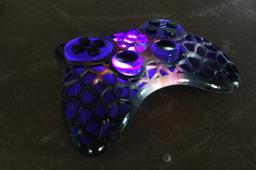
We discuss the 4 levels of 3D printed prototype realism all Industrial Designers should know about, and show you step-by-step how to reach each one!
industrial
series
j8
j55
polyjet
consumer
realism
j750
stratasys
How to 3D Print from Adobe Photoshop
Stratasys
in
Modeling
16
1
Intermediate
Every sculpture, product, installation and building (successful and unsuccessful) starts with an idea. When it takes physical form, the designer gets valuable aesthetic and practical feedback. Here are some tips on when and how 3D printing can feed this process.
Other
polyjet
cad
stratasys
graphics
designing
3dprinting
photoshop
How to 3D Print Full-Color, Fully-Textured DISPLACEMENT Mapped Parts Using Photoshop!
Shuvom Ghose
in
3D Printing
15
0
Intermediate
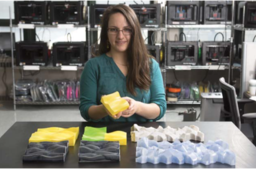
This tutorial covers a little-known feature in Photoshop you can use (today) to quickly create incredibly complex displacement-mapped parts for your 3D printer in full color!
j55
polyjet
stratasys
j750
bump
mapping
displacement
photoshop
PolyJet Materials and Uses: Tips and Tricks
Stratasys
in
3D Printing
12
4
Intermediate
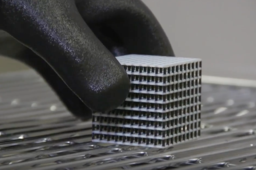
Materials are critical to prototyping and production success. At the heart of any great application is the right material: one that performs as needed under the application’s conditions. This is just as true for 3D printing as it has always been for molding, machining, and casting. While the 3D printing industry has a wide variety of materials to choose from, ranging from plastic to metal and wax to paper, the selection is often quite limited for a given technology. It is even more restricted for specific 3D printers, with one exception.
stratasys
3dprinting
materials
polyjet
Hand Sanding and Polishing for PolyJet 3D Printed Parts
Stratasys
in
3D Printing
11
1
Intermediate
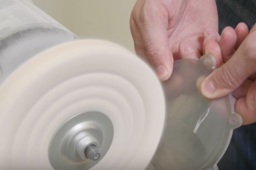
Sanding and polishing 3D prints can be tricky. This tutorial demonstrates how to handle post-processing for printed parts when using the Stratasys J750.
finishing
processing
part
printing
3d
polyjet
j750
stratasys
How to Remove SUP706 Soluble Support on a 3D Printed Part
GrabCAD Tutorials
in
3D Printing
6
2
Intermediate
Removing SUP706 Soluble Support is quick and easy. Following the best practices ensures that you do not damage or break your part in the process. The following is brought to you by Stratasys.
polyjet
cleaning
finishing
post-processing
3dprinting
removal
support
sup706
How to Get Better 3D Printed Transparent Parts
GrabCAD Tutorials
in
3D Printing
6
0
Intermediate
Printing with VeroClear model material makes translucent both possible and practical. With a little post-processing, you can control the degree of model transparency. The clarity of VeroClear parts will improve after one to two days in an office environment due to the exposure of white light. The following is brought to you by Stratasys.
finshing
polyjet
post-processing
3dprinting
veroclear
transparent
PolyJet Multi-Color Design Guidelines for 3D Printing
Stratasys
in
3D Printing
5
0
Intermediate
PolyJet Multi-Color builds prototypes, models and other parts in full color, including gradients and graphic textures. These design guidelines provide instructions for specific design considerations, including file exporting procedures and color selection for multi-color parts.
vrml
stl
3dprinting
stratasys
guidelines
design
multi-color
polyjet
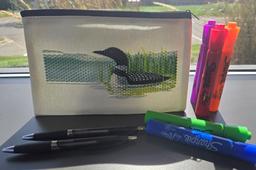
Print On Pencil Bags - GrabCAD Print Pro
Ken Postel
in
3D Printing
4
0
Intermediate
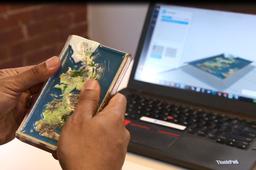
This tutorial will walk you through using new GrabCAD Print Pro features, along with a J55 Prime 3D printer, to print custom designs on canvas pencil bags. The design and set up principles used in this tutorial can also be applied to printing on other substrates.
j55 prime
j35 pro
grabcad print pro
polyjet
3d printing
Keyshot to GrabCAD Print Quick Guide for Packaging 3D Printing
Dor Mendel
in
3D Printing
4
1
Intermediate
The world of packaging design is constantly evolving. It takes time, expertise and production capabilities at the final stage of creating your design’s prototype. Stratasys J series printers shorten this process, reduce your iterations and bring your design to life in a matter of hours. With vibrant colors, adjusted transparencies and completely new features in the world of 3D printing, you can now print accurate color for liquids, physical packaging, and even labels. This tutorial will take you step by step from your CAD file, to realistic render in Keyshot and finally, to an unbelievably realistic 3D print, printed by your J series printer.
KeyShot
polyjet
color
design
package
keyshot
underprint
transparency
packaging
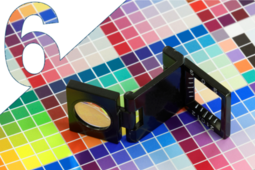
Part 6: Color Swatch Generator Tutorial (Color Matching and Hard Proofing Step By Step)
Naftali Eder
in
3D Printing
3
0
Intermediate
This tutorial describes how to use a 3D Swatch Generator and perform color matching for 3D prints, specifically on J750/J735 3D printers.
polyjet
cmyk
transparency
stratasys
j750
rgb
proofing
color
GrabCAD Print Now Supports KeyShot 3MF Files
Stratasys
in
Modeling
3
1
Intermediate
KeyShot 3D rendering software from Luxion Inc seamlessly integrates with GrabCAD Print for a smooth and quick export of 3MF files. This improved workflow enables designers to streamline their color workflow by exporting 3MF files that maintain color and texture data
KeyShot
polyjet
j55
keyshot
printing
3d
software
print
grabcad
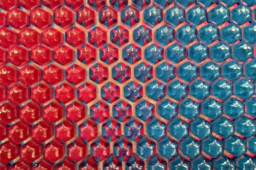
Lenticular Effects 1
Naftali Eder
in
3D Printing
3
1
Intermediate
An introduction to 3D printing lenticuuar effects. In our first design of this series we will look at creating an arrary of lenticular domes. This array will; be the basis for future projects in this lenticular series that will be printed on Fabric useing Polyjet Technology
prism
fabric
j850
lenticular
full color
3d fashion
polyjet
stratasys
How to Apply a Color Coating in GrabCAD Print
Stratasys
in
3D Printing
2
0
Intermediate
Get the most out of Vero Vivid Resins by using the Color Coating tool in GrabCAD Print. This tutorial will teach you how so you get the desired results from your PolyJet prints with advanced color designations.
print
grabcad
color
printing
3d
stratasys
polyjet
1
2