Learn about the GrabCAD Platform
Get to know GrabCAD as an open software platform for Additive Manufacturing
Visit our new homepage
Home
Control
Shop
Streamline Pro
Partner Program
Print
Community
Log in
Library
Challenges
Groups
Questions
Tutorials
Engineers
Blog
Log in
Learn from thousands of free Tutorials.
New user?
Join the community
or
log in.
Tutorials
Most liked all time
Recent
Most liked
Most viewed
Most commented
This week
This month
All time
Category
Design & CAD
Modeling
Drafting
Assemblies
BOM
Dimensioning / Tolerancing
Translations
Manufacturing & CAM
3D Printing
Tooling
NC Machining
Composites
Measurement / Inspection
Simulation & CAE
FEM
CFD
Kinematics
Process Simulation
Engineering Fundamentals
Theory
Process
Standards
Other
Software
Snagit
Alibre Design
ArchiCAD
AutoCAD
AutoCAD Electrical
Autodesk 3ds Max
Autodesk Alias
Autodesk Inventor
Autodesk Maya
Autodesk Revit
Autodesk 123D
BricsCAD
Bentley MicroStation
BlenderCAD
BobCAD-CAM
CATIA
Delmia
DraftSight
FreeCAD
Femap
Fusion 360
Geomagic Design
IronCAD
JT
Kompas-3D
KeyCreator
KeyShot
Lagoa
Luxology
Mastercam
Moi3D
NX Unigraphics
OBJ
Onshape
OpenSCAD
Parasolid
Powermill
Powershape
Pro/Engineer Wildfire
PTC Creo Parametric
PTC Creo Elements
Rhino
SpaceClaim
SOLIDWORKS
solidThinking Evolve
Solid Edge
SolidFace
STEP / IGES
SketchUp
STL
TopSolid
TinkerCAD
T-Flex CAD
TurboCAD
VectorWorks
ViaCAD 3D
VRML / WRL
ZW3D
GrabCAD Print
Rendering
GrabCAD Community
GrabCAD Workbench
Text file
3D Manufacturing Format
Cinema 4D
Other
Skill level
All levels
Beginner
Intermediate
Expert
SOLIDWORKS
×
swept
×
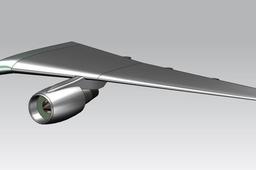
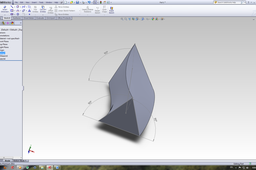
how create aircraft swept back wing in solidworks
yatheen cp
in
Modeling
5
0
Intermediate
creating aircraft swept back wing in solidworks16
SOLIDWORKS
solidworks
wing
back
swept
Why can't I do a swept with two guide curves when having a circle for a profile in SW?
Branko Stokuca
in
Design & CAD
4
1
Beginner
Tutorial as required
SOLIDWORKS
solidworks
part
swept
SOLIDWORKS - USING SWEPT CUT WITH SOLID PROFILES IN SOLIDWORKS
Resa Ant
in
Modeling
3
0
Beginner
Free Solidworks Video step by step Tutorial. This video tutorial how to use swept cut command with solid profile in solidworks. If this video is useful, support this channel to grow https://www.youtube.com/c/DesainCAD/videos By SUBSCRIBE, LIKE and COMMENT #solidworkstutorial #sweptcut #solidprofile
SOLIDWORKS
beginner
profile
solid
cut
swept
modeling
tutorial
solidworks
SolidWorks Tutorial: Elastic Pipe/Wire in SolidWorks Assemblies
Usman Akhtar
in
Assemblies
2
0
Intermediate
SolidWorks Video Tutorial for Move able pipe/wire in solidworks assemblies. pipe/rope will move along the trolley in solidworks assembly all done by using swept command and drawing spline
SOLIDWORKS
solidworks
rope
pipe
elastic
command
swept
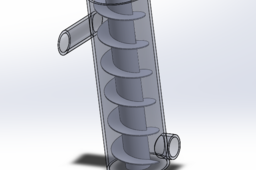
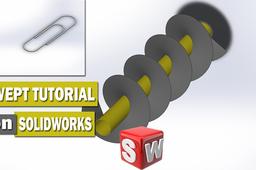
How to Create Helical Model
Kashish
in
Design & CAD
2
0
Intermediate
After the creating the helical curve, sketch a rectangle on a plane normal to the helix, preferably at the starting point. Sweep this rectangle along the curve and you will have your screw thread surface. If you need advanced help on sweeping zero thickness surfaces leave a comment.
SOLIDWORKS
swept
helix
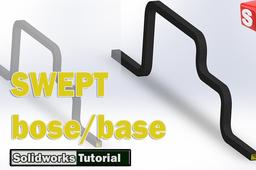
How to use Swept Boss/Base Feature - SolidWorks Tutorial
Tech Hawk
in
Drafting
2
0
Beginner
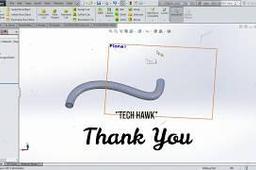
In this tutorial you will create swept part using Swept Boss/Base tool. 1.Click New. Click Part,OK. 2.Click Top Plane and click on Sketch. 3.Click Circle and sketch a circle origin as it center. Click Smart Dimension, dimension sketched circle diameter as your wish if you want 4.Exit Sketch. 5.Take a plane normal to spline end (or Click on Front Plane and click Sketch.) 6.Click on View Orientation-Normal To. 7.Zoom out the sketch, click on Spline and sketch a curve as sketched below. 8.Exit Sketch. 9.Click View Orientation--Isometric. 10. Click Features-Swept Boss/Base. For swept profile select Sketch1 (circle) and for path click on Sketch2 (curve). and . Done!
SOLIDWORKS
tutorial
path
profile
boss
swept
hawk
tech
solidworks
How to make a Teddy Bear toy in solidworks: solidworks tutorial in hindi for beginner
Vinit Shrimali
in
Modeling
2
1
Beginner
#solidworks #solidworks2018 #solidworksmodelling #solidworks3d Hello Everyone- Here we are, again with a new interesting video. In this video you will know about Boundary Boss/Base, loft base, extrude cut, extrude boss, power surfacing, combine, swept boss feature of solid works software.You will also find How Follow us on- Website: Evlantus.wordpress.com Instagam: https://www.instagram.com/evlantus/ Grabcad: https://grabcad.com/vinit.shrimali-1 Softwares used: OBS Filmora Solidworks 2018 System configuration: 8GB Ram I5 8 gen processor 4GB Nvidia 940 MX graphic card
SOLIDWORKS
tracing
reference
image
swept
loft
begineer
practice
modelling
solidworks
surfacing
advance
model
3d
toy
boss
boundary
Solidworks Tutorial | Swept Boss/Base for beginners | 3d Modeling Tutorial
Paul Dadzie
in
Modeling
1
0
Beginner
I highly recommend this tutorial to help get the basic skills in learning to do any 3d model in Solidworks ----------------------------------------------------------------------------------------------------------------- Solidworks is an engineering tool used for computer-aided designs(CAD) and computer-aided engineering(CAE). Its one of the biggest and useful CAD tools to have and learn. These sets of tutorial videos is to help you learn SolidWorks from a novice/beginner stage to an expert. The swept feature/tool in Solidworks is a really cool tool that allows you to make a 3d protrusion of a model along a path be it closed or open. This feature is one of the most useful ones to learn in Solidworks. ENJOY!!! ************************************************************************************** You can contact me for more specific tutorial and tuition Whatsapp: +233241289594 Email: dadziepaulaa@yahoo.com More models can be found here: https://grabcad.com/paul.dadzie-1/models Facebook: https://web.face
SOLIDWORKS
modeling
3d
cad
sweep
solidworks
tutorial
swept
Solidworks Tutorial in Hindi: Swept Boss/Base command fully explained, twist along the path
Vinit Shrimali
in
Modeling
1
0
Beginner
Hello Everyone- Here we are, again with a new interesting video. In this video you will know about Swept Boss/Base feature of solid works software.You will also find how to use multi-profile swept profile how to use twist along path in swept feature how to use swept feature in solidworks 2018 How to use guide curves in solidworks how to use multiple guide curves in swept feature ALL IN HINDI!! Follow us on- Website: Evlantus.wordpress.com Instagam: https://www.instagram.com/evlantus/ Softwares used: OBS Filmora Solidworks 2018 System configuration: 8GB Ram I5 8 gen processor 4GB Nvidia 940 MX graphic card Hope you guys like it. Please like and share. If you have any suggestion please comment. For more video Subscribe my Channel.
SOLIDWORKS
guide
multi-profile
path
along
twist
feature
boss-base
swept
Tutorial - creating a swep using a path and a guide curve
Branko Stokuca
in
Design & CAD
1
0
Beginner
Tutorial
SOLIDWORKS
solidworks
swept
tutorial
guidecurve
Tutorial designing button bolt with slot thread helix sketch swept boss combine move solid
Rixtronix LAB
in
Modeling
1
0
Beginner
Donation from Rixtronix LAB, Tutorial designing button bolt with slot thread helix sketch swept boss combine move solid Please watch , thanks https://youtu.be/uRgT9EtBkdk
SOLIDWORKS
solid
move
combine
boss
swept
sketch
helix
thread
slot
with
bolt
button
designing
tutorial
Solidworks Tutorial | Helix and Coil Swept Boss/Base | 3d Modeling Tutorial
Paul Dadzie
in
Modeling
1
0
Intermediate
I highly recommend this tutorial to help get the basic skills in learning to do any 3d model in Solidworks ----------------------------------------------------------------------------------------------------------------- Solidworks is an engineering tool used for computer-aided designs(CAD) and computer-aided engineering(CAE). Its one of the biggest and useful CAD tools to have and learn. These sets of tutorial videos is to help you learn SolidWorks from a novice/beginner stage to an expert. The helix and coil sweep is on of the tools that is not so widely known or used but one of the easiest shortcut to making certain 3d models. Learning this feature will greatly help you in some difficult and unique models. Unlike other Solidworks models, 3d parts in this form are almost impossible to make without using this tool. Hope this tutorial is a good aide in your studies ENJOY!!! **************************************************************************************
SOLIDWORKS
part
making
coil
helix
model
3d
sweep
swept
solidworks
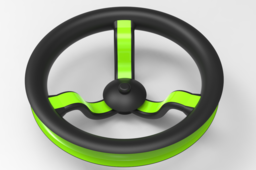
Solidworks Tutorial | Revolved & Swept Part of a steering wheel | 3d Modeling Tutorial
Paul Dadzie
in
Modeling
1
0
Intermediate
Solidworks is an engineering tool used for computer-aided designs(CAD) and computer-aided engineering(CAE). Its one of the biggest and useful CAD tools to have and learn. These sets of tutorial videos is to help you learn SolidWorks from a novice/beginner stage to an expert. Revolve is a method of defining three-dimensional geometry by revolving a sketched section around a centerline. Use the Revolve tool to create a solid or surface feature, and to add or remove material. You can create the following revolve types: • Revolved protrusion—Solid, Thickened • Revolved cut—Solid, Thickened • Revolved surface • Revolved surface trim—Regular, Thickened A revolved section requires an axis of revolution that can be created either with the section or defined by selecting model geometry Sweep features are defined by using custom 2D cross-section (or face) moved along a pre-set path to create a 3D shape or surface. With the sweep method, the user defines a 2-D or 3-D guide curve, in addition to creating the cross-s
SOLIDWORKS
swept
revolved
beginner
dude
cad
tutorial
solidworks
Solidworks Tutorial | Swept boss/base design | 3d Modeling Tutorial of a swept feature
Paul Dadzie
in
Modeling
0
0
Beginner
Solidworks is an engineering tool used for computer-aided designs(CAD) and computer-aided engineering(CAE). Its one of the biggest and useful CAD tools to have and learn. These sets of tutorial videos is to help you learn SolidWorks from a novice/beginner stage to an expert. The swept feature/tool in Solidworks is a really cool tool that allows you to make a 3d protrusion of a model along a path be it closed or open. This feature is one of the most useful ones to learn in Solidworks. ENJOY!!! ************************************************************************************** You can contact me for more specific tutorial and tuition Whatsapp: +233241289594 Email: dadziepaulaa@yahoo.com More models can be found here: https://grabcad.com/paul.dadzie-1/models Facebook: https://web.facebook.com/The-CAD-Dude-101404238247458 Instagram: https://www.instagram.com/thecaddude ********************************************************************************
SOLIDWORKS
3d
cad
tutorial
sweep
solidworks
base
boss
swept
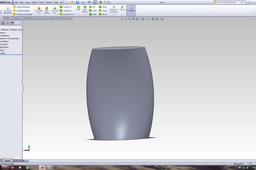
Tutorial designing vase v2.8 swept surface helix solidworks
Rixtronix LAB
in
Modeling
0
0
Beginner
Donation from Rixtronix LAB for the community, please enjoy, Thanks Tutorial designing vase v2.8 swept surface helix solidworks https://www.youtube.com/watch?v=Z_s4L0Nq8Uo&list=UU89se0BZ2oGeqN5jNbDAyQQ&index=2
SOLIDWORKS
solidworks
helix
surface
swept
v2-8
vase
designing
tutorial
1
2