Learn about the GrabCAD Platform
Get to know GrabCAD as an open software platform for Additive Manufacturing
Visit our new homepage
Home
Control
Shop
Streamline Pro
Partner Program
Print
Community
Log in
Library
Challenges
Groups
Questions
Tutorials
Engineers
Blog
Log in
Learn from thousands of free Tutorials.
New user?
Join the community
or
log in.
Tutorials
Most liked all time
Recent
Most liked
Most viewed
Most commented
This week
This month
All time
Category
Design & CAD
Modeling
Drafting
Assemblies
BOM
Dimensioning / Tolerancing
Translations
Manufacturing & CAM
3D Printing
Tooling
NC Machining
Composites
Measurement / Inspection
Simulation & CAE
FEM
CFD
Kinematics
Process Simulation
Engineering Fundamentals
Theory
Process
Standards
Other
Software
Snagit
Alibre Design
ArchiCAD
AutoCAD
AutoCAD Electrical
Autodesk 3ds Max
Autodesk Alias
Autodesk Inventor
Autodesk Maya
Autodesk Revit
Autodesk 123D
BricsCAD
Bentley MicroStation
BlenderCAD
BobCAD-CAM
CATIA
Delmia
DraftSight
FreeCAD
Femap
Fusion 360
Geomagic Design
IronCAD
JT
Kompas-3D
KeyCreator
KeyShot
Lagoa
Luxology
Mastercam
Moi3D
NX Unigraphics
OBJ
Onshape
OpenSCAD
Parasolid
Powermill
Powershape
Pro/Engineer Wildfire
PTC Creo Parametric
PTC Creo Elements
Rhino
SpaceClaim
SOLIDWORKS
solidThinking Evolve
Solid Edge
SolidFace
STEP / IGES
SketchUp
STL
TopSolid
TinkerCAD
T-Flex CAD
TurboCAD
VectorWorks
ViaCAD 3D
VRML / WRL
ZW3D
Rendering
GrabCAD Print
GrabCAD Community
GrabCAD Workbench
Text file
3D Manufacturing Format
Cinema 4D
Other
Skill level
All levels
Beginner
Intermediate
Expert
round
×
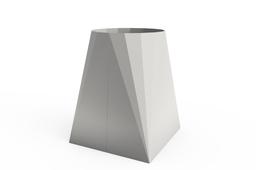
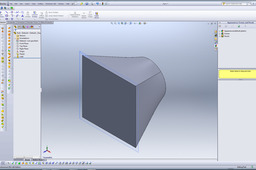
How to create a Square to Round (Autodesk Inventor)
David Tate
in
Modeling
22
5
Beginner
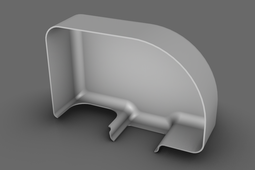
This tutorial will run you through the process to create a sheet metal square to round from start to finish. Including flat pattern.
Autodesk Inventor
lengthy
inventor
round
square
metal
sheet
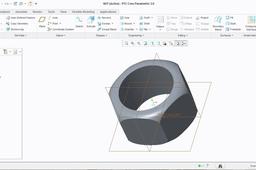
Create a Simple Nut By Using PTC Creo Parametric 3.0
Yash Lad
in
Modeling
14
3
Intermediate
How to create a simple nut in PTC Creo Parametric 3.0 ???
PTC Creo Parametric
1-0
2-0
3-0
sketch
round
hole
extrude
3d
nut
parametric
creo
ptc
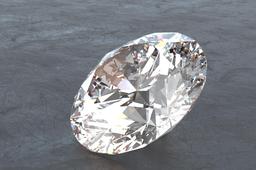
How to Draw a Proper Round Diamond in SolidWorks (Using Adanced Design)
George Haddad Sabounjian
in
Modeling
6
0
Intermediate
I've been always interested in modeling a Proper Round Diamond. after doing some research i came across bunch of models. But unfortunately almost all of them were modeled wrong. after digging deeper into how they are cut I started modeling my own Round Brilliant Diamond using only equations and relations. I felt like sharing this experience with amazing GrabCAD community. Hope you Enjoy it! ----------------------------------------------------------------------- Before starting I would highly suggest you to spend some time reading about Round Brilliant Diamond cut and get familiar with it's facet names, and know how Diamond proportions work. Useful links: https://en.wikipedia.org/wiki/Brilliant_(diamond_cut) http://www.jewellerycatalogue.co.uk/diamonds/round-brilliant.htm -------------------------------------------------------------------- I also made a video tutorial of the model https://www.youtube.com/watch?v=ehcEo7F9MZ8 you can download the SolidWorks model here https://grabcad.com/library/diamond-round-brilliant-cut-1
SOLIDWORKS
gem
tutorial
surface
solidworks
brilliant
round
diamond
Part-I Alloy wheel & tubeless tyre in Creo parametric 2.0
Nilesh Gunjal
in
Modeling
5
0
Intermediate
Alloy wheel modeeling in creo 2.0 & tubeless tyre By NIlesh Gunjal ME CAD/CAM
PTC Creo Parametric
round
p-attern
cut
extrude
pattern
revolve
moddeling
drawing
3d
engineering
mechanical
modelling
2-0
creo
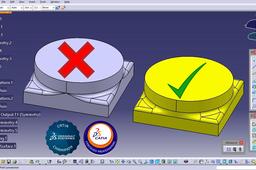
CATIA v5 Reconstruction using surfaces of an incorrect connection area
Ghionea Ionut
in
Modeling
5
1
Intermediate
CATIA v5 Reconstruction using surfaces of an incorrect connection area Video tutorial by Ionut Ghionea www.catia.ro www.fiir.pub.ro University Politehnica of Bucharest, Romania CATIA Part Design Specialist CATIA Champion https://play.google.com/store/books/author?id=Ionut+Gabriel+GHIONEA
CATIA
reconstruction
area
connection
v5
catia
fill
surface
round
Extruding from square to round
David Thomas
in
Design & CAD
3
0
Beginner
I would use a lofted boss/base for this if you want to do it the simple, solid way. Lofted surface would be more appropriate for a more complex surface model, but here's how you loft a solid boss.
SOLIDWORKS
square
round
extruding
Loft to simulate a full round fillet between 3 surfaces
Bobi
in
Modeling
1
0
Beginner
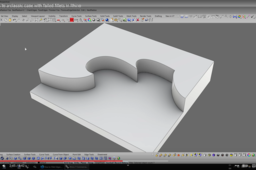
In cases where 3 surfaces meet together and the goal is to create a full round fillet in-between, the top surface could be used to extract an isocurve that’s then used as a middle profile for a “Loft surface”. The two main vertical surfaces are shortened by the amount of approximate radius (in this example, the radius is 5 mm, because the two main surfaces are 10 mm far from each other) and set to tangent start and end for the loft operation. That would maintain the desired top limit for the rounded surface, though it will not produce a true radius fillet.
Rhino
rhino
radius
surface
surfacing
nurbs
transition
round
fillet
3 solutions to a classic case with failed fillets in Rhino
Bobi
in
Modeling
1
0
Beginner
3 solutions to a classic case with failed fillets in Rhino
Rhino
milling
cnc
hack
round
fillet
fix
rhino
solution
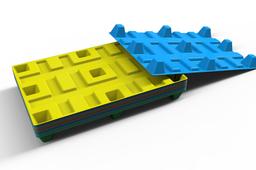
3D modeling of Plastic Pallet in the Creo 7
Vladimir Palffy
in
Modeling
1
0
Beginner
Used Features: Extrude, Draft, Round, Pattern, Shell
PTC Creo Parametric
modeling
creo7
extrude
shell
pattern
round
draft
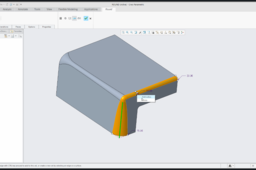
PTC Creo 4.0: How to create Round feature
Vladimir Palffy
in
Modeling
1
0
Beginner
Couple of examples - How to create Round feature in Creo: * edge references * surface references * stop at reference * Round properties * Full Round * Variable Round and more ...
PTC Creo Parametric
modeling
feature
round
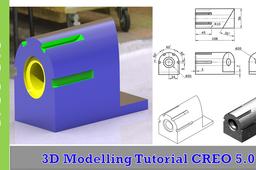
Creo Parametric 3d Modeling Exercise
jehan kothari
in
Modeling
0
0
Intermediate
In this video, I have shown basic features like circular pattern, counterbore holes, extrude offset to the plane etc. Hope you like it.
PTC Creo Parametric
counterbore
round
full
exercise
modeling
3d
parametric
creo
Full round fillet between 3 surfaces
Bobi
in
Modeling
0
0
Beginner
This tutorial shows how to use a tangent circle to 3 surfaces to build a full round fillet in-between.
Rhino
rhino
radius
surface
surfacing
nurbs
transition
round
fillet
Modeling tutorial: Fixing a messy 3d model
Bobi
in
Modeling
0
0
Intermediate
Modeling tutorial: Fixing a messy 3d model
Rhino
safe
smooth
perfect
round
fix
blend
fillet
box