Learn about the GrabCAD Platform
Get to know GrabCAD as an open software platform for Additive Manufacturing
Visit our new homepage
Home
Control
Shop
Streamline Pro
Partner Program
Print
Community
Log in
Library
Challenges
Groups
Questions
Tutorials
Engineers
Blog
Log in
Learn from thousands of free Tutorials.
New user?
Join the community
or
log in.
Tutorials
Most liked all time
Recent
Most liked
Most viewed
Most commented
This week
This month
All time
Category
Design & CAD
Modeling
Drafting
Assemblies
BOM
Dimensioning / Tolerancing
Translations
Manufacturing & CAM
3D Printing
Tooling
NC Machining
Composites
Measurement / Inspection
Simulation & CAE
FEM
CFD
Kinematics
Process Simulation
Engineering Fundamentals
Theory
Process
Standards
Other
Software
Snagit
Alibre Design
ArchiCAD
AutoCAD
AutoCAD Electrical
Autodesk 3ds Max
Autodesk Alias
Autodesk Inventor
Autodesk Maya
Autodesk Revit
Autodesk 123D
BricsCAD
Bentley MicroStation
BlenderCAD
BobCAD-CAM
CATIA
Delmia
DraftSight
FreeCAD
Femap
Fusion 360
Geomagic Design
IronCAD
JT
Kompas-3D
KeyCreator
KeyShot
Lagoa
Luxology
Mastercam
Moi3D
NX Unigraphics
OBJ
Onshape
OpenSCAD
Parasolid
Powermill
Powershape
Pro/Engineer Wildfire
PTC Creo Parametric
PTC Creo Elements
Rhino
SpaceClaim
SOLIDWORKS
solidThinking Evolve
Solid Edge
SolidFace
STEP / IGES
SketchUp
STL
TopSolid
TinkerCAD
T-Flex CAD
TurboCAD
VectorWorks
ViaCAD 3D
VRML / WRL
ZW3D
GrabCAD Print
Rendering
GrabCAD Community
GrabCAD Workbench
Text file
3D Manufacturing Format
Cinema 4D
Other
Intermediate
All levels
Beginner
Intermediate
Expert
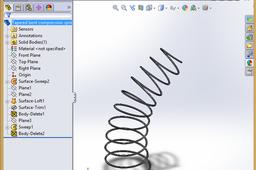
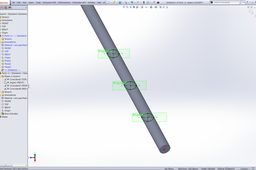
How to model a bent tapered spring in SolidWorks
Gavin Peters
in
Design & CAD
2
0
Intermediate
The taper on this solution is only a representation. If you know how I can change the appearance of the taper to the real word model please add to this thread. Thank you in advance.
SOLIDWORKS
spring
advanced
tutorial
modelling
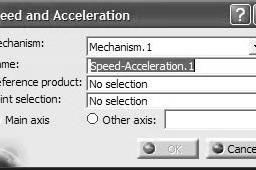
Tutorial : Using Laws in the motion
Rahul
in
Design & CAD
2
0
Intermediate
Follow the steps to get laws of motion govern your mechanism
CATIA
motion
v5
catia
animation
digital
dmu
kinematics
up
toolbar
mock
laws
HOW can i get the coordinate data from an airfoil graphics?
Abhilash Pullayikkodi
in
Design & CAD
2
0
Intermediate
You can obtain all the geometric data from the name itself. The airofoil name 63-621 was given. .The NACA 63621 profile describes an airfoil with design lift coefficient of 0.9 (0.15*6), the point of maximum camber located at 15% chord (5*3), reflex camber, and maximum thickness of 21% of chord length (21). Other details are irrelevant visit http://airfoiltools.com/airfoil/naca5digit for more information.
SOLIDWORKS
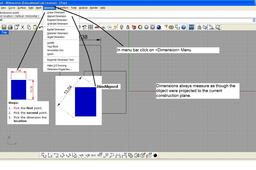
How to measure in Rhino?
Patel Deepak
in
Design & CAD
2
2
Intermediate
Dimensions always measure as though the object were projected to the current construction plane. 1. use linear dimension for measuring length and width measurements. 2. use aligned dimension for diagonal measurements.
Rhino
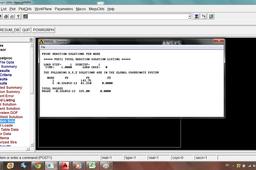
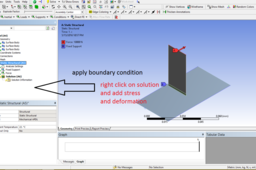
tutorial 17= TRUSS analysis in ANSYS
Armin Yousefi Kanani
in
Design & CAD
2
1
Intermediate
If you have any questions, don't hesitate to ask me
Other
ansys
Hang Glider wing: How to make a rib's curve tangent to the intersection curve made by a wing's tube penetrating rib's plane?
A D
in
Design & CAD
2
0
Intermediate
You can "cheat" a little bit with "spline on surface" (in a 3D-Sketch) which are connected on the rib plane. The spline should be a closed loop, this will give you a ellipsis. on this sketch can you connect now the rib-sketch. In the zip-file is my experiment.
Other
How to use spinal bend command in PTC creo 2 .
Mohit Saxena
in
Design & CAD
2
1
Intermediate
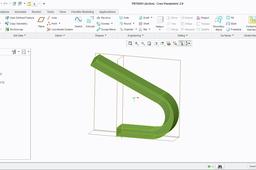
Tutorial:"How to use spinal bend command in PTC creo 2 "
PTC Creo Parametric
Tutorials:-Working with Power MILL "PART IV" Finish Machining Strategies.
Sourbh
in
Design & CAD
2
0
Intermediate
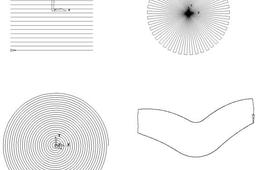
Raster, Radial, Spiral, and Pattern Finishing. Introduction. This section will cover Finishing strategies created by the downward projection of a Pattern, which include four types, Raster, Radial, Spiral and (user defined) Pattern. PowerMILL generates the toolpaths by projecting a wireframe form down the Z-axis onto the model. The standard patterns applied in Raster, Radial, and Spiral are achieved by entering values directly into the Finishing Form. The resultant Pattern can be displayed by selecting Preview before executing the command by selecting Apply. The Pattern option requires a user-defined geometric form (active Pattern), which is projected down Z onto the model as a tool path.
Powermill
suman
sourbh
powermill
clearance
tutorials
educational
cam
power
area
3d
mill
engineering
How to make laptop socket in CATIA
Jaiprakash Pandey
in
Design & CAD
2
0
Intermediate
Find the tutorial here https://www.youtube.com/watch?v=hxO3v438-ns
CATIA
tutorial
catia
3d
modeling
how to make 3d sketch line into surface?
Robert H.
in
Design & CAD
2
0
Intermediate
Here's some pics that may be helpful.
SOLIDWORKS
How to analyse Pro Engineer component in Ansys 10.0 welding property?
harikrushna dodiya
in
Design & CAD
2
0
Intermediate
u can weld through following step in workbench There are one "WELD" option in geometry. there u can create weld
Pro/Engineer Wildfire
property
weld
SolidWorks Tutorial - How to Make a 3D PDF, a Powerful Way to Share Your Model With Anyone
creaate co
in
Design & CAD
2
0
Intermediate
http://creaate.co/3d-pdfs/
SOLIDWORKS
creaate-co
creaate
make
share
save
works
create
pdf
as
model
solid
3d
solidworks
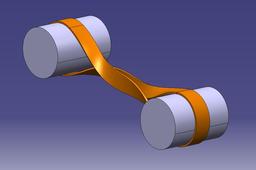
How to model Cross Belt drive in Catia
carl malia
in
Design & CAD
2
0
Intermediate
you can do this by using a multi-section sweep and thicken surface functions i will explain how to make the twisted part of the belt below
CATIA
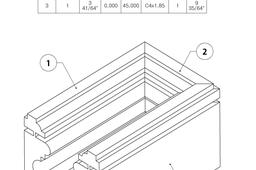
How to create a profile with several sealings as a structural member?
Roger Couture
in
Design & CAD
2
0
Intermediate
See steps
Other
how to put lights on a model of solidworks
shubham gupta
in
Design & CAD
2
0
Intermediate
Hey just go through this tutorial.: https://www.youtube.com/watch?v=sF9xGzF_XLI It will definitely help you.
SOLIDWORKS
1
…
91
92
93
…
100